1. Pendahuluan
This manual provides detailed instructions for the safe and effective operation of your SmallRig RC 120B Bi-Color COB Video Light. Please read this manual thoroughly before use and retain it for future reference.

Image 1.1: SmallRig RC 120B Bi-Color COB Video Light with included accessories, including the light unit, hyper reflector, AC adapter, power cable, and carrying bag.
2. Informasi Keselamatan
Untuk mencegah kerusakan pada produk atau cedera pada diri Anda atau orang lain, perhatikan tindakan pencegahan keselamatan berikut:
- Jangan melihat langsung ke sumber cahaya saat sedang menyala.
- Jauhkan perangkat dari air dan cairan yang mudah terbakar.
- Pastikan ventilasi yang tepat untuk mencegah panas berlebih.
- Gunakan hanya adaptor daya dan aksesori yang telah disetujui.
- Jangan mencoba membongkar atau memodifikasi lampu tersebut.
- Jauhkan dari jangkauan anak-anak.
3. Isi Paket
Verifikasi bahwa semua item yang tercantum di bawah ini disertakan dalam paket Anda:
- SmallRig RC 120B Light x 1
- Hyper-Reflector x 1
- Adaptor AC x 1
- Kabel Daya x 1
- Membawa Tas x 1
- Panduan Pengguna x 1

Image 3.1: Visual representation of all items included in the SmallRig RC 120B package.
4. Fitur Produk
4.1 High Brightness Output
The SmallRig RC 120B delivers significant illumination. Without the hyper reflector, it provides 4,450 Lux at 1 meter (3.3 ft). When the hyper reflector is attached, the output increases to an impressive 52,800 Lux at 1 meter (3.3 ft).

Image 4.1: The RC 120B light with its hyper reflector, demonstrating its powerful light output of 52,800 Lux at 1 meter.
4.2 High-Quality Color Rendering
This video light features a Color Rendering Index (CRI) of 95+ and a Television Lighting Consistency Index (TLCI) of 96+, ensuring accurate and natural color reproduction for your subjects.

Image 4.2: A visual comparison illustrating the superior color rendering achieved with the SmallRig RC 120B compared to a light with lower CRI and TLCI values.
4.3 Ultra-Quiet Active Cooling System
The integrated fan operates at an ultra-quiet level, producing approximately 25dB ± 2dB at a distance of 1 meter (3.3 ft). An active heat dissipation function engages when the lamp body temperature exceeds 60°C (140°F) to maintain optimal performance and longevity.

Image 4.3: The RC 120B light in use within a studio environment, emphasizing its quiet cooling system suitable for video production.
4.4 Standard Bowens Mount
Equipped with a standard Bowens mount, the RC 120B is compatible with a wide range of lighting modifiers, including softboxes, beauty dishes, and snoots, allowing for versatile light shaping and diffusion. It also includes a built-in umbrella hole for easy attachment of umbrella lighting accessories.

Image 4.4: The RC 120B demonstrating compatibility with different Bowens mount modifiers and showcasing the integrated umbrella hole.
4.5 Dual Control Methods
The light can be controlled directly via its on-board interface or remotely using the SmallGoGo App on your mobile device. The app provides intelligent remote control for brightness, color temperature, and lighting effects.
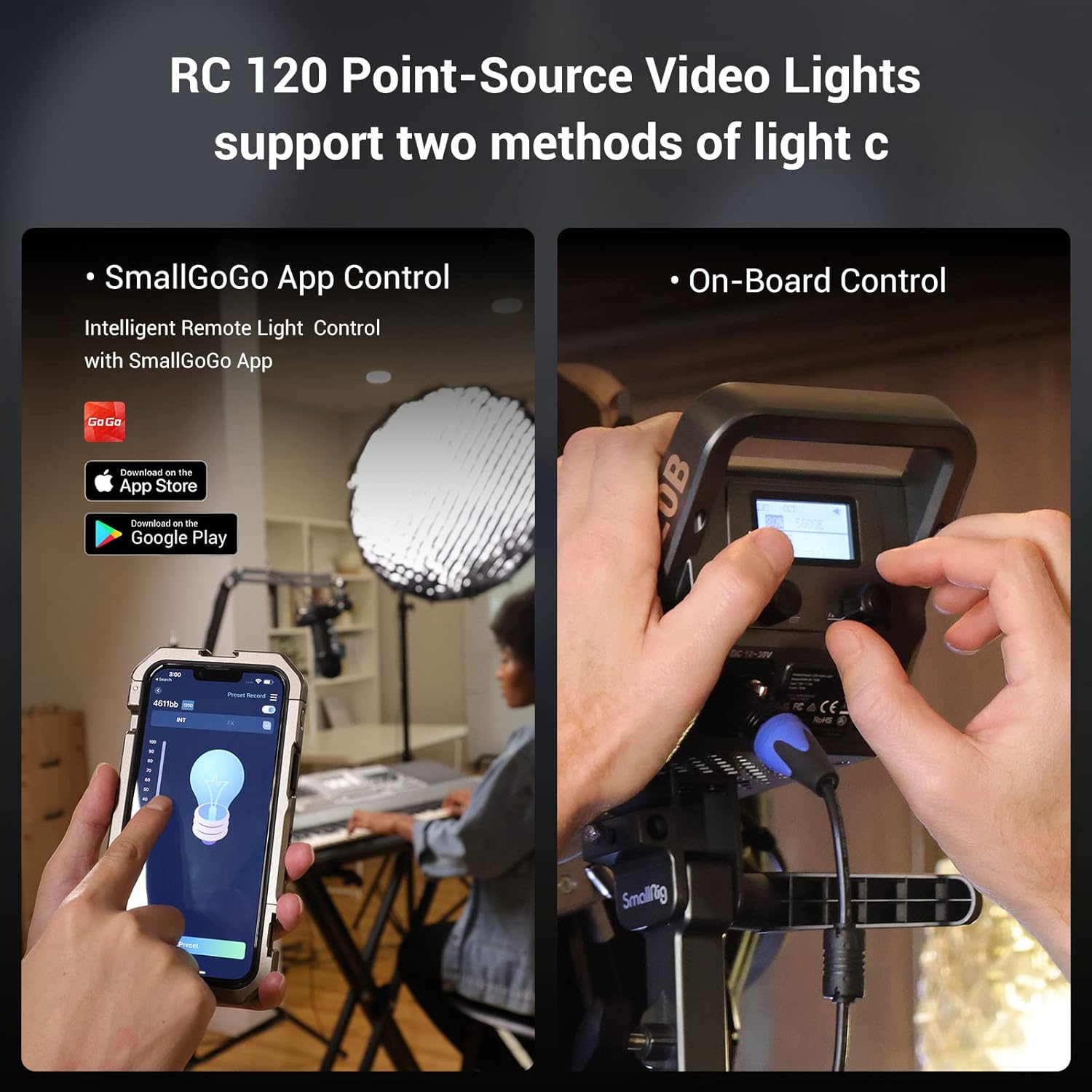
Image 4.5: Illustration of the two control methods for the RC 120B: via the SmallGoGo mobile application and directly through the on-board controls.
4.6 Dual Power Supply System
The RC 120B supports two power options: direct power supply from the included AC adapter (with a 6m/19.6ft power cable) or via a 14.4V/26V V-mount battery (not included). A special V-mount battery plate (model 3676, not included) is available for mounting the battery to a light stand.

Image 4.6: Details of the dual power supply system, showing the display indicators for AC adapter and V-mount battery power, and the secure locking design of the power plug.
4.7 Wide Color Temperature Range
Adjust the color temperature from 2700K (warm light) to 6500K (cool light) to match ambient lighting or achieve desired creative effects.
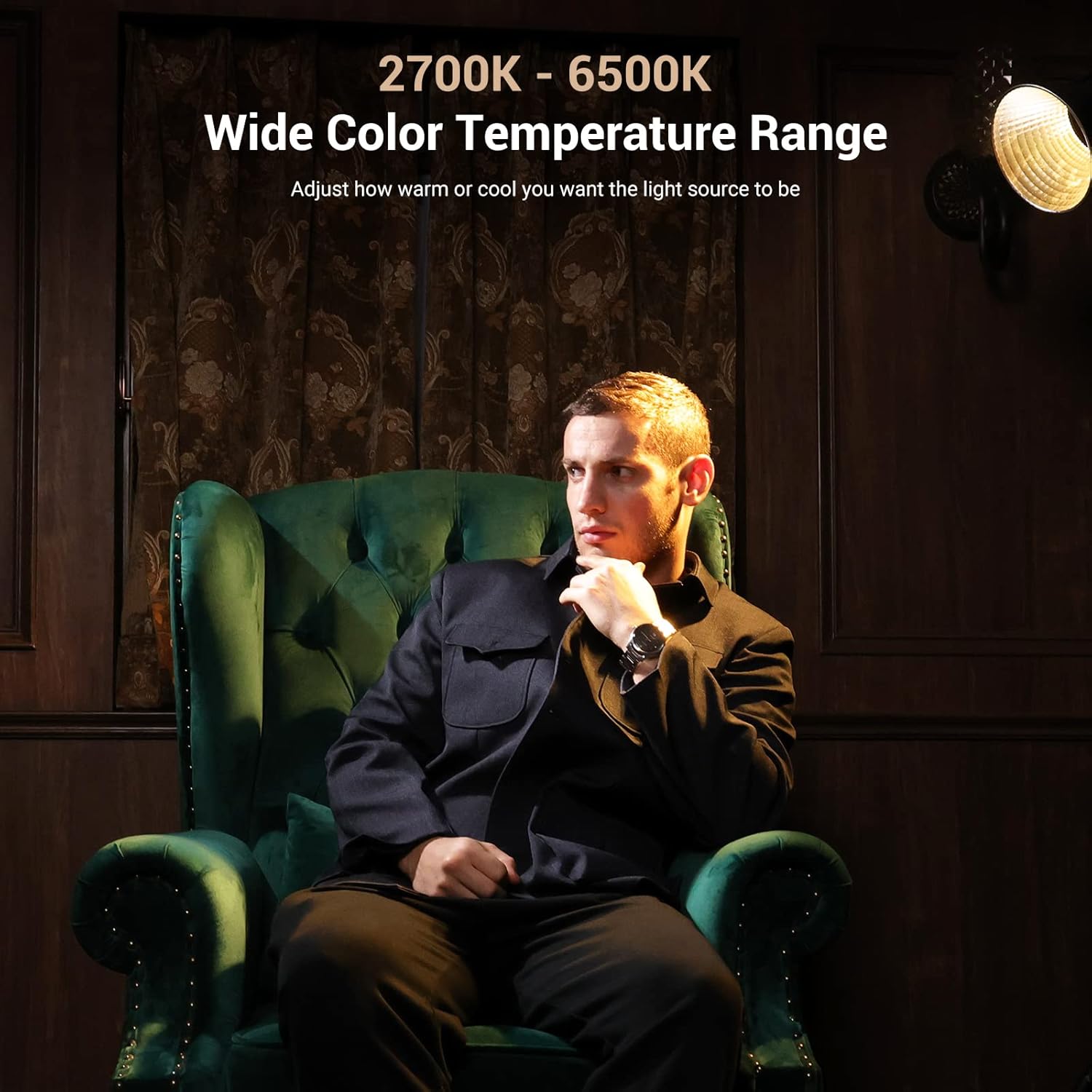
Image 4.7: The RC 120B light in action, demonstrating its ability to provide a wide range of color temperatures from warm to cool.
5. Pengaturan
5.1 Memasang Lampu
- Attach the RC 120B light to a compatible light stand using its integrated mounting bracket.
- Secure the light by tightening the locking knob on the mounting bracket.
- Adjust the tilt angle of the light as needed and tighten the tilt locking knob.
5.2 Attaching the Hyper Reflector
- Align the three mounting pins on the hyper reflector with the corresponding slots on the Bowens mount of the light.
- Insert the reflector and twist clockwise until it locks securely into place.
- To remove, press the release button on the Bowens mount and twist counter-clockwise.
5.3 Menyalakan Perangkat
Adaptor Daya AC:
- Connect the AC adapter to the DC 12-30V input port on the light. Ensure the locking design engages for a secure connection.
- Plug the power cable into the AC adapter, then into a standard wall outlet.
Baterai V-Mount (Opsional):
- Attach a compatible 14.4V or 26V V-mount battery to a V-mount battery plate (e.g., SmallRig 3676, sold separately).
- Connect the V-mount battery plate's output cable to the DC 12-30V input port on the light.
6. Petunjuk Pengoperasian
6.1 On-Board Control
Use the control knobs and buttons on the rear panel of the light to adjust settings. The LED screen displays current parameters such as intensity, color temperature, and effect mode.
- Tombol Daya: Tekan untuk menyalakan atau mematikan lampu.
- INT Knob: Rotate to adjust light intensity (brightness) from 0% to 100%.
- CCT Knob: Rotate to adjust color temperature from 2700K to 6500K.
- Tombol FX: Press to cycle through available lighting effects. Rotate the INT knob to select an effect and adjust its parameters.
6.2 SmallGoGo App Control
For advanced remote control, download the SmallGoGo App from your mobile device's app store.
- Pastikan Bluetooth diaktifkan di perangkat seluler Anda.
- Open the SmallGoGo App and follow the on-screen instructions to connect to your RC 120B light.
- Once connected, you can adjust brightness, color temperature, and activate lighting effects remotely.
6.3 Mode Senyap
To activate silent mode for reduced fan noise during critical audio recording:
- Press the Reset button three times in quick succession.
- Note that in silent mode, the light's power output may be reduced to maintain low fan noise.
- To deactivate silent mode, press the Reset button three more times.
7. Pemeliharaan
- Clean the light body and reflector with a soft, dry cloth. Do not use abrasive cleaners or solvents.
- Regularly check cables for any signs of wear or damage. Replace immediately if damage is found.
- Simpan lampu di dalam tasnya di tempat yang sejuk dan kering saat tidak digunakan.
8. Penyelesaian masalah
| Masalah | Kemungkinan Penyebab | Larutan |
|---|---|---|
| Lampu tidak menyala. | Tidak ada daya, kabel rusak, atau adaptor rusak. | Check power connections, try a different outlet, ensure AC adapter is properly connected. If using V-mount battery, check battery charge. |
| Output cahaya rendah. | Silent mode active, low power setting, or insufficient power supply. | Deactivate silent mode. Increase intensity setting. Ensure adequate power supply (e.g., fully charged V-mount battery or stable AC power). |
| Cannot connect to SmallGoGo App. | Bluetooth off, app not paired, or interference. | Ensure Bluetooth is on. Restart the app and light. Re-pair the device in the app. Move closer to the light. |
| Suara kipas terlalu keras. | Silent mode is not active. | Activate silent mode by pressing the Reset button three times. |
9. Spesifikasi
| Fitur | Detil |
|---|---|
| Nomor Model | RC 120B (3471-120B) |
| Merek | KENDARAAN KECIL |
| Daya Keluaran | 120W |
| Illuminance (without reflector) | 4,450 Lux @ 1m (3.3ft) |
| Illuminance (with hyper reflector) | 52,800 Lux @ 1m (3.3ft) |
| Kisaran Suhu Warna | 2700K - 6500K |
| CRI | 95+ |
| TLCI | 96+ |
| Kebisingan Sistem Pendingin | Approx. 25dB ± 2dB @ 1m |
| Jenis Gunung | Gunung Bowens |
| Metode Pengendalian | On-board, SmallGoGo App (Bluetooth) |
| Catu Daya | AC Adapter (100-240V), 14.4V/26V V-mount battery (not included) |
| Dimensi Produk | 9.45"P x 4.8"L x 9.35"T |
| Berat Barang | 10.48 pon |
10. Garansi dan Dukungan
SmallRig products are designed and manufactured to high-quality standards. For warranty information, technical support, or service inquiries, please refer to the official SmallRig websitus web atau hubungi layanan pelanggan mereka. Simpan struk pembelian Anda sebagai bukti pembelian untuk klaim garansi.
Resmi Weblokasi: www.smallrig.com


