Perkenalan
This manual provides comprehensive instructions for the safe and efficient use of your TTfone TT970 Whatsapp 4G Flip Phone. Please read this manual thoroughly before operating the device to ensure proper functionality and to understand all features, including its 4G connectivity, WhatsApp capabilities, and user-friendly design for seniors.
Isi Paket
Saat membuka kemasan, harap pastikan bahwa semua item berikut termasuk dalam paket Anda:
- TTfone TT970 Whatsapp 4G Flip Phone
- Baterai
- Kabel Pengisian Daya (USB Tipe C)
- Tempat Pengisian Daya
- Pengisi Daya Mobil
- Kasus Pelindung
- User Manual (dokumen ini)

Image: The TTfone TT970 flip phone, along with its included car charger and protective case, as found in the bundle deal.
Perangkat Berakhirview
The TTfone TT970 features a classic flip design, protecting the screen and keypad when closed. It includes a large internal 2.8-inch LCD screen and a smaller 1.8-inch external LCD screen for quick notifications and caller ID. The large, tactile buttons are designed for ease of use.

Image: The TTfone TT970 flip phone in its open position, displaying the main screen with various application icons such as WhatsApp, Messages, Call logs, and Photo Contacts.
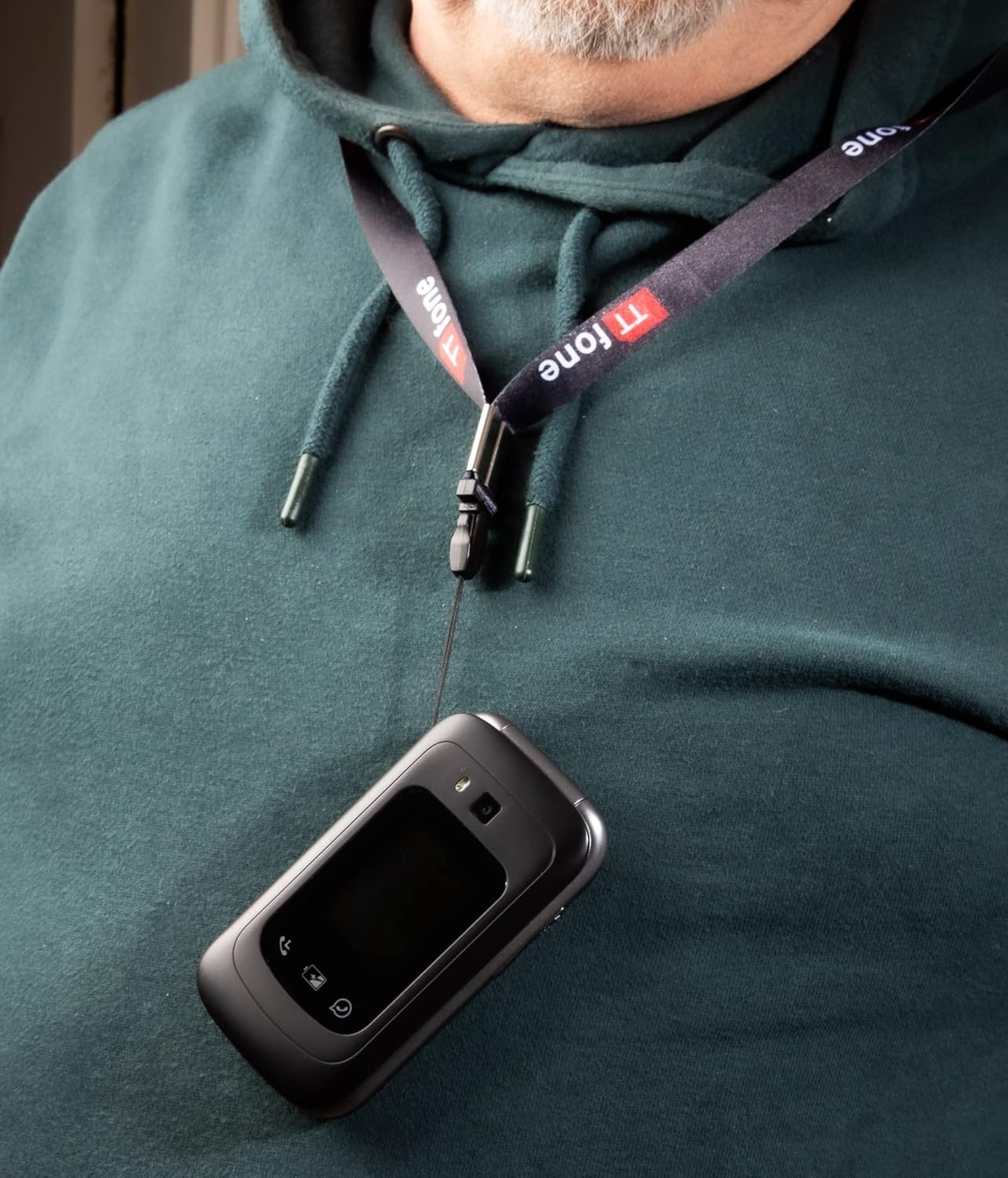
Image: The TTfone TT970 flip phone conveniently worn around a person's neck using a lanyard, demonstrating its portability and accessibility.
Pengaturan
Memasukkan Kartu SIM dan Baterai
To begin using your TT970, you must first insert a compatible SIM card and the provided battery. Ensure the phone is powered off before opening the back cover. Carefully align the SIM card according to the diagram inside the battery compartment, then insert the battery. Replace the back cover securely.
Daya Awal Hidup
Press and hold the Power/End Call button (usually red) until the screen illuminates. Follow any on-screen prompts for initial setup, such as language selection and time zone.
Mengisi Daya Perangkat
For optimal battery life, fully charge the phone before first use. Connect the charging cable to the phone's USB Type C port or place the phone in the charging cradle. Connect the other end of the cable to a power adapter or the included car charger. The battery indicator on the screen will show charging progress.

Image: The TTfone TT970 flip phone placed in its dedicated charging cradle, with the screen displaying an incoming call from "Lucy".
Petunjuk Pengoperasian
Membuat Panggilan
To make a call, open the flip, dial the number using the keypad, and press the Green Call button. To answer an incoming call, open the flip or press the Green Call button. To end a call, close the flip or press the Red End Call button.
Mengirim Pesan
Navigate to the 'Messages' application from the main menu. Select 'New Message', enter the recipient's number or select from contacts, type your message using the keypad, and press 'Send'.
Using WhatsApp
The TT970 comes with WhatsApp pre-installed, offering fast, simple, and secure messaging and calls. Connect to Wi-Fi or use 4G mobile data. You can send messages, share photos and videos, and make video calls to your contacts.
Video Placeholder: A video demonstrating how to use WhatsApp for messaging and calls on the TTfone TT970 would be embedded here if available.
Fungsi Kamera
The TT970 features an 8-megapixel rear camera for capturing photos and a VGA front camera for selfies and video calls. Access the camera application from the main menu to take pictures or record videos.

Image: A hand holding the TTfone TT970 flip phone, actively using its camera to capture an image of vibrant red flowers.
Voice Reminders
Utilize the convenient "Voice Notes" application to set personalized reminders. You can record your own voice message, for example, "Please take your medication," and set it to play at a specific time. This feature is designed to assist with daily routines.
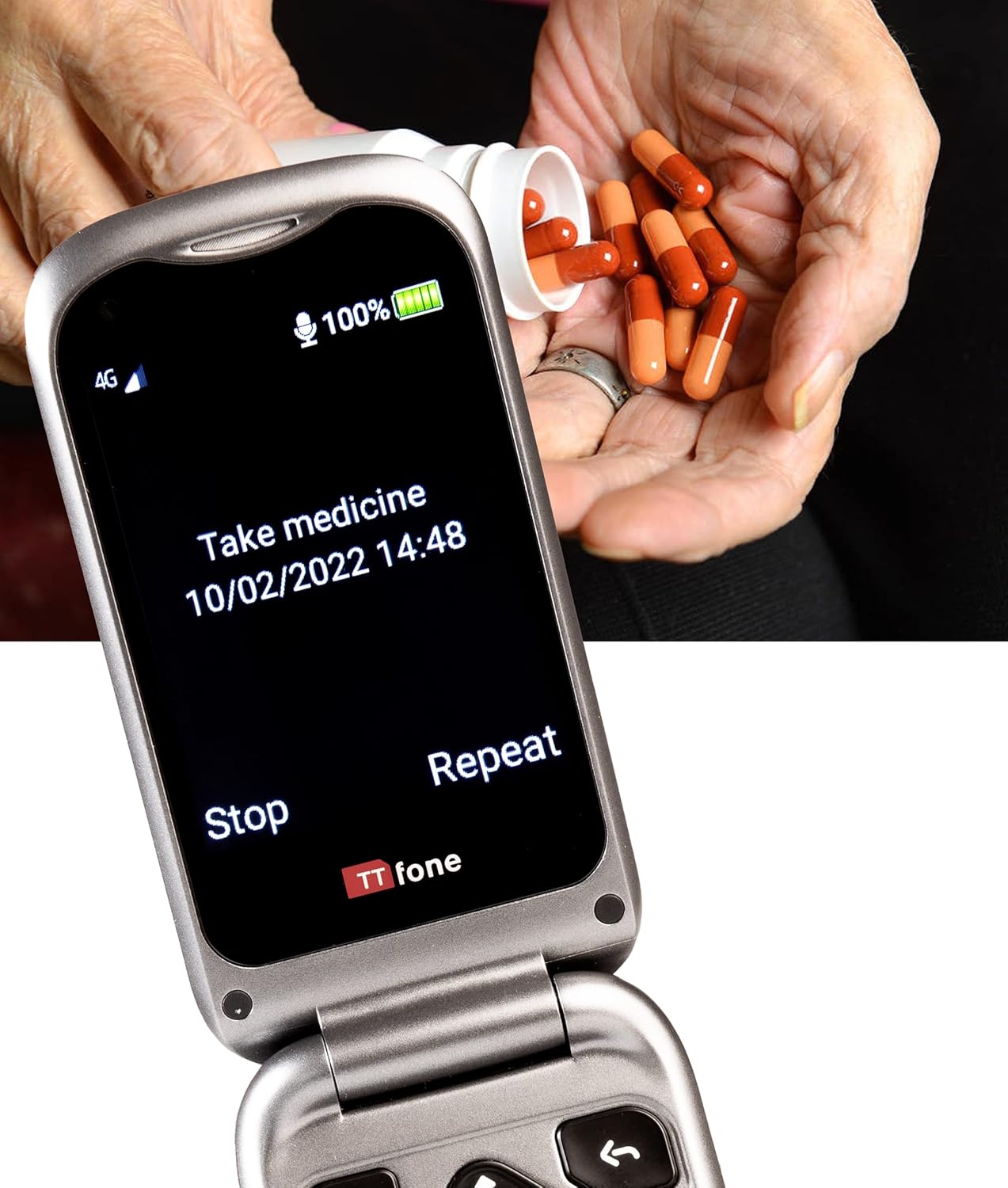
Image: The TTfone TT970 flip phone displaying a voice reminder on its screen that reads "Take medicine 10/02/2022 14:48", with a person's hands holding medication pills in the background.
Fitur SOS Darurat
The TT970 is equipped with a dedicated SOS button for emergencies. In a critical situation, pressing this button can automatically dial pre-set emergency contacts and send an alert message, providing peace of mind for users and their families.
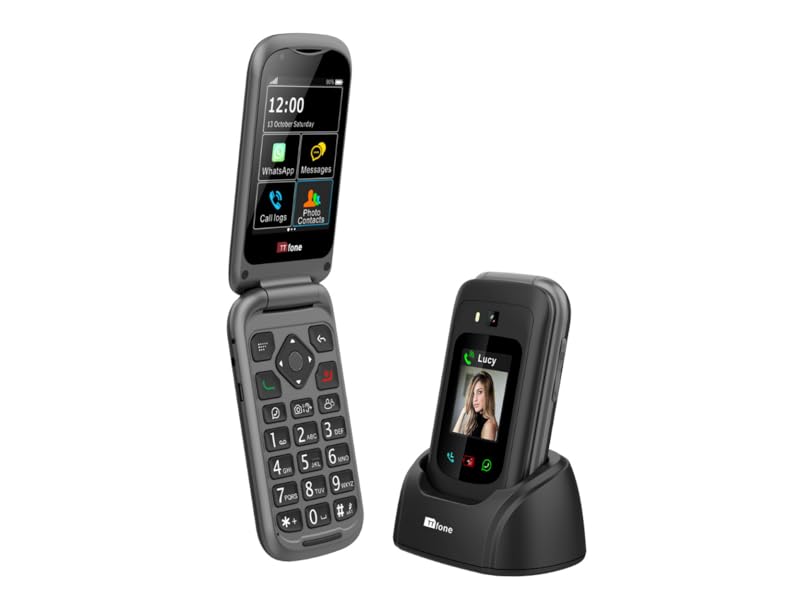
Image: A hand pressing the red SOS button located on the back of the TTfone TT970 flip phone, illustrating the emergency feature. In the background, a person is shown clutching their chest, indicating a potential emergency scenario.
Kontak Foto
Assign photos to your contacts for easier recognition and one-touch dialing. This feature allows you to quickly identify who is calling or to initiate a call to a frequently contacted person by simply tapping their photo.

Image: The TTfone TT970 flip phone displaying its 'Photo contact' screen, showing four contact entries with associated pictures for easy visual identification.
Kompatibilitas Alat Bantu Dengar
The TT970 is designed with hearing aid compatibility (HAC) to provide a clearer audio experience for users with hearing aids, reducing interference and improving call quality.

Image: The TTfone TT970 flip phone displaying a hearing aid compatibility icon on its screen, indicating its design for users with hearing aids.
Pemeliharaan
Pembersihan
To clean your phone, use a soft, lint-free cloth. Do not use abrasive cleaners or solvents. Gently wipe the screen and body. Avoid exposing the phone to excessive moisture.
Perawatan Baterai
To prolong battery life, avoid extreme temperatures. Do not leave the phone fully charged or completely discharged for extended periods. Use only the original TTfone charger and battery.
Penyelesaian Masalah
| Masalah | Kemungkinan Penyebab | Larutan |
|---|---|---|
| Telepon tidak menyala | Battery is discharged or not inserted correctly. | Ensure battery is fully charged and correctly inserted. Press and hold the power button for several seconds. |
| Tidak dapat membuat atau menerima panggilan | Tidak ada kartu SIM, kartu SIM tidak terpasang dengan benar, atau tidak ada sinyal jaringan. | Check SIM card insertion. Ensure you are in an area with network coverage. Contact your service provider if issues persist. |
| WhatsApp not working | No internet connection (Wi-Fi or 4G data), or app requires update. | Verify Wi-Fi or mobile data connection. Check for WhatsApp updates in the app store (if applicable). |
| Kualitas gambar kamera buruk | Lens is dirty, or lighting conditions are poor. | Clean the camera lens with a soft cloth. Ensure adequate lighting when taking photos. |
Spesifikasi
| Fitur | Detil |
|---|---|
| Merek | Telepon TT |
| Nama Model | Nomor TT970 |
| Tipe Produk | Ponsel Flip |
| Sistem Operasi | Android 8.1.0 |
| Teknologi Seluler | 4G |
| Operator Nirkabel | Semua operator (Tidak terkunci) |
| Ukuran Layar | 2.8 Inches (Internal), 1.8 Inches (External) |
| Resolusi | ukuran 240x320 |
| Ukuran RAM | 8 GB |
| Kapasitas Penyimpanan | 32 GB |
| Resolusi Kamera Belakang | 8 Megapiksel |
| Resolusi Kamera Depan | VGA |
| Koneksi | Bluetooth, Wi-Fi, 3.5 mm Jack, USB Type C |
| Komposisi Baterai | ion litium |
| Fitur Khusus | Emergency Assist Button, Large Buttons, Text/Messaging, Voice Notes, Hearing Aid Compatible |
Garansi dan Dukungan
Your TTfone TT970 comes with a Garansi pabrik 2 tahunGaransi ini mencakup cacat material dan pengerjaan dalam penggunaan normal. Harap simpan bukti pembelian Anda untuk klaim garansi.
Spare parts for the TT970 are guaranteed to be available for 2 tahun from the date of purchase. Software updates were guaranteed until January 16, 2022.
For technical support, troubleshooting assistance, or warranty inquiries, please visit the official TTfone website or contact their customer service department. Contact information can typically be found on the TTfone packaging or their official weblokasi.


