1. Produk Lebihview
The STABILA LD220 is a compact and easy-to-use laser distance measuring tool designed for quick and accurate measurements. It features an impact-resistant housing with a shock-absorbent STABILA soft grip casing, ensuring durability in various working conditions. The large digits on the display facilitate easy reading of measurements.
Fitur Utama:
- Compact, easy-to-use laser.
- 4 basic measuring functions: length, area, volume, and continuous measurement.
- Calculates measuring results quickly.
- Large digits for easy readability.
- Impact-resistant housing with shock-absorbent STABILA soft grip casing.
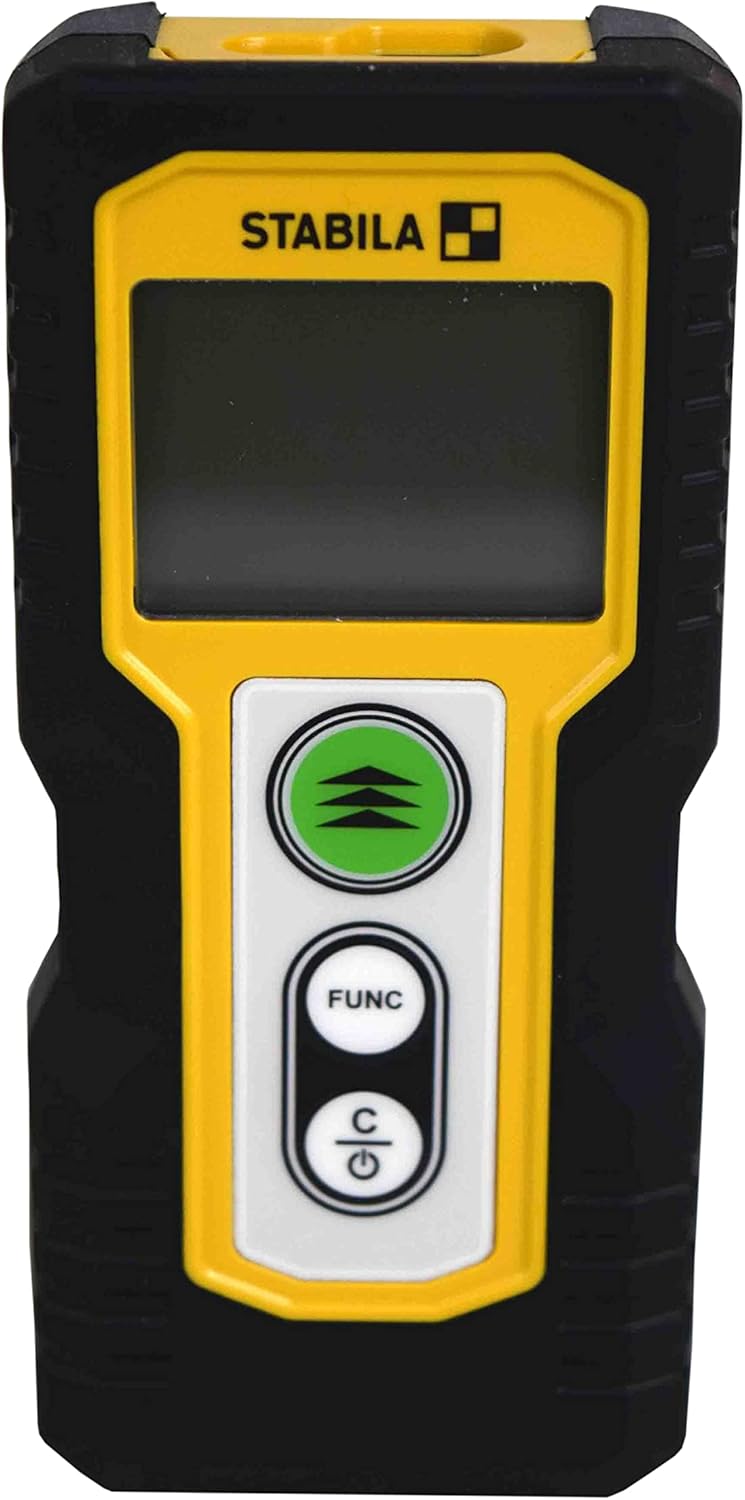
Gambar 1.1: Depan view of the STABILA LD220 laser distance measuring tool, showcasinberkat desain dan layarnya yang ringkas.
2. Memulai
2.1 Isi Paket
Pastikan semua komponen hadir:
- STABILA LD220 Laser Distance Measuring Tool
- Batteries (Alkaline, LR03/AAA type)
2.2 Pemasangan Baterai
The STABILA LD220 requires two AAA alkaline batteries for operation. Follow these steps to install them:
- Temukan penutup kompartemen baterai di bagian belakang perangkat.
- Geser penutup ke bawah atau ke arah yang ditunjukkan oleh panah untuk membukanya.
- Insert two AAA alkaline batteries, ensuring the correct polarity (+ and -) as marked inside the compartment.
- Tutup penutup kompartemen baterai dengan menggesernya kembali ke tempatnya hingga berbunyi klik dan terkunci rapat.

Figure 2.1: The STABILA LD220 device shown alongside two AAA batteries, indicating the power source.

Gambar 2.2: Tampilan dekat view of the two AAA alkaline batteries, which power the device.
2.3 Menghidupkan/Mematikan
Untuk menghidupkan perangkat, tekan Power/Clear (C) tombol. Untuk mematikan, tekan dan tahan tombol Power/Clear (C) Tekan tombol selama beberapa detik, atau perangkat akan mati secara otomatis setelah beberapa saat tidak aktif untuk menghemat daya baterai.
3. Petunjuk Pengoperasian
The STABILA LD220 offers four primary measuring functions. Familiarize yourself with the buttons:
- Measurement Button (Green, with three arrows): Initiates a measurement or activates continuous measurement.
- Function Button (FUNC): Cycles through different measurement modes (Length, Area, Volume, Continuous).
- Power/Clear Button (C): Powers the device on/off, clears the last measurement, or exits a function.

Gambar 3.1: Gambaran detail view of the STABILA LD220's control panel, highlighting the measurement, function, and power/clear buttons.
3.1 Pengukuran Panjang
This is the default mode for single distance measurements.
- Pastikan perangkat dihidupkan.
- Arahkan sinar laser ke permukaan target.
- Tekan tombol Tombol Pengukuran once. The measured distance will appear on the display.
3.2 Pengukuran Berkelanjutan (Pelacakan)
This mode allows for dynamic measurement, displaying real-time distance as you move the device.
- Tekan tombol FUNC button until the continuous measurement icon (often a series of horizontal lines or a tracking symbol) appears on the display.
- Tekan tombol Tombol Pengukuran untuk memulai pengukuran berkelanjutan.
- Move the device slowly towards or away from the target. The display will update the distance continuously.
- Tekan tombol Tombol Pengukuran lagi atau C tombol untuk menghentikan pengukuran berkelanjutan.
3.3 Pengukuran Luas
To calculate the area of a rectangular space (Length x Width).
- Tekan tombol FUNC button until the area measurement icon (a square or rectangle) appears.
- Measure the first side (e.g., length) by pointing the laser and pressing the Tombol Pengukuran.
- Measure the second side (e.g., width) by pointing the laser and pressing the Tombol Pengukuran lagi.
- Perangkat akan secara otomatis menghitung dan menampilkan luasnya.
3.4 Pengukuran Volume
To calculate the volume of a rectangular space (Length x Width x Height).
- Tekan tombol FUNC button until the volume measurement icon (a cube or rectangular prism) appears.
- Measure the first side (e.g., length) by pointing the laser and pressing the Tombol Pengukuran.
- Measure the second side (e.g., width) by pointing the laser and pressing the Tombol Pengukuran.
- Measure the third side (e.g., height) by pointing the laser and pressing the Tombol Pengukuran.
- Perangkat akan secara otomatis menghitung dan menampilkan volume.

Figure 3.2: The product packaging illustrating the various measuring functions, including length, area, volume, and tracking.
4. Perawatan dan Pemeliharaan
Proper care and maintenance will extend the life of your STABILA LD220.
- Pembersihan: Gunakan yang lembut, damp cloth to clean the device. Do not use harsh chemicals, abrasive cleaners, or solvents. Ensure the laser lens and display are kept clean for accurate readings.
- Penyimpanan: Simpan perangkat di tempat yang kering dan sejuk, jauhkan dari sinar matahari langsung dan suhu ekstrem. Jika disimpan dalam jangka waktu lama, lepaskan baterai untuk mencegah kebocoran.
- Penanganan: Although the device has an impact-resistant housing, avoid dropping it or subjecting it to severe shocks.
- Perawatan Baterai: Ganti baterai saat indikator baterai lemah muncul di layar. Buang baterai bekas sesuai peraturan setempat.
5. Penyelesaian masalah
If you encounter issues with your STABILA LD220, refer to the following common problems and solutions:
| Masalah | Kemungkinan Penyebab | Larutan |
|---|---|---|
| Perangkat tidak menyala. | Baterai mati atau tidak terpasang dengan benar. | Periksa polaritas baterai. Ganti dengan baterai alkaline AAA baru. |
| Pengukuran yang tidak akurat. | Laser lens is dirty; target surface is too reflective/absorbent; device is unstable during measurement. | Clean the laser lens with a soft cloth. Use a target plate for difficult surfaces. Ensure the device is held steady. |
| Layar menampilkan pesan kesalahan. | Pengukuran di luar jangkauan; kesalahan internal. | Ensure target is within the 100ft (30m) range. Power off and restart the device. If the error persists, contact support. |
| Sinar laser tidak terlihat. | Bright ambient light; laser not activated. | Use in lower light conditions or use a laser target plate. Press the measurement button to activate the laser. |
6. Spesifikasi Teknis
Detailed specifications for the STABILA LD220 Laser Distance Measuring Tool:
| Spesifikasi | Nilai |
|---|---|
| Nomor Model | Stabila - 06220 |
| Rentang Pengukuran | Hingga 100 kaki (30 m) |
| Fungsi Pengukuran | Length, Area, Volume, Continuous Measurement |
| Warna | Hitam |
| Bahan | Plastik |
| Dimensi Barang (P x L x T) | 8x5x2 inci |
| Berat Barang | 8 ons |
| Baterai Diperlukan | No (Included Components: Stabila - 06220, but requires 2x AAA Alkaline batteries for operation) |
| Jenis Baterai | Alkaline (AAA) |
| Pabrikan | Stabila |
| Tanggal Pertama Tersedia | 17 Maret 2022 |

Gambar 6.1: Belakang view of the STABILA LD220, displaying the product label with model number, power requirements, and laser class information.
7. Garansi dan Dukungan
For information regarding product warranty, returns, or technical support, please refer to the documentation included with your purchase or visit the official Stabila websitus. Syarat dan ketentuan garansi spesifik dapat berbeda-beda tergantung wilayah dan pengecer.


