Perkenalan
The Naxa NSH-3001 Wi-Fi Smart Camera provides reliable home security monitoring with 24/7 HD recording capabilities. This camera allows you to check in on your home remotely from anywhere using your smartphone. It features motion detection, two-way audio communication, night vision, and customizable activity alerts.
This manual provides detailed instructions for setting up, operating, and maintaining your Naxa NSH-3001 Wi-Fi Smart Camera to ensure optimal performance and security.
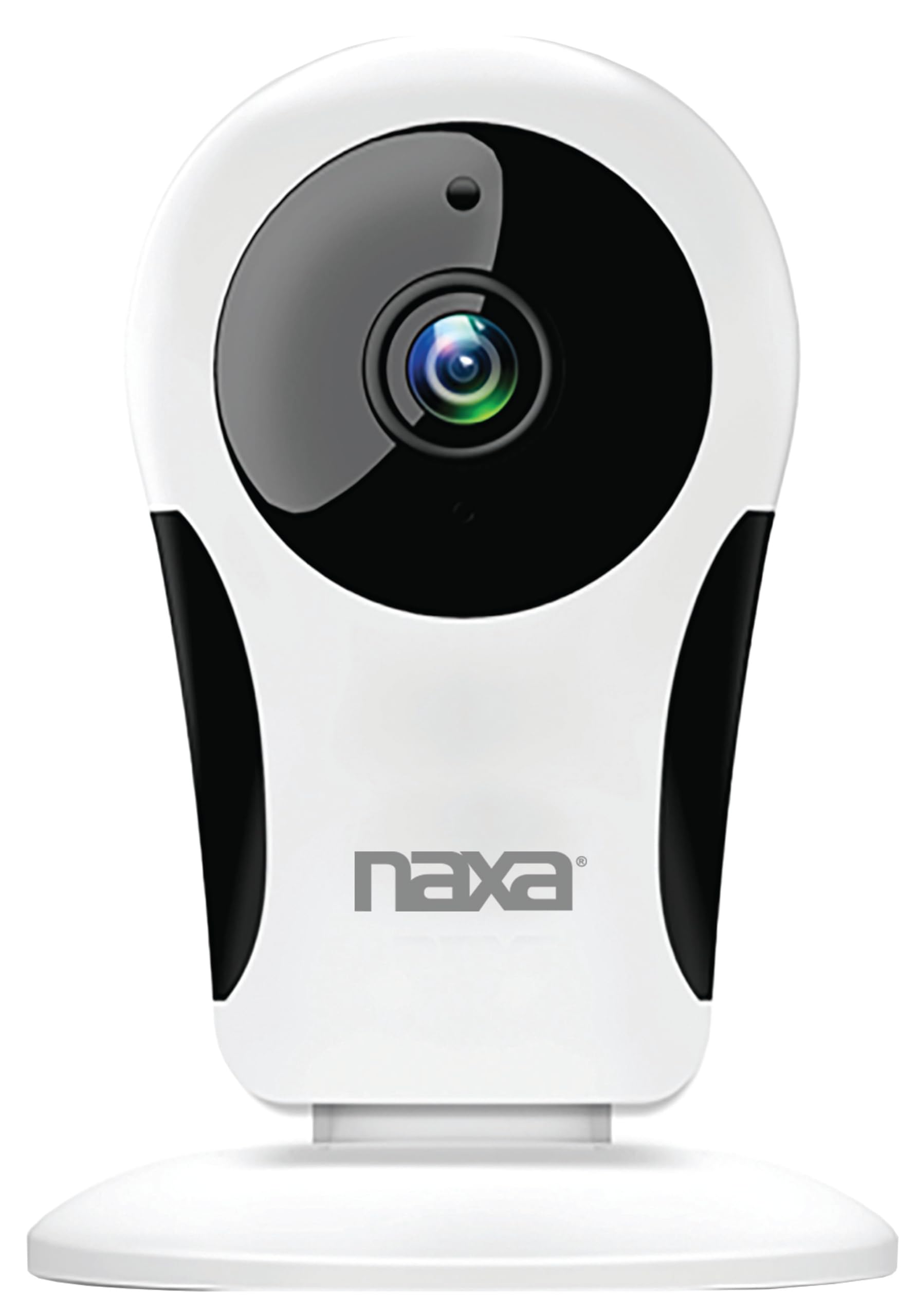
Gambar: Depan view of the Naxa NSH-3001 Wi-Fi Smart Camera, showing the lens and Naxa logo.
Apa yang ada di dalam kotak
Upon unpacking your Naxa NSH-3001 Wi-Fi Smart Camera, please ensure all the following components are present:
- Kamera Cerdas Wi-Fi
- Adaptor Daya AC
- Kabel USB
- User Manual (dokumen ini)
Produk Selesaiview
Familiarize yourself with the main components of your Naxa NSH-3001 Wi-Fi Smart Camera.

Image: The Naxa NSH-3001 Wi-Fi Smart Camera displayed alongside icons representing its key features: HD Resolution, Encrypted ID, 2-Way Audio, Cloud Service, Motion Detection, IR Night Vision, Time Scheduling, and Hotspot capability.
- Lensa Kamera: Merekam video footage.
- Infrared (IR) LEDs: Menyediakan kemampuan penglihatan malam.
- Mikropon: Untuk input audio dan komunikasi dua arah.
- Pembicara: Untuk keluaran audio dan komunikasi dua arah.
- Port USB Mikro: Untuk sambungan daya.
- Tombol Reset: Digunakan untuk mengatur ulang kamera ke pengaturan pabrik.
- Slot Kartu Micro SD: Untuk penyimpanan lokal rekaman footage (Micro SD card not included).
Panduan Pengaturan
1. Menghidupkan Kamera
- Connect the provided USB cable to the camera's Micro USB port.
- Hubungkan ujung lain kabel USB ke adaptor daya AC.
- Plug the AC power adapter into a standard electrical outlet.
- The camera will power on, and an indicator light will show its status (refer to the camera's LED indicator guide for specific light patterns).
2. Downloading the Smart Life App
The Naxa NSH-3001 camera is controlled via the Smart Life app. Download it to your smartphone:
- For iOS devices, search for "Smart Life" in the Apple App Store.
- For Android devices, search for "Smart Life" in the Google Play Store.
- Instal aplikasinya dan buat akun jika Anda belum memilikinya.

Image: The Naxa NSH-3001 Wi-Fi Smart Camera shown with the Smart Life app logo and icons for the Apple App Store and Google Play, indicating app compatibility.
3. Menghubungkan ke Wi-Fi
Ensure your smartphone is connected to a 2.4 GHz Wi-Fi network. The NSH-3001 camera only supports 2.4 GHz Wi-Fi.
- Open the Smart Life app and tap "Add Device" or the "+" icon.
- Pilih "Keamanan & Pengawasan Video" lalu "Kamera Pintar".
- Follow the on-screen instructions in the app to connect your camera to your Wi-Fi network. This typically involves scanning a QR code generated by the app with the camera's lens.
- Once connected, the camera's indicator light will change (refer to the LED indicator guide), and you will see the camera added to your app.
4. Memasang Kamera
The NSH-3001 camera is designed for wall mount installation, but can also be placed on a flat surface. Choose a location that provides the desired viewing angle (105 degrees) and is within range of your Wi-Fi signal.

Image: The Naxa NSH-3001 Wi-Fi Smart Camera positioned on a nightstand in a bedroom, demonstrating a typical indoor placement.
- For wall mounting, use appropriate screws and anchors (not included) to secure the camera's base to the wall.
- Sesuaikan sudut kamera untuk mencakup area yang diinginkan.
Petunjuk Pengoperasian
Hidup View dan Akses Jarak Jauh
Once connected, you can access your camera's live feed from anywhere using the Smart Life app on your smartphone.
- Open the Smart Life app and select your NSH-3001 camera from the device list.
- Siaran video langsung akan muncul.
Komunikasi Audio Dua Arah
The camera supports two-way audio, allowing you to hear and speak through the camera.
- Sedang siaran langsung view interface of the app, tap the microphone icon to speak.
- Ketuk ikon speaker untuk mendengarkan audio dari lokasi kamera.
Deteksi Gerakan dan Peringatan
The camera can detect motion and send real-time push notifications to your phone.
- Navigate to the camera settings within the Smart Life app.
- Aktifkan "Deteksi Gerakan" dan sesuaikan tingkat sensitivitas sesuai kebutuhan.
- Configure alert schedules and notification preferences.
Penglihatan Malam
The NSH-3001 features an IR-cut filter for clear night vision, automatically switching between day and night modes based on ambient light.
- Night mode activates automatically in low-light conditions.
- The IR-cut filter ensures optimal clarity in both day and night recordings.
Perekaman dan Penyimpanan Video
The camera supports 24/7 HD recording. Footage can be stored locally or via cloud service (subscription may be required).
- Penyimpanan Kartu Micro SD: Insert a compatible Micro SD card (up to 128GB, not included) into the camera's SD card slot for continuous or event-based recording.
- Penyimpanan Awan: Check the Smart Life app for available cloud storage options and subscription details.
- Review rekaman footage directly through the Smart Life app.
Video Tuning
Adjust video parameters directly from your smartphone for optimal image quality.
- Within the Smart Life app, access video settings to adjust contrast, brightness, saturation, and sharpness.
Penjadwalan Waktu
Set schedules for camera operation, recording, or alerts.
- Use the Smart Life app's scheduling feature to define specific times for motion detection, recording, or other functions.
Pemeliharaan
Proper maintenance ensures the longevity and optimal performance of your Naxa NSH-3001 Wi-Fi Smart Camera.
- Pembersihan: Usap lensa dan bodi kamera dengan lembut menggunakan kain lembut dan kering. Hindari penggunaan bahan kimia keras atau pembersih abrasif.
- Pembaruan Perangkat Lunak: Regularly check the Smart Life app for firmware updates for your camera. Keeping the firmware updated ensures you have the latest features and security enhancements.
- Penempatan: Ensure the camera is placed in a stable location and protected from extreme temperatures, direct sunlight, and moisture.
Penyelesaian Masalah
If you encounter issues with your Naxa NSH-3001 Wi-Fi Smart Camera, refer to the following common solutions:
| Masalah | Solusi yang mungkin |
|---|---|
| Kamera tidak terhubung ke Wi-Fi |
|
| Tidak ada tampilan video di aplikasi. |
|
| Peringatan gerakan tidak diterima |
|
| Audio dua arah tidak berfungsi |
|
If problems persist, please contact Naxa customer support.
Spesifikasi
| Fitur | Detil |
|---|---|
| Nama Model | NSH-3001 |
| Merek | Bahasa Naxa |
| Teknologi Konektivitas | Wi-Fi (2.4 GHz) |
| Resolusi Pengambilan Video | 720p |
| Viewsudut ing | 105 Derajat |
| Fitur Khusus | Sensor Gerak, Penglihatan Malam, Audio Dua Arah |
| Penggunaan Dalam/Luar Ruangan | Indoor, Outdoor (Note: IP54 rating suggests splash resistance, not full outdoor weatherproofing) |
| Sumber Daya | Listrik Kabel |
| Perangkat yang Kompatibel | Smartphone (via Smart Life App) |
| Jenis Pemasangan | Dudukan Dinding |
| Penyimpanan | Kartu Micro SD (hingga 128GB, tidak termasuk), Penyimpanan Cloud (opsional) |
| Dimensi (P x L x T) | 3.2x3.2x4.3 inci |
| Berat Barang | 3.2 ons |
| Bahan | Plastik |
| Penilaian Perlindungan Internasional | Tingkat IP54 |
Garansi dan Dukungan
Naxa Electronics, Inc. manufactures the NSH-3001 Wi-Fi Smart Camera. For specific warranty information, please refer to the warranty card included with your product or visit the official Naxa weblokasi.
For technical support, troubleshooting assistance beyond this manual, or inquiries about your product, please contact Naxa customer service. Contact details can typically be found on the Naxa websitus atau pada kemasan produk.
Naxa Official Weblokasi: www.naxa.com


