1. Pendahuluan
This manual provides detailed instructions for the operation and maintenance of your Coby CVR42BK Portable Cassette Player and Recorder. Please read this manual thoroughly before using the device to ensure proper function and longevity.
2. Isi Paket
Verifikasi bahwa semua item yang tercantum di bawah ini ada dalam paket Anda:
- Coby CVR42BK Portable Cassette Player and Recorder
- Mikrofon Boom Eksternal
- Adaptor AC 120V
- User Manual (dokumen ini)

Figure 2.1: Included items in the Coby CVR42BK package.
3. Produk Lebihview
The Coby CVR42BK is a portable cassette player and recorder designed for both playback and one-touch recording. It features a built-in handle for portability and includes an external boom microphone for enhanced recording quality.

Figure 3.1: Coby CVR42BK Portable Cassette Player and Recorder.
3.1 Kontrol dan Indikator
Familiarize yourself with the controls and ports on your device:
- Tombol Putar: Memulai pemutaran kaset.
- Tombol Rekam: Activates recording function (requires a blank cassette).
- Fast Forward Button: Memajukan pita dengan cepat.
- Rewind Button: Memutar ulang kaset dengan cepat.
- Stop/Eject Button: Stops playback/recording and opens the cassette compartment.
- Kontrol Volume: Menyesuaikan volume pemutaran.
- Jack Headphone (3.5mm): Untuk didengarkan secara pribadi.
- Input Mikrofon Eksternal: Connects the included boom microphone.
- Port Adaptor AC: For connecting the 120V AC adapter.
- Kompartemen Baterai: Holds 4 C batteries for portable power.
4. Pengaturan
4.1 Menyalakan Perangkat
The CVR42BK can be powered by either the included AC adapter or 4 C batteries (not included).
- Daya AC: Connect the 120V AC adapter to the AC adapter port on the device and then plug it into a standard wall outlet.
- Daya Baterai: Open the battery compartment on the underside of the unit. Insert 4 C batteries, ensuring correct polarity (+/-). Close the compartment securely.

Figure 4.1: Power options for the CVR42BK.
4.2 Loading a Cassette Tape
- Tekan tombol Berhenti/Keluarkan tombol untuk membuka pintu kompartemen kaset.
- Insert a cassette tape with the open edge facing upwards and the tape side facing you.
- Tutup pintu ruang kaset secara perlahan hingga berbunyi klik.

Figure 4.2: Loading a cassette tape.
5. Petunjuk Pengoperasian
5.1 Memutar Kaset Pita
- Ensure a cassette tape is loaded (refer to Section 4.2).
- Tekan tombol Bermain tombol. Kaset akan mulai diputar.
- Sesuaikan Kontrol Volume sesuai dengan tingkat volume suara yang Anda inginkan.
- Untuk maju cepat, tekan tombol Maju Cepat button. To rewind, press the Memutar ulang tombol.
- Untuk menghentikan playback, tekan Berhenti/Keluarkan tombol.
- Untuk mendengarkan secara pribadi, sambungkan headphone ke jack headphone 3.5 mm.
5.2 Recording Audio (One-Touch Recording)
The CVR42BK features one-touch recording and Automatic Level Control (ALC) to optimize recording levels.
- Load a blank or recordable cassette tape into the device. Note: Re-using older cassettes may affect sound quality. New cassettes are recommended for optimal results.
- Tekan tombol Catatan tombol. Bermain button will also engage simultaneously. The device will begin recording audio from its built-in microphone or the connected external microphone.
- Untuk berhenti merekam, tekan tombol Berhenti/Keluarkan tombol.
- The device includes an auto-stop feature that will automatically stop recording when the tape reaches its end.
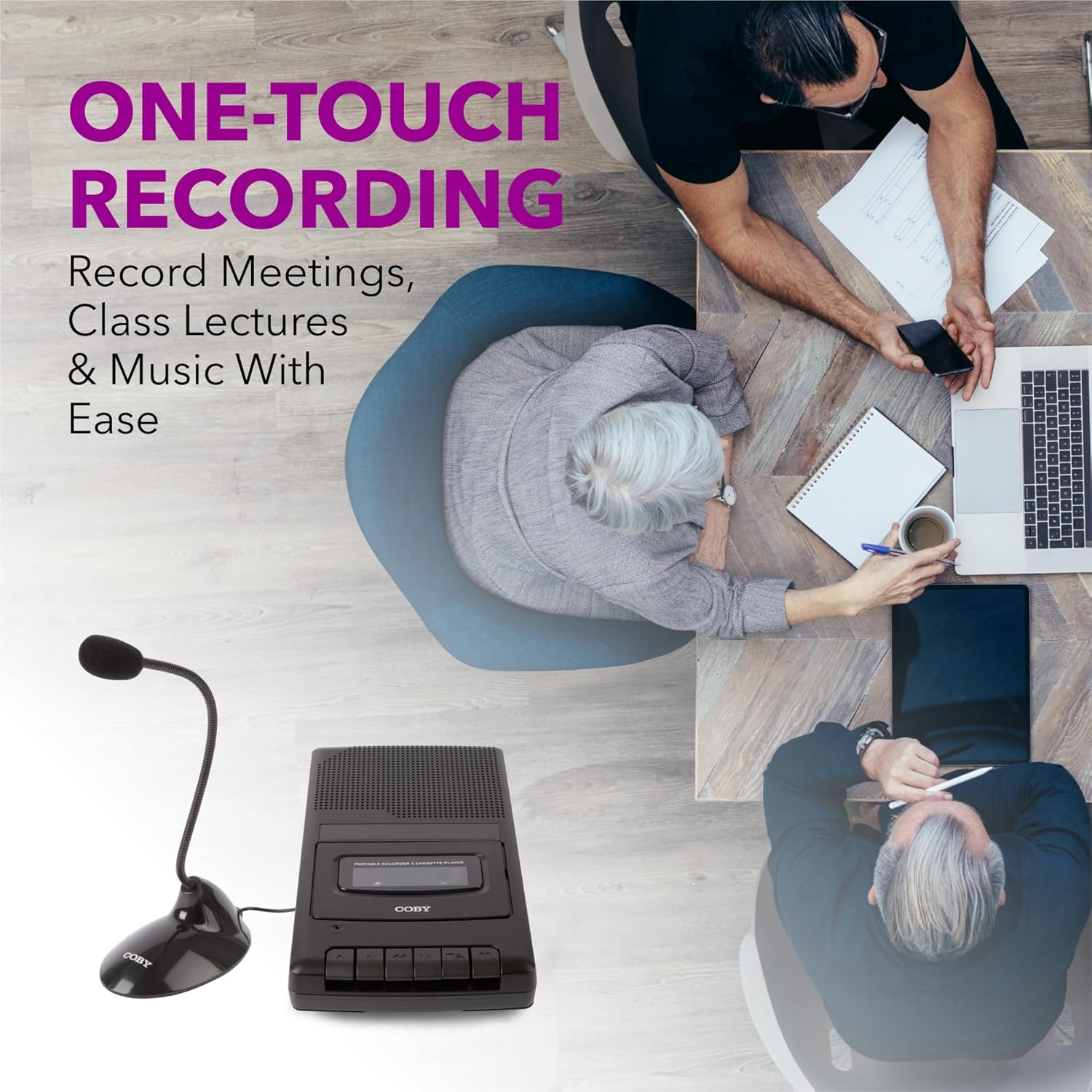
Figure 5.1: Using the CVR42BK for recording.
5.3 Using the External Boom Microphone
For higher quality recordings, especially for lectures or meetings, connect the included external boom microphone.
- Locate the external microphone input port on the CVR42BK.
- Plug the external boom microphone into this port.
- Position the microphone appropriately for the sound source you wish to record.
- Proceed with recording as described in Section 5.2. The device will automatically prioritize the external microphone when connected.

Figure 5.2: External boom microphone in use.
6. Pemeliharaan
- Pembersihan: Gunakan kain lembut dan kering untuk membersihkan bagian luar unit. Jangan gunakan cairan pembersih atau pelarut.
- Pembersihan Kepala Pita: Periodically clean the tape heads with a specialized cassette head cleaning kit to ensure optimal sound quality and prevent tape damage.
- Penyimpanan: Saat tidak digunakan dalam waktu lama, lepaskan baterai untuk mencegah kebocoran. Simpan perangkat di tempat yang sejuk dan kering, jauhkan dari sinar matahari langsung dan suhu ekstrem.
- Perawatan Kaset: Store cassette tapes in their cases to protect them from dust and physical damage. Avoid exposing tapes to strong magnetic fields.
7. Penyelesaian masalah
| Masalah | Kemungkinan Penyebab | Larutan |
|---|---|---|
| Tidak ada daya | AC adapter not connected or faulty; batteries depleted or incorrectly inserted. | Check AC adapter connection and power outlet. Replace batteries or ensure correct polarity. |
| Tidak ada suara selama pemutaran | Volume too low; headphones connected; tape head dirty; tape damaged. | Increase volume. Disconnect headphones. Clean tape heads. Try a different tape. |
| Perekaman tidak berfungsi | Tape is write-protected; tape is full; microphone not connected or faulty. | Ensure the write-protect tab on the cassette is intact. Use a blank tape. Check microphone connection. |
| Kualitas suara buruk | Dirty tape heads; old or damaged cassette tape; external interference. | Clean tape heads. Use a new or known-good cassette tape. Move away from electronic devices. |
| Tape not moving | Tape jammed; mechanism fault. | Gently open compartment and check for tape jams. If problem persists, contact support. |
8. Spesifikasi
| Nomor Model | CVR42BK |
| Sumber Daya | 120V AC Adapter (included) or 4 x 'C' Batteries (not included) |
| Fitur | Automatic Level Control (ALC), One-Touch Recording, Fast Forward, Rewind, Volume Control, Auto-Stop |
| Mikropon | Built-in microphone, External Boom Microphone (included) |
| Soket Headphone | Stereo 3.5mm |
| Dimensi Produk (P x L x T) | 10.2 x 5.83 x 1.97 inci (25.9 x 14.8 x 5 cm) |
| Berat Barang | 1.75 pon (0.79 kg) |
| UPC | 810071491450 |
9. Garansi dan Dukungan
Untuk informasi garansi atau dukungan teknis, silakan lihat kartu garansi yang disertakan dengan produk Anda atau kunjungi situs resmi Coby. websitus. Simpan struk pembelian Anda sebagai bukti pembelian untuk klaim garansi apa pun.
Pabrikan: KTT Elektronik LLC


