Perkenalan
This manual provides detailed instructions for the installation, operation, and maintenance of your MYPIN Solar Wireless PTZ Security Camera. Please read this manual thoroughly before using the product to ensure proper function and safety. Keep this manual for future reference.
Produk Selesaiview
Apa yang Termasuk
- MYPIN PTZ Security Camera
- Panel Surya
- Rechargeable Lithium-ion Battery (pre-installed or included separately)
- Pemasangan Braket dan Sekrup
- Kabel Pengisian Daya USB
- Panduan Pengguna
Fitur Utama
- Video HD Penuh 1080p: Memberikan video foo yang jelas dan terperincitage.
- Penglihatan Malam Warna: Equipped with infrared LEDs and white light for clear night vision, including full-color options.
- Solar Powered & Rechargeable Battery: Continuous power supply through the solar panel, with a built-in rechargeable battery for uninterrupted operation.
- AI Smart Recognition & PIR Motion Detection: Advanced AI technology distinguishes between humans, pets, and vehicles, reducing false alarms.
- Audio Dua Arah: Built-in speaker and anti-noise microphone allow for real-time two-way communication.
- Fungsi PTZ: Pan 335°, Tilt 90°, and 4x digital zoom for flexible viewsudut ing.
- Tahan Cuaca IP65: Dirancang untuk tahan terhadap berbagai kondisi cuaca, cocok untuk penggunaan di luar ruangan.
- Konektivitas Nirkabel: Supports 2.4 GHz Wi-Fi for easy installation (5 GHz Wi-Fi not supported).
- Beberapa Pilihan Penyimpanan: Supports cloud storage (7-day free playback, max 1GB) and local storage via Micro SD card (up to 128GB, not included).
- Integrasi Rumah Pintar: Kompatibel dengan Amazon Alexa untuk kontrol suara dan siaran langsung. view.

Image: MYPIN Solar Wireless PTZ Security Camera with its solar panel.
Pengaturan
1. Pengisian Awal
Before first use, fully charge the camera's built-in battery using the provided USB cable and a 5V/2A power adapter (not included). A full charge ensures optimal performance, especially during initial setup and periods of low sunlight.
2. Instalasi Aplikasi & Pembuatan Akun
- Unduh VicoRumah Unduh aplikasi dari toko aplikasi ponsel cerdas Anda (iOS atau Android).
- Buka aplikasi dan ikuti petunjuk di layar untuk membuat akun baru atau masuk jika Anda sudah memilikinya.
3. Camera Pairing with App
- Pastikan kamera Anda dalam keadaan menyala.
- In the VicoHome app, tap the "+" icon to add a new device.
- Pilih model kamera Anda dari daftar.
- Follow the app's instructions to connect the camera to your 2.4 GHz Wi-Fi network. You may need to scan a QR code displayed on your phone with the camera lens.
- Setelah terhubung, beri nama kamera Anda dan selesaikan proses pengaturan.
4. Solar Panel and Camera Mounting
The camera and solar panel can be installed in two ways: integrated or separated. Choose a location that provides optimal sunlight exposure for the solar panel and a clear view untuk kamera.
- Penempatan Panel Surya: Mount the solar panel in a location that receives direct sunlight for several hours daily. Ensure the cable can reach the camera.
- Penempatan Kamera: Use the provided mounting bracket and screws to securely attach the camera to a wall or other stable surface. Adjust the camera angle for optimal surveillance coverage.

Image: Illustration of two installation methods for the solar panel and camera, showing both integrated and separate mounting options.
Petunjuk Pengoperasian
1. Langsung View dan Pemutaran
- Buka aplikasi VicoHome dan pilih kamera Anda untuk view pakan hidup.
- Akses rekaman footage through the playback feature in the app.
2. Kontrol PTZ
Sedang siaran langsung view interface, use the on-screen controls to pan (335° horizontally) and tilt (90° vertically) the camera lens. You can also use the digital zoom feature to get a closer look.
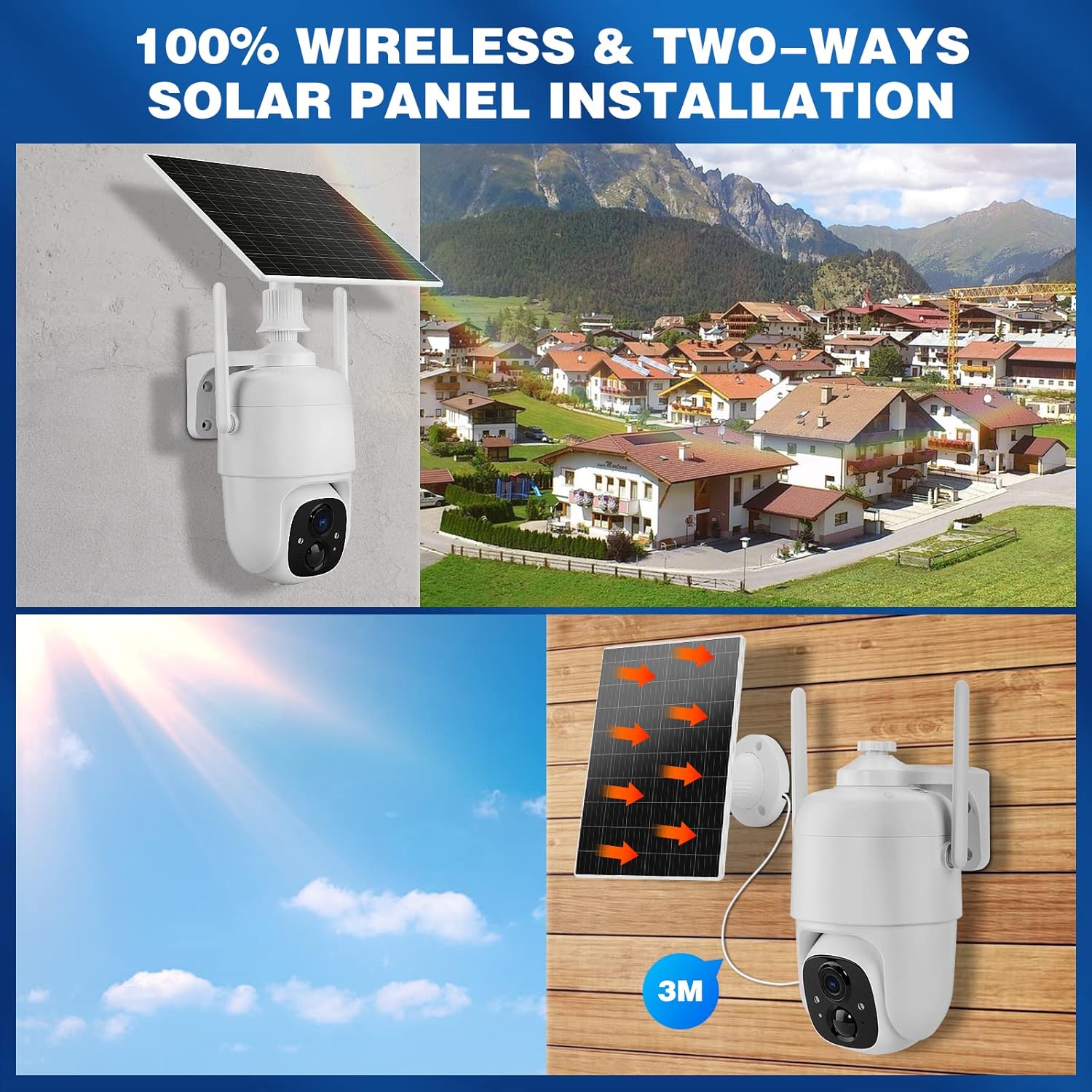
Image: Demonstrates controlling the camera's pan and tilt functions using a smartphone app.
3. Audio Dua Arah
Ketuk ikon mikrofon di siaran langsung aplikasi. view to speak through the camera's speaker. The camera's built-in microphone will capture audio from the camera's vicinity, allowing for two-way communication.

Image: A person speaking through the camera to a delivery person, demonstrating the two-way audio feature.
4. Deteksi Gerakan dan Peringatan
- Configure motion detection sensitivity and activity zones within the VicoHome app.
- Enable AI Smart Recognition to differentiate between humans, pets, and vehicles for more accurate alerts.
- Dapatkan notifikasi instan di ponsel cerdas Anda saat gerakan terdeteksi.

Image: A person walking past a gate, triggering a PIR human detection alert on a smartphone.
5. Mode Penglihatan Malam
The camera offers both infrared (IR) night vision and full-color night vision. You can switch between these modes in the app settings based on your preference and lighting conditions.

Gambar: Sebuah perpecahan view showing the difference between color night vision and standard IR night vision at night.
6. Opsi Penyimpanan
- Penyimpanan Awan: The camera offers 7 days of free cloud playback (up to 1GB). Additional cloud plans may be available through the app.
- Kartu Micro SD: Masukkan kartu Micro SD (hingga 128GB, tidak termasuk) ke dalam slot yang disediakan untuk penyimpanan video lokal.
7. Integrasi Amazon Alexa
To integrate with Amazon Alexa, enable the VicoHome skill in the Alexa app and link your VicoHome account. You can then use voice commands to view your camera's live feed on compatible Alexa-enabled devices.

Image: A MYPIN camera and an Amazon Echo Show displaying the camera's live feed, illustrating Alexa integration.
Pemeliharaan
1. Pembersihan
- Bersihkan lensa kamera dan panel surya secara teratur dengan kain lembut dan kering.amp kain untuk menghilangkan debu dan kotoran.
- Jangan gunakan bahan kimia keras atau pembersih abrasif.
2. Perawatan Baterai
- Ensure the solar panel is free from obstructions to maximize charging efficiency.
- If the camera is stored for an extended period, charge the battery periodically to prevent deep discharge.
3. Pembaruan Firmware
Check the VicoHome app regularly for firmware updates. Keeping your camera's firmware updated ensures optimal performance, security, and access to new features.
Penyelesaian Masalah
| Masalah | Larutan |
|---|---|
| Kamera tidak terhubung ke Wi-Fi | Ensure your Wi-Fi is 2.4 GHz. Check Wi-Fi signal strength. Restart your router and camera. Re-pair the camera in the app. |
| Kualitas video buruk | Check your Wi-Fi connection speed. Clean the camera lens. Ensure adequate lighting for optimal image capture. |
| Baterai tidak mengisi daya | Ensure the solar panel is clean and receives direct sunlight. Check the connection cable between the solar panel and camera. Charge directly via USB if necessary. |
| Peringatan gerakan palsu | Adjust motion detection sensitivity in the app. Utilize AI Smart Recognition to filter out non-human movements. Define specific activity zones. |
| Audio dua arah tidak berfungsi | Check microphone and speaker settings in the app. Ensure your phone's volume is up. Verify network connection stability. |
Spesifikasi
- Model: Bahasa Indonesia: HS0366
- Resolusi Video: 1080p full HD
- Sudut Pan: 335°
- Sudut kemiringan: 90°
- Pembesaran Digital: 4x
- Penglihatan Malam: Infrared and Color Night Vision
- Konektivitas Nirkabel: Wi-Fi 2.4GHz (IEEE 802.11b/g/n)
- Sumber Daya: Solar Powered, Rechargeable Lithium-ion Battery (5 Watt-hours)
- Tahan Cuaca: Tingkat IP65
- Suhu Operasional: -10°C hingga 45°C (14°F hingga 113°F)
- Penyimpanan: Cloud Storage (up to 1GB free for 7 days), Micro SD Card (up to 128GB, not included)
- Suara: Audio Dua Arah (mikrofon dan speaker internal)
- Deteksi gerakan: PIR with AI Human/Pet/Vehicle Recognition
- Bahan: Logam
- Ukuran: Sekitar 20.2x19.7x13.9 cm
- Berat: Sekitar 1.27 kg

Image: The MYPIN camera and solar panel installed outdoors during winter, highlighting its IP65 waterproof rating and operating temperature range.
Garansi dan Dukungan
For warranty information and technical support, please refer to the contact details provided with your purchase or visit the official MYPIN websitus. Simpan struk pembelian Anda sebagai bukti pembelian untuk klaim garansi.


