1. Produk Lebihview
The Berilona Kids Smart Watch is designed to provide entertainment and educational features for children aged 4-12. It includes a variety of functions such as games, a camera, video and music playback, a pedometer, alarm clock, flashlight, and parental control options. This manual provides detailed instructions for setting up, operating, and maintaining your new smartwatch.
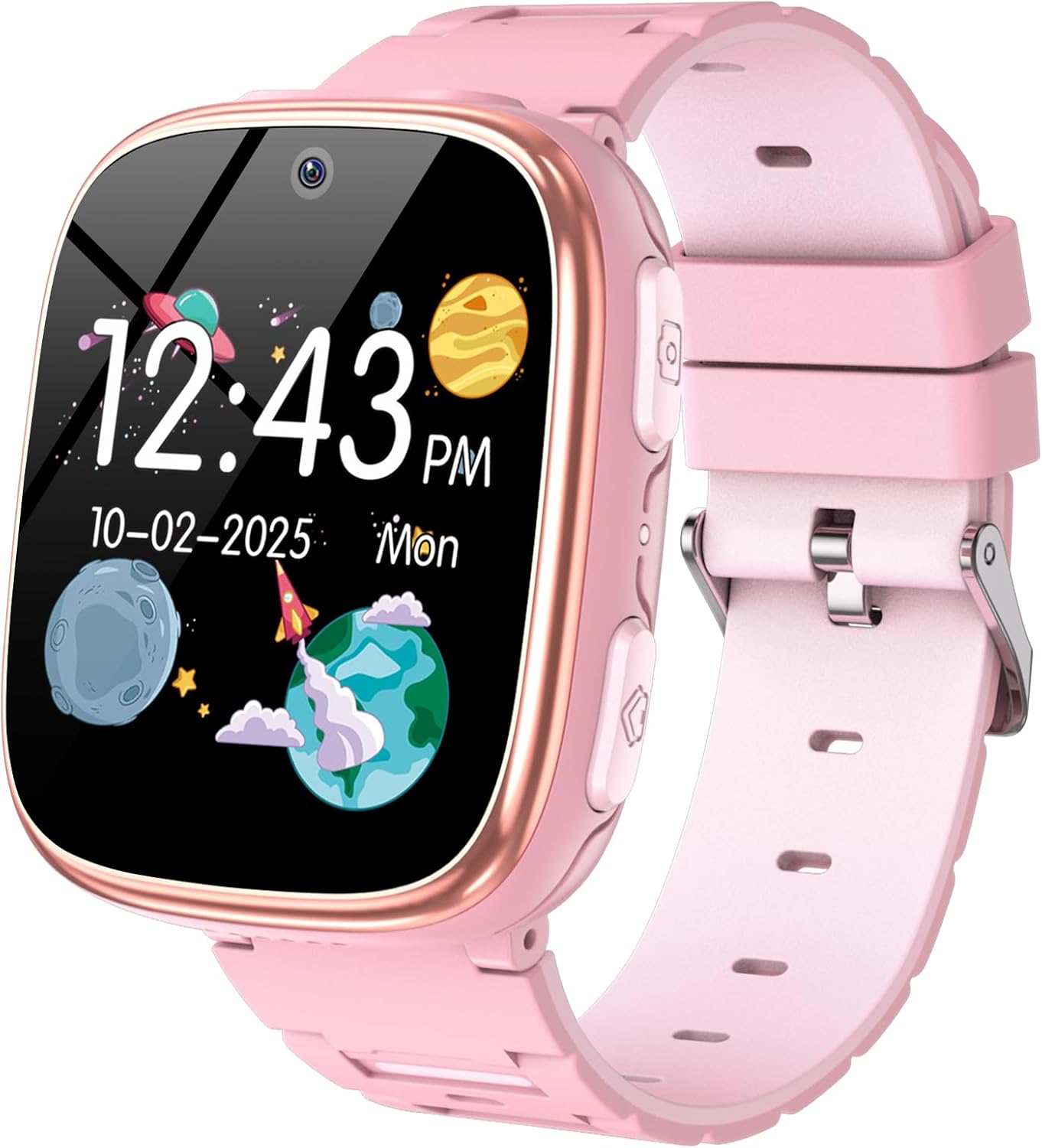
2. Apa saja yang termasuk?
- Jam Tangan Pintar Anak
- Menggunakan Manual
- Kabel Pengisian Daya
3. Panduan Pengaturan
3.1 Pengisian Awal
Before first use, fully charge the smartwatch. Connect the provided charging cable to the watch's USB charging port (refer to Figure 2 for port location) and plug the other end into a compatible USB power adapter (not included). A full charge typically takes 2-3 hours.
3.2 Daya Hidup/Mati
To power on the watch, press and hold the Home Button (refer to Figure 2) for a few seconds until the screen lights up. To power off, press and hold the Home Button again until the power-off option appears on the screen, then confirm.
3.3 Navigasi Dasar
The smartwatch features a smooth touchscreen for navigation. Swipe left or right to browse through different applications and features. Tap on an icon to open an application. Use the Home Button to return to the main clock interface.

4. Petunjuk Pengoperasian
The Berilona Kids Smart Watch comes packed with various features to engage and educate children. Below are instructions for key functionalities:
4.1 Time Display & Customization
The main screen displays the time and date. Swipe across the clock face to change between various analog and digital watch faces. This allows for personalization and fun.


4.2 Camera & Video
Capture photos and record videos directly from the watch. Tap the 'Camera' icon to open the camera interface. Press the Camera Button (refer to Figure 2) or tap the screen to take a photo or start/stop video recording. Photos and videos are saved to the watch's internal memory.
4.3 Permainan
The watch comes pre-loaded with 15 puzzle games for entertainment. Access them via the 'Games' icon. Parental control settings can be used to limit game time.
4.4 Pemutar Musik
Load MP3 audio files onto the watch's memory via the charging cable. Access and play music through the 'Music' or 'Player' application. The watch has a volume control feature.
4.5 Pengukur Langkah
The built-in pedometer tracks your child's steps throughout the day, encouraging physical activity. View step count via the 'Pedometer' application.
4.6 Senter
Activate the flashlight feature from the main menu for convenient illumination in dark environments. Remember to keep the light away from eyes.
4.7 Time Teacher & Sound Teacher
These innovative features help children learn about time and sounds in an interactive way.
4.8 Audiobook
Enjoy 8 interesting audiobook stories directly on the watch, providing an engaging listening experience.
4.9 Habit Tracking
This feature helps cultivate good habits and time management concepts by allowing you to set reminders for daily routines like breakfast, homework, and bedtime.

4.10 Kontrol Orang Tua
Access parental control settings to manage watch usage and set time limits for games, ensuring a balanced experience for your child.

5. Spesifikasi
| Fitur | Detil |
|---|---|
| Dimensi Produk | 5x1.57x0.39 inci |
| Berat Barang | 2.12 ons (60 gram) |
| Nomor Model Barang | X38 |
| Baterai | Diperlukan 1 baterai Lithium Polymer |
| Ukuran Tampilan Layar Berdiri | 1.54 inci |
| Kapasitas Penyimpanan Memori | 8000MB |
| Sistem Operasi | Don't Need (Standalone) |
| Fitur Khusus | Camera, Games, Music, Flashlight, Alarm Clock, Video, Pedometer, Calendaring, Parental Control Function, Audiobook, Time Teacher, Sound Teacher, Habit Tracking, Camera Sticker |
| Kapasitas Baterai | 670 Miliamp Jam |
| Teknologi Konektivitas | USB |
| Standar Komunikasi Nirkabel | Frekuensi Radio 900 MHz |
| Komposisi Sel Baterai | Polimer Litium |
| Bahasa Indonesia: GPS | Tidak ada GPS |
| Membentuk | Persegi |
6. Pemeliharaan
To ensure the longevity and optimal performance of your Berilona Kids Smart Watch, follow these maintenance guidelines:
- Pembersihan: Wipe the watch screen and band with a soft, dry cloth. For stubborn dirt, slightly dampBilas kain dengan air. Hindari bahan kimia keras atau bahan abrasif.
- Pengisian daya: Always use the provided charging cable. Do not overcharge the battery; disconnect once fully charged.
- Tahan Air: The watch is designed for everyday use but is not fully waterproof. Avoid submerging it in water or exposing it to heavy rain.
- Penyimpanan: Simpan jam tangan di tempat yang sejuk dan kering, terhindar dari sinar matahari langsung dan suhu ekstrem bila tidak digunakan dalam jangka waktu lama.
7. Penyelesaian masalah
If you encounter any issues with your smartwatch, please refer to the following common solutions:
- Jam tidak menyala: Pastikan jam tangan terisi penuh. Sambungkan ke pengisi daya dan tunggu beberapa menit sebelum mencoba menyalakannya kembali.
- Layar tidak responsif: Try restarting the watch by holding down the Home Button until it powers off, then power it back on.
- Features not working: Check if the watch has sufficient battery. Some features may require adequate charge. If the issue persists, try a factory reset (refer to Settings menu, if available).
- Masalah suara: Check the volume settings in the 'Settings' menu. Ensure the volume is not muted or set too low.
8. Garansi dan Dukungan
Berilona products are manufactured with high-quality standards. For warranty information or technical support, please refer to the contact details provided on the product packaging or visit the official Berilona weblokasi. Simpan kwitansi pembelian Anda untuk klaim garansi.


