1. Pendahuluan
This user manual provides essential information for the safe and efficient operation, maintenance, and troubleshooting of your Generac GB2000 Portable Power Station. Please read this manual thoroughly before using the device.
The Generac GB2000 is a 2106Wh portable power station designed to provide clean, emission-free power for various applications, including home use, camping, RVs, and outdoor activities. It features a lithium-ion battery, wireless charging, and multiple output ports.
2. Informasi Keselamatan
Selalu patuhi pedoman keselamatan berikut untuk mencegah cedera atau kerusakan pada unit:
- Jangan membongkar, memperbaiki, atau memodifikasi unit.
- Jauhkan unit dari api, sumber panas, dan sinar matahari langsung.
- Hindari paparan air atau cairan lainnya.
- Jangan gunakan unit jika rusak atau terjatuh.
- Pastikan ventilasi yang tepat selama penggunaan dan pengisian daya.
- Jauhkan dari jangkauan anak-anak.
3. Komponen dan Fitur Produk
The Generac GB2000 Portable Power Station is designed for versatility and ease of use. Below is an overview dari komponen dan fitur utamanya.

Gambar 3.1: Panel Depan Atasview of Generac GB2000. This image highlights the multi-color display, LED ON/OFF button, diffused LED light, parallel ports, 12V car port, DC output ON/OFF button, USB-A output receptacles, USB-C output receptacles, AC output ON/OFF button, and NEMA 1-15R AC receptacles.
- Multi-Color 4.7" Display: Provides real-time information on battery level, remaining runtime, and output/input wattage.
- AC Outlets (3x NEMA 1-15R): For powering standard household appliances.
- Port USB-A (2x): Untuk mengisi daya perangkat yang kompatibel dengan USB-A.
- Port USB-C (2x): Untuk mengisi daya perangkat yang kompatibel dengan USB-C.
- Port Mobil 12V: For powering 12V DC devices or charging from a vehicle.
- Wireless Charging Pad (15W): Conveniently charge compatible smartphones by placing them on top of the unit.
- Port Paralel: Allows connection of two GB2000 units for increased power output (Parallel Kit sold separately).
- Desain Tahan Lama: Lightweight and compact with an ergonomic handle for easy transport.
4. Pengaturan dan Pengisian Awal
Before first use, fully charge your Generac GB2000 Portable Power Station.
4.1 Membuka Kotak
Carefully remove the power station and all accessories from the packaging. Verify that all components listed in the packing list are present and undamaged.
4.2 Metode Pengisian
The GB2000 offers multiple charging options:
- Wall Outlet (AC): Connect the provided AC charging cable to the AC input port on the unit and then to a standard wall outlet. The unit can achieve 0 to 80% charge in approximately 3.3 hours.
- Solar Panel (DC): Connect compatible solar panels (sold separately) to the DC input port. Ensure the solar panels are positioned for maximum sunlight exposure.
- Car Charger (DC): Use the provided car charging cable to charge the unit from your vehicle's 12V cigarette lighter port.
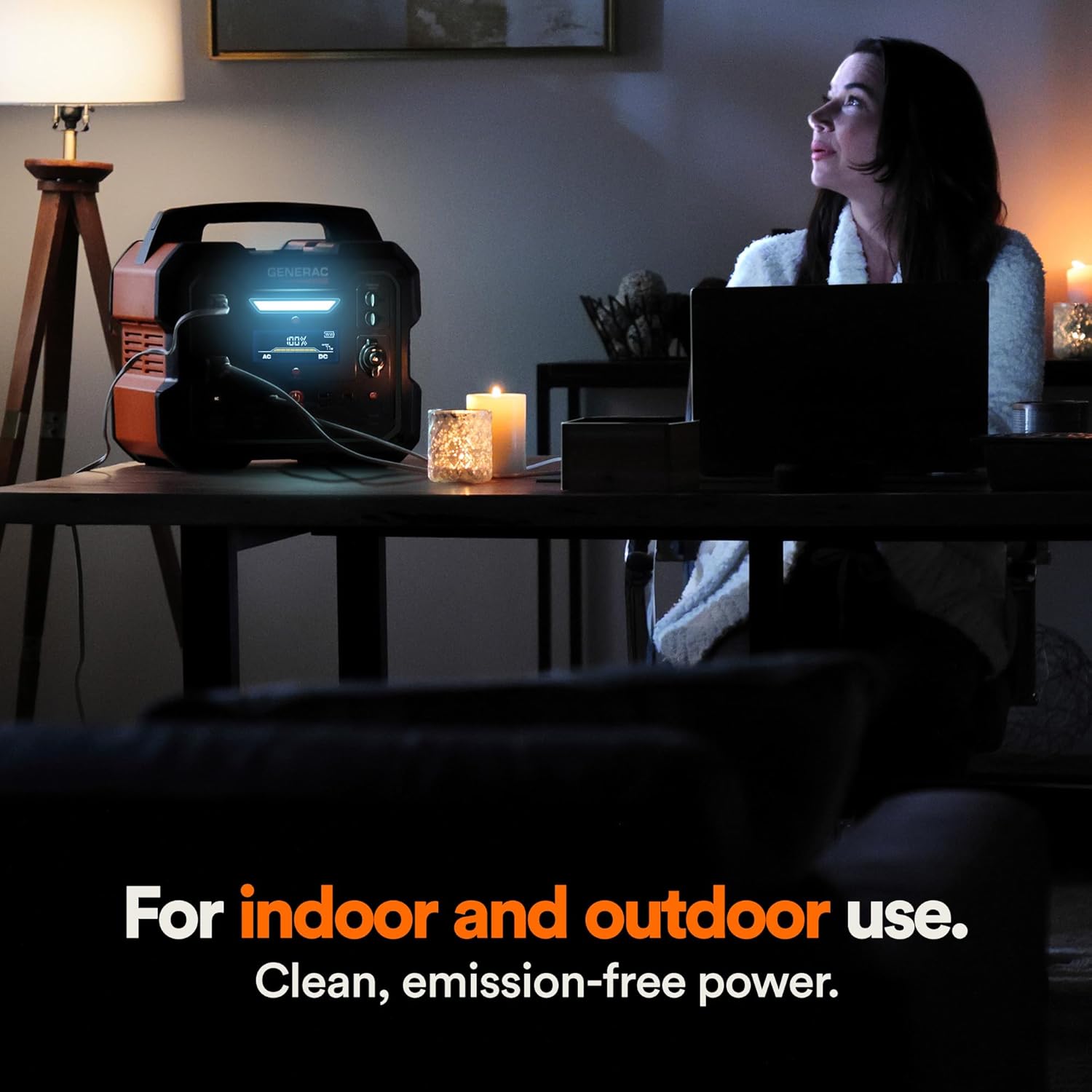
Figure 4.1: Fast Solar Recharging. The Generac GB2000 can be recharged using solar panels (sold separately) for efficient power supply in outdoor environments.
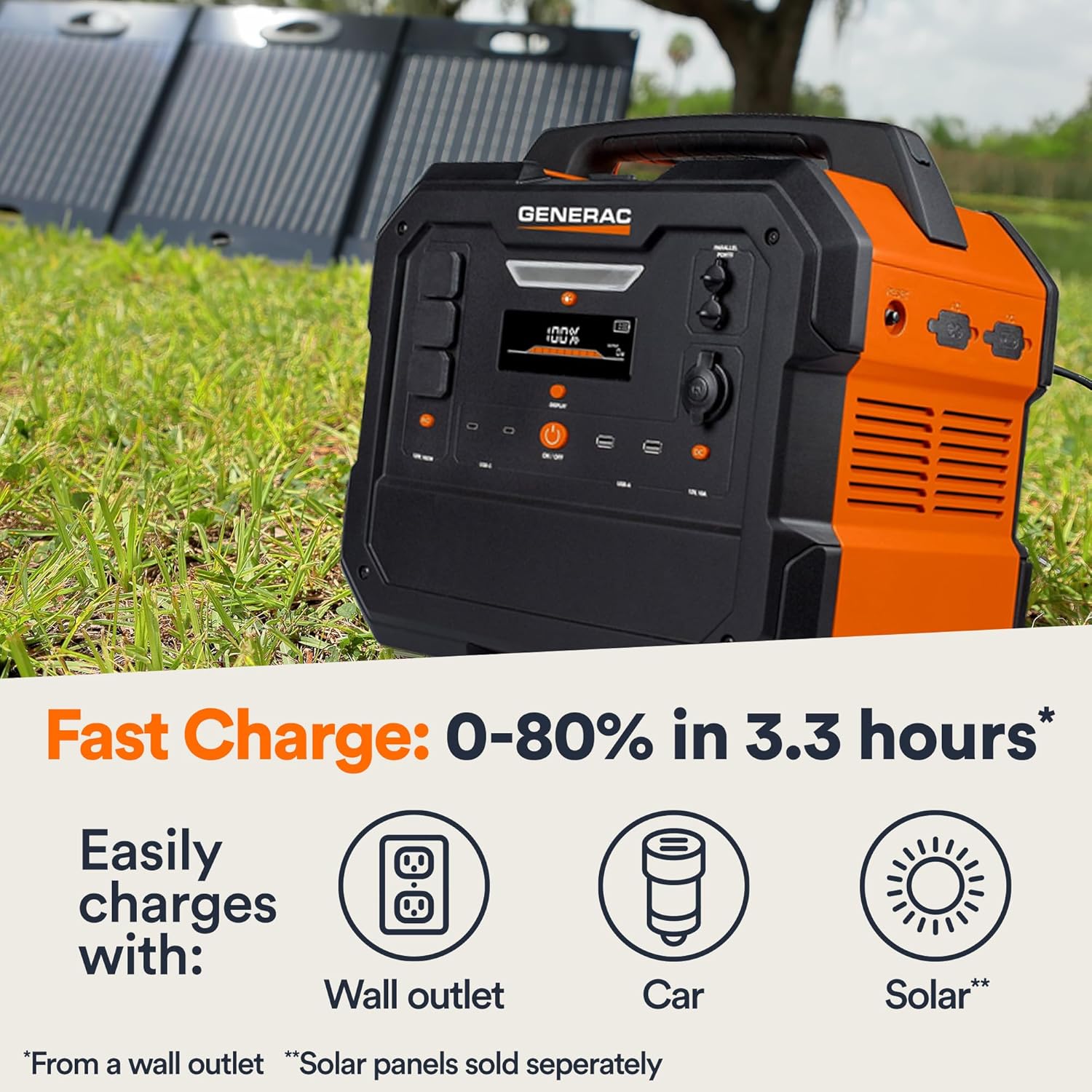
Figure 4.2: Rear Input Ports. This image shows the AC and DC input ports on the back of the Generac GB2000 for various charging methods.
5. Petunjuk Pengoperasian
5.1 Menghidupkan/Mematikan
Press and hold the main AKTIF/NONAKTIF button located on the front panel to power on or power off the unit. The display will illuminate upon activation.
5.2 Menggunakan Port Output
To use specific output ports (AC, DC, USB), press the corresponding ON/OFF button for that section. The indicator light next to the button will illuminate when active.
- Output AC: Connect your devices to the NEMA 1-15R outlets. Ensure the total wattage of connected devices does not exceed 1600W continuous output or 3200W surge.
- Output DC: Use the 12V car port for compatible DC devices.
- Keluaran USB: Plug your USB-A or USB-C cables into the respective ports for charging smartphones, tablets, and other USB-powered devices.
- Pengisian Daya Nirkabel: Letakkan perangkat Anda yang kompatibel dengan Qi di atas bantalan pengisian daya nirkabel yang ada di bagian atas unit.

Figure 5.1: Indoor Use of Generac GB2000. The power station provides clean, emission-free power, making it safe for indoor use to power essential devices like laptops and lighting.
5.3 Powering Electric Vehicles (EVs)
The Generac GB2000 can provide emergency power to electric vehicles. While not a primary charging solution, it can offer enough charge to reach a charging station.
5.4 Runtime and Capacity
The GB2000 has a 2106Wh capacity. The actual runtime depends on the power consumption of connected devices. Refer to the table below for estimated runtimes for common appliances:
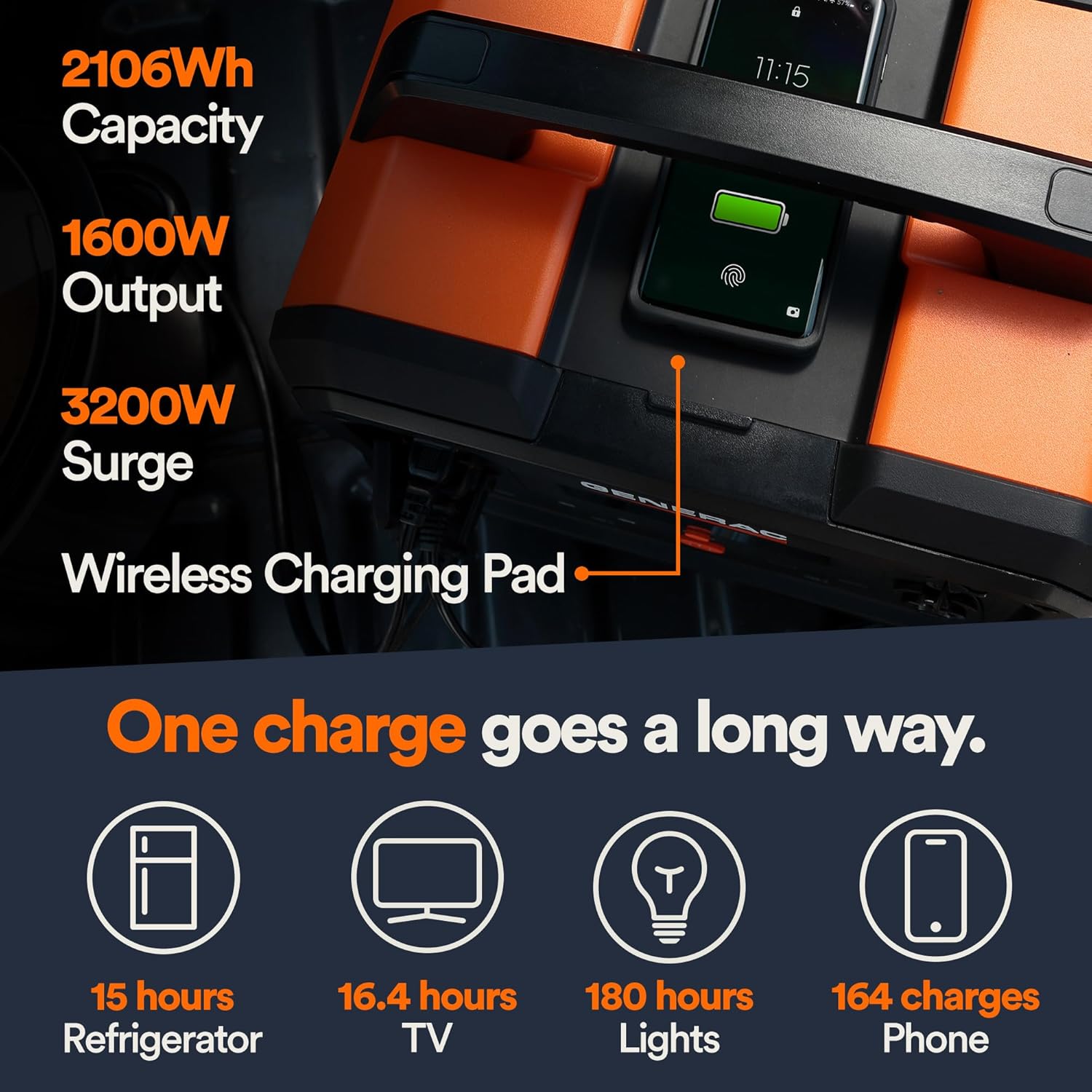
Figure 5.2: Estimated Device Runtimes. This table provides approximate usage durations for various household, jobsite, and recreation devices when powered by the Generac GB1000 and GB2000 models.
| Perangkat | Running Watts (Approx.) | Estimated Runtime (GB2000) |
|---|---|---|
| Lampu | 10W | 180 jam |
| CPAP | 40W | 45 jam |
| Lemari es | 120W | 15 jam |
| gelombang mikro | 1200W | 1.5 jam |
| Televisi 50" | 110W | 16.4 jam |
| Phone (164 charges) | 11 jam | 164 biaya |
6. Perawatan dan Penyimpanan
6.1 Pembersihan
Lap unit dengan kain kering dan lembut. Jangan gunakan pembersih atau pelarut abrasif.
6.2 Penyimpanan
Store the Generac GB2000 in a cool, dry place, away from direct sunlight and extreme temperatures. For long-term storage, charge the unit to 50-80% every 3-6 months to maintain battery health.
7. Penyelesaian masalah
| Masalah | Kemungkinan Penyebab | Larutan |
|---|---|---|
| Unit tidak menyala | Low battery; Main ON/OFF button not pressed long enough. | Charge the unit; Press and hold the ON/OFF button for 3 seconds. |
| Keluaran AC tidak berfungsi | Output AC tidak diaktifkan; Proteksi kelebihan beban diaktifkan. | Press the AC ON/OFF button; Reduce load, then restart AC output. |
| Pengisian nirkabel tidak berfungsi | Device not Qi-compatible; Device not properly aligned. | Ensure device is Qi-compatible; Reposition device on the charging pad. |
| Unit terlalu panas | Ventilasi buruk; Beban berlebihan. | Pastikan aliran udara di sekitar unit tetap lancar; Kurangi beban yang terhubung. |
If issues persist, please contact Generac customer support.
8. Spesifikasi Teknis
| Spesifikasi | Nilai |
|---|---|
| Nama Model | GB2000 |
| Nomor Model Barang | 8026 |
| Jenis Baterai | Litium-Ion |
| Kapasitas | 2106 jam |
| Continuous AC Output | 1600W |
| Peak AC Output (Surge) | 3200W |
| Keluaran Pengisian Nirkabel | 15W |
| Dimensi (P x L x T) | 16.8" x 10.4" x 15.1" |
| Berat | 48.8 pon |
| Recharge Time (0-80% Wall Outlet) | 3.3 jam |
9. Aksesoris yang Tersedia
Enhance the functionality of your Generac GB2000 with these optional accessories:

Figure 9.1: Parallel Kit. Connect two Generac Power Stations together for increased power output.
- Parallel Kit: Connects two Generac power stations to double the output capacity.
- Charge Enhancer: Provides up to 50% faster charging.
- Panel surya: For quick and efficient recharging using solar energy.
10. Garansi dan Dukungan
For warranty information and customer support, please refer to the official Generac webKunjungi situs web mereka atau hubungi layanan pelanggan mereka. Simpan bukti pembelian Anda untuk klaim garansi.
Generac offers protection plans for extended coverage:
- Rencana Perlindungan 3 Tahun
- Rencana Perlindungan 4 Tahun
- Perlindungan Lengkap: Satu paket mencakup semua pembelian yang memenuhi syarat di masa lalu dan masa mendatang.