1. Pendahuluan
The Orbit B-hyve Gen 2 Wi-Fi Hub (Model 21008) is designed to extend the functionality of your B-hyve Bluetooth devices by enabling Wi-Fi connectivity. This hub allows you to control and monitor your compatible B-hyve devices remotely through the B-hyve app, providing greater convenience and flexibility for your watering and smart home needs. It acts as a central bridge, connecting multiple B-hyve Bluetooth devices to your home Wi-Fi network.
2. Pengaturan
2.1. Apa yang ada di dalam kotak
- Orbit B-hyve Gen 2 Wi-Fi Hub
- Wall Adapter (integrated)
2.2. Instalasi
To install your B-hyve Gen 2 Wi-Fi Hub, simply plug it into a standard electrical outlet. Ensure the outlet is within range of your home's Wi-Fi network for optimal performance. The hub includes an integrated wall adapter for direct plug-in.
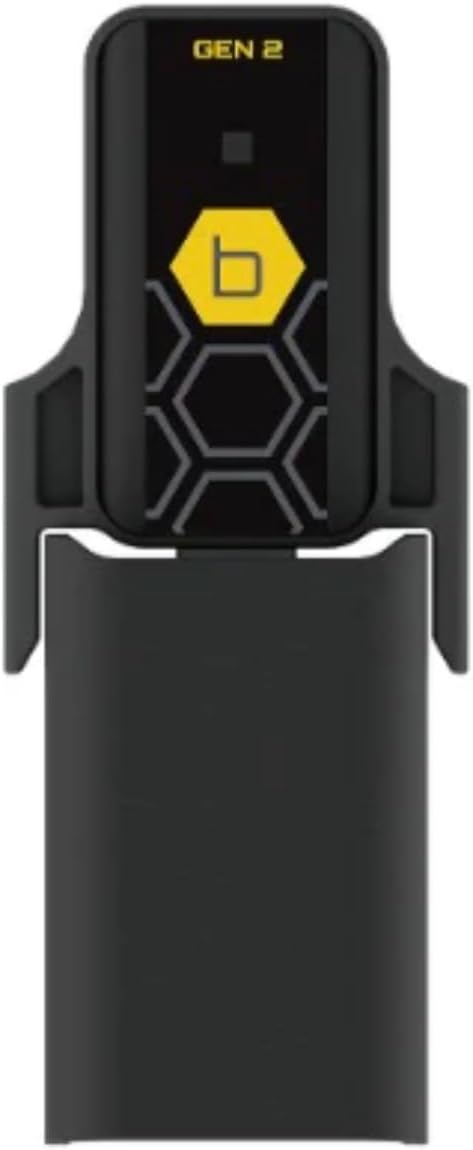
The Orbit B-hyve Gen 2 Wi-Fi Hub is a compact black device designed to plug directly into a standard electrical outlet. It features a yellow hexagonal logo with a 'b' inside and 'GEN 2' text at the top. A small green LED indicator light is visible when powered on, signifying connectivity. The device is shown plugged into a white wall outlet.
2.3. Pasangan Awal
Once plugged in, the hub will power on. Follow the instructions within the B-hyve mobile application to pair the hub with your account and connect it to your Wi-Fi network. This process typically involves selecting the hub in the app and entering your Wi-Fi credentials. Ensure your mobile device is connected to the same Wi-Fi network you intend to connect the hub to during setup.
3. Operasi
3.1. Menghubungkan Perangkat
The B-hyve Gen 2 Wi-Fi Hub enables Wi-Fi features in select B-hyve Bluetooth devices. Once the hub is successfully connected to your Wi-Fi network, you can link multiple compatible B-hyve Bluetooth devices to this single hub. This eliminates the need for a separate hub for each device, streamlining your smart watering system.
3.2. Kontrol Jarak Jauh
With the hub connected, your B-hyve Bluetooth devices can now be controlled from anywhere with an internet connection via the B-hyve app. This allows for remote scheduling, manual watering, and monitoring of your irrigation system.
3.3. Perangkat yang Kompatibel
This hub works with B-hyve Bluetooth devices with the following model numbers: 24511, 24516, 24632, 24537, 24634, 54539, 71000, 71003, and 71005.
4. Pemeliharaan
The Orbit B-hyve Gen 2 Wi-Fi Hub requires minimal maintenance. Keep the device clean and free from dust. Ensure it is plugged into a dry indoor outlet and avoid exposing it to extreme temperatures or moisture, as this can affect its performance and lifespan.
5. Penyelesaian masalah
5.1. Masalah Konektivitas
- Hub tidak terhubung ke Wi-Fi: Ensure the hub is within range of your Wi-Fi router. Try relocating the hub closer to the router or using a Wi-Fi extender. Verify your Wi-Fi password is correct in the B-hyve app.
- Devices not connecting to hub: Ensure your B-hyve Bluetooth devices are within range of the hub. The hub can be hundreds of feet away from your sprinkler time clocks, but obstructions can reduce range.
- Koneksi terputus-putus: Check for Wi-Fi interference from other electronic devices. Ensure your Wi-Fi network is stable.
5.2. Pairing Difficulties
If you experience difficulty pairing the hub or your devices, try the following:
- Restart the B-hyve app.
- Unplug the hub from the outlet, wait 10 seconds, and plug it back in.
- Ensure your mobile device's Bluetooth is enabled when initially pairing Bluetooth devices to the hub.
For persistent issues, refer to the B-hyve app's help section or the Orbit customer support weblokasi.
6. Spesifikasi
| Fitur | Detil |
|---|---|
| Dimensi Produk | 3 x 2 x 4 inci (3"P x 2"L x 4"T) |
| Berat Barang | 2.89 ons |
| Pabrikan | Orbit |
| ASIN | B0BHXCLDSP |
| Warna | Green (referring to the LED indicator, product is black) |
| UPC | 046878210080 |
7. Garansi dan Dukungan
Specific warranty information for the Orbit B-hyve Gen 2 Wi-Fi Hub is not provided in this manual. Please refer to the official Orbit website or your product packaging for detailed warranty terms and conditions.
For technical support, troubleshooting assistance, or further inquiries, please visit the Orbit support page on their official website or contact their customer service department directly. Contact information can typically be found on the manufacturer's webdokumentasi situs atau produk.


