Perkenalan
Thank you for choosing the BUFFBEE Sound Machine & Alarm Clock. This versatile 2-in-1 device combines a high-quality sound machine with a fully functional alarm clock, designed to help you achieve restful sleep and wake up refreshed. Its intuitive controls and customizable features make it an essential addition to any bedroom.

Image: The Buffbee Sound Machine and Alarm Clock highlighting its dual functionality as both a sound machine and an alarm clock.
Informasi Keselamatan
- Jangan biarkan perangkat terkena air atau kelembapan berlebih.
- Jauhkan dari sumber panas dan sinar matahari langsung.
- Gunakan hanya adaptor daya yang disediakan.
- Jangan mencoba membongkar atau memperbaiki sendiri perangkat ini. Hubungi dukungan pelanggan untuk bantuan.
- Pastikan perangkat ditempatkan pada permukaan yang stabil dan rata.
Isi Paket
- BUFFBEE Sound Machine & Alarm Clock (Model: BK11)
- Adaptor Daya
- Panduan Pengguna
Produk Selesaiview
Pelajari komponen dan kontrol perangkat ini:

Image: A detailed diagram illustrating the top panel controls (Alarm, Volume Control, Sound Machine, Night Light) and the rear panel (Display Dimmer, Adapter port).
- Kontrol Panel Atas: Alarm button, Timer button, Volume Up/Down, Previous/Next Sound, Sound Machine button, Night Light button.
- Tampilan Depan: Tampilan jam digital.
- Lampu Bawah: Integrated colored light.
- Panel belakang: DC 5V Adapter port, 0-100% Display Dimmer knob.
Pengaturan
- Penempatan: Place the device on a stable surface, such as a nightstand or desk.
- Sambungan Daya: Insert the power adapter into the DC 5V port on the rear of the device, then plug it into a standard electrical outlet.
- Nyalakan Daya Pertama: Layar jam akan menyala.
- Atur Waktu: Refer to the 'Operating Instructions' section for setting the current time.
Petunjuk Pengoperasian
Mengatur Waktu
- Tekan dan tahan tombol Waktu button (clock icon) on the top panel until the hour digits flash.
- Gunakan Sebelumnya (◀︎) or Berikutnya (▶︎) buttons to adjust the hour.
- Tekan tombol Waktu Tekan tombol lagi untuk mengkonfirmasi jam dan beralih ke pengaturan menit.
- Gunakan Sebelumnya (◀︎) or Berikutnya (▶︎) buttons to adjust the minutes.
- Tekan tombol Waktu button one more time to confirm the minutes and exit time setting.
Mengatur Alarm
- Tekan dan tahan tombol Alarm button (bell icon) on the top panel until the alarm hour digits flash.
- Gunakan Sebelumnya (◀︎) or Berikutnya (▶︎) buttons to adjust the alarm hour.
- Tekan tombol Alarm button again to confirm the hour and move to alarm minute setting.
- Gunakan Sebelumnya (◀︎) or Berikutnya (▶︎) buttons to adjust the alarm minutes.
- Tekan tombol Alarm button one more time to confirm the minutes. The alarm icon will appear on the display, indicating the alarm is set.
- Untuk mematikan alarm, tekan Alarm button once. The alarm icon will disappear.
Menggunakan Mesin Suara
The device offers 18 soothing sounds, including 5 white noises, 3 fan sounds, and 10 nature sounds (ocean, lullaby, waves, rain, thunderstorm, brook, croaking, bird chirping, summer night, and campapi).
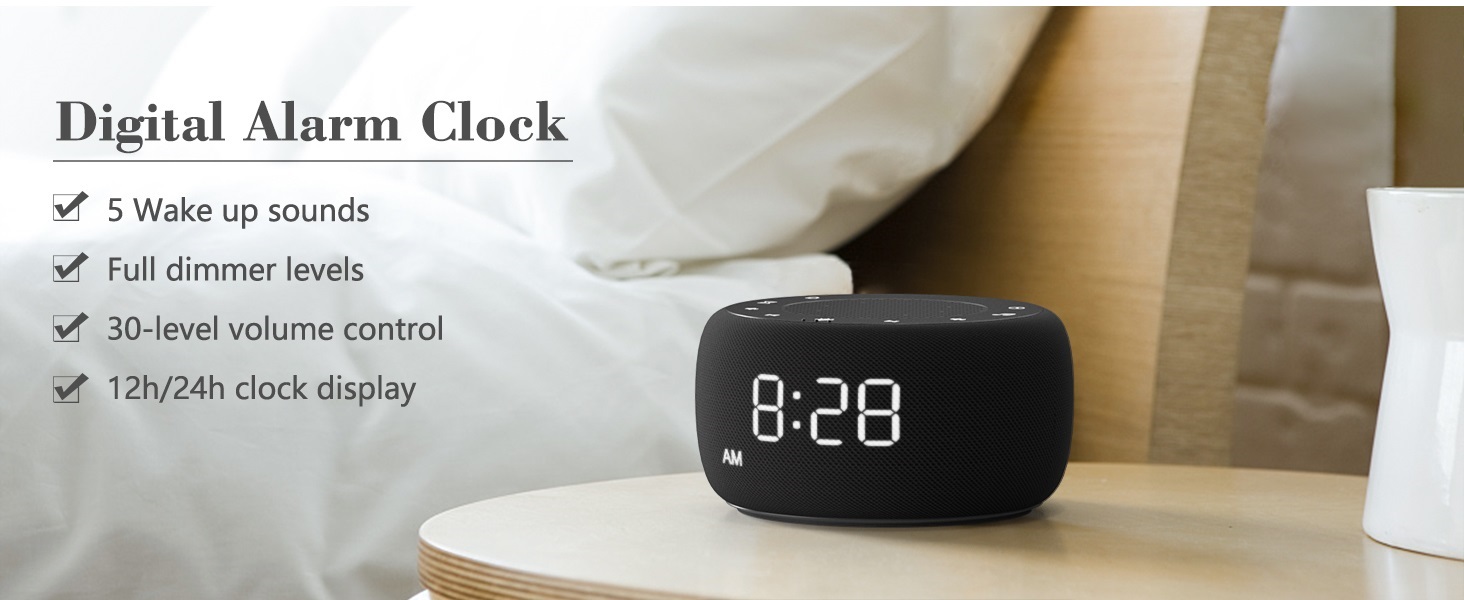
Image: An infographic displaying the 18 soothing sounds categorized into 3 fan sounds, 5 white noises, and 10 nature sounds, including ocean, lullaby, waves, rain, thunderstorm, brook, croaking, bird chirping, summer night, and campapi.
- Tekan tombol Mesin Suara button (music note icon) to cycle through the available sounds.
- Gunakan Volume Naik (▲) dan Volume Turun (▼) buttons to adjust the volume (30 levels).
- To turn off the sound, press the Mesin Suara button until no sound is playing.
Pengatur Waktu Tidur
Set a timer for the sound machine to automatically turn off.

Image: The top panel of the Buffbee Sound Machine, highlighting the Auto-Off Timer button and the Volume Control buttons.
- Tekan tombol Pengatur waktu button (hourglass icon) to cycle through timer options: 15, 30, 60, 90, 120 minutes, or continuous play.
- The selected timer duration will be displayed on the screen.
Menyesuaikan Kecerahan Tampilan Jam
The clock display brightness can be adjusted from 0% (completely dark) to 100%.

Image: The Buffbee Sound Machine demonstrating its 0-100% display dimmer feature, showing the clock face at 0%, partial, and 100% brightness.
- Temukan Tampilan Peredup knob on the rear of the device.
- Rotate the knob to increase or decrease the brightness of the clock display to your preference.
Using the Bottom Colored Light
The device features a bottom light with 7 color options to create a relaxing ambiance.

Image: The Buffbee Sound Machine displaying its bottom colored light feature, showing various color options and the ability to turn it on or off.
- Tekan tombol Lampu Malam button (light bulb icon) to cycle through the 7 color options.
- Terus tekan tombol untuk mematikan lampu.
Pemeliharaan
- Pembersihan: Lap perangkat dengan kain lembut dan kering. Jangan gunakan pembersih atau pelarut abrasif.
- Penyimpanan: Bila tidak digunakan dalam jangka waktu lama, simpan perangkat di tempat sejuk dan kering.
Penyelesaian Masalah
| Masalah | Kemungkinan Penyebab | Larutan |
|---|---|---|
| Perangkat tidak menyala. | Adaptor daya tidak terhubung dengan benar atau ada masalah dengan stopkontak. | Pastikan adaptor daya terpasang dengan aman ke perangkat dan stopkontak yang berfungsi. Coba stopkontak lain. |
| Clock display is too bright/dim. | Display dimmer setting needs adjustment. | Adjust the 0-100% Display Dimmer knob on the rear of the device. |
| Suara tidak cukup keras. | Volume disetel terlalu rendah. | Tekan tombol Volume Naik (▲) button to increase the volume. The device has 30 volume levels. |
| Alarm tidak berbunyi. | Alarm is not set or is turned off. | Ensure the alarm is set correctly and the alarm icon is visible on the display. |
Spesifikasi
| Fitur | Detil |
|---|---|
| Nomor Model | BK11 |
| Ukuran | 5.63x4.57x3.03 inci |
| Berat | 11.64 ons |
| Sumber Daya | Battery Powered (for backup) / AC Adapter |
| Keluaran Pembicara | 5W |
| Opsi Suara | 18 (5 suara bising putih, 3 suara kipas, 10 suara alam) |
| Tingkat Volume | 30 |
| Pengatur Waktu Tidur | 15, 30, 60, 90, 120 menit, atau terus menerus |
| Kecerahan Tampilan Jam | 0-100% disesuaikan |
| Bottom Light Colors | 7 pilihan |
| Bahan | Plastik, Akrilonitril Butadiena Styrene (ABS) |
Garansi dan Dukungan
For warranty information and customer support, please refer to the contact details provided on the product packaging or visit the official BUFFBEE weblokasi. Simpan kwitansi pembelian Anda untuk klaim garansi.


