1. Produk Lebihview
yang lemahview 2K Security Camera W7 is a high-resolution outdoor surveillance camera designed to provide comprehensive home security. Featuring 2K (3MP) video capture, full-color night vision, two-way audio, and advanced motion detection, it offers reliable monitoring day and night. The camera is IP65 waterproof, ensuring durability in various weather conditions, and supports both local SD card storage and cloud storage options.

Gambar 1.1: wansview 2K Security Camera W7 and its mobile application interface.
2. Panduan Pengaturan
2.1. Isi Paket
- kurangview 2K Security Camera W7
- Kabel Daya USB
- Steker listrik
- Panduan Instalasi
- Mounting Screws (2 sets)
2.2. Pengaturan Awal
- Sambungan Daya: Connect the USB power cord to the camera and then to the power plug. Plug the power plug into a standard electrical outlet. The camera requires a wired power connection for operation.
- Unduh Aplikasi: Download the "Wansview Cloud" app from the Apple App Store or Google Play Store on your smartphone.
- Registrasi Akun: Buka Wansview Cloud app and register for a new account or log in if you already have one.
- Tambahkan Perangkat: Tap the "+" icon in the app to add a new device. Select the W7 camera model.
- Koneksi Wi-Fi: Follow the in-app instructions to connect the camera to your 2.4GHz Wi-Fi network. Ensure your Wi-Fi signal is strong at the camera's intended mounting location. You will be prompted to scan a QR code displayed on your phone screen with the camera's lens.
- Pemasangan: Once the camera is successfully connected, choose a suitable outdoor location for mounting. Use the provided mounting screws and the installation guide to securely attach the camera to a wall. The camera is designed for wall-mounted installation.

Figure 2.1: Key features and weather resistance of the wansview W7 camera.
3. Petunjuk Pengoperasian
3.1. Langsung View dan Kontrol Pan/Tilt
Access the live video feed from your camera through the Wansview Cloud app. You can remotely control the camera's viewing angle with its 350° pan and 55° tilt capabilities to monitor a wide area.
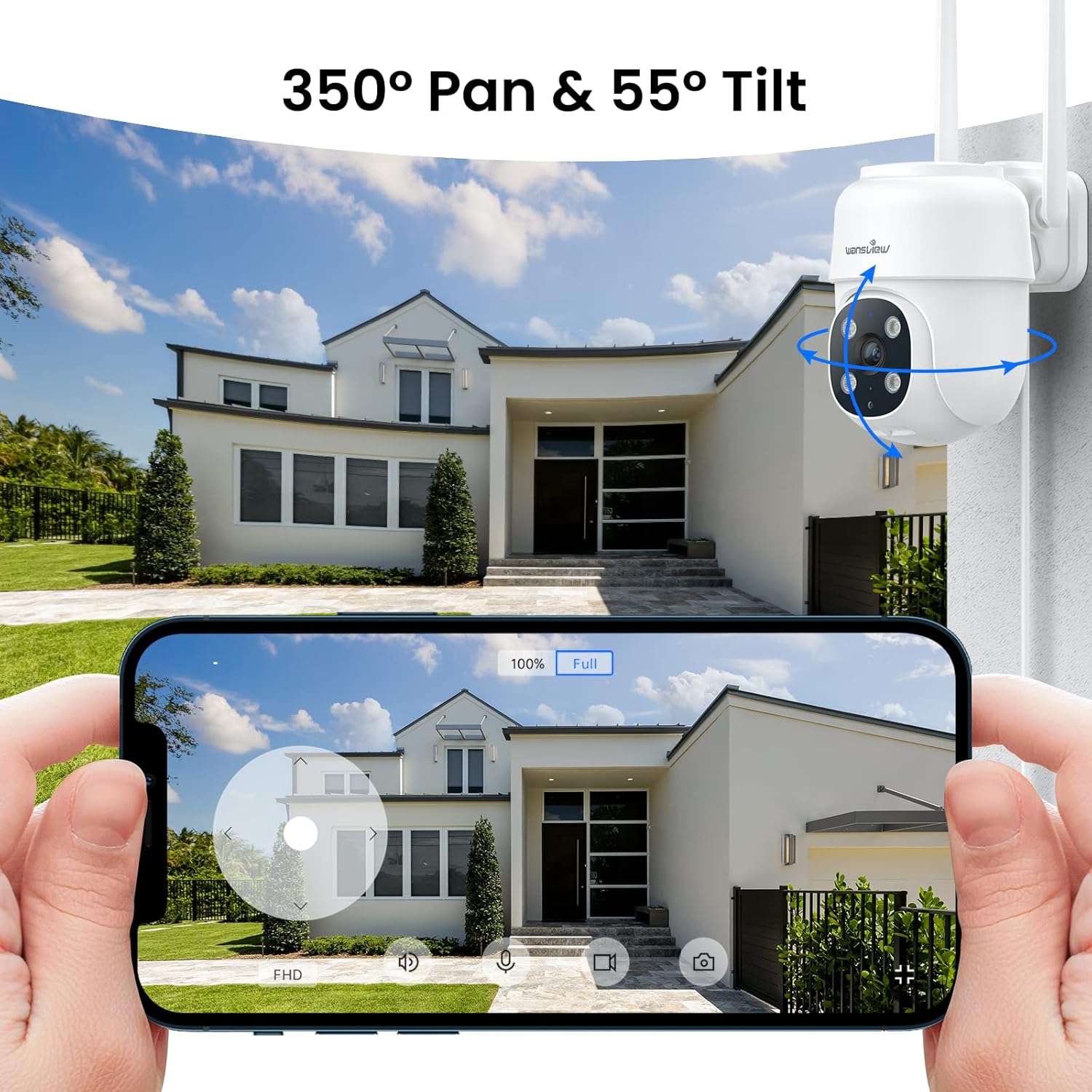
Figure 3.1: Remote pan and tilt control via the Wansview aplikasi awan.
3.2. Audio Dua Arah
The camera features a built-in microphone and speaker, enabling two-way communication. Use the app to speak to visitors or deter unwanted guests from your property.
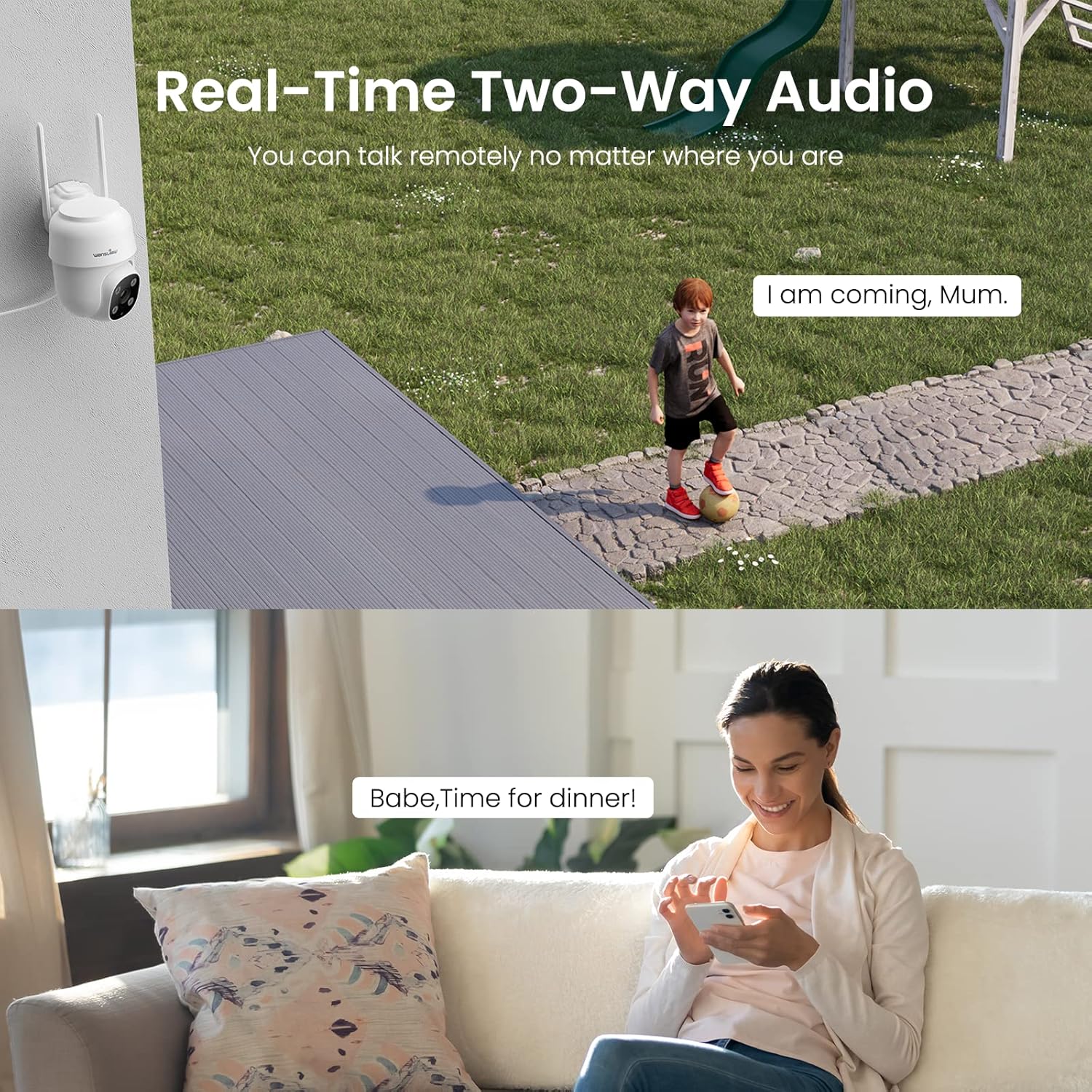
Figure 3.2: Demonstrating the real-time two-way audio functionality.
3.3. Mode Penglihatan Malam
The W7 camera offers two night vision modes for clear visibility in low-light conditions:
- Penglihatan Malam Inframerah: Menghasilkan gambar hitam putih yang jernih dalam kondisi gelap total.
- Penglihatan Malam Penuh Warna: Utilizes built-in white lights to display color images at night when activated.

Figure 3.3: Visual comparison of infrared and full-color night vision.
3.4. Deteksi Gerakan dan Peringatan
The camera's built-in sensor detects motion and can trigger real-time alerts to your phone. You can customize the motion detection sensitivity and define specific detection areas within the app to minimize false alarms.
- Alarm Cahaya: The camera's white light can be set to turn on automatically or manually upon motion detection.
- Alarm Sirene: Sirene yang berbunyi dapat diaktifkan untuk menghalau penyusup.
- Pemberitahuan: Terima notifikasi push di ponsel cerdas Anda saat gerakan terdeteksi.
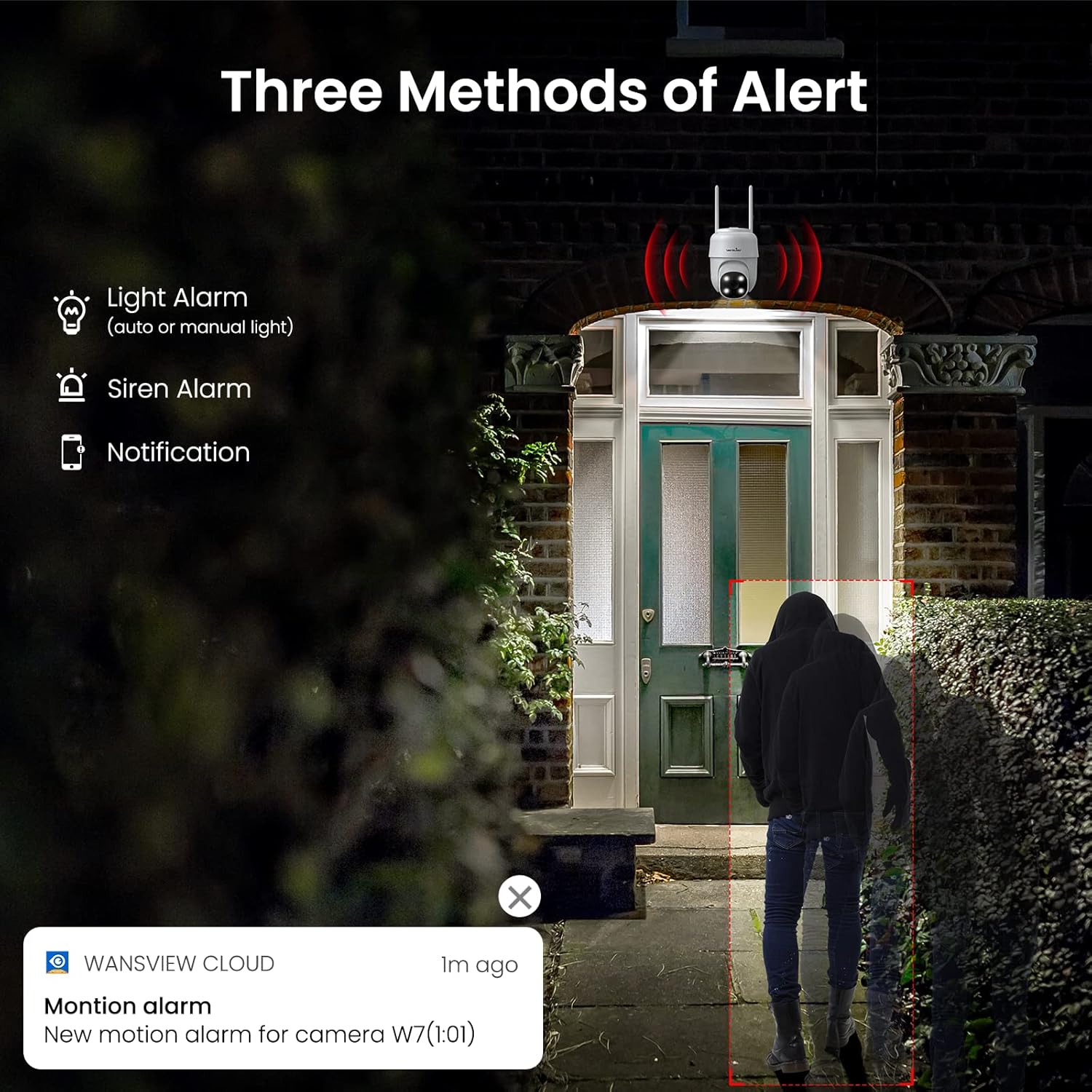
Gambar 3.4: Lebihview of the three alert methods available.

Figure 3.5: Customizing the motion detection area for precise alerts.
3.5. Perekaman dan Penyimpanan
The W7 camera supports continuous 24/7 recording to ensure no important moments are missed. You have two primary storage options:
- Penyimpanan Kartu SD: Insert a microSD card (up to 128GB, not included) into the camera for local storage of recordings.
- Penyimpanan Awan: Optional cloud storage provides a secure backup for your video footage.
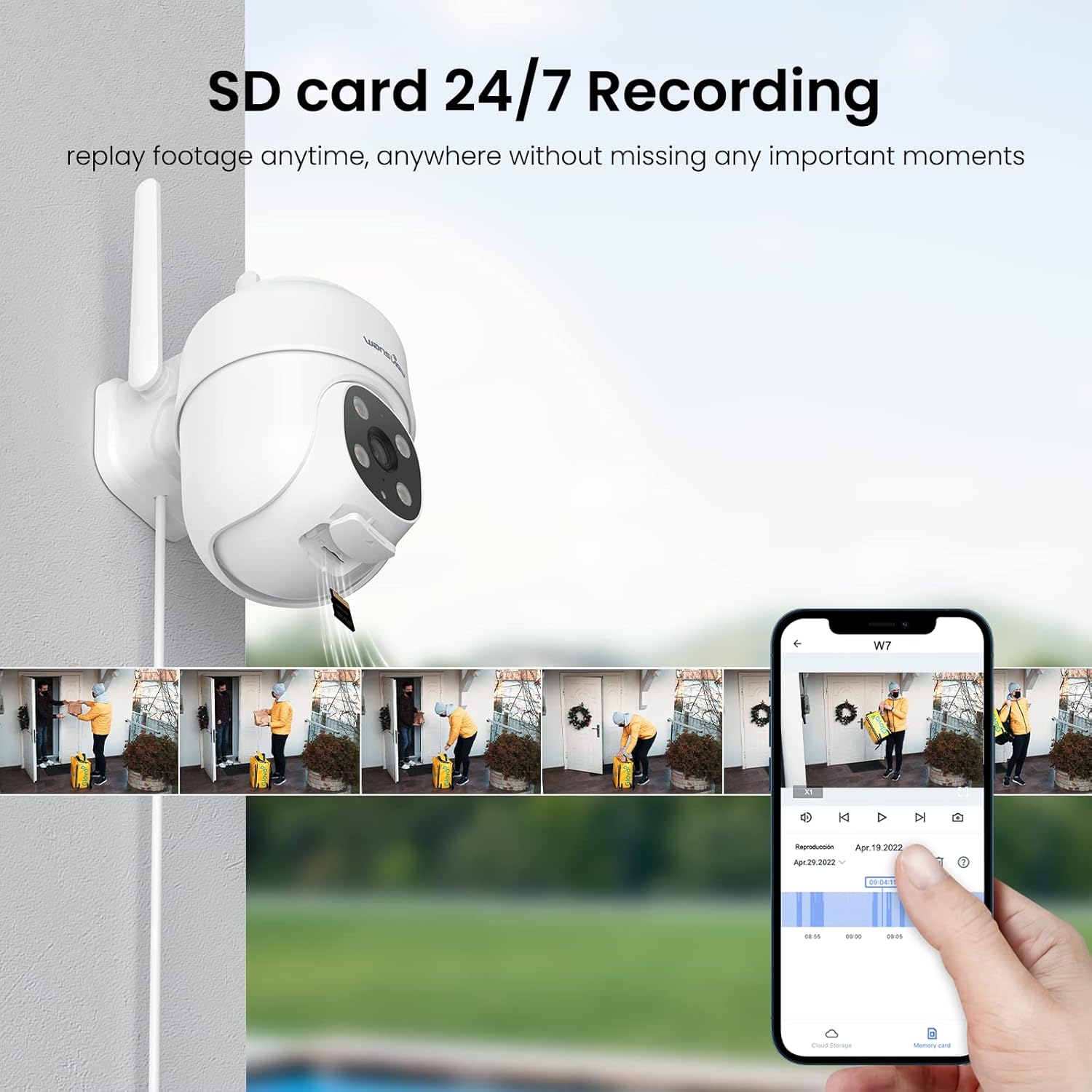
Figure 3.6: SD card storage and playback of recorded footage.
3.6. Integrasi Rumah Pintar
yang lemahview W7 camera is compatible with Amazon Alexa Echo Show and Google Home. You can use voice commands to view your camera's live feed on compatible smart displays.

Figure 3.7: Integrating the camera with smart home assistants like Alexa.
3.7. Akses Multi-Pengguna
You can share camera access with family members or trusted individuals through the Wansview Cloud app, allowing multiple users to view the live feed and recordings simultaneously.

Figure 3.8: Sharing camera access with family and friends.
4. Pemeliharaan
- Pembersihan: Regularly clean the camera lens and body with a soft, dry cloth to ensure clear image quality. Avoid using harsh chemicals or abrasive materials.
- Sambungan Daya: Periodically check the power cord and plug for any signs of damage. Ensure the connection remains secure.
- Sinyal Wi-Fi: Verify that the camera maintains a strong 2.4GHz Wi-Fi signal at its installed location for optimal performance. Consider a Wi-Fi extender if the signal is weak.
- Pembaruan Firmware: Keep the Wansview Cloud app updated to the latest version, as this often includes firmware updates for the camera that improve performance and security.
- Manajemen Kartu SD: If using an SD card for storage, periodically check its status in the app. Format the SD card as needed to maintain optimal recording performance.
5. Penyelesaian masalah
5.1. Masalah Umum dan Solusinya
| Masalah | Kemungkinan Penyebab | Larutan |
|---|---|---|
| Camera offline/Cannot connect | No power; Weak Wi-Fi signal; Incorrect Wi-Fi password; Router issues. | Check power connection. Ensure camera is within Wi-Fi range. Verify Wi-Fi password. Restart router and camera. |
| Kualitas video buruk | Lensa kotor; Pencahayaan tidak memadai; Masalah lebar pita jaringan. | Clean the camera lens. Ensure adequate lighting for optimal 2K resolution. Check network speed. |
| Motion alerts are inaccurate/too frequent | Sensitivity too high; Detection area too broad. | Adjust motion detection sensitivity in the app (e.g., set to 'Normal'). Refine the detection area to focus on critical zones. |
| Night vision not clear/not activating | Obstruction in front of lens; Ambient light interference. | Pastikan tidak ada benda yang menghalangi kamera. view. Minimize external light sources that might interfere with infrared sensors. |
| Masalah audio dua arah | Microphone/speaker blocked; App permissions; Network delay. | Check for obstructions around microphone/speaker. Ensure app has microphone permissions. Check network stability. |
| Kartu SD tidak merekam | SD card full/corrupted; Incorrect format; Card not inserted properly. | Format the SD card via the app. Ensure the card is correctly inserted. Replace if corrupted. |
5.2. Mengatur Ulang Kamera
If issues persist, you can reset the camera to its factory settings through the Wansview Cloud app under device management. This can resolve many software-related problems.
6. Spesifikasi
| Fitur | Detil |
|---|---|
| Nomor Model | W7 |
| Resolusi Video | 2K (3 Megapiksel) |
| Penggunaan Dalam/Luar Ruangan | Luar ruangan |
| Sumber Daya | Mesin Cuci Kabel Listrik (5 Volt, 5 Watt) |
| Konektivitas | Wi-Fi 2.4GHz |
| Jangkauan Pan/Tilt | Panci 350°, Kemiringan 55° |
| Viewsudut ing | 95 Derajat |
| Penglihatan Malam | Full-Color Night Vision, Infrared Night Vision (up to 10 meters) |
| Peringkat Tahan Air | Tingkat IP65 |
| Suhu Operasional | -10℃ hingga 50℃ (14°F hingga 122°F) |
| Opsi Penyimpanan | Kartu MicroSD (hingga 128GB, tidak termasuk), Penyimpanan Cloud |
| Dimensi (P x L x T) | 4.5x3.44x4.8 inci |
| Berat Barang | 13.3 ons |
| Komponen yang Termasuk | Camera, USB cable, Plug, Installation guide, Mounting screws |
7. Garansi dan Dukungan
Untuk informasi garansi dan dukungan teknis, silakan merujuk ke situs resmi wans.view website or contact wansview customer service directly. Customer support can assist with setup, troubleshooting, and product inquiries.
Berdasarkan data yang diberikan, tidak ada video produk resmi yang tersedia untuk disematkan.