1. Pendahuluan
Thank you for choosing the Baseus Bowie H2 True Wireless Earphones. This manual provides detailed instructions on how to set up, operate, maintain, and troubleshoot your earphones to ensure optimal performance and longevity. Please read this manual thoroughly before using the product.
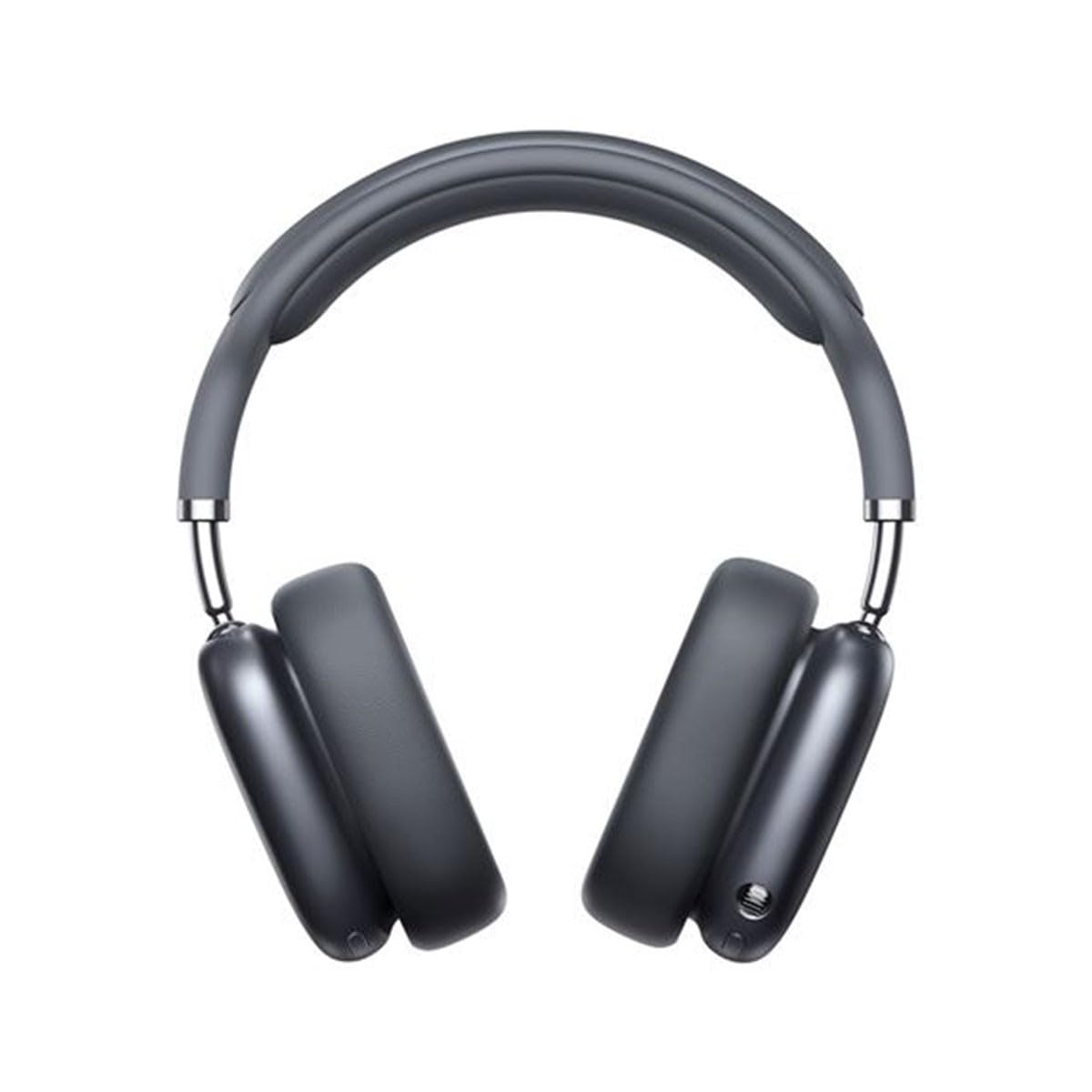
Image 1.1: Baseus Bowie H2 product overview. Please note that while this image displays over-ear headphones, the product described in this manual is the Baseus Bowie H2 True Wireless Earphones (in-ear type).
2. Apa yang ada di dalam kotak
Carefully unpack the product and ensure all items are present and in good condition. The package should contain:
- Baseus Bowie H2 True Wireless Earphones (Left and Right)
- Casing Pengisian Daya Nirkabel
- Kabel Pengisian Daya USB
- Panduan Pengguna

Gambar 2.1: Contohample of Baseus headphones in a case. The Baseus Bowie H2 True Wireless Earphones come with a compact wireless charging case.
3. Pengaturan
3.1 Mengisi Daya Earphone dan Casing
Before first use, fully charge the earphones and the charging case. Place the earphones into the charging case. Connect the USB charging cable to the charging port on the case and plug the other end into a USB power adapter (not included) or a computer's USB port. The indicator light on the case will show charging status and turn off or change color when fully charged.
3.2 Pemasangan Bluetooth
- Pastikan earphone terisi daya.
- Open the charging case. The earphones will automatically enter pairing mode, and an indicator light (usually on the earphones or case) will flash, indicating they are ready to pair.
- Pada perangkat Anda (ponsel pintar, tablet, laptop), aktifkan Bluetooth.
- Pencarian untuk available Bluetooth devices. Select "Baseus Bowie H2" from the list.
- Once connected, the indicator light will stop flashing, and you may hear a confirmation tone.
- Jika proses pemasangan gagal, masukkan kembali earphone ke dalam wadah, tutup, lalu buka kembali untuk masuk ke mode pemasangan.
4. Mengoperasikan Earphone
4.1 Mengenakan Earphone
Gently insert the earphones into your ear canals. Adjust them for a comfortable and secure fit to ensure optimal sound quality and noise isolation. The left (L) and right (R) earphones are marked.

Gambar 4.1: Depan view of Baseus headphones. For the Bowie H2 earphones, ensure a snug fit in the ear canal.
4.2 Kontrol Sentuh
The Baseus Bowie H2 earphones feature touch controls for various functions. The specific touch gestures may vary slightly, but common functions include:
- Putar/Jeda: Ketuk sekali pada salah satu earphone.
- Lagu Berikutnya: Ketuk dua kali pada earphone kanan.
- Lagu Sebelumnya: Ketuk dua kali pada earphone kiri.
- Menjawab/Mengakhiri Panggilan: Ketuk sekali pada salah satu earphone.
- Tolak Panggilan: Tekan lama pada salah satu earphone.
- Aktifkan Voice Assistant: Ketuk tiga kali pada salah satu earphone.
Lihat panduan memulai cepat yang disertakan dalam paket Anda untuk pemetaan kontrol sentuh yang tepat.

Gambar 4.2: Atas view of Baseus headphones. The touch control areas are typically located on the outer surface of the earphones.
5. Pemeliharaan
Proper maintenance ensures the longevity and performance of your Baseus Bowie H2 earphones.
- Pembersihan: Gunakan kain lembut, kering, dan bebas serat untuk membersihkan earphone dan wadah pengisi daya. Jangan gunakan pembersih abrasif, alkohol, atau pelarut kimia.
- Penyimpanan: Saat tidak digunakan, selalu simpan earphone di dalam wadah pengisi dayanya untuk melindunginya dari debu, kotoran, dan kerusakan.
- Hindari Air: Meskipun earphone ini mungkin memiliki ketahanan terhadap air, hindari merendamnya dalam air atau memaparkannya pada kelembapan yang berlebihan.
- Suhu: Do not expose the earphones to extreme temperatures (hot or cold) or direct sunlight for extended periods.
6. Penyelesaian masalah
If you encounter issues with your Baseus Bowie H2 earphones, try the following solutions:
| Masalah | Larutan |
|---|---|
| Earphone tidak berpasangan |
|
| Tidak ada suara dari satu earphone |
|
| Masalah pengisian daya |
|
| Volume rendah atau kualitas suara buruk |
|
7. Spesifikasi
Key technical specifications for the Baseus Bowie H2 True Wireless Earphones (Model: NGTW260013):
- Nomor Model:
- NGTW260013
- Merek:
- Dasar
- Teknologi Konektivitas:
- Nirkabel (Bluetooth)
- Versi Bluetooth:
- 5.2
- Penempatan Telinga:
- Di Telinga
- Faktor Bentuk:
- Di Telinga
- Tipe Kontrol:
- Kontrol Sentuh
- Jenis Pengandar Audio:
- Driver Dinamis
- Komponen yang Termasuk:
- Casing Pengisian Daya Nirkabel
- Bahan:
- Plastik
- Berat Barang:
- 582 g (Note: This weight is unusually high for in-ear earphones and may refer to the package weight or a different product variant.)
- Dimensi Produk:
- 50 x 50 x 28 cm (Note: These dimensions are unusually large for in-ear earphones and may refer to the package dimensions or a different product variant.)
- Perangkat yang Kompatibel:
- Ponsel pintar, Tablet, Laptop, Speaker pintar
8. Garansi dan Dukungan
Baseus products are designed with quality and reliability in mind. For specific warranty information, please refer to the warranty card included with your purchase or visit the official Baseus webJika Anda memerlukan dukungan teknis atau memiliki pertanyaan yang tidak tercakup dalam manual ini, silakan hubungi layanan pelanggan Baseus melalui saluran resmi mereka.
Simpan bukti pembelian Anda untuk klaim garansi.