1. Produk Lebihview
The SJCAM C300 is a compact and versatile action camera designed to capture high-quality video and photos in various environments. Featuring 4K video recording, 6-axis gyro stabilization, and a waterproof design, it is suitable for a wide range of activities.
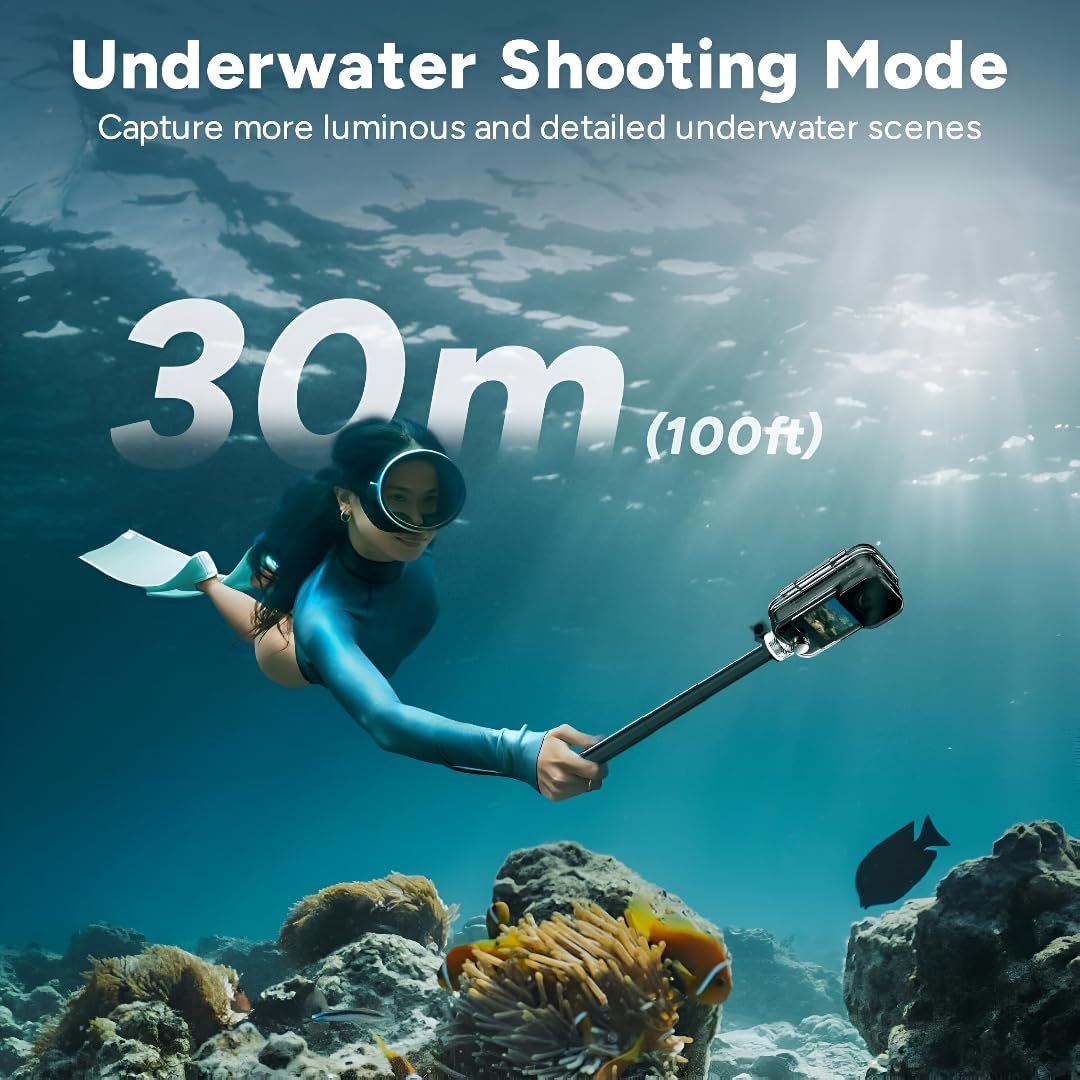
Figure 1: SJCAM C300 Action Camera in various usage scenarios, highlighting its versatility for activities like cycling, skiing, hiking, and vlogging.
Fitur Utama:
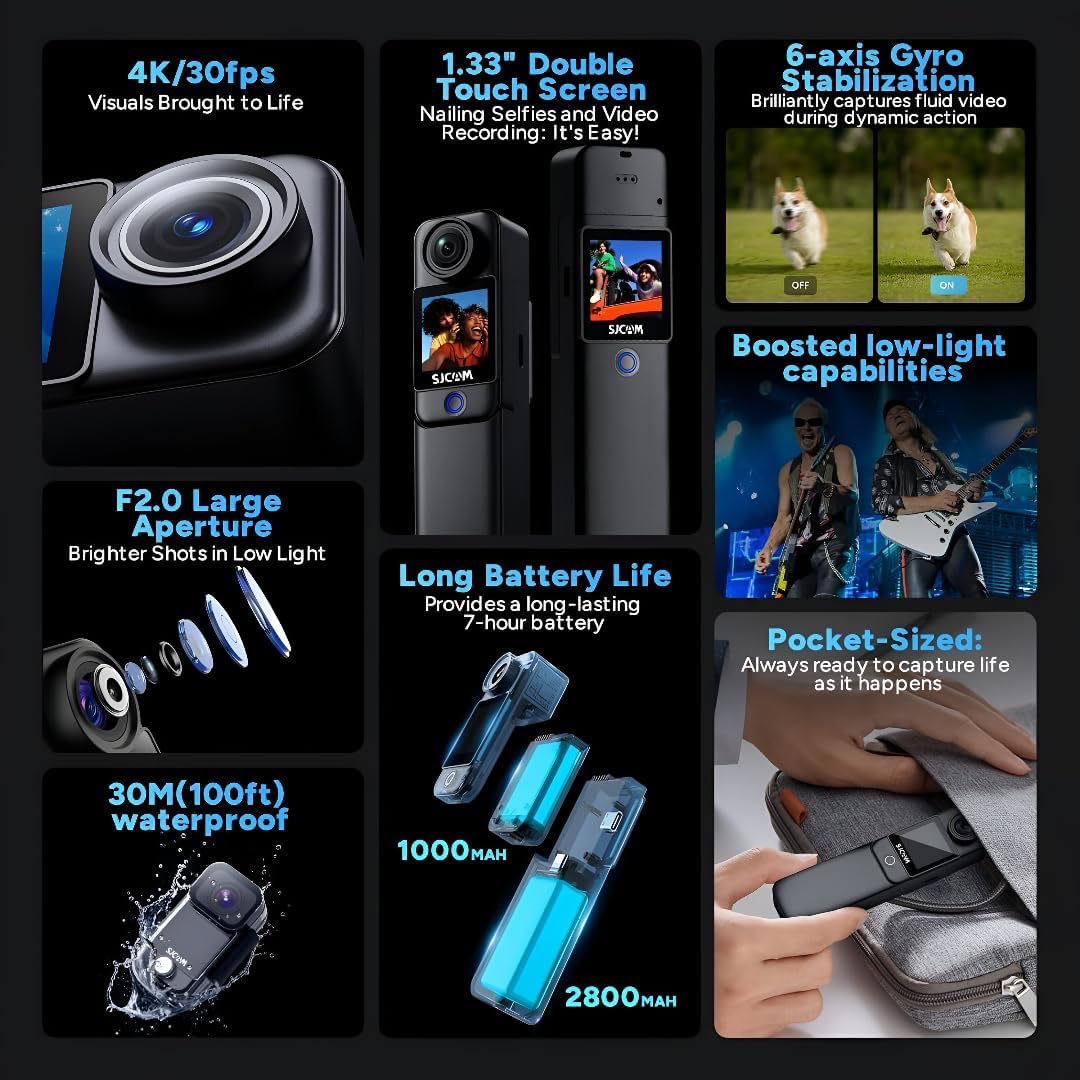
- 4K High Resolution: Captures delicate 4K images at 30 frames per second, restoring true color.
- Stabilisasi Gyro 6-Axis: Built-in stabilizer for clear and stable images, even during dynamic action.
- 30m Waterproof with Case: Achieves IP68 diving waterproof grade with the included waterproof case, also drop-proof, dust-proof, and shock-proof.
- 1.3″ Dual Touch Color Screen: Front and back touchscreens for flexible shooting positions and easy control.
- 154° Large Wide Angle: Wide-angle lens with aspherical optics to control image distortion and capture broad scenes.
2. Isi Paket
Ensure all items are present in your SJCAM C300 package:
- 1 x C300 Camera
- 1 x Klip Belakang
- 1 x Base Mount
- 1 x Flat Bottom Bracket
- 2 x Helmet Base
- 1 x Sekrup
- 1 x Kotak Tahan Air
- 1 x Tali
- Stiker 2 x 3M
- 2 x Sjcam Stickers
3. Komponen Kamera
Familiarize yourself with the main components of your SJCAM C300 Action Camera:

Gambar 2: Depan View
Gambar 3: Sisi View (Port USB-C)

Gambar 4: Kembali View (Slot Micro-SD)
Desain Modular:
The C300 features a modular design, allowing you to attach different battery packs for extended use. The standard module includes a 1000mAh battery, while an optional larger module provides a 2800mAh battery and a secondary screen.

Figure 5: Long Battery Life with Modular Attachments
4. Pengaturan
4.1. Memasukkan Kartu Micro SD
- Open the battery compartment on the back of the camera.
- Insert a Micro SD card (up to 128GB, not included) into the designated slot until it clicks into place.
- Tutup rapat tempat baterai.
4.2. Mengisi Daya Kamera
- Connect the camera to a 5V2A power source using the provided USB Type-C cable.
- Lampu indikator pengisian daya akan menunjukkan status pengisian daya.
4.3. Attaching Battery Modules and Accessories
- To attach the larger battery module, align the connectors and slide it onto the main camera unit until it locks.
- Use the included back clip, base mount, flat bottom bracket, or helmet bases to attach the camera to various surfaces or gear.
4.4. Menggunakan Casing Anti Air
- Insert the camera (without the larger battery module) into the waterproof case.
- Ensure the case is properly sealed before submerging the camera in water. The waterproof case allows for diving up to 30 meters (100 feet).

Figure 6: Underwater Shooting with Waterproof Case
5. Petunjuk Pengoperasian
5.1. Menghidupkan/Mematikan
- Press and hold the power button (usually located on the front or side) to turn the camera on or off.
5.2. Navigating the Touch Screen
- Swipe left/right or up/down to navigate through menus and settings.
- Tap on icons to select options or confirm actions.
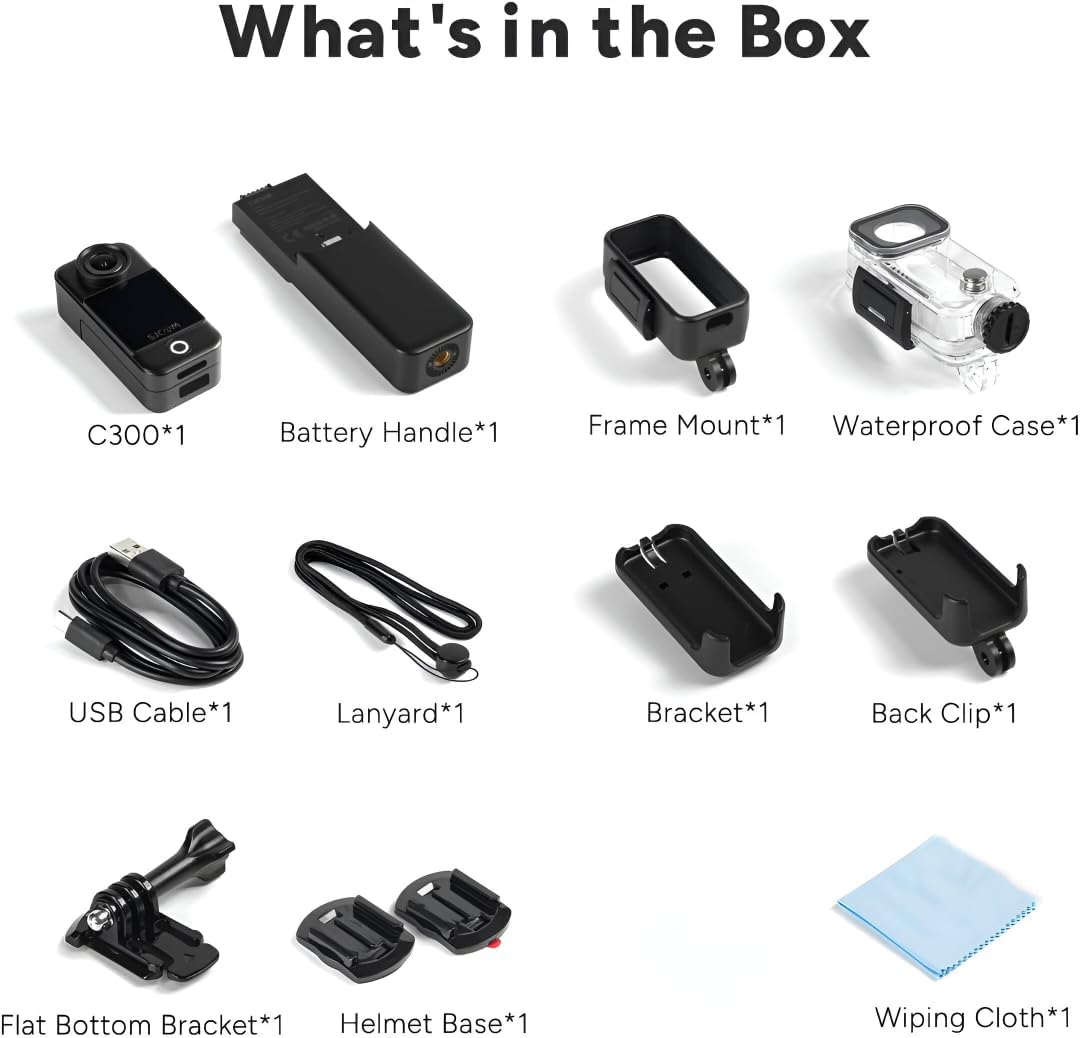
Figure 7: Dual Touchscreens in Operation
5.3. Mode Video dan Foto
- Resolusi Video: Select from 4K 30FPS, 2K 60/30FPS, 1080P 120/60/30FPS, or 720P 120/60/30FPS.
- Resolusi Foto: Choose from 20M, 16M, 14M, 12M, 10M, 8M, 5M, 3M, 2M.
- Mode Pemotretan: Includes Burst mode, Timed shooting, Quick shooting, Photo lapse, Slow motion, Motion detection, Video lapse, and Car mode.
5.4. 6-Axis Gyro Stabilization
- Enable the 6-axis gyro image stabilization in the settings menu for smoother footage, especially during movement. This feature is available up to 4K 30FPS.
5.5. Konektivitas
- Wifinya: Connect to the SJCAM Zone app via 2.4GHz/5GHz Wi-Fi for remote control and file transfer.
- Streaming Langsung: The camera supports live streaming functionality.
- Kontrol Jarak Jauh: The camera supports remote control accessories.
6. Pemeliharaan
6.1. Pembersihan
- Gunakan kain lembut dan bebas serat untuk membersihkan bodi kamera dan layarnya.
- Untuk lensa, gunakan kain pembersih lensa khusus dan larutan untuk menghindari goresan.
- Ensure the waterproof case is clean and free of debris before and after use.
6.2. Perawatan Baterai
- Isi baterai hingga penuh sebelum digunakan pertama kali.
- Hindari memaparkan baterai ke suhu ekstrem.
- Jika disimpan untuk jangka waktu lama, isi daya baterai hingga sekitar 50% dan simpan di tempat yang sejuk dan kering.
6.3. Penyimpanan
- Store the camera in a dry, dust-free environment.
- Remove the Micro SD card if not in use for a long time.
7. Penyelesaian masalah
7.1. Kamera Tidak Menyala
- Pastikan baterai terisi daya. Hubungkan ke sumber daya dan coba lagi.
- Periksa apakah baterai terpasang dengan benar.
7.2. SD Card Errors
- Use a high-speed (Class 10 or higher) Micro SD card from a reputable brand.
- Format the SD card using the camera's settings menu.
- Pastikan kartu SD terpasang dengan benar.
7.3. Kualitas Audio Buruk
- When recording yourself (selfie mode), ensure the microphone is not obstructed. The microphone is located on the back of the camera.
- In windy conditions, consider using external wind reduction accessories if available.
7.4. Video Stabilization Issues
- Ensure 6-axis Gyro Stabilization is enabled in the camera settings.
- Note that stabilization may not be available at all resolutions or frame rates (e.g., 1080P 120FPS).
8. Spesifikasi
| Fitur | Spesifikasi |
|---|---|
| Model | C300 |
| Resolusi Video | 4K 30FPS; 2K 60/30FPS; 1080P 120/60/30FPS; 720P 120/60/30FPS |
| Ukuran Gambar | 20M, 16M, 14M, 12M, 10M, 8M, 5M, 3M, 2M |
| Layar | 1.3″ HD display with touch (main) |
| Layar Sekunder | 1.3″ HD display with touch (on larger battery module) |
| Sudut Kamera | 154° |
| Battery (Main) | 1000mAh (dapat dilepas) |
| Battery (Larger Module) | 2800mAh (dapat dilepas) |
| Akses Internet Nirkabel | 2.4 GHz/5 GHz |
| Anti Guncangan | Six-axis gyro image stabilization |
| Format Pengkodean | Bahasa Indonesia: H.264/H.265 |
| Format Video | MP4 |
| Format Gambar | Format JPG |
| Streaming Langsung | Didukung |
| Kontrol Jarak Jauh | Didukung |
| Antarmuka USB | TIPE-C |
| Masukan Daya | 5V2A |
| Media Penyimpanan | MICRO SD card, maximum support 128G |
| Suhu Operasional | -10 °C ~ 45 °C |
| Ukuran Produk | Ukuran 130.0x32.0x22.2 mm |
| Berat Barang | 14.4 ons |
9. Garansi dan Dukungan
For warranty information and technical support, please refer to the official SJCAM websitus web atau hubungi layanan pelanggan mereka secara langsung. Simpan struk pembelian Anda untuk klaim garansi.


