1. Pendahuluan
This manual provides comprehensive instructions for the safe and effective use of your NICRON B75 High Power UV Flashlight. Please read this manual thoroughly before operating the device and retain it for future reference. The NICRON B75 is a versatile, rechargeable LED flashlight featuring a 90-degree rotatable head, a magnetic base, and both white light (up to 1000 lumens) and 395nm ultraviolet (UV) light modes.
2. Produk Lebihview
2.1 Fitur Utama
- Versatile Rotation: 90-degree rotatable head for adjustable light angle.
- Pencahayaan Tinggi: Up to 1000 lumens of white light with a beam distance exceeding 100 meters.
- Deteksi UV: Integrated 395nm UV light for various detection purposes.
- Basis Magnetik: Allows attachment to metal surfaces for hands-free operation.
- Konstruksi Tahan Lama: IP65 waterproof rating and 1-meter drop resistance.
- Dapat diisi ulang: Pengisian daya USB yang praktis.
2.2 Isi Paket
- NICRON B75 Flashlight
- Baterai isi ulang (sudah terpasang atau dijual terpisah)
- Kabel Pengisian Daya

Figure 1: NICRON B75 Flashlight with its components, including the UV light function, magnetic base, and charging cable.
3. Pengaturan
3.1 Pengisian Awal
Before first use, fully charge the flashlight. Connect the provided charging cable to the flashlight's charging port and to a USB power source (e.g., computer, wall adapter). The power indicator light will show charging status.
4. Petunjuk Pengoperasian
4.1 Daya Hidup/Mati dan Pemilihan Mode
The flashlight features four modes: High, Medium, Low (white light), and UV light.
- Untuk Mengaktifkan: Press the power button once. The flashlight will turn on in the last used white light mode.
- Untuk Mengganti Mode Cahaya Putih: While the white light is on, press the power button repeatedly to cycle through High → Medium → Low.
- To Activate UV Mode: From any state (on or off), press and hold the power button for approximately 1 second. The flashlight will switch to UV mode.
- Mematikan: Press the power button once when the flashlight is in any mode for more than 3 seconds. If cycling modes, press the button after the desired mode is active for 3 seconds.

Figure 2: Illustration of the four available light modes: High, Medium, Low white light, and UV light.
4.2 Using the 90-Degree Rotatable Head
The flashlight head can be rotated 90 degrees to adjust the beam direction. This feature is useful for hands-free operation when combined with the magnetic base or pocket clip.
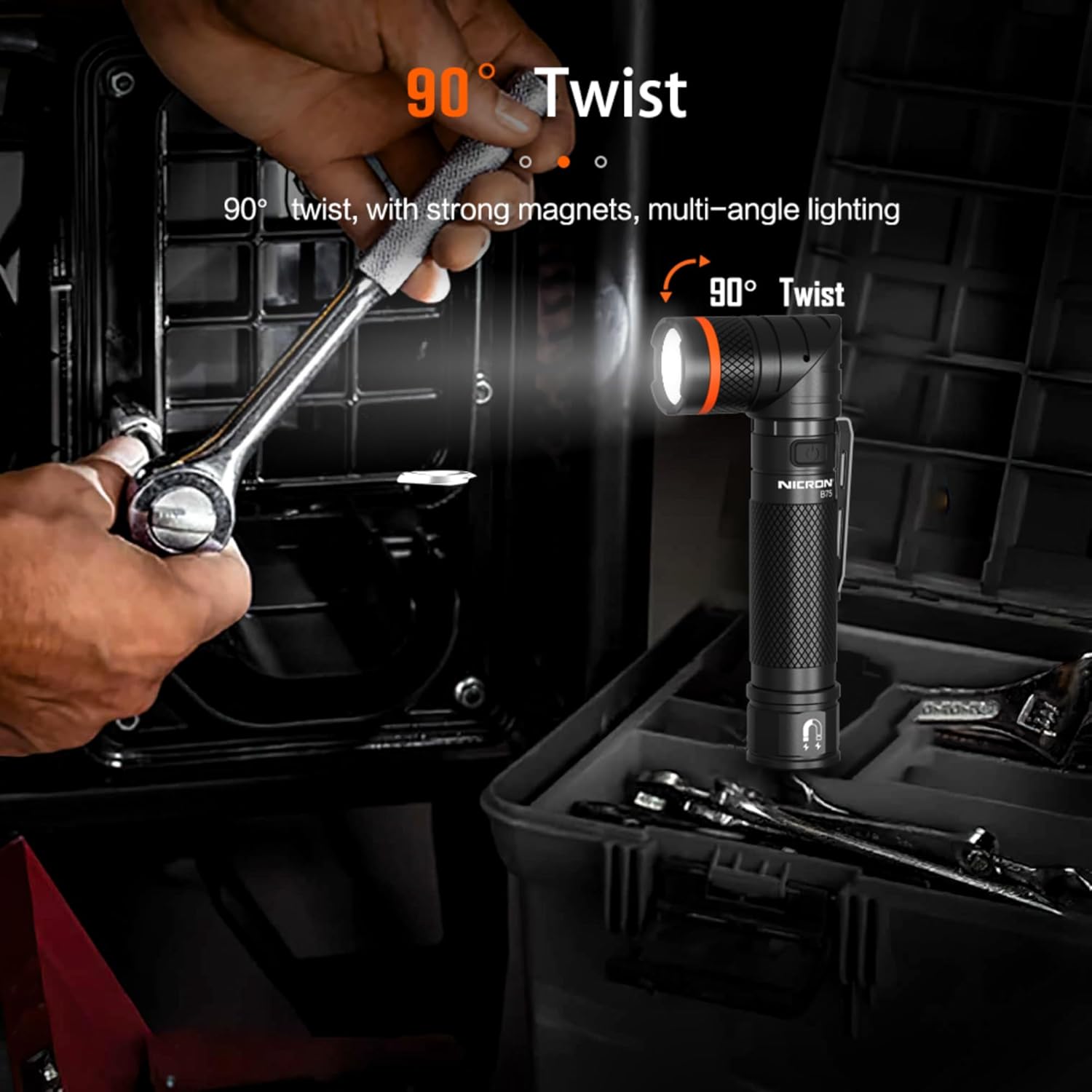
Figure 3: The flashlight head can be twisted 90 degrees for multi-angle lighting, ideal for hands-free use.
4.3 Utilizing the Magnetic Base
The integrated magnetic base allows the flashlight to be securely attached to ferrous metal surfaces. This provides convenient hands-free lighting for tasks such as automotive repairs or working in confined spaces.
4.4 UV Light Applications
The 395nm UV light can be used for various detection purposes, including:
- Counterfeit currency detection.
- Identifying pet urine stains.
- Detecting optical brighteners in fabrics.
- Gemological appraisal.
- Locating scorpions and other insects.
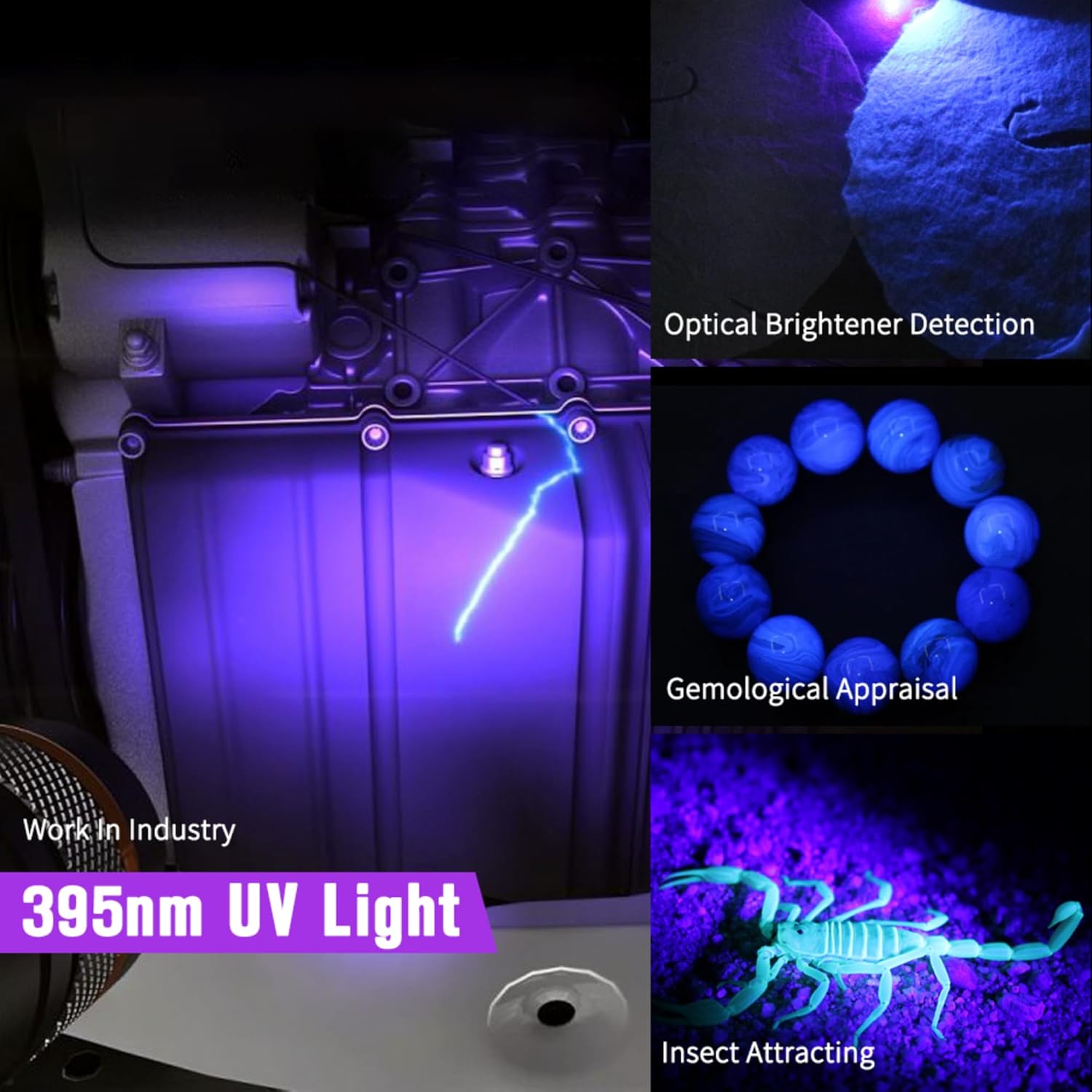
Gambar 4: Contohamples of how the 395nm UV light can be used for detection in various scenarios.
5. Pengisian Daya dan Baterai
5.1 Proses Pengisian Daya
To charge the flashlight, connect the USB charging cable to the flashlight's port and a suitable USB power source. The charging indicator light will provide feedback on the battery status.
5.2 Indikator Baterai
The power button features an integrated LED indicator to display battery charge level:
- Lampu hijau: Battery level is approximately >40%.
- Lampu Kuning: Battery level is approximately 40%-20%.
- Lampu merah: Battery level is approximately <20%, requiring charging.
- During charging, the indicator light will be RED. It will turn GREEN when the battery is fully charged.

Figure 5: The power indicator light displays battery status and charging progress.
6. Pemeliharaan
6.1 Pembersihan
Bersihkan badan senter dengan kain lembut dan kering.amp Gunakan kain. Jangan gunakan pembersih abrasif atau pelarut. Jaga kebersihan lensa untuk keluaran cahaya yang optimal.
6.2 Penyimpanan
Simpan senter di tempat yang sejuk dan kering, jauh dari sinar matahari langsung dan suhu ekstrem. Jika disimpan dalam jangka waktu lama, pastikan baterai terisi sebagian (sekitar 50%) dan isi ulang setiap 3-6 bulan untuk menjaga kesehatan baterai.
6.3 Tahan Air
The NICRON B75 has an IP65 waterproof rating, meaning it is protected against dust ingress and low-pressure water jets from any direction. It is resistant to rain and splashes but should not be submerged in water for prolonged periods.
7. Penyelesaian masalah
- Senter tidak menyala: Ensure the battery is charged. If the battery is removable, check if it is correctly inserted.
- Output cahaya redup: Charge the battery. Clean the lens if it is dirty.
- Senter tidak mengisi daya: Ensure the charging cable is securely connected to both the flashlight and the power source. Try a different USB port or charging adapter.
8. Spesifikasi

Figure 6: Detailed technical specifications for the NICRON B75 Flashlight.
| Parameter | Nilai |
|---|---|
| Model | B75 |
| Brightness (White Light) | High: 1000 Lumens, Med: 500 Lumens, Low: 100 Lumens |
| Panjang Gelombang UV | 395nm |
| Waktu Berjalan | High: 3h, Med: 4h, Low: 20h, UV: 7h |
| Jenis Sumber Cahaya | LED Daya Tinggi |
| Jarak Pancaran | 109m / 357.61 kaki |
| Intensitas | 3000cd |
| Tingkat Tahan Air | Tingkat IP65 |
| Tahan Jatuh | 1 meter |
| Berat | 160 gram (5.64 ons) |
| Dimensi (P x L) | 160 x 28 mm (6.3 x 1.1 inci) |
| Sumber Daya | Bertenaga Baterai (Litium Ion) |
| Komponen yang Termasuk | Battery, Charging Cable |
9. Informasi Keselamatan
- Do not shine the flashlight directly into eyes, as the intense light can cause temporary vision impairment or permanent damage.
- Jauhkan dari jangkauan anak-anak.
- Do not disassemble the flashlight; this may void the warranty and cause damage.
- Use only the recommended battery type and charging cable.
- Hindari memaparkan senter pada panas yang ekstrem atau api terbuka.
- Buang baterai sesuai dengan peraturan setempat.
10. Garansi dan Dukungan
For warranty information or technical support, please refer to the product packaging or contact NICRON customer service directly. Keep your purchase receipt as proof of purchase.


