1. Pendahuluan
Thank you for choosing the Taurus Lento Cuina Digital Slow Cooker. This appliance is designed to simplify your cooking process, allowing you to prepare delicious, slow-cooked meals with minimal effort. Featuring a generous 6.5L capacity, digital controls, and a durable stainless steel body, it is perfect for family-sized meals. Please read this manual thoroughly before first use to ensure safe and optimal operation.

Image: The Taurus Lento Cuina Digital Slow Cooker alongside a cooked chicken, illustrating its capacity for large meals.
2. Petunjuk Keselamatan Penting
Selalu ikuti tindakan pencegahan keselamatan dasar saat menggunakan peralatan listrik untuk mengurangi risiko kebakaran, sengatan listrik, dan/atau cedera pada orang, termasuk yang berikut ini:
- Read all instructions before using the slow cooker.
- Jangan sentuh permukaan yang panas. Gunakan gagang atau kenop.
- Untuk melindungi dari sengatan listrik, jangan merendam unit dasar, kabel, atau steker ke dalam air atau cairan lainnya.
- Pengawasan ketat diperlukan saat peralatan apa pun digunakan oleh atau di dekat anak-anak.
- Cabut kabel dari stopkontak saat tidak digunakan dan sebelum dibersihkan. Biarkan dingin sebelum memasang atau melepas komponen.
- Jangan mengoperasikan peralatan apa pun dengan kabel atau steker yang rusak, atau setelah peralatan tersebut mengalami kegagalan fungsi atau telah rusak dengan cara apa pun.
- Penggunaan aksesori tambahan yang tidak direkomendasikan oleh produsen alat dapat menyebabkan cedera.
- Jangan gunakan di luar ruangan.
- Jangan biarkan kabel menggantung di tepi meja atau meja dapur, atau menyentuh permukaan panas.
- Jangan menaruhnya di atas atau di dekat kompor gas atau listrik yang panas, atau di dalam oven yang sedang dipanaskan.
- Kehati-hatian yang ekstrim harus digunakan saat memindahkan peralatan yang berisi minyak panas atau cairan panas lainnya.
- Selalu pasang steker ke alat terlebih dahulu, lalu colokkan kabel ke stopkontak. Untuk melepas, putar kontrol ke posisi "off", lalu cabut steker dari stopkontak.
- Jangan menggunakan alat ini untuk tujuan lain selain yang dimaksudkan.
- Hindari perubahan suhu yang tiba-tiba, seperti menambahkan makanan yang didinginkan ke dalam panci yang dipanaskan.
- The ceramic pot is designed for use with this appliance only. It must not be used on a gas or electric stovetop or in a heated oven.
3. Komponen Produk
Familiarize yourself with the parts of your Taurus Lento Cuina Digital Slow Cooker:
- Toughened Glass Lid: Allows you to monitor cooking progress without releasinpanas g.
- Pot Keramik yang Dapat Dilepas: The main cooking vessel, easy to clean and serve from.
- Perumahan Baja Tahan Karat: The outer body of the slow cooker, containing the heating element and control panel.
- Panel Kontrol Digital: Features a 4-digit LED display, Mode, Timer, Up, Down, and On/Off buttons.
- Pegangan: For safe transportation of the unit.
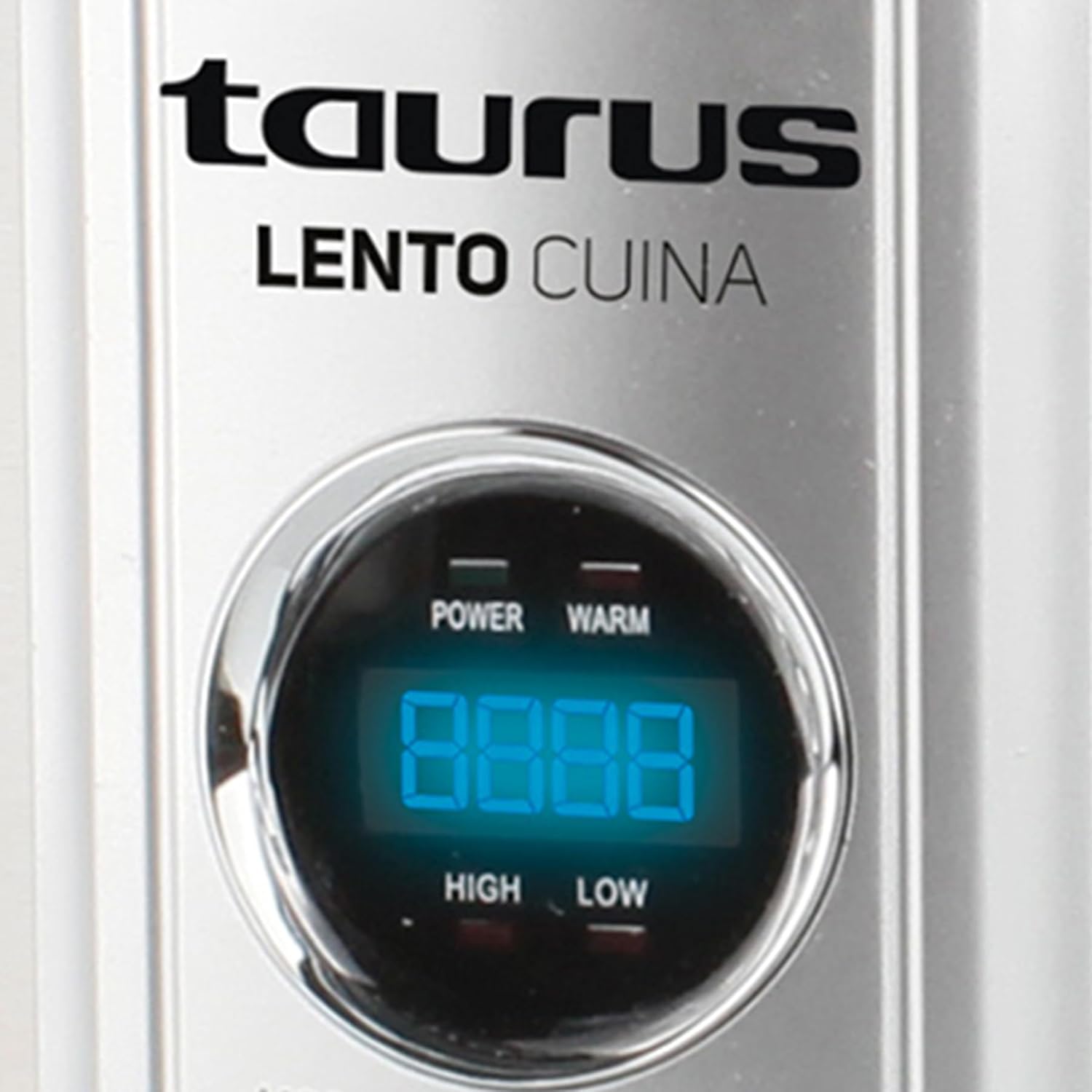
Gambar: Bagian depan yang detail view of the Taurus Lento Cuina Digital Slow Cooker, highlighting the digital control panel and stainless steel finish.

Image: The Taurus Lento Cuina Digital Slow Cooker with its removable ceramic pot placed next to it, demonstrating ease of cleaning and serving.
4. Pengaturan dan Penggunaan Pertama
Before using your slow cooker for the first time:
- Buka kemasan slow cooker dan singkirkan semua bahan kemasan.
- Wash the ceramic pot and glass lid in warm, soapy water. Rinse thoroughly and dry completely.
- Wipe the exterior of the stainless steel housing with a damp kain. Jangan merendam unit dasar di dalam air.
- Place the ceramic pot into the stainless steel housing.
- Letakkan slow cooker di permukaan yang datar, stabil, dan tahan panas, jauhkan dari dinding atau lemari agar ada ventilasi yang baik.
- Ensure the power cord is not tangled and is placed where it will not be tripped over.
5. Petunjuk Pengoperasian
The Taurus Lento Cuina Digital Slow Cooker offers simple digital controls for precise cooking.
5.1 Panel Kontrol Selesaiview

Gambar: Close-up view of the digital control panel, showing the LED display and buttons for Mode, Timer, Up, Down, and On/Off.
- Display LED: Shows cooking time and temperature settings.
- Tombol MODE: Cycles through cooking modes (High, Low, Keep Warm).
- Tombol TIMER: Activates the timer setting function.
- Tombol ATAS / BAWAH: Sesuaikan waktu memasak.
- Tombol ON/OFF: Menyalakan atau mematikan unit.
5.2 Proses Memasak
- Prepare your ingredients and place them into the ceramic pot.
- Place the ceramic pot into the stainless steel housing and cover with the glass lid.
- Plug the slow cooker into a grounded electrical outlet. The LED display will illuminate.
- Tekan tombol AKTIF/NONAKTIF untuk menghidupkan unit.
- Tekan tombol MODE button to select your desired cooking setting:
- TINGGI: Untuk memasak lebih cepat, biasanya 2-4 jam.
- RENDAH: For slower cooking, typically 6-8 hours.
- TETAP HANGAT: Automatically activates after cooking is complete, or can be selected manually to keep food at serving temperature.
- Tekan tombol PENGATUR WAKTU tombol. Layar akan berkedip. Gunakan UP Dan TURUN buttons to set the desired cooking time in hours. The timer can be set for up to 20 hours.
- Once the time is set, the display will stop flashing, and the cooking process will begin. The timer will count down.
- When the cooking time expires, the slow cooker will automatically switch to the "KEEP WARM" setting.
- To turn off the slow cooker at any time, press the AKTIF/NONAKTIF button. Unplug the unit from the wall outlet after use.

Image: A hand pressing the ON/OFF button on the slow cooker's control panel, demonstrating the ease of operation.

Image: The Taurus Lento Cuina Digital Slow Cooker with a meal cooking inside, visible through the clear glass lid.
6. Perawatan dan Pembersihan
Pembersihan dan perawatan yang tepat akan memperpanjang umur slow cooker Anda.
- Always unplug the slow cooker from the power outlet and allow it to cool completely before cleaning.
- Panci Keramik dan Tutup Kaca: These parts are dishwasher safe or can be washed by hand with warm, soapy water. Avoid abrasive cleaners or scouring pads that may scratch the surface. Rinse thoroughly and dry.
- Perumahan Baja Tahan Karat: Bersihkan bagian luar dengan kain lembut dan kering.amp Jangan gunakan pembersih abrasif atau rendam unit dasar dalam air atau cairan lainnya.
- For stubborn food residue on the ceramic pot, fill it with warm, soapy water and let it soak for a few hours before cleaning.
- Pastikan semua bagian benar-benar kering sebelum disimpan.
7. Penyelesaian masalah
Jika Anda mengalami masalah dengan slow cooker Anda, lihat masalah dan solusi umum berikut ini:
| Masalah | Kemungkinan Penyebab | Larutan |
|---|---|---|
| Kompor lambat tidak menyala. | Not plugged in; power outlet not working; unit not switched on. | Ensure plug is securely in a working outlet. Press the ON/OFF button. Check household circuit breaker. |
| Makanan tidak matang sempurna. | Incorrect heat setting; lid not sealed properly; insufficient cooking time. | Verify correct heat setting (HIGH/LOW). Ensure lid is seated firmly. Adjust cooking time as needed for recipe. Avoid lifting lid frequently. |
| Makanan gosong di bagian bawah. | Cairan terlalu sedikit; memasak dengan suhu TINGGI terlalu lama. | Add more liquid to the recipe. Consider using the LOW setting for longer cooking times. |
| Lid does not fit tightly. | Food obstruction; lid not aligned correctly. | Ensure no food is preventing the lid from seating properly. Realign the lid. |
8. Spesifikasi
Technical details for the Taurus Lento Cuina Digital Slow Cooker:
- Nomor Model: 3997
- Kapasitas: 6.5 liter
- Daya / Wattage: 320 watt
- Bahan: Stainless Steel (housing), Ceramic (pot)
- Warna: Perak
- Metode Kontrol: Sentuh (Digital)
- Fitur Khusus: Timer, Digital Controls, High/Low/Keep Warm Functions
- Berat Barang: 6.5 kg
- Dimensi Produk: 39.8D x 37.3L x 26T sentimeter
9. Garansi dan Dukungan
Your Taurus Lento Cuina Digital Slow Cooker comes with a standard 1-year retail warranty, with an additional 1-year extended warranty. For warranty claims, technical support, or spare parts information, please contact Taurus customer service. Refer to the contact information provided with your purchase documentation or visit the official Taurus weblokasi.
Note: Spare part information is not available or provided directly in this manual.


