1. Produk Lebihview
The HOU Slim Bluetooth Keyboard Case is designed to enhance the functionality and protection of your iPad. It features a minimalist, ultra-thin, and lightweight design, making it ideal for portability. The case is constructed from silicon-containing tech leather, offering wear-resistant and stain-resistant properties. Its magnetic stand provides two ergonomic tilt angles for comfortable typing and viewing.

Image 1.1: HOU Slim Bluetooth Keyboard Case with iPad in open position, showcasing keyboard dan layar.
Fitur Utama:
- Ultra-Slim & Lightweight: Weighing approximately 434 grams and 0.6 cm thin, designed for easy transport.
- Bahan Tahan Lama: Made from PU (with silicon) + synthetic leather for enhanced durability and easy cleaning.
- Dudukan Magnetik: Offers 115° for typing and 125° for viewing, providing stable support.
- Magnetic Separation: Keyboard and iPad can be easily separated due to dual magnetic points.
- Baterai Tahan Lama: Memberikan waktu penggunaan yang lebih lama.
- Kesesuaian yang Tepat: Specifically designed for iPad 10th and 11th Generation models.
2. Apa yang ada di dalam kotak
Please check the contents of your package upon receipt:
- HOU Slim Bluetooth Keyboard Case
- Kabel Pengisi Daya Magnetik
- User Manual (dokumen ini)
3. Kompatibilitas
This HOU Slim Bluetooth Keyboard Case is compatible with the following iPad models:
- iPad 10th Generation 10.9 inch (2022 models: A2696/A2757/A2777/A3162)
- iPad 11th Generation 11 inch A16 (2025 models: A3354/A3355/A3356)

Image 3.1: Diagram illustrating the compatible iPad models for the HOU keyboard case.
4. Petunjuk Penyiapan
4.1 Memasang iPad Anda ke Casing
- Align your compatible iPad with the backplate of the keyboard case.
- The iPad will securely attach to the case via strong magnets. No force or snapping is required.

Image 4.1: A user attaching an iPad to the HOU keyboard case using magnetic attraction.
4.2 Pemasangan Bluetooth
- Pastikan Bluetooth di iPad Anda diaktifkan.
- Turn on the HOU keyboard case. The Bluetooth indicator light on the keyboard will begin to flash.
- Di iPad Anda, buka Pengaturan > Bluetooth.
- Select the HOU keyboard from the list of available devices.
- Once paired, the indicator light will stop flashing, and your iPad will show the keyboard as connected.

Image 4.2: An iPad screen displaying the Bluetooth connection status and battery level of the connected keyboard.
4.3 Mengisi Daya Keyboard
Use the provided magnetic charging cable to charge the keyboard. Connect the magnetic end to the keyboard's charging port and the other end to a USB power source. The iPad can display the keyboard's battery level in real-time.

Gambar 4.3: Close-up view of the magnetic charging port on the HOU keyboard case.
5. Petunjuk Pengoperasian
5.1 Menyesuaikan Viewsudut ing
The magnetic stand allows for two primary ergonomic tilt angles:
- Sudut 115°: Suitable for typing and productivity tasks.
- Sudut 125°: Ideal for media consumption, such as watching videos or reading.

Image 5.1: Illustration of the two adjustable viewing angles (115° and 125°) provided by the magnetic stand.
5.2 Menggunakan Tombol Pintasan
The keyboard features dedicated shortcut keys for quick access to various iPad functions, including:
- Kontrol volume
- Penyesuaian kecerahan
- Fungsi pencarian
- Akses layar utama
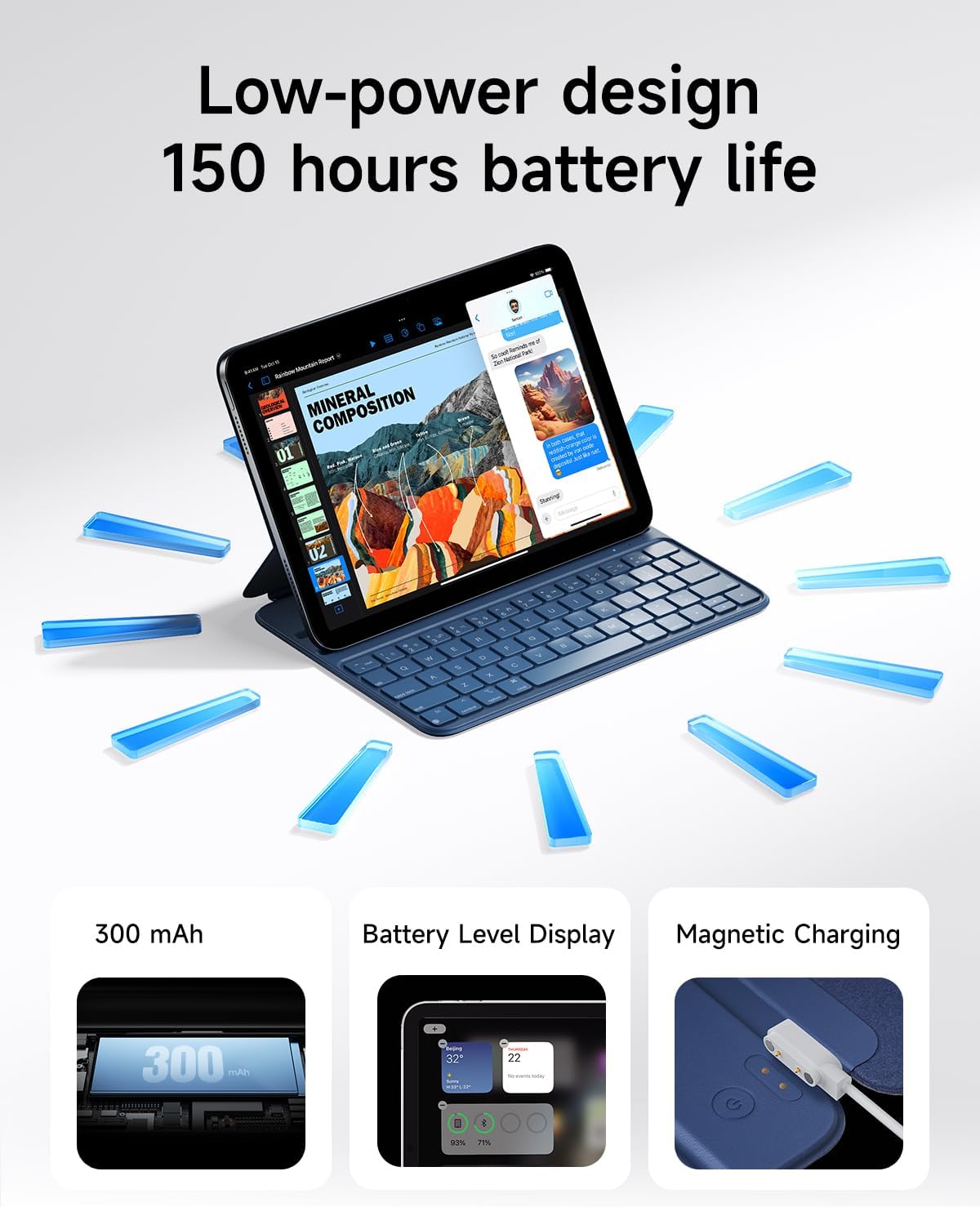
Image 5.2: A close-up of the HOU keyboard highlighting the layout and various shortcut keys.
5.3 Pengalaman Mengetik
The keyboard is designed with flat keycaps and a scissor-switch structure to provide smooth input, quiet operation, and responsive feedback, reducing fatigue during extended typing sessions.
Video 5.3: This video demonstrates the HOU Keyboard Case for iPad, showing its magnetic attachment, comfortable typing experience, and shortcut key functionality.
6. Pemeliharaan
6.1 Membersihkan Casing
The silicon-containing tech leather material is designed to be wear-resistant and stain-resistant. To clean, gently wipe the surface with a soft, damp cloth. For stubborn stains like coffee or ink, a mild soap solution can be used, followed by wiping with a clean, damp kain dan dikeringkan dengan udara.
6.2 Perawatan Baterai
To prolong battery life, avoid fully discharging the keyboard frequently. Charge the keyboard regularly, especially if it will be stored for an extended period.
7. Penyelesaian masalah
7.1 Keyboard Tidak Terhubung melalui Bluetooth
- Periksa Daya: Pastikan keyboard dalam keadaan menyala dan memiliki daya baterai yang cukup.
- Pasangkan Kembali Perangkat: On your iPad, forget the device in Bluetooth settings and attempt to pair again.
- Mulai Ulang Perangkat: Turn off and restart both your iPad and the keyboard.
- Kedekatan: Ensure the keyboard and iPad are within close range during pairing.
7.2 Typing Delay or Unresponsive Keys
- Koneksi Bluetooth: Verify a stable Bluetooth connection. Disconnect and reconnect if necessary.
- Tingkat Baterai: A low battery can affect performance. Charge the keyboard fully.
- Gangguan: Menjauhlah dari perangkat nirkabel lain yang mungkin menyebabkan interferensi.
8. Spesifikasi
| Fitur | Detil |
|---|---|
| Dimensi Produk | 9.8x3.3x0.3 inci |
| Berat Barang | 1.59 pon (sekitar 721 gram) |
| Pabrikan | RUMAH |
| Nomor Model Barang | Ukuran kertas A2696/A2777/A2757 |
| Baterai | 1 baterai Lithium Polymer (termasuk) |
| Perangkat yang Kompatibel | iPad 10th Generation 10.9 inch 2022 & iPad 11th Generation 11 inch A16 2025 |
| Teknologi Konektivitas | Bahasa Indonesia: Bluetooth |
| Fitur Khusus | Ergonomic, Hotkeys and Media Keys, Lightweight, PU+ABS, Rechargeable |
| Warna | Biru |
| Bahan | Akrilonitril Butadiena Stirena (ABS) |
9. Garansi dan Dukungan
HOU provides a 12-month extended after-sales service for this product. For any inquiries or support needs, please contact HOU Store Customer Service. 24/7 online support is available.

Image 9.1: HOU Customer Service information, highlighting 24/7 online support and a 12-month extended after-sales service.
Additionally, a 30-day refund/replacement return policy is available through the retailer.


