Perkenalan
Thank you for choosing the Agunto AGU-OC1 Outdoor Security Camera. This manual provides detailed instructions for setting up, operating, and maintaining your camera to ensure optimal performance and security for your property. The AGU-OC1 is designed for outdoor surveillance, featuring 1080p video resolution, advanced night vision, motion and sound detection, and seamless integration with smart home systems like Google Assistant.

Gambar 1: Depan view of the Agunto AGU-OC1 Outdoor Security Camera.
Informasi Keselamatan
- Ensure the camera is installed in a location where it is protected from direct tampering.
- Use only the provided USB-C cable and power adapter.
- Jangan biarkan kamera terkena suhu ekstrem di luar rentang operasinya.
- Hindari meletakkan kamera di dekat medan elektromagnetik yang kuat.
- Putuskan sambungan daya sebelum membersihkan atau melakukan pemeliharaan.
Isi Paket
Silakan periksa paket untuk item berikut:
- Agunto AGU-OC1 Outdoor Security Camera
- USB-C Power Cable (3 meters)
- Sekrup Pemasangan dan Sumbat Dinding
- User Manual (dokumen ini)
Pengaturan
1. Memasang Kamera
The Agunto AGU-OC1 is designed for wall mounting. Choose a location that provides the desired viewsudut kemiringan dan berada dalam jangkauan stopkontak.
- Tandai titik pengeboran pada dinding menggunakan alas pemasangan kamera sebagai templat.
- Drill holes at the marked points. Insert the wall plugs if necessary.
- Pasang alas dudukan ke dinding menggunakan sekrup yang disediakan.
- Attach the camera to the mounted base and adjust the angle as needed. The camera features a 180-degree rotatable function for optimal positioning.

Gambar 2: Sudut view of the Agunto AGU-OC1, showing its mounting bracket.

Figure 3: The camera installed outdoors, demonstrating its weather resistance.
2. Koneksi Daya
Connect the provided 3-meter USB-C cable to the camera's USB-C port and plug the other end into a suitable power adapter (not always included, but implied by "Elektrisch met snoer" and "USB-C").

Figure 4: USB-C power connection for the Agunto AGU-OC1 camera.
3. Instalasi dan Pemasangan Aplikasi
Untuk mengontrol dan view your camera, you will need to install the dedicated Agunto app on your smartphone or tablet. The app is available for both iOS and Android devices.
- Download the "Agunto Smart" app from the App Store (iOS) or Google Play Store (Android).
- Buka aplikasi dan buat akun baru atau masuk jika Anda sudah punya.
- Follow the in-app instructions to add your new AGU-OC1 camera. This typically involves scanning a QR code on the camera or entering a device ID.
- Ensure your smartphone is connected to a 2.4GHz Wi-Fi network during the pairing process, as the camera uses Wi-Fi connectivity.
Mengoperasikan Kamera
Hidup View dan Rekaman
Once paired, you can access the live video feed from your camera through the Agunto Smart app. From the live view di layar, Anda dapat:
- View foo waktu-nyatatage.
- Manually record video clips or capture screenshots.
- Access recorded events stored on a microSD card (if installed) or cloud storage (if subscribed).
Penglihatan Malam
The AGU-OC1 features advanced night vision capabilities, providing clear images even in low-light conditions. It supports color night vision for enhanced detail up to 10 meters.
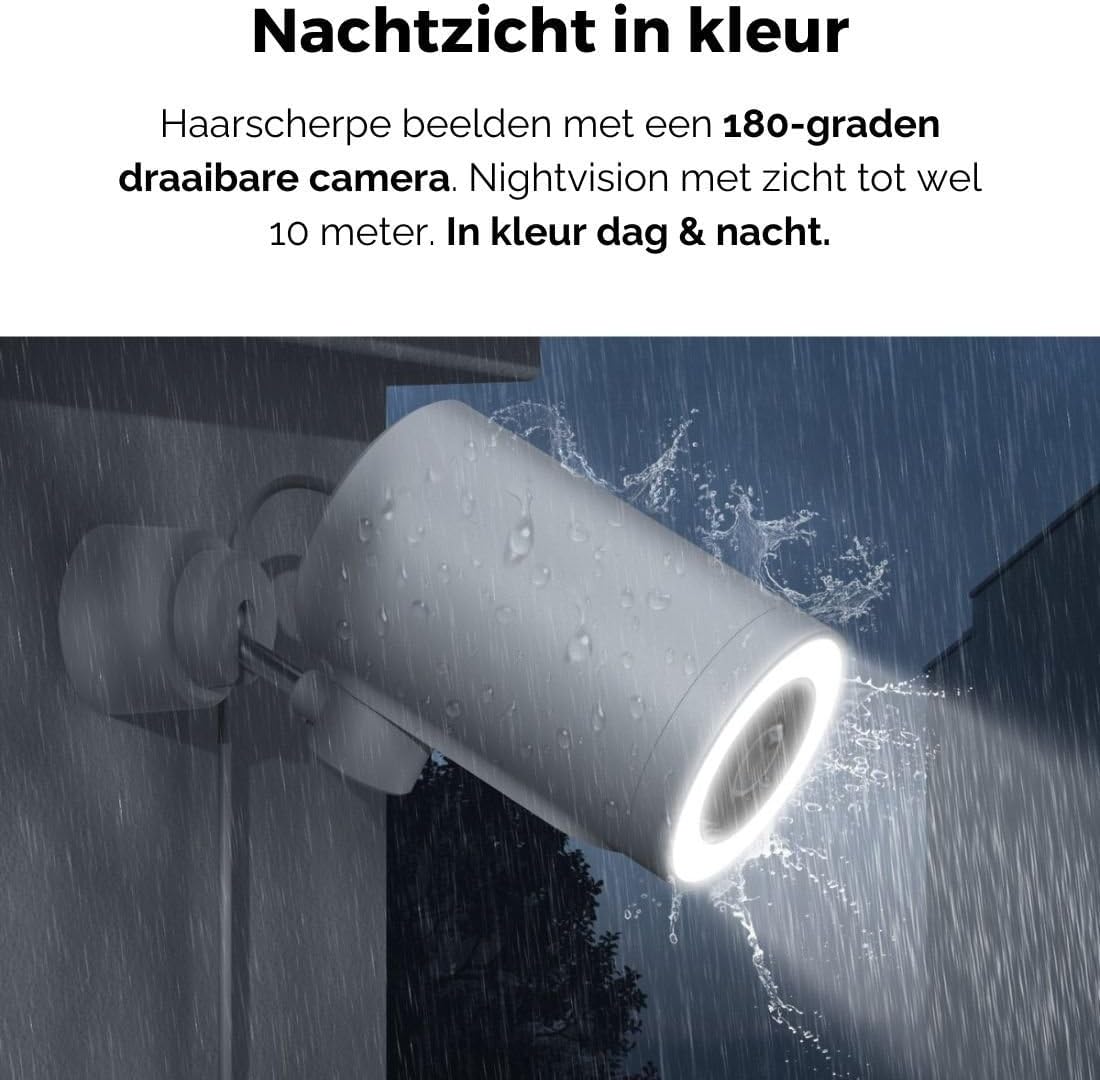
Figure 5: The camera's color night vision in action, providing clear images in the dark.
Deteksi Gerakan dan Suara
The camera is equipped with intelligent motion and sound detection. When activity is detected, you will receive instant notifications on your smartphone or tablet, allowing you to monitor your property effectively.
You can customize detection zones and sensitivity settings within the app to minimize false alarms.
Integrasi Google Assistant
The Agunto AGU-OC1 seamlessly integrates with Google Assistant. You can link your camera to Google Home and stream live footage to compatible devices such as Google Nest Hub or Chromecast-enabled displays by voice command.
Exampperintah le: "Hey Google, show me the backyard camera."
Pemeliharaan
- Pembersihan: Usap lensa dan bodi kamera secara perlahan dengan kain kering yang lembut. Jangan gunakan bahan kimia keras atau pembersih abrasif.
- Pembaruan Perangkat Lunak: Regularly check the Agunto Smart app for firmware updates. Keeping your camera's software up-to-date ensures optimal performance, security, and access to new features.
- Pemeriksaan Kabel: Periodically inspect the USB-C cable for any signs of wear or damage, especially if exposed to outdoor elements.
Penyelesaian Masalah
| Masalah | Solusi yang mungkin |
|---|---|
| Kamera tidak menyala. | Check the USB-C cable connection and ensure the power adapter is plugged into a working outlet. Try a different outlet or adapter if available. |
| Tidak dapat terhubung ke Wi-Fi. | Ensure your Wi-Fi network is 2.4GHz. Check Wi-Fi signal strength at the camera's location. Restart your router and the camera. Re-attempt pairing through the app. |
| Kualitas video buruk. | Clean the camera lens. Ensure adequate lighting. Check your internet connection speed. |
| Deteksi gerakan tidak berfungsi. | Verify motion detection is enabled in the app settings. Adjust sensitivity and detection zones. Ensure there are no obstructions blocking the camera's view. |
| Pemberitahuan tidak diterima. | Check app notification settings on your phone. Ensure the app has permission to send notifications. Verify your phone has an active internet connection. |
Spesifikasi
| Fitur | Detil |
|---|---|
| Nomor Model | AGU-OC1 |
| Resolusi Video yang Efektif | 1080 piksel |
| Bahan | Plastik |
| Apatage | 4 watt |
| Dimensi Barang (P x L x T) | 10x4.4x7.3 sentimeter |
| Berat Barang | 78 gram |
| Teknologi Konektivitas | Wireless, Wired (USB-C) |
| Fitur Khusus | Night Vision (Color), Motion Detection, Sound Detection, 180-degree rotatable |
| Lingkungan Penggunaan | Luar ruangan |
| Perangkat yang Kompatibel | Smartphone (via Agunto Smart app), Google Assistant devices |
| Sumber Daya | Listrik Kabel (USB-C) |
| Jenis Pemasangan | Dudukan Dinding |
Garansi dan Dukungan
Agunto products are designed for reliability and performance. For information regarding warranty coverage, technical support, or service, please refer to the warranty card included with your product or visit the official Agunto website. You can also contact Agunto customer support through the contact information provided on their website or within the Agunto Smart app.
Untuk informasi terbaru dan FAQ, silakan kunjungi: Agunto Official Store


