1. Pendahuluan dan Selesaiview
The Buffbee Sound Machine & Alarm Clock is a versatile 2-in-1 device designed to enhance your sleep and wake-up experience. It combines a high-quality sound machine with a precise digital alarm clock, offering a range of features to create a peaceful environment and ensure timely waking.

Image 1.1: The Buffbee device highlighting its dual functionality as a sound machine and an alarm clock.
Fitur Utama:
- Fungsionalitas 2-in-1: Combines a sound machine and a digital alarm clock in one compact unit.
- 18 Suara Menenangkan: Includes 5 white noises, 3 fan sounds, and 10 nature sounds (ocean, lullaby, waves, rain, thunderstorm, stream, croaks, bird chirps, summer night, campfire) to aid sleep and relaxation.
- Kecerahan Layar yang Dapat Diatur: Clock face brightness can be dimmed from 0% to 100% to suit your preference.
- Kontrol Volume yang Tepat: Offers 30 levels of volume adjustment for optimal sound output.
- Pengatur Waktu Tidur: Set the sound machine to automatically turn off after 15, 30, 60, 90, or 120 minutes, or allow continuous play.
- Lampu Malam 7 Warna: Features a soothing colored light at the base with 7 color options and ON/OFF functionality.
- Pembicara Berkualitas Tinggi: Equipped with a 5W speaker for rich, detailed sound.

Gambar 1.2: Depan view of the Buffbee Sound Machine & Alarm Clock, displaying the time and the top control panel.
2. Pengaturan
2.1 Unboxing dan Isi
Carefully remove the Buffbee Sound Machine & Alarm Clock from its packaging. Verify that all components are present:
- Buffbee Sound Machine & Alarm Clock unit
- Adaptor daya (kabel USB dan adaptor dinding)
- User Manual (dokumen ini)
2.2 Sambungan Daya
The device is powered by an electrical cable.
- Insert the small end of the USB power cable into the DC IN port on the back of the Buffbee unit.
- Plug the larger end of the USB cable into the provided wall adapter.
- Colokkan adaptor dinding ke stopkontak listrik standar.
The device will power on automatically, and the digital display will illuminate.
2.3 Mengatur Waktu
Upon initial power-on or after a power outage, you may need to set the correct time.
- Tekan dan tahan tombol Waktu yang ditetapkan Tekan tombol (biasanya ditunjukkan dengan ikon jam) di panel atas hingga angka jam mulai berkedip.
- Gunakan +/- buttons (or arrow buttons) to adjust the hour.
- Tekan tombol Waktu yang ditetapkan tekan tombol lagi untuk beralih ke pengaturan menit.
- Gunakan +/- tombol untuk menyesuaikan menit.
- Tekan tombol Waktu yang ditetapkan Tekan tombol sekali lagi untuk mengkonfirmasi dan keluar dari mode pengaturan waktu.
3. Petunjuk Pengoperasian
3.1 Sound Machine Function
The Buffbee Sound Machine offers 18 soothing sounds to help you relax and sleep.

Gambar 3.1: Internal view illustrating the upward-firing speaker for enhanced sound quality.
Memutar Suara:
- Tekan tombol Mode Suara button (often a music note icon) to cycle through the available sound categories (White Noise, Fan Sounds, Nature Sounds).
- Gunakan Next/Previous Sound buttons (arrow icons) to select a specific sound within the chosen category.
- The sound will begin playing automatically.
Menyesuaikan Volume:
The device features 30 levels of precise volume control.
- Tekan tombol Volume Naik (+) or Volume Turun (-) buttons to increase or decrease the sound volume.

Image 3.2: Illustration of the auto-off timer and 30-level precise volume control features.
Menyetel Pengatur Waktu Tidur:
The sleep timer allows the sound machine to turn off automatically after a set duration.
- Tekan tombol Pengatur waktu button (often an hourglass icon) repeatedly to cycle through the available timer options: 15 minutes, 30 minutes, 60 minutes, 90 minutes, 120 minutes, or continuous play (indicated by 'ON' or no timer display).
- The selected timer duration will be displayed briefly on the screen.
3.2 Fungsi Jam Alarm
The Buffbee device functions as a digital alarm clock with customizable wake-up sounds.
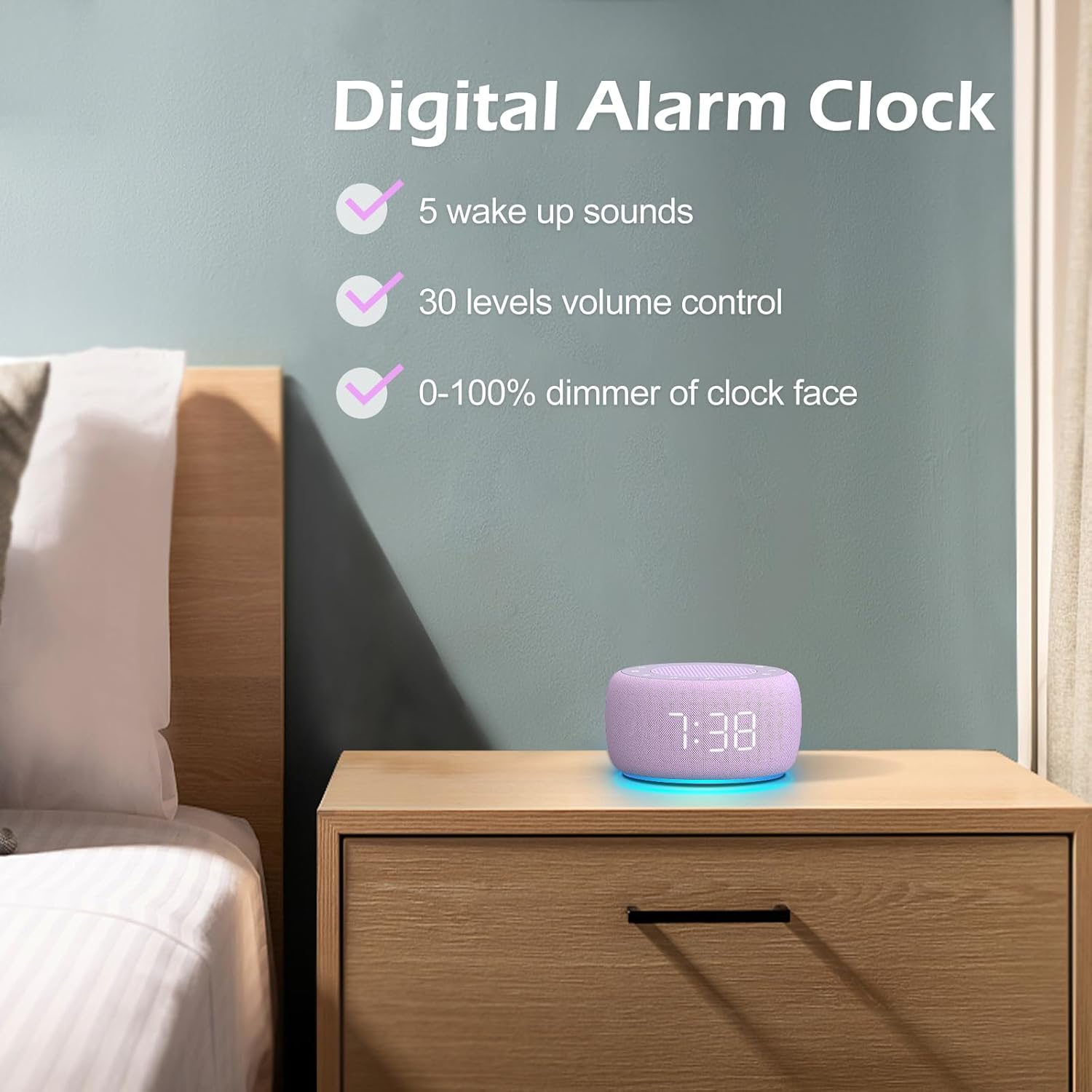
Gambar 3.3: Selesaiview of the digital alarm clock features, including wake-up sounds, volume control, and display dimmer.
Menyetel Alarm:
- Tekan dan tahan tombol Set Alarm button (often an alarm clock icon) until the alarm hour digits begin to flash.
- Gunakan +/- tombol untuk mengatur jam alarm.
- Tekan tombol Set Alarm tekan tombol lagi untuk beralih ke pengaturan menit.
- Gunakan +/- tombol untuk mengatur menit alarm.
- Tekan tombol Set Alarm button one more time to confirm the alarm time.
- After setting the time, you can select the wake-up sound by pressing the Pilihan Suara button (if available, or use +/- buttons while alarm sound is flashing). There are 5 wake-up sounds available.
- Tekan tombol Set Alarm button again to activate the alarm. An alarm icon will appear on the display.
Fungsi Tunda:
Saat alarm berbunyi, tekan tombol Tidur sebentar button (usually a large button on top or a dedicated snooze icon) to temporarily silence the alarm for a few minutes (typically 9 minutes). The alarm will sound again after the snooze period.
Mematikan Alarm:
Untuk mematikan alarm sepenuhnya, tekan tombol Alarm Hidup/Mati button (often the same as the Alarm Set button, or a dedicated toggle). The alarm icon will disappear from the display.
3.3 Display & Light Functions
Menyesuaikan Kecerahan Tampilan:
The digital display brightness can be adjusted from 0% (completely dark) to 100% (brightest).

Image 3.4: Demonstration of the 0-100% display dimmer feature, showing various brightness levels.
- Tekan tombol Lampu dim button (often a sun icon) repeatedly to cycle through different brightness levels.
- Tahan Lampu dim button to smoothly adjust the brightness from 0% to 100% and vice versa. Release the button at your desired brightness.
Menggunakan Cahaya Malam:
The device features a colored night light at its base with 7 color options.

Image 3.5: The Buffbee device showcasing its 7-color night light feature in a bedroom setting.
- Tekan tombol Lampu button (often a light bulb icon) to turn the night light ON.
- Tekan tombol Lampu Tekan tombol berulang kali untuk berganti-ganti di antara 7 warna yang tersedia.
- Tekan tombol Lampu button one more time after cycling through all colors to turn the night light OFF.
4. Pemeliharaan
4.1 Pembersihan
To maintain the appearance and functionality of your Buffbee device:
- Selalu cabut perangkat dari stopkontak sebelum membersihkan.
- Gunakan kain lembut, kering, dan bebas serat untuk menyeka permukaan bagian luar.
- Jangan gunakan pembersih abrasif, lilin, atau pelarut, karena dapat merusak lapisan permukaannya.
- Hindari masuknya uap air ke dalam celah mana pun.
4.2 Penyimpanan
Saat tidak digunakan dalam jangka waktu lama, simpan perangkat di tempat yang sejuk dan kering, jauh dari sinar matahari langsung dan suhu ekstrem.
4.3 Peringatan Keamanan
Harap perhatikan tindakan pencegahan keselamatan berikut:
- Produk ini bukan mainan. Jauhkan dari jangkauan anak-anak.
- Handle with care to avoid electric shock. Do not expose the device to water or excessive moisture.
- Use within recommended noise exposure limits to prevent hearing damage.
- Jangan mencoba membongkar atau memperbaiki perangkat sendiri. Serahkan semua servis kepada teknisi yang berkualifikasi.
5. Penyelesaian masalah
If you encounter issues with your Buffbee Sound Machine & Alarm Clock, please refer to the following common problems and solutions:
| Masalah | Kemungkinan Penyebab | Larutan |
|---|---|---|
| Perangkat tidak menyala. | Tidak ada sambungan daya atau adaptor rusak. | Ensure the power cable is securely plugged into the device and the wall outlet. Try a different outlet. |
| Tidak ada suara dari speaker. | Volume terlalu rendah atau dimatikan. Suara yang dipilih salah. | Tingkatkan volume menggunakan Volume Naik (+) button. Ensure a sound is selected and not paused. |
| Alarm tidak berbunyi. | Alarm is not set or not activated. Alarm volume is too low. | Verify that the alarm time is set correctly and the alarm icon is displayed. Increase the alarm volume (if separate from main volume). |
| Tampilan terlalu redup atau terlalu terang. | Pengaturan peredup tampilan salah. | Tekan atau tahan tombol Lampu dim button to adjust the brightness to your preference. |
| Lampu tidur tidak berfungsi. | Night light is turned off. | Tekan tombol Lampu button to turn on and cycle through colors. |
6. Spesifikasi
Detailed technical specifications for the Buffbee Sound Machine & Alarm Clock (Model BK11):
| Fitur | Spesifikasi |
|---|---|
| Merek | BUFFBEE |
| Nomor Model | BK11 |
| Warna | Ungu |
| Bahan | Plastik |
| Sumber Daya | Listrik Kabel |
| Dimensi Produk | 14.3 x 11.2 x 7.7 cm (5.6 x 4.4 x 3.0 inci) |
| Berat Barang | 322 gram (0.71 pon) |
| Keluaran Pembicara | 5W |
| Opsi Suara | 18 Soothing Sounds (5 White Noise, 3 Fan, 10 Nature) |
| Tingkat Volume | 30 Tingkat Ketepatan |
| Tampilan Peredup | 0-100% Adjustable Brightness |
| Warna Cahaya Malam | 7 Warna |
| Opsi Pengatur Waktu Tidur | 15, 30, 60, 90, 120 minutes, or Continuous Play |
| Wake-up Sounds | 5 Alarm Sounds |
7. Garansi dan Dukungan
7.1 Informasi Garansi
This product comes with a standard manufacturer's warranty. Please refer to the product packaging or the seller's websitus untuk syarat dan ketentuan garansi tertentu, termasuk durasi dan rincian cakupan.
7.2 Dukungan Pelanggan
For any questions, technical assistance, or warranty claims, please contact Buffbee customer support through the retailer's platform or the official Buffbee website. Have your product model number (BK11) and purchase details ready when contacting support.


