Perkenalan
The FOREO BEAR 2 go is a travel-friendly microcurrent facial device designed to tone and firm the skin. This compact and lightweight device is clinically proven to improve the appearance of fine lines and skin firmness, offering a non-invasive solution for facial sculpting and anti-aging care.

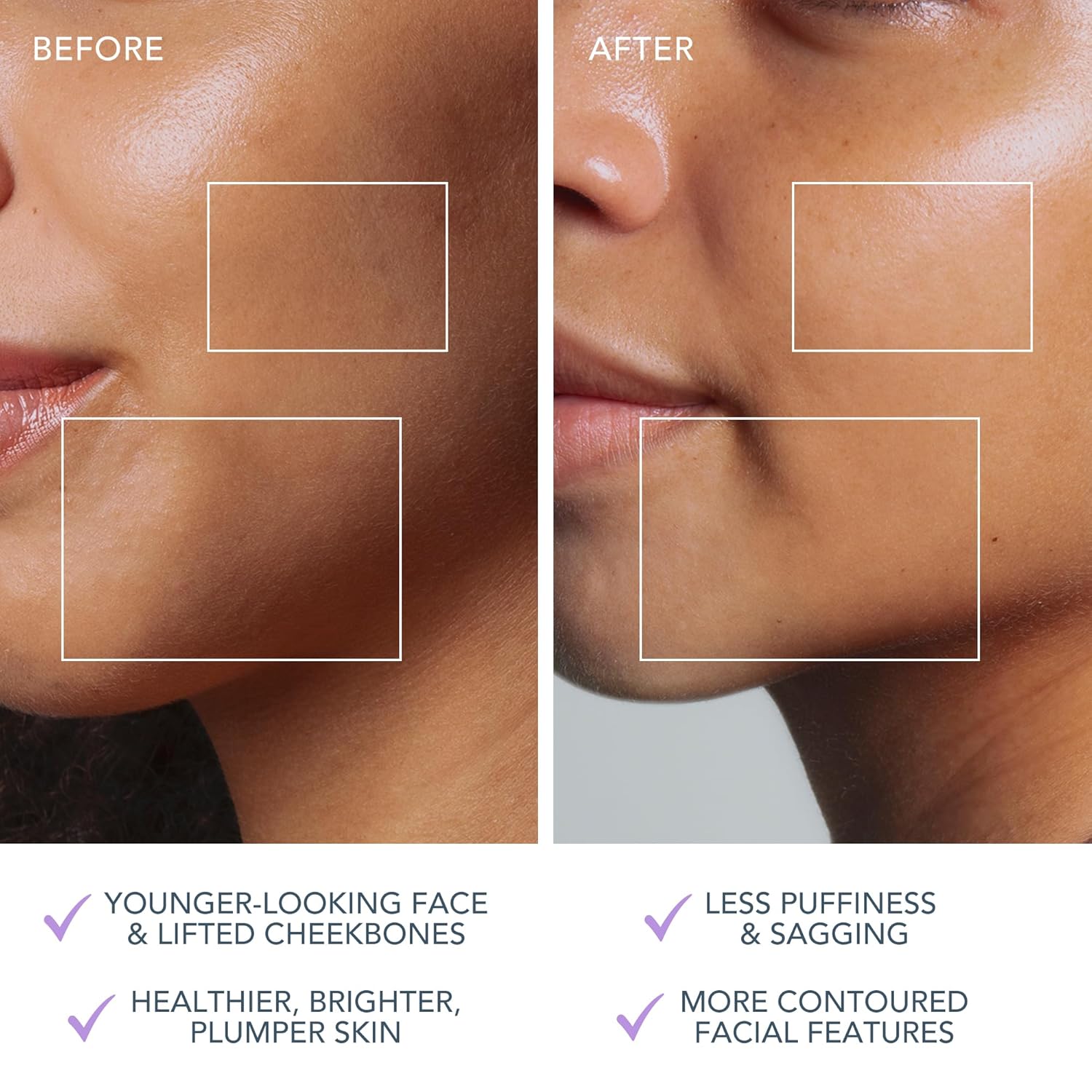
The FOREO BEAR 2 go device in use, highlighting its microcurrent toning capabilities for reducing wrinkles, puffiness, and sagging.

Key technologies of the device include Advanced Microcurrent for muscle strengthening, Lifting Microcurrent for contoured appearance, and T-Sonic Massage for smoothing fine lines.
Apa yang ada di dalam kotak?
Your FOREO BEAR 2 go package includes the following items:
- FOREO BEAR 2 go Device (Lavander)
- Panduan Memulai Cepat
- Panduan Umum
- Kabel Pengisian Daya USB
The complete package contents of the FOREO BEAR 2 go, showing the device, quick start guide, general manual, and USB charging cable.
Pengaturan
Mengisi Daya Perangkat
Before first use, ensure your FOREO BEAR 2 go device is fully charged. Connect the provided USB charging cable to the device and a suitable power source. The device will indicate charging status, typically taking up to 2 hours for a full charge.
Unlocking and Pairing Your Device
To unlock and register your device, follow these simple steps:
- Download the FOREO For You mobile app on your mobile phone. You can find the app on the App Store or Google Play.
- Masuk ke akun Anda atau daftar untuk yang baru.
- Add device (located at the top of your screen within the app).
- Pilih seri perangkat.
- Press and hold the Power button on your device to connect it to the mobile app.
- Fill in the purchase information as prompted.
Setelah langkah-langkah ini selesai, perangkat Anda siap digunakan.
Untuk mengunduh aplikasi, kunjungi: foreo.com/app
Petunjuk Pengoperasian
The FOREO BEAR 2 go is designed for ease of use, integrating seamlessly into your skincare routine. Always ensure your face is clean before use.
Application of Conductive Serum
For optimal conductivity and to ensure a smooth glide, it is essential to apply a suitable serum or conductive gel to your face and neck before using the device. FOREO recommends their Serum Serum Serum, which is lightweight, hydrating, and specifically formulated to enhance microcurrent transfer.

The Supercharged Serum 2.0 is recommended for use with the BEAR 2 go to improve microcurrent transfer and maximize treatment benefits.
Langkah Penggunaan
- Bersihkan wajah Anda secara menyeluruh.
- Apply a suitable serum or conductive gel to enhance conductivity.
- Nyalakan perangkat dan pilih tingkat intensitas yang diinginkan.
- Gently glide the device over your face and neck, focusing on areas with fine lines and wrinkles.
- Use in a circular motion for about 5 minutes.
- Rinse your face and follow with your regular skincare routine.
The device offers adjustable intensity levels, allowing you to customize the treatment to your comfort and skin needs. The accompanying FOREO For You app provides guided routines and allows for personalized settings, acting as a personal beauty coach.
Pemeliharaan
Membersihkan Perangkat
Cleaning your FOREO BEAR 2 go is simple due to its durable and waterproof material. After each use, wipe the device down with a damp cloth. For thorough sanitization, you may occasionally spritz it with a sanitizing spray. This ensures hygiene and longevity of your device.
Penyelesaian Masalah
Tindakan pencegahan yang harus diambil jika terjadi perubahan kinerja pada perangkat FOREO:
- Jika perangkat FOREO Anda tidak aktif saat menekan tombol tengah:
- Baterai kosong. Isi ulang menggunakan kabel pengisi daya USB hingga 2 jam hingga terisi penuh, lalu nyalakan ulang perangkat Anda dengan menahan tombol daya.
- Jika perangkat tidak dapat dimatikan dan/atau tombol antarmuka tidak merespons: Mikroprosesor mengalami kerusakan sementara. Tekan dan tahan tombol daya untuk memulai ulang perangkat.
- Jika perangkat FOREO Anda tidak dapat disinkronkan dengan aplikasi FOREO:
- Pastikan perangkat Anda terisi penuh dan Bluetooth Anda dihidupkan.
- Matikan Bluetooth Anda lalu nyalakan kembali untuk mencoba menyambungkan kembali.
- Tutup aplikasi FOREO lalu buka kembali untuk memulai proses dari awal.
- Hapus dan instal ulang aplikasi - mungkin aplikasi hanya perlu diperbarui.
- Setelah menghapus dan menginstal ulang aplikasi, pastikan untuk me-restart telepon Anda.
- Hapus cookie dan memori cache ponsel Anda.
- Pastikan sistem operasi ponsel Anda telah diperbarui ke versi terbaru.
Spesifikasi
| Fitur | Detil |
|---|---|
| Dimensi Produk | 1.46x3.78x3.43 inci |
| Berat Barang | 2.12 ons (0.06 Kilogram) |
| Nomor Model Barang | F1825 |
| Departemen | Unisex |
| Baterai | Diperlukan 1 baterai Lithium Ion (termasuk) |
| Pabrikan | DEPAN |
| Warna | bunga lavender |
| Jenis Kulit | Semua |
| Nama Model | BERUANG 2 pergi |
Garansi & Dukungan
The FOREO BEAR 2 go device comes with a Garansi 2 tahun from the date of purchase. For any product support, warranty claims, or additional information, please visit the official FOREO support page.
Dukungan Resmi: foreo.com/support
No specific safety warnings are required for this product.


