Perkenalan
These Coby True Wireless Earbuds provide a high-quality audio experience with advanced features designed for convenience and performance. They feature adaptive noise isolation, an LCD battery display charging case, voice assistant support, and immersive high-fidelity audio. With up to 10 hours of total playtime and Bluetooth 5.3 connectivity, these earbuds are ideal for daily use, commutes, and active lifestyles.
Isi Paket

Image: The retail box, the charging case with earbuds inside, two loose earbuds, and a USB-C charging cable are displayed on a white surface.
Saat membuka kemasan, pastikan semua komponen ada:
- Coby True Wireless Earbuds (Left and Right)
- Charging Case with LCD Battery Display
- Kabel Pengisian Daya USB-C
- Bantalan Telinga (berbagai ukuran)
Pengaturan
1. Pengisian Awal

Image: Two black charging cases are shown, one with a USB-C cable plugged in, illustrating the fast charging capability. The LCD display on the cases shows "100".
Before first use, fully charge the earbuds and the charging case. Place the earbuds into the charging case. Connect the provided USB-C cable to the charging port on the case and the other end to a USB power source (e.g., wall adapter, computer USB port).
The LCD display on the charging case will show the current battery percentage, indicating charging progress. A full charge is indicated by "100" on the display.
2. Pemasangan Bluetooth

Image: A smartphone screen displays the Bluetooth settings, showing "CETW526" as a connected device. The charging case with earbuds is next to the phone.
- Pastikan earbud terisi daya dan berada di dalam wadah pengisian daya.
- Buka penutup casing pengisi daya. Earbud akan otomatis masuk ke mode berpasangan.
- Pada perangkat Anda (ponsel pintar, tablet, dll.), aktifkan Bluetooth.
- Pencarian untuk new devices. Select "CETW526" from the list of available devices.
- Setelah terhubung, perintah suara akan mengonfirmasi pemasangan yang berhasil.
The earbuds utilize Bluetooth 5.3 for stable and fast wireless connectivity.
Petunjuk Pengoperasian
Mengenakan Earbud

Image: A close-up of a man wearing a black Coby True Wireless Earbud, demonstrating a snug and secure fit in the ear.
Gently insert each earbud into your ear canal. Adjust the earbud until it feels snug and comfortable. The correct fit is crucial for optimal sound quality and noise isolation.
Pemutaran Audio dan Panggilan
The earbuds feature intuitive controls for managing your audio and calls. Specific touch controls may vary slightly, but general functions include:
- Putar/Jeda: Ketuk satu kali pada salah satu earbud.
- Lagu Berikutnya: Ketuk dua kali pada earbud kanan.
- Lagu Sebelumnya: Ketuk dua kali pada earbud kiri.
- Menjawab/Mengakhiri Panggilan: Ketuk satu kali pada salah satu earbud saat ada panggilan masuk.
- Tolak Panggilan: Tekan dan tahan salah satu earbud selama 2 detik selama panggilan masuk.
- Aktifkan Voice Assistant: Ketuk tiga kali pada salah satu earbud untuk mengaktifkan asisten suara perangkat Anda (misalnya, Siri, Google Assistant).
These earbuds offer adaptive noise isolation to reduce ambient noise, allowing for a more immersive listening experience.
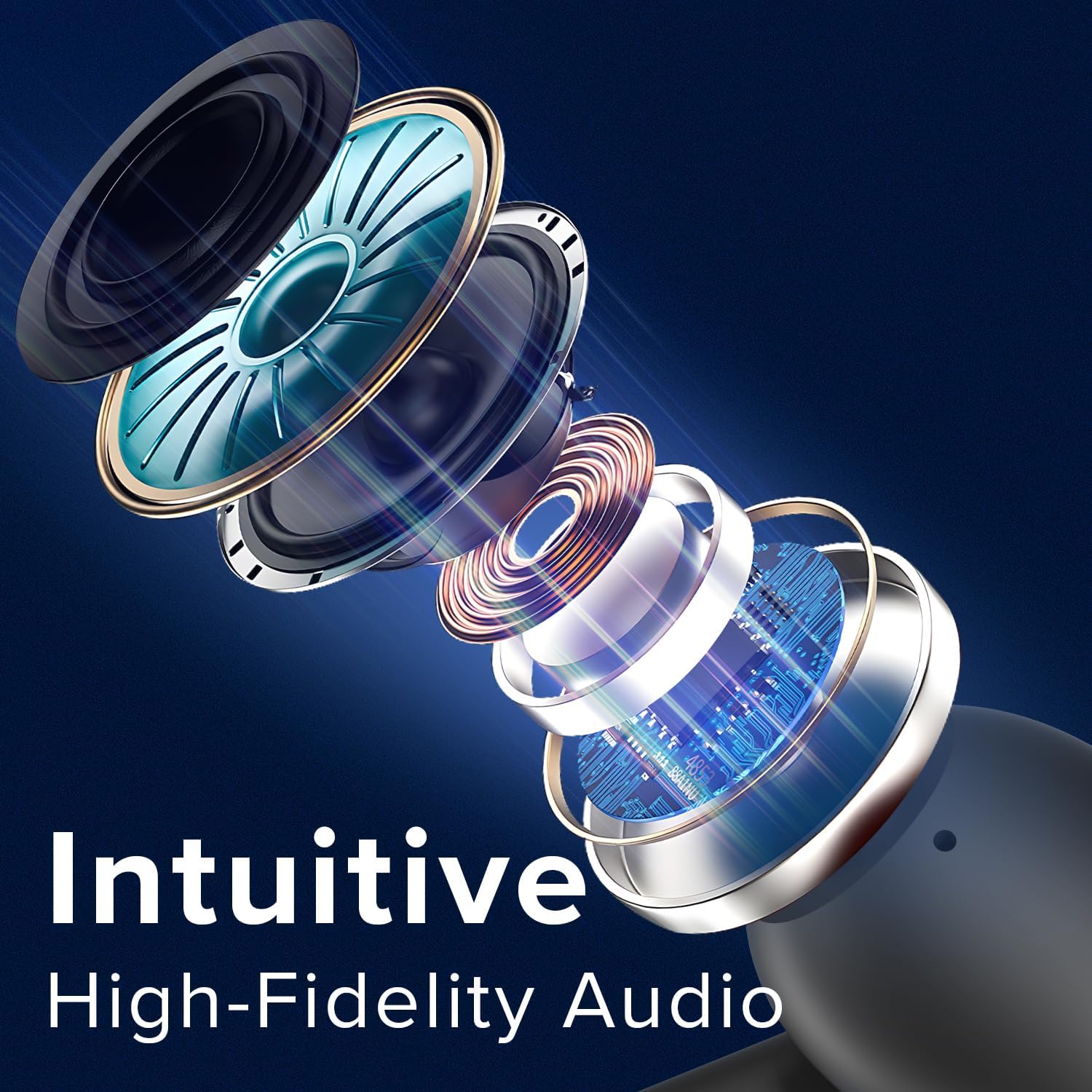
Image: An exploded diagram illustrates the internal components of a Coby earbud, highlighting its high-fidelity audio drivers and circuitry.
Pemeliharaan
To ensure the longevity and optimal performance of your Coby True Wireless Earbuds, follow these maintenance guidelines:
- Pembersihan: Regularly clean the earbuds and charging case with a soft, dry, lint-free cloth. Do not use abrasive cleaners or solvents. For earwax buildup, gently clean the ear tips with a small, soft brush or cotton swab.
- Penyimpanan: Bila tidak digunakan, selalu simpan earbud dalam wadah pengisi dayanya untuk melindunginya dari debu, kotoran, dan kerusakan fisik.
- Perawatan Baterai: Avoid fully depleting the battery frequently. Charge the case and earbuds regularly, even if not in constant use, to maintain battery health.
- Tahan Air: The earbuds are water-resistant, but not waterproof. Avoid submerging them in water or exposing them to heavy rain. Dry them thoroughly if they get wet from sweat or light splashes.
Penyelesaian Masalah
Jika Anda mengalami masalah dengan earbud Anda, cobalah solusi berikut:
| Masalah | Larutan |
|---|---|
| Earbud tidak dapat dipasangkan/dihubungkan. |
|
| Hanya satu earbud yang berfungsi. |
|
| Volume rendah atau kualitas suara buruk. |
|
| Kotak pengisi daya tidak mengisi daya. |
|
Spesifikasi
| Fitur | Detil |
|---|---|
| Nama Model | Earbud Nirkabel |
| Nomor Model Barang | CETW526 |
| Teknologi Konektivitas | Nirkabel (Bluetooth) |
| Versi Bluetooth | 5.3 |
| Daya Tahan Baterai (Total Waktu Putar) | Hingga 10 Jam |
| Jenis Kontrol | Kontrol Suara |
| Kontrol Kebisingan | Isolasi Suara |
| Tingkat Tahan Air | Tahan Air |
| Rentang Frekuensi | 20 Hz - 20,000 Hz |
| Perangkat yang Kompatibel | iPhone, iPad, Android, Smartphone, Bluetooth Enabled Devices |
| Dimensi Produk | 1.62x5.52x7.49 inci |
| Berat Barang | 3.2 ons |
| UPC | 810071493423 |
Garansi dan Dukungan
Untuk informasi garansi atau dukungan teknis, silakan lihat kartu garansi yang disertakan dengan produk Anda atau kunjungi situs resmi Coby. website. You may also contact Coby customer service directly for assistance with product issues or inquiries.
Catatan: Simpan struk pembelian Anda sebagai bukti pembelian untuk klaim garansi.


