1. Pendahuluan
Thank you for choosing the Mebus Electronic Alarm Clock, Model 785836 (also known as Mebus 25738 Quartz Alarm Clock). This manual provides detailed instructions for the setup, operation, and maintenance of your new alarm clock. Please read this manual thoroughly before use to ensure proper functionality and to maximize your product experience. Keep this manual for future reference.
2. Produk Lebihview
The Mebus Electronic Alarm Clock is a versatile timepiece designed for reliability and ease of use. It features a clear digital display showing time, month, date, day, and temperature. Its compact design makes it suitable for various environments, including home offices and bedrooms.
2.1 Fitur Utama
- Tampilan waktu digital
- Fungsi alarm
- Tampilan tanggal dan hari
- Tampilan suhu
- Konstruksi plastik dan logam yang tahan lama
2.2 Komponen
Familiarize yourself with the main components of your alarm clock:
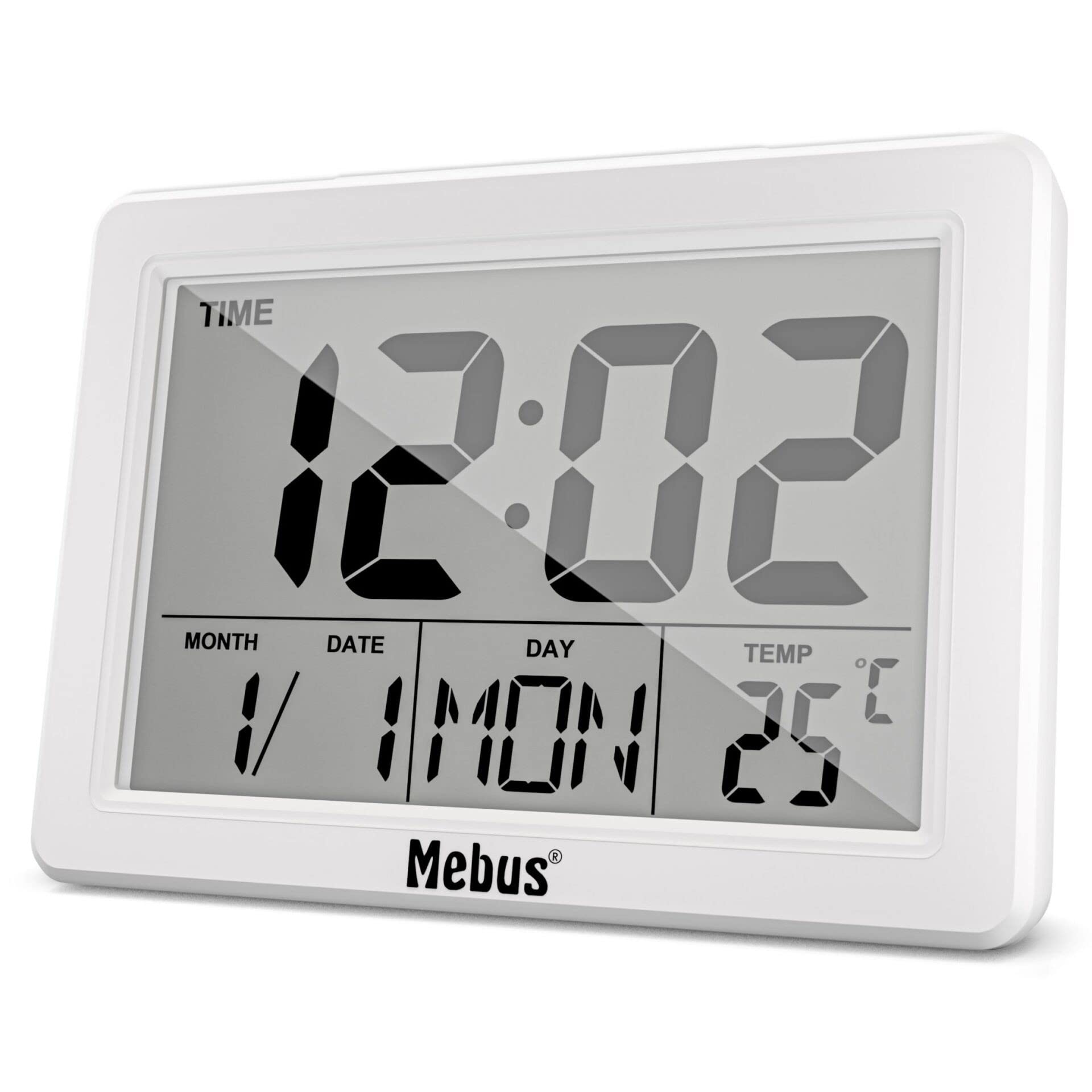
Gambar 1: Depan View of the Mebus Electronic Alarm Clock. This image displays the clock's face, clearly showing the digital time (12:02), month, date, day (MON), and temperature (25°C). The Mebus logo is visible at the bottom right.
- Tampilan digital: Shows time, date, day, and temperature.
- Tombol Kontrol: (Located on the back or sides, specific functions detailed in Section 4) Used for setting time, alarm, and other functions.
- Kompartemen Baterai: (Located on the back) For battery installation.
3. Pengaturan
3.1 Pemasangan Baterai
The Mebus Electronic Alarm Clock requires batteries for operation. Batteries are not included with the product.
- Temukan penutup kompartemen baterai di bagian belakang jam alarm.
- Remove the cover by sliding or lifting it.
- Insert the required batteries (e.g., AA or AAA, refer to the compartment markings) ensuring correct polarity (+ and -).
- Pasang kembali penutup kompartemen baterai dengan aman.
The clock should now power on and display default settings or a flashing time.
4. Petunjuk Pengoperasian
This section guides you through setting the time, alarm, and other display functions.

Figure 2: Detailed Display of the Mebus Electronic Alarm Clock. This image provides a closer look at the digital segments, clearly showing the time, date, day, and temperature readings.
4.1 Mengatur Waktu
- Tekan tombol MODE button (usually located on the back) repeatedly until the time display starts flashing or you enter time setting mode.
- Gunakan UP or TURUN buttons (or similar labeled buttons) to adjust the hours.
- Tekan MODE sekali lagi untuk beralih ke menit, lalu gunakan UP/TURUN untuk menyesuaikan.
- Lanjutkan menekan MODE to cycle through year, month, and date settings, adjusting each with the UP/TURUN tombol.
- Setelah semua pengaturan sudah benar, tekan MODE Sekali lagi atau tunggu beberapa detik hingga pengaturan tersimpan secara otomatis.
4.2 Mengatur Alarm
- Tekan tombol ALARM tombol (atau MODE until 'AL' or an alarm icon appears). The alarm time should start flashing.
- Gunakan UP or TURUN tombol untuk mengatur jam alarm yang diinginkan.
- Tekan ALARM sekali lagi untuk beralih ke menit, lalu gunakan UP/TURUN untuk menyesuaikan.
- Tekan ALARM one last time to confirm. An alarm icon should appear on the display, indicating the alarm is active.
4.3 Fungsi Tunda
Saat alarm berbunyi, tekan tombol TIDUR SEBENTAR button (often a large button on top) to temporarily silence the alarm. The alarm will sound again after a few minutes (typically 5-10 minutes).
4.4 Disabling the Alarm
To turn off the alarm completely, press any button other than TIDUR SEBENTAR when the alarm is sounding, or press the ALARM Tekan tombol berulang kali hingga ikon alarm menghilang dari layar.
5. Pemeliharaan
5.1 Pembersihan
To clean your alarm clock, use a soft, dry cloth. For stubborn marks, a slightly damp cloth can be used, followed by a dry cloth. Do not use abrasive cleaners, solvents, or chemical sprays, as these can damage the display or casing.
5.2 Penggantian Baterai
When the display dims or the clock functions become erratic, it is time to replace the batteries. Follow the battery installation steps in Section 3.1. Always dispose of old batteries responsibly according to local regulations.
6. Penyelesaian masalah
| Masalah | Kemungkinan Penyebab | Larutan |
|---|---|---|
| Tampilan kosong atau redup. | Baterai lemah atau mati; pemasangan baterai salah. | Ganti baterai dengan yang baru, pastikan polaritasnya benar. |
| Alarm tidak berbunyi. | Alarm not set or disabled; alarm volume too low (if adjustable). | Verify alarm time is set and activated (check for alarm icon). Ensure volume is audible. |
| Waktunya tidak tepat. | Time not set correctly; power interruption (if applicable). | Reset the time following instructions in Section 4.1. |
| Tombol tidak responsif. | Baterai lemah; kerusakan internal. | Ganti baterai. Jika masalah berlanjut, hubungi dukungan pelanggan. |
7. Spesifikasi
- Nomor Model: 785836
- Tipe Produk: Electronic Alarm Clock (Mebus 25738 Quartz Alarm Clock)
- Merek: Mebus
- Warna: Multicolored (as per product description, actual display is monochrome)
- Ukuran: Ukuran kemasan sekitar 14.4 x 13.8 x 5.2 cm.
- Berat: Sekitar 200 gram
- Bahan: Plastik dan Logam
- Tipe Tampilan: Analog (refers to the movement type, visual display is digital)
- Fitur Khusus: Alarm
- Sumber Daya: Baterai (tidak termasuk)
- Tipe Pemasangan: Dudukan Meja
8. Garansi dan Dukungan
Mebus products are manufactured with high-quality materials. For any questions, technical assistance, or warranty claims, please refer to the retailer where you purchased the product or visit the official Mebus webKunjungi situs web untuk informasi kontak. Harap simpan bukti pembelian Anda untuk keperluan garansi.


