Perkenalan
This manual provides comprehensive instructions for the Headwolf Fpad3 Mini Tablet. It covers essential information regarding product setup, operation, maintenance, and troubleshooting to ensure optimal performance and longevity of your device. Please read this manual thoroughly before using the tablet.

Gambar: Depan view of the Headwolf Fpad3 Mini Tablet, showcasing tampilannya.
Pengaturan
1. Isi Paket
Upon unboxing, verify that the following items are included:
- Headwolf Fpad3 Mini Tablet
- Kabel Pengisi Daya USB Type-C
- PD10W Charger
- Alat Pengeluar SIM
- User Manual (dokumen ini)
2. Fisik Lebih dariview

Image: Diagram illustrating the location of the headphone jack, rear camera, volume button, reset button, power button, SIM/SD card slot, and Type-C port on the Headwolf Fpad3 Mini Tablet.
Familiarize yourself with the tablet's physical components:
- Tombol Daya: Terletak di sisi samping, digunakan untuk menghidupkan/mematikan atau mengaktifkan/menonaktifkan perangkat.
- Tombol Volume: Sesuaikan volume audio.
- Port USB Tipe-C: Untuk pengisian dan transfer data.
- Jack Headphone 3.5mm: Untuk menghubungkan headphone berkabel.
- Slot Kartu SIM/MicroSD: For inserting Nano SIM cards and a MicroSD card.
- Kamera Depan: Located above the screen.
- Kamera Belakang: Located on the back of the tablet.
3. Mengisi Daya Perangkat
Before first use, fully charge the tablet. Connect the provided USB Type-C cable to the tablet's Type-C port and the other end to the PD10W charger. Plug the charger into a power outlet. The charging indicator will typically appear on the screen.
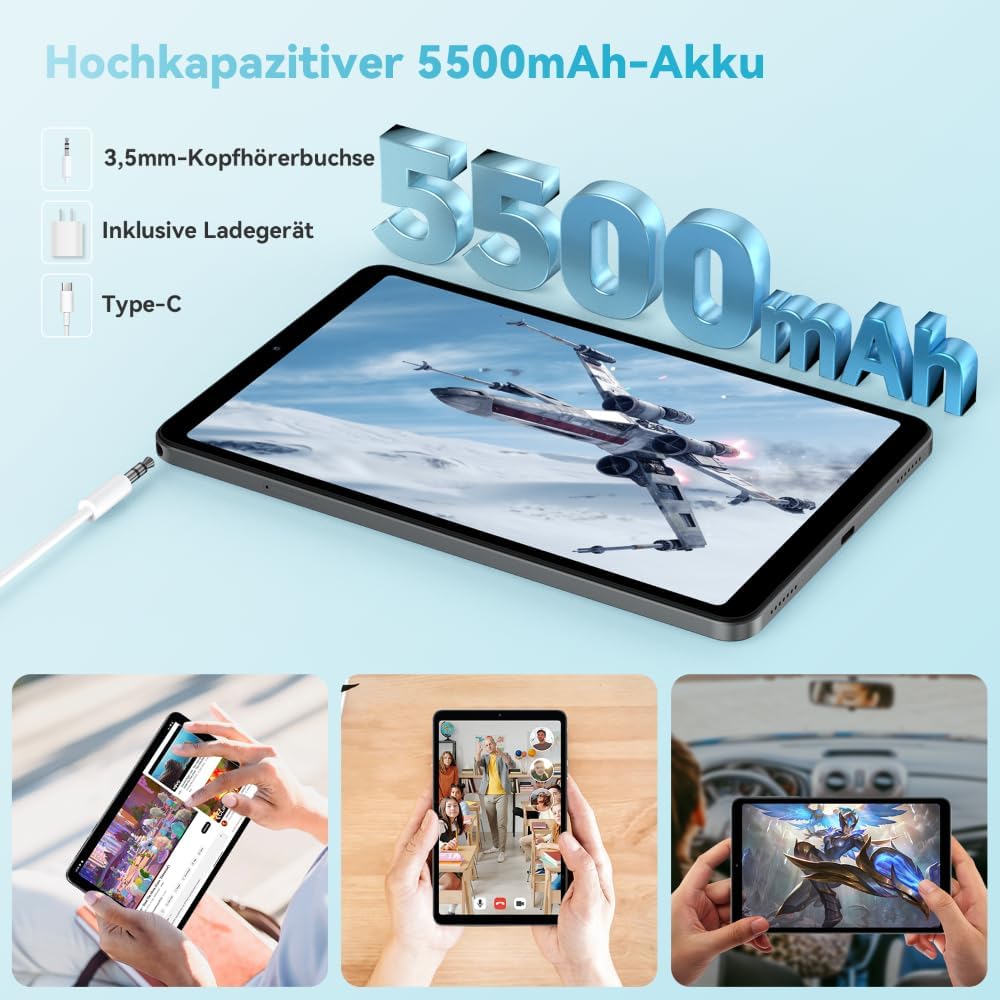
Image: The Headwolf Fpad3 Mini Tablet connected to a charger, highlighting its 5500mAh battery capacity and Type-C charging port.
4. Menghidupkan/Mematikan
- Untuk menghidupkan: Press and hold the Power button until the Headwolf logo appears.
- Untuk mematikan: Tekan dan tahan tombol Daya hingga menu opsi daya muncul, lalu pilih "Matikan".
- Untuk Memulai Ulang: Tekan dan tahan tombol Daya hingga menu opsi daya muncul, lalu pilih "Mulai ulang".
5. Pengaturan Awal
Upon first power-on, the tablet will guide you through the initial setup process. This includes selecting your language, connecting to a Wi-Fi network, setting up your Google account, and configuring security options. The tablet runs on Android 13 and is Google GMS certified, ensuring access to Google Play services.
6. Pemasangan Kartu SIM dan Kartu MicroSD
The Headwolf Fpad3 supports dual Nano SIM cards for 4G LTE connectivity and a MicroSD card for expandable storage up to 2TB.
- Locate the SIM/MicroSD card slot on the side of the tablet.
- Masukkan alat pelepas SIM ke dalam lubang kecil di samping baki untuk membukanya.
- Tarik keluar baki dengan hati-hati.
- Masukkan kartu Nano SIM dan/atau kartu MicroSD Anda ke dalam slot yang telah ditentukan pada baki, pastikan orientasinya benar.
- Dorong baki perlahan-lahan kembali ke dalam tablet hingga terkunci pada tempatnya.
Petunjuk Pengoperasian
1. Tampilan dan Pengalaman Visual
The tablet features an 8.4-inch FHD IPS In-Cell display with a resolution of 1920 x 1200 pixels, offering clear and vibrant visuals. It supports Widevine L1 for high-definition streaming from compatible services.

Image: The Headwolf Fpad3 Mini Tablet display showing high-definition content, emphasizing Widevine L1 support for streaming services like YouTube, Prime Video, Disney+, Hulu, and HBO Max.
2. Performa dan Penyimpanan
Powered by an Unisoc T616 Octa-Core processor (2x A75 at 2.0GHz + 6x A55 at 1.8GHz) and 8GB of RAM (4GB + 4GB virtual expansion), the Fpad3 ensures smooth multitasking and efficient operation. It comes with 128GB of UFS 2.2 internal storage, which can be expanded up to 2TB using a MicroSD card.

Image: An illustration detailing the Headwolf Fpad3 Mini Tablet's powerful Octa-Core Unisoc T616 processor, Mali-G57 GPU, and Android 13 operating system, with a benchmark comparison.

Image: A visual representation of the Headwolf Fpad3 Mini Tablet's 8GB RAM (with 4GB virtual expansion) and 128GB ROM, highlighting its expandability up to 2TB via an SD card.
3. Konektivitas
The tablet offers versatile connectivity options:
- Wifinya: Supports dual-band 2.4G/5G Wi-Fi for stable and fast internet access.
- 4G LTE: Dual Nano SIM support for cellular data and phone call functionality.
- Bluetooth 5.0: For connecting wireless peripherals like headphones, keyboards, and mice.
- Bahasa Indonesia: Integrated GPS, Beidou, and Galileo for accurate navigation.
- OTG (On-The-Go): Allows connecting USB devices such as flash drives or external keyboards.
4. Kamera
Capture moments with the tablet's dual cameras:
- Kamera Belakang: 13MP
- Kamera Depan: 8MP
The tablet also supports Face Unlock for convenient and secure access.

Gambar: Sebuah ledakan view of the Headwolf Fpad3 Mini Tablet's dual cameras (8MP front, 13MP rear) and the Face Unlock feature, with examples of usage scenarios.
5.Audio
Experience immersive audio with dual box speakers. A 3.5mm headphone jack is also available for private listening.
6. Google Kids Space
The tablet includes support for Google Kids Space, providing a safe and engaging environment for children with access to over 10,000 real-time resources.
Pemeliharaan
1. Membersihkan Perangkat
Gunakan kain lembut dan bebas serat untuk membersihkan layar dan bodi tablet. Hindari penggunaan bahan kimia keras atau bahan abrasif yang dapat merusak permukaan.
2. Pembaruan Perangkat Lunak
Periksa dan instal pembaruan sistem secara berkala untuk memastikan tablet Anda memiliki fitur terbaru, tambalan keamanan, dan peningkatan kinerja. Buka Pengaturan > Sistem > Pembaruan sistem untuk memeriksa pembaruan.
3. Perawatan Baterai
- Hindari memaparkan tablet pada suhu ekstrem.
- Jangan sering membiarkan baterai benar-benar terkuras.
- Gunakan charger dan kabel asli untuk pengisian daya yang optimal.
- Untuk penyimpanan jangka panjang, isi daya baterai hingga sekitar 50-60%.
Penyelesaian Masalah
Masalah Umum dan Solusinya
| Masalah | Solusi yang mungkin |
|---|---|
| Perangkat tidak menyala. | Ensure the battery is charged. Press and hold the Power button for at least 10-15 seconds. If unresponsive, connect to charger and try again. |
| Tidak dapat terhubung ke Wi-Fi. | Check if Wi-Fi is enabled in settings. Restart the tablet and the Wi-Fi router. Ensure you are entering the correct password. |
| Aplikasi mogok atau macet. | Clear the app's cache (Settings > Apps > [App Name] > Storage > Clear cache). Restart the tablet. Ensure the app is updated to its latest version. |
| Tablet terasa lambat atau tidak responsif. | Close unnecessary background apps. Clear cache of frequently used apps. Restart the tablet. Consider performing a factory reset as a last resort (backup data first). |
| Kartu SIM tidak terdeteksi. | Pastikan kartu SIM terpasang dengan benar di tempatnya. Mulai ulang tablet. Periksa apakah kartu SIM aktif dengan operator Anda. |
Jika masalah berlanjut, silakan hubungi dukungan pelanggan.
Spesifikasi
| Fitur | Detil |
|---|---|
| Merek | Kepala Serigala |
| Nomor Model | FPad3 Ulta |
| Sistem Operasi | Android 13 |
| Merek Prosesor | Unisoc |
| Model Prosesor | T616 Octa-Core |
| RAM | 8 GB (4GB + 4GB virtual) |
| Penyimpanan Internal | 128 GB UFS 2.2 |
| Penyimpanan yang Dapat Diperluas | Kapasitas hingga 2 TB melalui MicroSD |
| Ukuran Layar | 8.4 inci |
| Resolusi Layar | 1920 x 1200 Pixels (FHD IPS In-Cell) |
| Merek Chipset Grafis | Arm Mali G57 |
| Kamera Belakang | 13 MP |
| Kamera Depan | 8 MP |
| Kapasitas Baterai | Litium-polimer 5500 mAh |
| Port Pengisian Daya | USB Type-C (PD10W Fast Charging) |
| Konektivitas Nirkabel | 802.11a/b/g/n/ac (2.4G/5G WiFi), Bluetooth 5.0 |
| Konektivitas Seluler | Dual 4G LTE (Nano SIM) |
| Navigasi | GPS, Beidou, Galileo |
| Fitur Khusus | Stereo Speakers, Expandable Storage, Phone Call Functionality, Fast Charging, Card Reader, Face ID, Widevine L1 |
| Dimensi (P x L x T) | Ukuran 25.4x15.24x7.62 cm |
| Berat | 610 gram |
Garansi dan Dukungan
The Headwolf Fpad3 Mini Tablet comes with a one-year warranty from the date of purchase. For any technical assistance, product inquiries, or warranty claims, please contact Headwolf customer service. We offer 24/7 customer support to assist you.
Please refer to your purchase documentation for specific warranty terms and contact information, or visit the official Headwolf weblokasi.