1. Produk Lebihview
The CAMECHO 170° Car Handle Backup Camera is a high-definition, waterproof rear view camera designed to enhance parking safety and convenience. It integrates seamlessly into your vehicle's trunk handle, providing a wide 170-degree viewing angle and night vision capabilities. This camera is compatible with various Audi and Volkswagen models, specifically designed for aftermarket car stereo units with an AV interface.

Figure 1: CAMECHO 170° Car Handle Backup Camera.
Fitur Utama:
- Lebar 170° Viewsudut: Provides a broad perspective for improved visibility during reversing.
- Penglihatan Malam HD: Equipped with an AHD imaging sensor for clear visibility in low-light conditions, with a 15m visible distance at night.
- Peringkat Tahan Air IP67: Ensures reliable operation in various weather conditions, including rain, snow, and dust.
- Desain Terpadu: Replaces the original trunk handle for a factory-like appearance.
- Dynamic Trajectory (on compatible systems): Offers moving guide parking lines to assist with precise parking maneuvers.
2. Kompatibilitas
This trunk handle parking camera is compatible with the following vehicle models and years. Please verify your car's make, model, and year, and ensure your car stereo is an aftermarket unit with an AV interface before proceeding with installation.

Figure 2: List of compatible Audi and Volkswagen vehicle models and years.
Model Mobil yang Berlaku:
- Audinya: A3 (2015-2016), A4L/S5/S3 (2012-2015), A6L (2012-2017), Q3/Q5 (2012-2016), Q7 (2016-2017)
- Volkswagen: Tiguan (2012-2015), Passat/Passat Lingyu (2009-2010), Passat/Sagitar/Lavida (2012-2016), Touareg (2014-2016)
Important Note: This product requires an aftermarket car stereo unit with an AV interface. It is not compatible with factory-installed stereo systems unless specified.
3. Pengaturan dan Instalasi
Proper installation is crucial for optimal performance. It is recommended that installation be performed by a qualified technician. Always disconnect the vehicle's battery before beginning any electrical work.
3.1 Komponen Lebih dariview
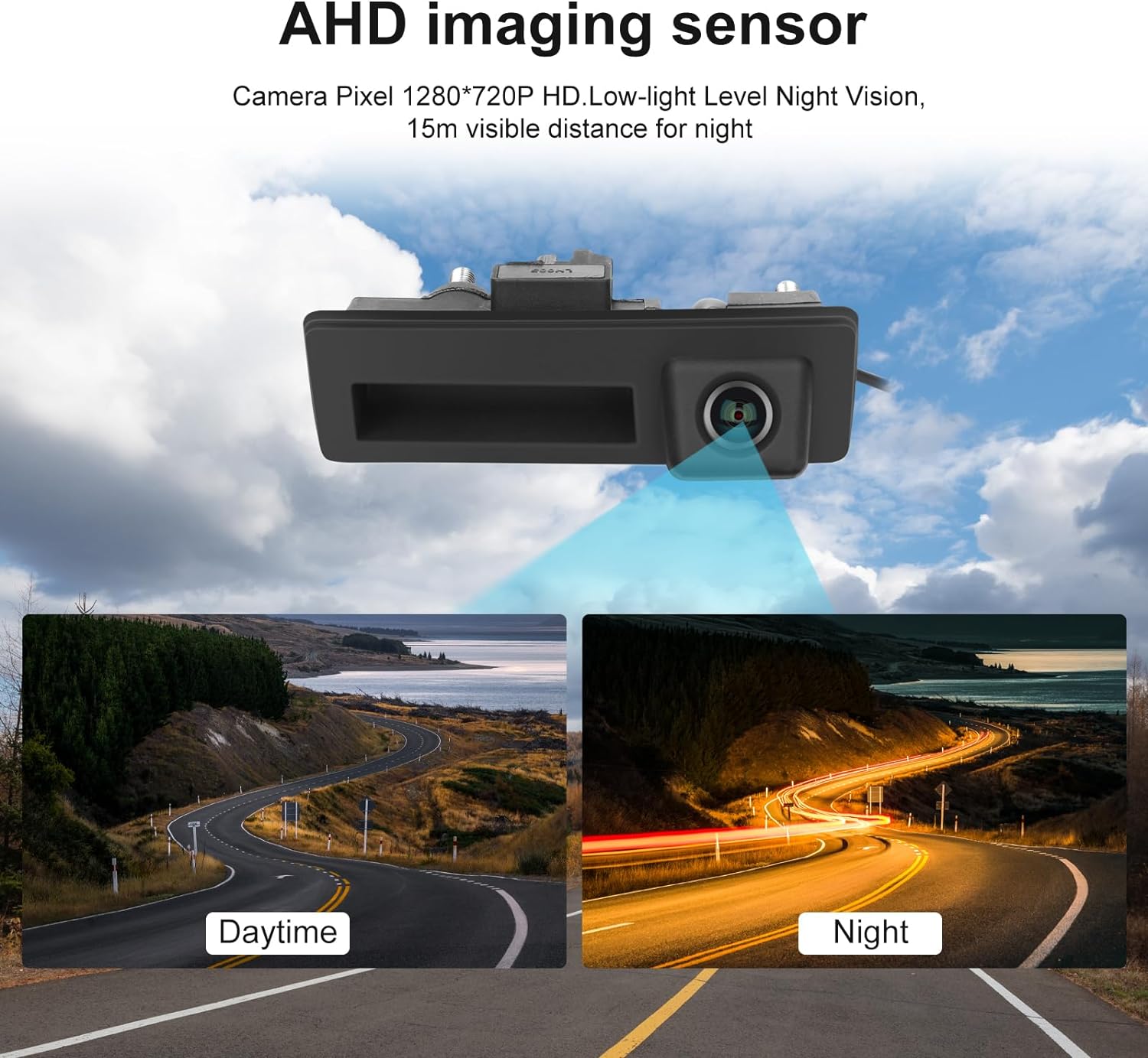
Figure 3: Included components: Backup Camera, 6m AV line, and Power Cable.
3.2 Diagram Pengkabelan
Follow the wiring diagram carefully to ensure correct connections. The camera connects to your car stereo via the AV line and receives power from the vehicle's reverse light circuit.

Figure 4: Wiring diagram showing connections for the backup camera, AV line, and power supply.
3.3 Langkah Instalasi:
- Remove Original Trunk Handle: Carefully remove the existing trunk handle from your vehicle. Use appropriate trim removal tools to avoid damage.
- Install New Camera Handle: Insert the CAMECHO backup camera unit into the trunk handle slot. Ensure it fits securely.
- Connect AV Line: Connect one end of the 6m AV line to the yellow interface of the backup camera.
- Hubungkan Kabel Daya: Connect the power cable (red and black wires) to the red end of the backup camera's power input.
- Hubungkan ke Sumber Daya Kendaraan: Connect the positive (red) and negative (black) wires of the power cable to the positive and negative terminals of your vehicle's reverse light power supply, respectively. This ensures the camera activates when reversing.
- Route AV Line to Stereo: Carefully route the 6m AV line from the trunk to your aftermarket car stereo unit. Connect the remaining yellow RCA connector to the camera input on your stereo.
- Connect Reverse Trigger Wire: Locate the reverse trigger wire on your car stereo's wiring harness (often labeled 'BACK' or 'REVERSE'). Connect the corresponding trigger wire from the camera's wiring to this input.
- Uji Fungsionalitas: Before reassembling, test the camera by engaging reverse gear. Verify that the image appears correctly on your stereo screen.
- Secure Wiring and Reassemble: Once confirmed working, secure all wiring to prevent pinching or damage. Reassemble the trunk trim and any other removed components.
Video 1: Demonstrates the wiring and connection process for the CAMECHO backup camera to a car stereo unit.
4. Petunjuk Pengoperasian
The CAMECHO backup camera operates automatically when the vehicle is shifted into reverse gear, displaying the rear view on your connected aftermarket stereo screen.
4.1 Automatic Activation:
- When you shift your vehicle into reverse, the camera will automatically activate and display the rear view on your car stereo screen.
- The display will include parking guide lines to assist with maneuvering.
4.2 Dynamic Trajectory Lines:
If your aftermarket stereo supports dynamic trajectory, the guide lines will adjust according to your steering wheel's movement, providing real-time guidance for parking.
Video 2: Illustrates the dynamic trajectory parking lines feature, showing how they adjust with steering input.
4.3 Penglihatan Malam:
The camera's HD night vision ensures clear visibility even in low-light conditions, making parking safer at night or in dimly lit areas.

Figure 5: Comparison of camera image quality during daytime and nighttime conditions.
5. Pemeliharaan
To ensure the longevity and optimal performance of your CAMECHO backup camera, follow these simple maintenance guidelines:
- Pembersihan Rutin: Bersihkan lensa kamera secara berkala dengan kain lembut.amp kain untuk menghilangkan kotoran, debu, atau noda air yang mungkin menghalangi viewHindari pembersih yang bersifat abrasif.
- Periksa Kabel: Occasionally check the visible wiring for any signs of wear, fraying, or loose connections. Secure any loose wiring.
- Perlindungan Cuaca: Although the camera is IP67 waterproof, extreme weather conditions (e.g., heavy snow, ice) may temporarily affect visibility. Clear any obstructions from the lens before driving.

Figure 6: The camera's IP67 rating ensures durability against snow, washing, heat, and cold.
6. Penyelesaian masalah
If you encounter any issues with your backup camera, refer to the following troubleshooting steps:
| Masalah | Kemungkinan Penyebab | Larutan |
|---|---|---|
| Tidak ada gambar di layar | Loose AV cable connection Sambungan daya salah Incorrect reverse trigger wire connection Stereo not set to camera input | Check all AV and power cable connections. Ensure reverse trigger wire is correctly connected to stereo. Select the correct camera input on your stereo. |
| Gambar berkedip-kedip atau terdistorsi | Catu daya yang buruk Gangguan Damaged AV cable | Pastikan pasokan daya 12V yang stabil. Check for electromagnetic interference from other car electronics. Replace AV cable if damaged. |
| Image is too dark/bright | Monitor brightness settings Camera lens obstruction | Adjust brightness/contrast settings on your car stereo. Bersihkan lensa kamera. |
| Parking lines not appearing/moving | Stereo not configured for parking lines Camera not supporting dynamic lines | Check your stereo's settings for parking line display. Confirm if your specific camera model supports dynamic lines. |
Jika masalah berlanjut setelah mencoba solusi ini, hubungi dukungan pelanggan.
7. Spesifikasi
Detailed technical specifications for the CAMECHO 170° Car Handle Backup Camera:
| Fitur | Spesifikasi |
|---|---|
| Dimensi Produk | 3x3x3 inci |
| Berat Barang | 9.6 ons |
| ASIN | B0CCY77831 |
| Teknologi Tampilan | LCD (for compatible monitors) |
| Fitur Tampilan Lainnya | Wireless (refers to compatibility with wireless display systems, camera itself is wired) |
| Pabrikan | KAMESHO |
| Ukuran Layar | 0.33 Inches (refers to camera sensor size) |
| Perangkat yang Kompatibel | Monitor (Aftermarket car stereo with AV input) |
| Jenis Instalasi | Surface Mount (integrated into trunk handle) |
| Jil.tage | 12 Volt |
| Teknologi Sensor Optik | Infrared (for night vision) |
| Jenis Lensa | Sudut Lebar |
| Sudut Nyata dari View | 170 Derajat |
| Jenis Konektor | Bahasa Indonesia: RCA |
| Ukuran Sensor Optik | 1/3 inci |
8. Garansi dan Dukungan
CAMECHO products are designed for reliability and performance. For any questions, technical assistance, or warranty claims, please refer to the following contact information:
- Jaminan: This product typically comes with a standard manufacturer's warranty. Please refer to your purchase documentation for specific warranty terms and duration.
- Dukungan Pelanggan: For 24-hour customer support and user manual assistance, please contact us via email.
E-mail: CAMECHOVIP@126.com


