Informasi Keselamatan Penting
Read all instructions before operating the TV. Keep this manual for future reference. Follow all warnings and instructions marked on the product.
- Jangan halangi lubang ventilasi.
- Jangan pasang di dekat sumber panas.
- Lindungi kabel listrik agar tidak terinjak atau terjepit.
- Gunakan hanya perlengkapan/aksesoris yang ditentukan oleh produsen.
- Cabut steker saat terjadi badai petir atau saat tidak digunakan dalam waktu lama.
- Serahkan semua servis kepada teknisi servis yang berkualifikasi.
Produk Selesaiview
The THOMSON 24HA2S13C is a 24-inch HD Smart Android TV designed for versatile use, including camping with its 12V power supply. It features Google Assistant, Wi-Fi, Bluetooth, Dolby Digital audio, and a triple-tuner for various signal reception.

Gambar: Depan view of the THOMSON 24HA2S13C 24-inch Smart Android TV, showing the screen displaying streaming service logos and a family enjoying the TV in a camppengaturan.
Isi Paket
Verifikasi bahwa semua item disertakan dalam paket:
- THOMSON 24HA2S13C Smart Android TV
- Kontrol Jarak Jauh
- Power Adapter (12V compatible)
- Rak TV (2)
- Sekrup untuk Dudukan TV
- User Manual (dokumen ini)
- Panduan Memulai Cepat
Pengaturan
1. Memasang Dudukan TV
- Letakkan TV dengan hati-hati menghadap ke bawah di permukaan yang lembut dan rata untuk mencegah kerusakan layar.
- Align the TV stands with the mounting holes on the bottom of the TV.
- Amankan dudukan menggunakan sekrup yang tersedia. Pastikan sekrup terpasang dengan kuat.

Image: The THOMSON 24HA2S13C TV showing two possible stand positions for different furniture widths. The image highlights the flexibility in stand placement.
2. Menghubungkan Daya
Connect the 12V power adapter to the TV's power input and then to a suitable power source. For camping or mobile use, connect to a 12V DC power outlet.

Image: The THOMSON 24HA2S13C TV mounted in a caravan, with a 12V power adapter shown, illustrating its suitability for mobile use.
3. Menghubungkan Perangkat Eksternal
Televisi ini menawarkan berbagai port untuk menghubungkan perangkat eksternal:
- HDMI: For high-definition audio and video devices (e.g., game consoles, Blu-ray players).
- Kabel USB: Untuk menghubungkan perangkat penyimpanan USB untuk memutar media.
- LAN: Untuk koneksi internet kabel.
- Antena/Satelit: For receiving broadcast signals.
- Masuk: Untuk perangkat analog lama.
- Keluaran Audio (Optik): Untuk menghubungkan ke sistem suara eksternal.
- CI+: Untuk modul akses bersyarat.

Gambar: Belakang view of the THOMSON 24HA2S13C TV, detailing the various input and output ports available for connectivity.
Mengoperasikan TV
1. Wisaya Pengaturan Awal
Saat pertama kali dinyalakan, TV akan memandu Anda melalui proses pengaturan awal. Ini termasuk:
- Pilihan bahasa.
- Koneksi jaringan (Wi-Fi atau Ethernet).
- Masuk menggunakan akun Google (opsional, tetapi disarankan untuk fitur Smart TV lengkap).
- Channel scanning (for DVB-T2/C/S2).
2. Fungsi Remote Control
The included remote control provides access to all TV functions. It features backlit buttons for use in low light and a dedicated "Favorite" button for quick access to your preferred app.

Image: The remote control for the THOMSON 24HA2S13C TV, highlighting its ergonomic design, backlit buttons, and voice control capabilities.
3. Fitur Smart TV (Android TV)
This TV runs on Android TV, providing access to a wide range of applications and services:
- Layanan Streaming: Access Netflix, Prime Video, YouTube, Disney+, and more.
- Asisten Google: Use voice commands to search for content, control playback, and get information. Activate by pressing the Google Assistant button on the remote.
- Chromecast Bawaan: Cast content from compatible smartphones, tablets, or computers directly to your TV.
- Toko Google Play: Unduh aplikasi dan game tambahan.

Image: The THOMSON 24HA2S13C TV screen showing the Android TV home interface with popular streaming applications and content recommendations.
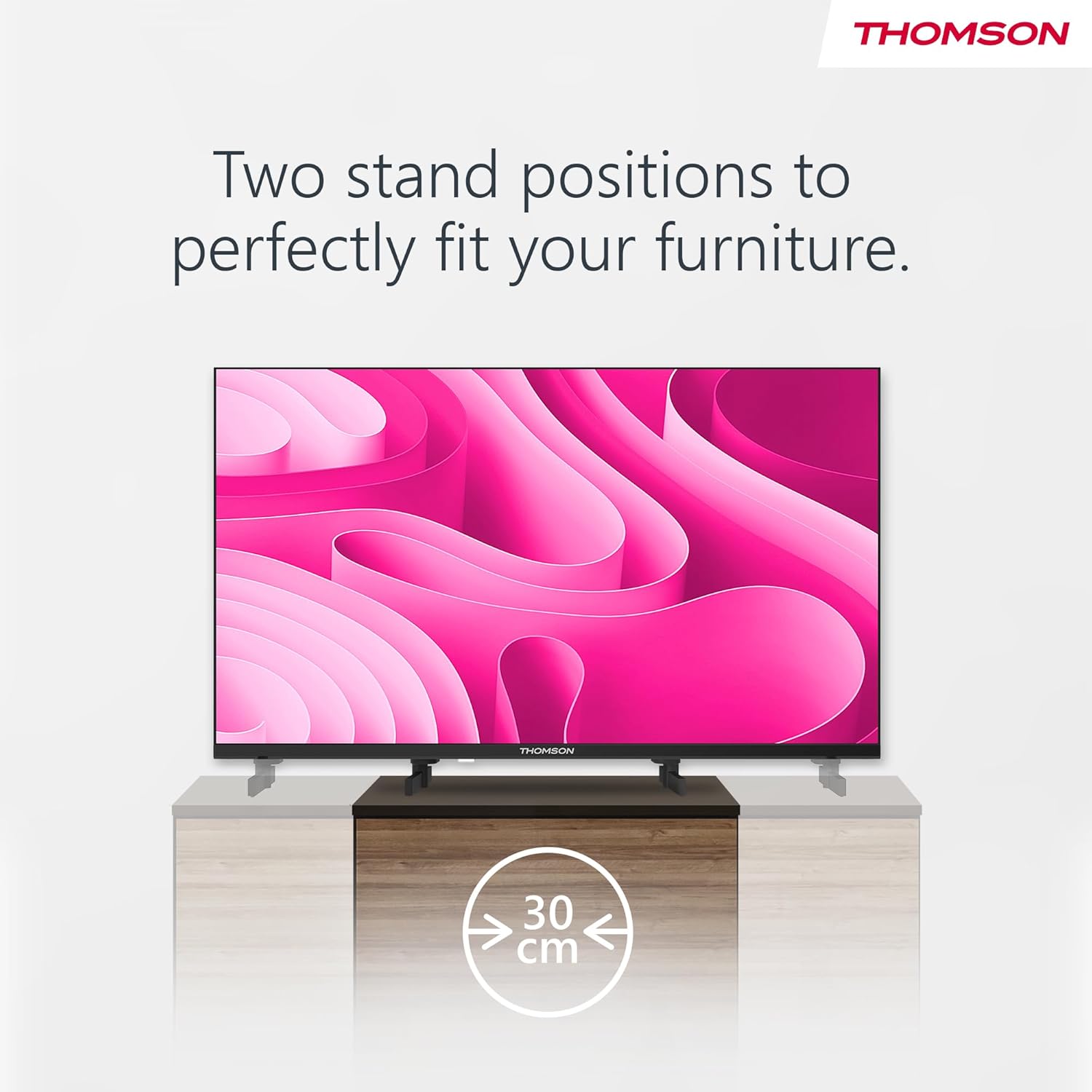
Image: A person using the voice control feature of the THOMSON TV remote, demonstrating interaction with Google Assistant.
Pemeliharaan
Membersihkan TV
- Selalu cabut kabel TV sebelum membersihkan.
- Use a soft, dry cloth to wipe the screen and cabinet. Do not use liquid cleaners or aerosol sprays.
- Untuk noda membandel, oleskan sedikitampen a microfiber cloth with water and gently wipe. Avoid excessive moisture.
Pembaruan Perangkat Lunak
The TV may receive software updates to improve performance and add new features. Ensure your TV is connected to the internet to receive these updates. You can usually check for updates in the TV's settings menu.
Penyelesaian Masalah
| Masalah | Kemungkinan Penyebab | Larutan |
|---|---|---|
| Tidak ada daya | Kabel daya tidak tersambung; stopkontak tidak aktif. | Periksa sambungan kabel daya. Uji stopkontak dengan perangkat lain. |
| Tidak ada gambar, tetapi ada suara | Sumber input yang dipilih salah; masalah lampu latar. | Press the "Input" button on the remote to select the correct source. Contact support if issue persists. |
| Tidak ada suara, tetapi gambar ada | Volume too low or muted; audio cables loose. | Increase volume. Check mute status. Ensure audio cables are securely connected. |
| Kontrol jarak jauh tidak berfungsi | Baterai habis; ada penghalang antara remote dan TV. | Ganti baterai. Singkirkan semua penghalang. Pastikan remote diarahkan ke sensor IR TV. |
| Tidak dapat terhubung ke Wi-Fi | Kata sandi salah; masalah router; TV terlalu jauh dari router. | Verifikasi kata sandi Wi-Fi. Mulai ulang router. Dekatkan TV ke router atau gunakan koneksi kabel. |
Spesifikasi
| Fitur | Detil |
|---|---|
| Merek | Bahasa Indonesia: Thomson |
| Model | 24HA2S13C |
| Ukuran Layar | 24 Inci (60 cm) |
| Teknologi Tampilan | DIPIMPIN |
| Resolusi | Resolusi: 1366x768 |
| Sistem Operasi | TV Android |
| Fitur Khusus | Google Assistant, Chromecast Built-in, 12V Power Supply, Dolby Audio, Triple Tuner (DVB-T2/C/S2) |
| Konektivitas | Wi-Fi, Bluetooth, HDMI (x3), USB (x2), LAN, Optical Audio Out, AV In, CI+ |
| Jil.tage | 12 Volt (DC) |
| Dimensi Produk (P x L x T) | 53.5 x 15.1 x 35.3 cm (dengan dudukan) |
| Berat | 3.5 kg |
For detailed energy efficiency information, please refer to the EU EPREL database: https://eprel.ec.europa.eu/qr/1456673

Image: The EU Energy Label for the THOMSON 24HA2S13C TV, showing an energy efficiency rating of E and power consumption of 18 kWh/1000h.
Garansi dan Dukungan
This Thomson TV comes with a 3-year guarantee. For technical support, warranty claims, or service inquiries, please contact your local Thomson service provider or refer to the manufacturer's weblokasi.
Produsen: STREAMVIEW GMBH
Weblokasi: www.aliranview.com
E-mail: kontak@streamview.com
Video Produk Resmi
Tonton video ini untuk gambaran visualnyaview of the Thomson 24-inch Easy TV.
Video: Penjelasan singkatview of the Thomson 24-inch Easy TV, showcasing its design and features. This video is provided by the vendor Streamview GmbH.


