1. Pendahuluan
The beyerdynamic MC 930 is a versatile true condenser microphone designed for a wide range of audio recording applications. Manufactured in Heilbronn, Germany, it offers high sensitivity, superb transient response, and features switchable pre-attenuation and a low-cut filter for enhanced flexibility in both studio and live sound environments.
This manual provides essential information for the proper setup, operation, and maintenance of your MC 930 microphone to ensure optimal performance and longevity.
2. Petunjuk Keselamatan
- Read all instructions carefully before using the microphone.
- Do not expose the microphone to moisture, rain, or extreme temperatures.
- Hindari menjatuhkan atau membenturkan mikrofon ke benda keras.
- Only use the microphone with compatible audio equipment that provides 11-52 V phantom power.
- Do not attempt to open or modify the microphone. Refer all servicing to qualified personnel.
- Keep the microphone and its accessories out of reach of children.
3. Isi Paket
Verifikasi bahwa semua item ada dalam paket:
- MC 930 Condenser Microphone
- Mikrofon Clamp (MA-CL 21)
- Kotak Pembawa
- Kaca depan mobil
- Kabel Mikrofon (XLR)
- Measurement Curve Document
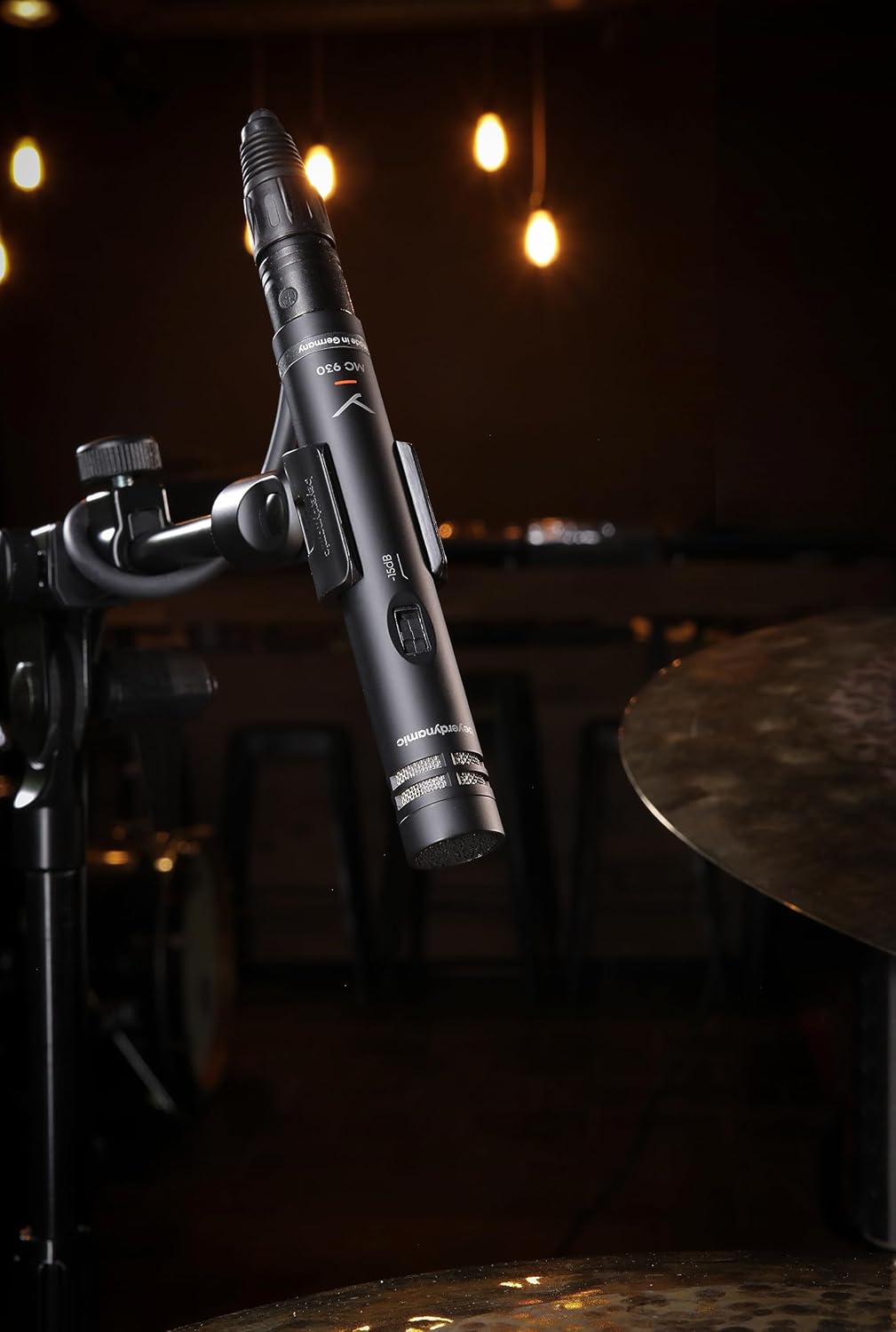
Image: The beyerdynamic MC 930 microphone mounted on a stand, ready for use.
4. Pengaturan
4.1 Memasang Mikrofon
- Attach the supplied microphone clamp (MA-CL 21) to a standard microphone stand.
- Carefully screw the MC 930 microphone into the clamp. Ensure it is securely fastened but do not overtighten.
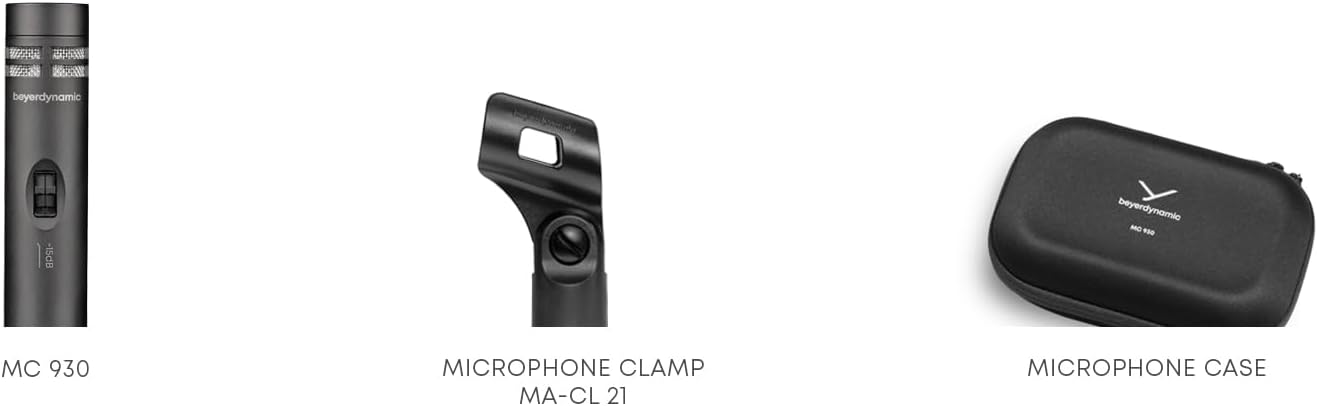
Gambar: Close-up view of the MA-CL 21 microphone clamp, used for securing the MC 930 to a stand.
4.2 Menyambungkan ke Peralatan Audio
- Connect the supplied XLR microphone cable to the XLR output at the base of the MC 930.
- Connect the other end of the XLR cable to an input on your audio mixer, audio interface, or preamppengangkat.
- Ensure your audio equipment provides Daya hantu 11-52 V. The MC 930 requires phantom power to operate. Activate phantom power on the connected input channel.
4.3 Pre-attenuation and Low-Cut Filter
The MC 930 features two small switches on its body:
- Pre-attenuation Switch (-15 dB): This switch reduces the microphone's output level by 15 dB. Use this setting when recording very loud sound sources (e.g., drums, loud guitar amplifiers) to prevent input clipping on your mixer or interface.
- Low-Cut Filter Switch (80 Hz): This switch activates a high-pass filter at 80 Hz. Use this to reduce unwanted low-frequency noise such as rumble from air conditioning, stage vibrations, or proximity effect when close-miking.
Adjust these switches according to your recording environment and sound source.
5. Mengoperasikan Mikrofon
5.1 Polar Pattern
The MC 930 features a unidirectional (cardioid) polar pattern. This means it is most sensitive to sounds coming from the front and rejects sounds from the sides and rear. This characteristic is ideal for isolating a sound source and minimizing background noise or feedback in live settings.
5.2 Penggunaan yang Direkomendasikan
The MC 930 is suitable for a variety of applications, including:
- Mikrofon Instrumen: Acoustic guitars, overheads for drums, percussion, strings, woodwinds, and brass instruments.
- Rekaman Vokal: Speech and singing, especially in controlled studio environments.
- Rekaman Video: Capturing clear audio for video productions.
- Suara Langsung: Reinforcement of instruments and vocals on stage.
5.3 Penempatan Optimal
Experiment with microphone placement to achieve the desired sound. Generally, placing the microphone closer to the sound source will increase direct sound and reduce room ambience. Utilize the cardioid pattern by pointing the front of the microphone towards the desired sound and away from unwanted noise sources.
6. Pemeliharaan
6.1 Pembersihan
To clean the microphone, gently wipe the exterior with a soft, dry, lint-free cloth. Do not use liquid cleaners, solvents, or abrasive materials, as these can damage the finish or internal components. Avoid getting moisture into the microphone capsule or switches.
6.2 Penyimpanan
When not in use, store the MC 930 in its supplied carrying case to protect it from dust, moisture, and physical damage. Store in a cool, dry place.
7. Penyelesaian masalah
If you encounter issues with your MC 930 microphone, refer to the following common problems and solutions:
- Tidak Ada Keluaran Suara:
- Ensure phantom power (11-52 V) is activated on the connected input channel.
- Check all XLR cable connections for proper seating. Try a different XLR cable.
- Verify the input gain on your mixer/interface is turned up.
- Test the microphone on a different input channel or with different audio equipment.
- Suara Terdistorsi atau Terpotong:
- Activate the -15 dB pre-attenuation switch on the microphone.
- Kurangi penguatan input pada mixer/interface Anda.
- Perbesar jarak antara mikrofon dan sumber suara.
- Excessive Low-Frequency Noise/Rumble:
- Activate the 80 Hz low-cut filter switch on the microphone.
- Ensure the microphone is isolated from vibrations (e.g., use a shock mount, if available, or place the stand on a stable surface).
- Suara Dengung atau Berdengung:
- Check for ground loops. Ensure all audio equipment is properly grounded.
- Ensure XLR cables are balanced and in good condition. Avoid running audio cables parallel to power cables.
- Lakukan pengujian di stopkontak atau lokasi listrik yang berbeda untuk mengesampingkan gangguan eksternal.
If problems persist after trying these steps, contact beyerdynamic customer support or an authorized service center.
8. Spesifikasi Teknis
| Fitur | Spesifikasi |
|---|---|
| Nama Model | MC 930 |
| Merek | beyerdinamis |
| Faktor Bentuk Mikrofon | Kondensor Studio |
| Pola Kutub | Searah (Cardioid) |
| Sumber Daya | 11–52 V phantom power |
| Respon Frekuensi | 20 Hz - 20 kHz |
| Audio Sensitivitas | 15 Desibel |
| Signal-to-Noise Ratio | 76dB |
| Teknologi Konektivitas | Berkabel |
| Jenis Konektor | Ukuran XLR |
| Berat Barang | 1.14 pon (0.52 kg) |
| Dimensi Produk (P x L x T) | 9.3 x 6.55 x 3.45 inci (23.6 x 16.6 x 8.8 cm) |
| Bahan | Bahan tahan lama |
| Komponen yang Termasuk | Microphone, Carrying case, Windscreen, Microphone cable, Measurement curve |
9. Garansi dan Dukungan
For detailed information regarding the warranty period and terms for your beyerdynamic MC 930 microphone, please refer to the warranty card included with your product or visit the official beyerdynamic website. For technical support, service, or spare parts, please contact beyerdynamic customer service directly through their official channels.
Pabrikan: beyerdinamis
Untuk bantuan lebih lanjut, kunjungi: www.beyerdynamic.com


