Perkenalan
This manual provides detailed instructions for setting up, operating, and maintaining your Efolen Military Smart Watch. Please read this manual thoroughly to ensure proper use and to fully utilize all features of your device. This smart watch is designed for active lifestyles, featuring a large battery, Bluetooth calling, comprehensive health monitoring, and multiple sports modes.
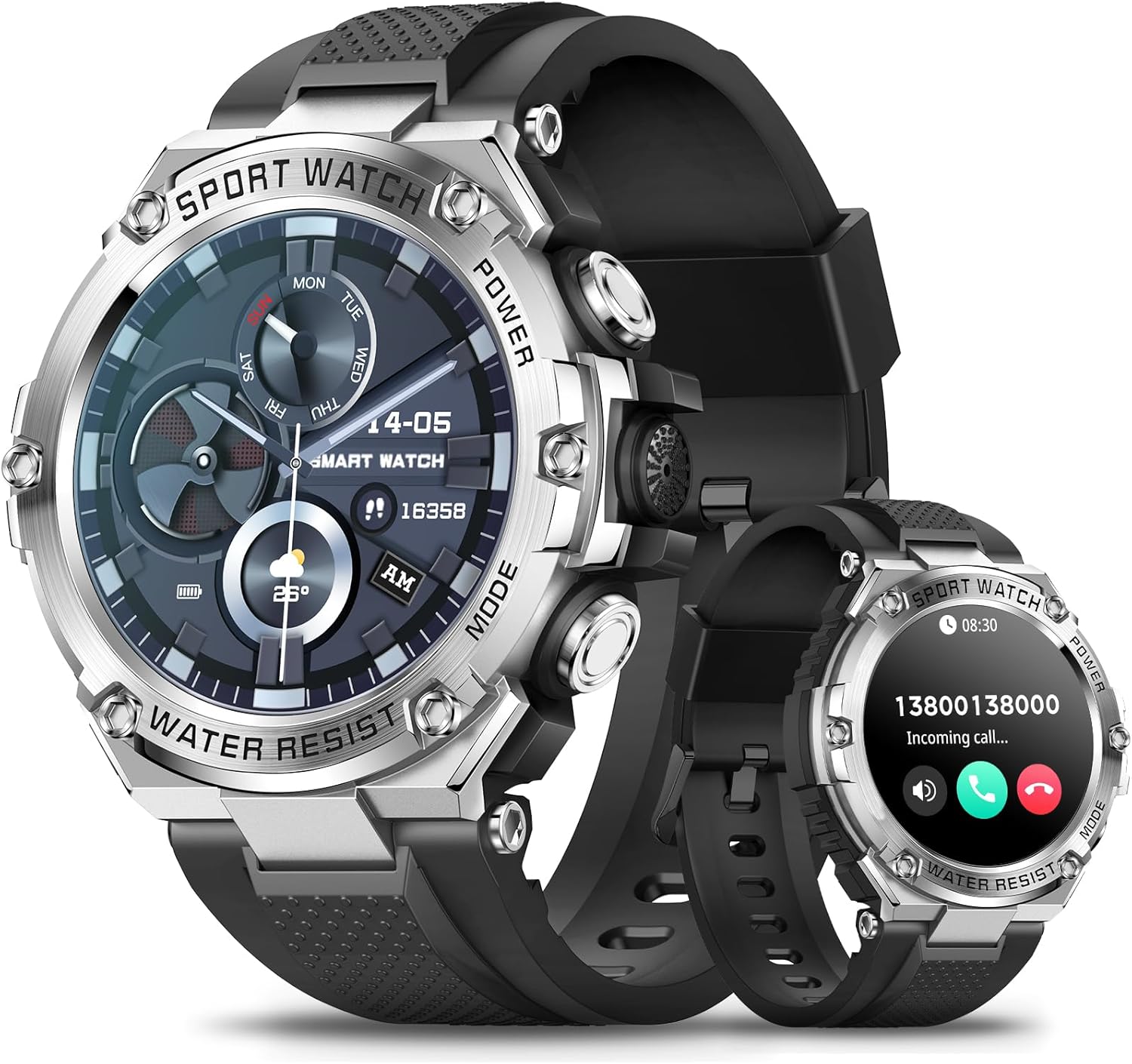
Figure 1: Efolen Military Smart Watch (Silver model)
Apa yang ada di dalam kotak
Saat membuka paket, harap verifikasi bahwa semua item berikut telah disertakan:
- 1 × Efolen Military Smart Watch
- 1 × Black silicone band
- 1 × USB magnetic charger
Pengaturan
1. Pengisian Awal
Before first use, fully charge your smart watch. Connect the USB magnetic charger to the charging contacts on the back of the watch and plug the USB end into a compatible power source (e.g., computer USB port, USB wall adapter). The watch features an 800mAh battery, providing extended usage time.
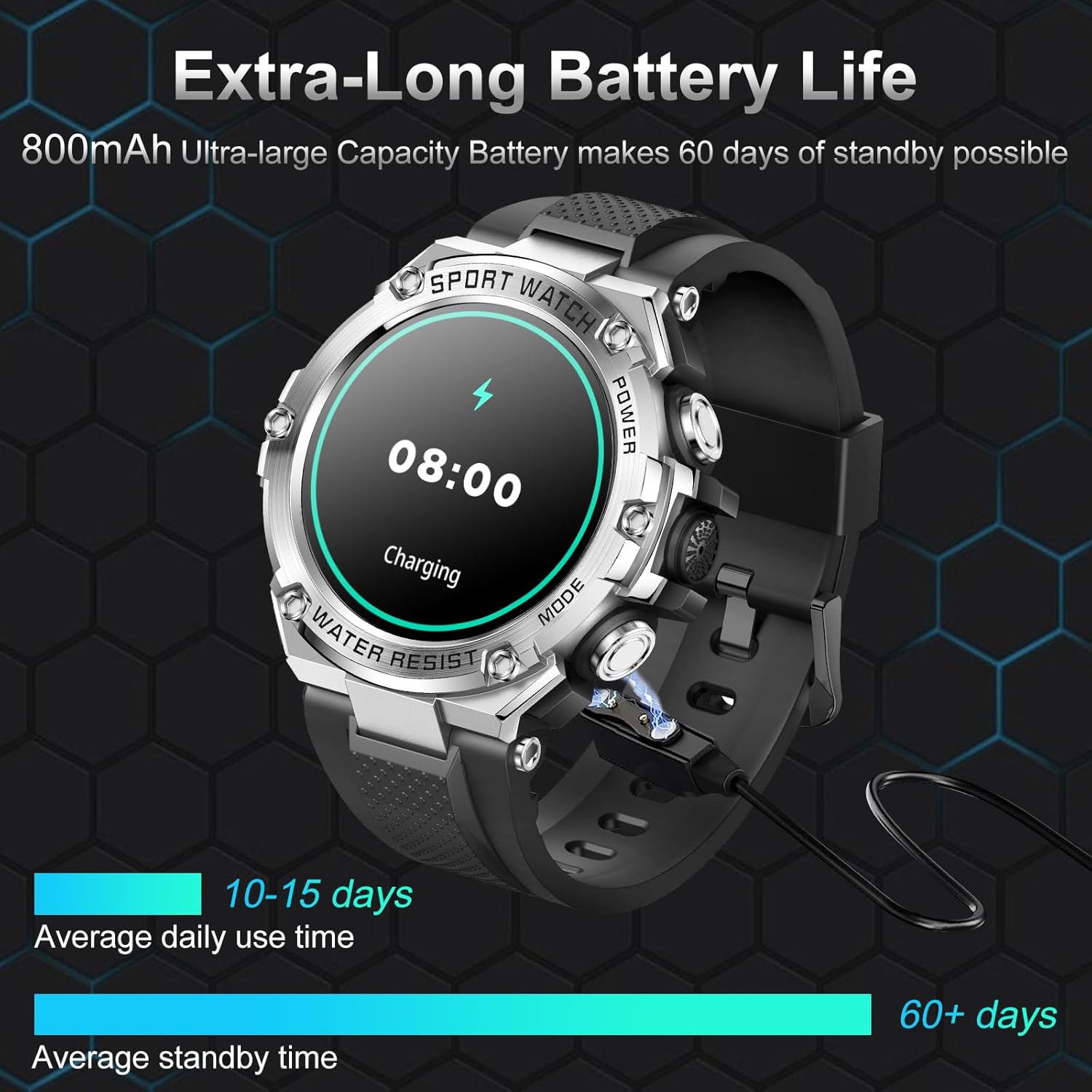
Gambar 2: Mengisi daya Smart Watch
2. Instalasi dan Pemasangan Aplikasi
To unlock the full functionality of your Efolen Military Smart Watch, you need to install the companion application on your smartphone.
- Unduh Aplikasi: Pencarian untuk "Da Fit" in your smartphone's app store (available for iOS 9.0+ and Android 6.0+).
- Aktifkan Bluetooth: Pastikan Bluetooth diaktifkan di ponsel cerdas Anda.
- Open Da Fit App: Launch the "Da Fit" application and follow the on-screen instructions to create an account or log in.
- Tambahkan Perangkat: Within the app, navigate to the device management section and select "Add Device" or similar option.
- Pasangkan Jam Tangan: The app will search for nearby devices. Select "Efolen Smart Watch" (or similar name) from the list to initiate pairing. Confirm the pairing request on both your phone and the watch if prompted.
The watch utilizes Bluetooth BLE5.0+BT3.0 technology for a stable and fast connection.
Petunjuk Pengoperasian
1. Tampilan dan Kustomisasi
The Efolen Military Smart Watch features a 1.5-inch 360*360 HD full-touch color screen, providing clear visuals and easy navigation.

Figure 3: 1.5" HD Large Touch Screen
You can personalize your watch face through the "Da Fit" app. Access over 200 pre-designed dials or create your own custom wallpaper using images from your phone.

Figure 4: Customize Your Watch Face
2. Calling and Notifications
With Bluetooth connectivity, you can make and receive calls directly from your watch. It also supports notifications from various apps.
- Melakukan/Menjawab Panggilan: Once connected via Bluetooth, use the watch's dial pad or contact list to make calls. Incoming calls can be answered or rejected directly from the watch.
- Menerima Pemberitahuan: The watch displays alerts from SMS, Facebook, Twitter, WhatsApp, and other applications. Notifications are accompanied by vibration. Note: This watch does not support message reply functionality.
- Asisten Suara AI: Utilize the integrated AI voice assistant for hands-free control and quick information retrieval.

Figure 5: AI Voice Assistant and Bluetooth Calling

Gambar 6: Notifikasi Cerdas
3. Pemantauan Kesehatan
The smart watch provides continuous health monitoring features to help you stay informed about your well-being.
- Pemantauan Denyut Jantung: Melacak detak jantung Anda 24/7.
- Pemantauan Tekanan Darah: Mengukur tekanan darah Anda.
- Pemantauan Oksigen Darah: Measures your blood oxygen levels (SpO2).
- Pelacakan Tidur: Automatically monitors your sleep status, providing analysis of deep sleep, light sleep, and awake times.
- Pengingat: Includes Drink Reminder and Sedentary Reminder to promote healthy habits.
Note: Health data is for reference only and should not be used for medical diagnosis or treatment. Consult a healthcare professional for any health concerns.

Figure 7: Health and Sleep Monitoring

Figure 8: Daily Activity Tracking

Gambar 9: Pemantauan Kualitas Tidur
4. Mode Olahraga dan Pelacakan Aktivitas
The watch supports over 100 sports modes, accurately recording your daily activities such as steps, distance, and calories burned.

Figure 10: 123 Sport Modes and All-day Activity Tracking
The watch is IP68 waterproof, making it suitable for daily use, including hand washing and rainy conditions. It is not recommended for diving or prolonged submersion.
5. Fungsi Lainnya
Your Efolen Military Smart Watch includes several additional useful features:
- Kontrol Musik: Kontrol pemutaran musik pada telepon pintar Anda yang terhubung.
- Kamera jarak jauh: Gunakan jam tangan Anda sebagai rana jarak jauh untuk kamera ponsel Anda.
- Prakiraan Cuaca: Dapatkan pembaruan cuaca secara langsung.
- Jam Alarm: Atur alarm langsung dari jam tangan Anda.
- Stopwatch dan Pengatur Waktu: Alat-alat penting untuk mengatur waktu aktivitas.
- Kalkulator: Lakukan perhitungan dasar saat bepergian.
- Temukan Telepon: Locate your misplaced smartphone by triggering an alert sound.
- E-card: Digital card functionality.

Gambar 11: Fitur Tambahan Jam Tangan Pintar
Pemeliharaan
To ensure the longevity and optimal performance of your Efolen Military Smart Watch, follow these maintenance guidelines:
- Pembersihan: Wipe the watch and band regularly with a soft, dry cloth. For stubborn dirt, use a slightly damp kain lalu keringkan secara menyeluruh.
- Tahan Air: The watch is IP68 waterproof. While it can withstand splashes, rain, and brief immersion, avoid hot water, steam, or prolonged exposure to water. Do not press buttons underwater.
- Pengisian daya: Use only the provided magnetic charger. Ensure the charging contacts are clean and dry before charging to prevent corrosion.
- Penyimpanan: Simpan jam tangan di tempat yang sejuk dan kering, jauhkan dari sinar matahari langsung dan suhu ekstrem.
- Hindari Bahan Kimia: Do not expose the watch to strong chemicals, solvents, or detergents, as these can damage the materials.
Penyelesaian Masalah
If you encounter issues with your Efolen Military Smart Watch, refer to the following common solutions:
| Masalah | Solusi yang mungkin |
|---|---|
| Jam tangan tidak menyala atau merespons. | Ensure the watch is fully charged. Connect it to the charger for at least 30 minutes. If it still doesn't respond, try a soft reset by pressing and holding the power button for 10-15 seconds. |
| Tidak dapat dipasangkan dengan telepon pintar. |
|
| Pemberitahuan tidak diterima. |
|
| Pembacaan data kesehatan yang tidak akurat. | Ensure the watch is worn snugly on your wrist, about one finger's width from your wrist bone. Avoid excessive movement during readings. Clean the sensor on the back of the watch. |
| Daya tahan baterai pendek. |
|
Spesifikasi
| Fitur | Detil |
|---|---|
| Merek | Efolen |
| Model | B0CGTL4TL3 |
| Ukuran Layar | 1.5 inci |
| Resolusi Layar | Resolusi 360*360 HD |
| Kapasitas Baterai | Litium Ion 800mAh |
| Daily Use Time | 10-15 hari |
| Waktu Siaga | 60+ hari |
| Konektivitas | Bluetooth BLE5.0+BT3.0 |
| Kompatibilitas Sistem Operasi | iOS 9.0 and above; Android 6.0 and above |
| Tahan Air | Tingkat IP68 |
| Pemantauan Kesehatan | Detak Jantung, Tekanan Darah, Oksigen Darah, Pelacakan Tidur |
| Mode Olahraga | 123+ mode |
| Dimensi Produk | 2.17x2.17x0.67 inci |
| Berat Barang | 8.4 ons |
Video Produk Resmi
Video: Selesaiview of the Military Smart Watch features and design.
Garansi dan Dukungan
Efolen is committed to providing high-quality products and excellent customer service. For any questions, concerns, or warranty claims, please refer to the contact information provided with your purchase or visit the official Efolen store on Amazon: