1. Produk Lebihview
The SOVMIKU 3CG6 is a 2K wireless outdoor security camera designed for reliable surveillance. It features solar power capabilities, PIR motion detection, two-way audio, and color night vision. The camera operates on 2.4GHz Wi-Fi and supports local storage via an SD card slot, as well as cloud storage options.
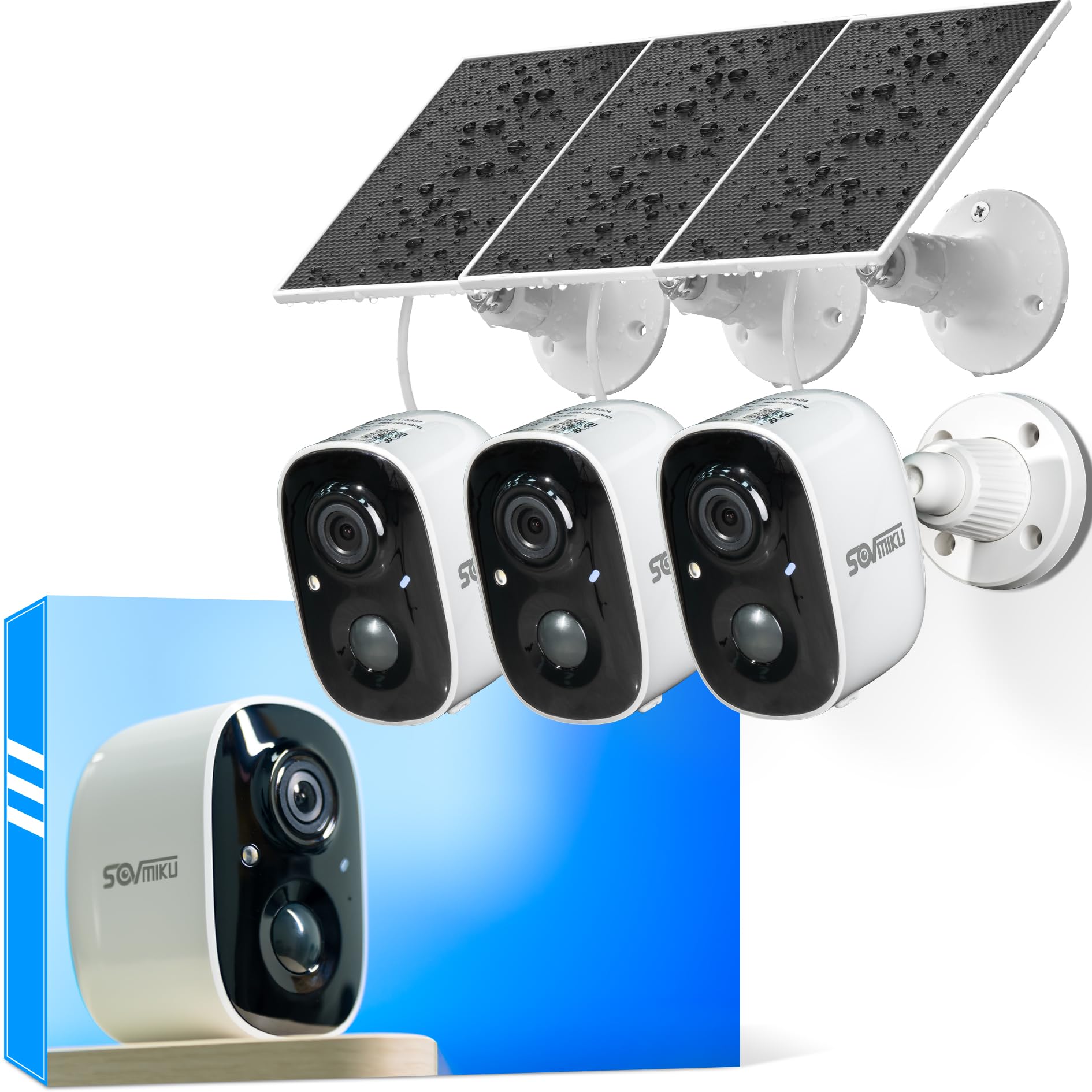
Figure 1: SOVMIKU 3CG6 2K Solar Security Camera with solar panel.
Fitur Utama:
- Resolusi Video 2K: Captures clear 3-megapixel images, providing detailed footage.
- Bertenaga Surya: Equipped with monocrystalline silicon solar panels for continuous charging, extending battery life up to 50 days on a full charge.
- Deteksi Gerakan PIR: Passive Infrared Sensor detects warm bodies (humans, animals) to trigger recording and alerts.
- Audio Dua Arah: Memungkinkan komunikasi secara real-time melalui kamera.
- Audible & Flashlight Siren: Activates a siren and flashlight upon motion detection for deterrence.
- Penglihatan Malam Warna: Provides enhanced visibility in low-light conditions.
- Tahan Cuaca IP65: Designed to withstand splashes, water, and dust for outdoor installation.
- Penyimpanan Lokal & Cloud: Supports microSD cards up to 128GB and offers optional cloud storage services.
- Vicohome App Integration: Manages camera settings, live view, and notifications via the Vicohome application.
2. Isi Paket
Verifikasi bahwa semua komponen ada dalam paket:
- SOVMIKU 3CG6 Security Camera
- Panel Surya
- Mounting Bracket
- Sekrup Pemasangan dan Angkur Dinding
- Kabel Pengisian Daya USB
- User Manual (dokumen ini)
3. Panduan Pengaturan
3.1 Pengisian Awal
Before installation, fully charge the camera using the provided USB cable. This ensures the internal battery is ready for operation, especially if solar charging is initially limited.
3.2 Instalasi Aplikasi dan Pembuatan Akun
- Unduh aplikasi "Vicohome" dari toko aplikasi ponsel cerdas Anda (iOS atau Android).
- Buka aplikasi dan buat akun baru atau masuk jika Anda sudah punya.
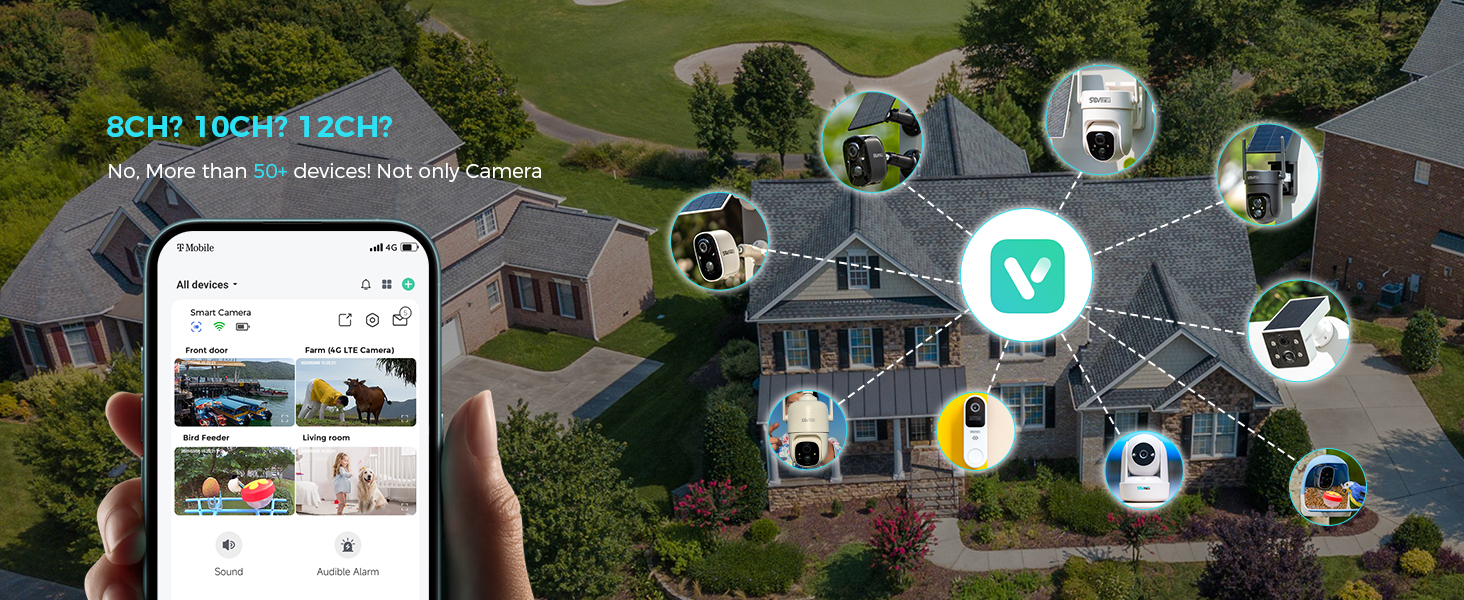
Figure 2: The Vicohome app allows management of multiple devices and simultaneous viewing of up to four cameras.
3.3 Pemasangan Kamera
- Di aplikasi Vicohome, ketuk ikon "+" untuk menambahkan perangkat baru.
- Follow the on-screen instructions to connect the camera to your 2.4GHz Wi-Fi network. Ensure your router is within range.
- The camera supports 2.4GHz Wi-Fi only for optimal range and stability.
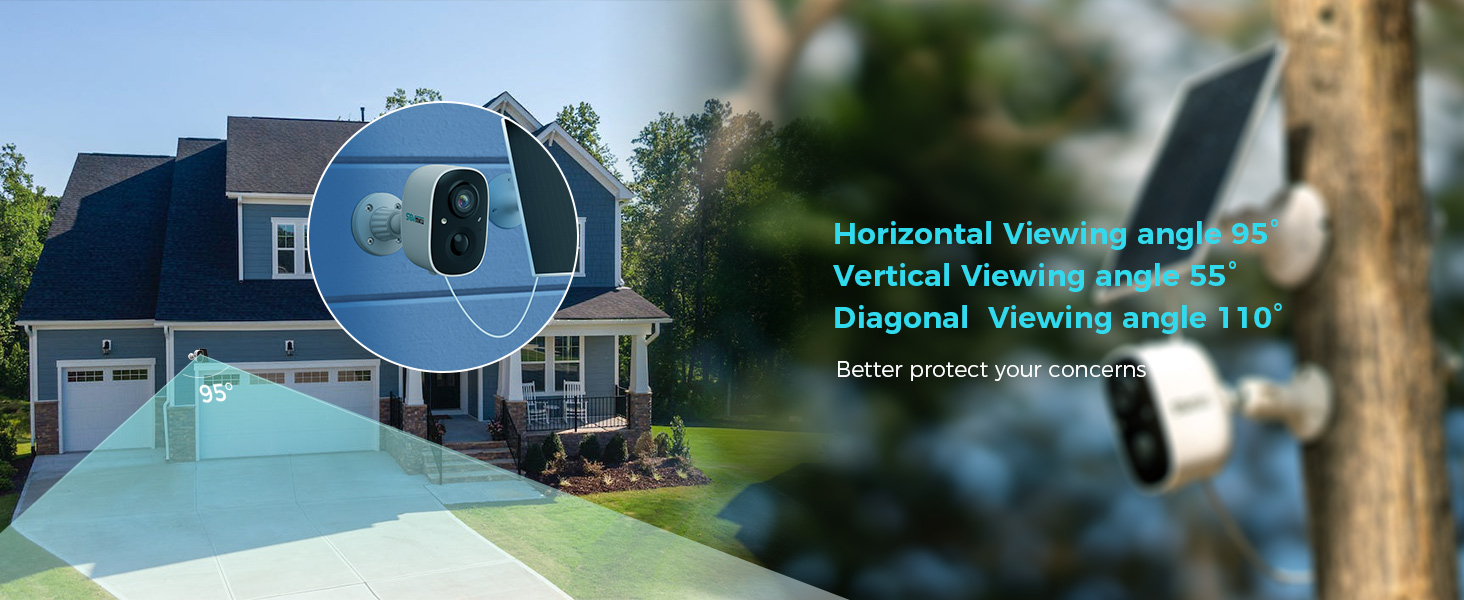
Figure 3: Illustration of 2.4GHz Wi-Fi coverage, suitable for security cameras due to its larger range.
3.4 Instalasi Kartu MicroSD (Opsional)
To enable local recording, install a microSD card (up to 128GB, not included) into the designated slot on the camera. Ensure the camera is powered off before inserting or removing the card.
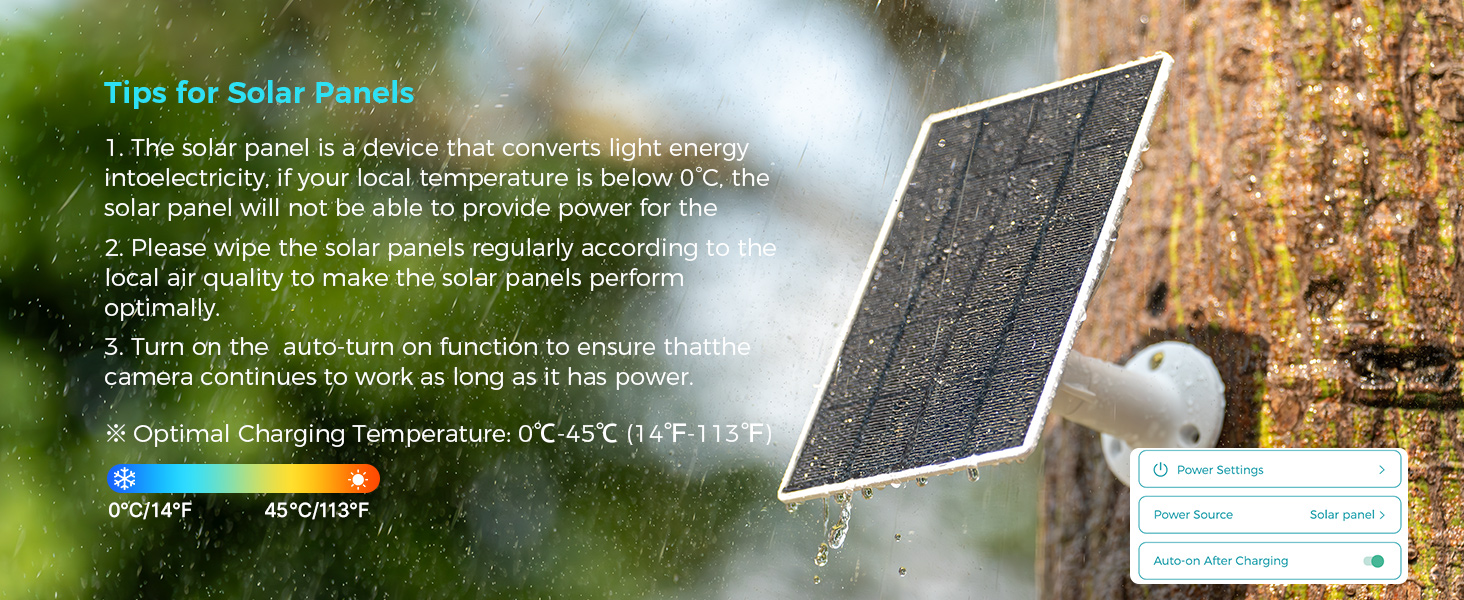
Figure 4: Inserting a microSD card into the camera's slot for local storage.
3.5 Memasang Kamera dan Panel Surya
Pilihlah lokasi yang memberikan pandangan yang jelas. view dari area yang ingin Anda pantau dan menerima ampsinar matahari untuk panel surya.
- Attach the mounting bracket to the desired surface using the provided screws and wall anchors.
- Pasangkan kamera pada braket pemasangan.
- Mount the solar panel in a location that receives direct sunlight for most of the day.
- Connect the solar panel cable to the camera's charging port. Ensure the silicone waterproof protective plug is securely in place.
Figure 5: Step-by-step guide for connecting the solar panel to the camera.
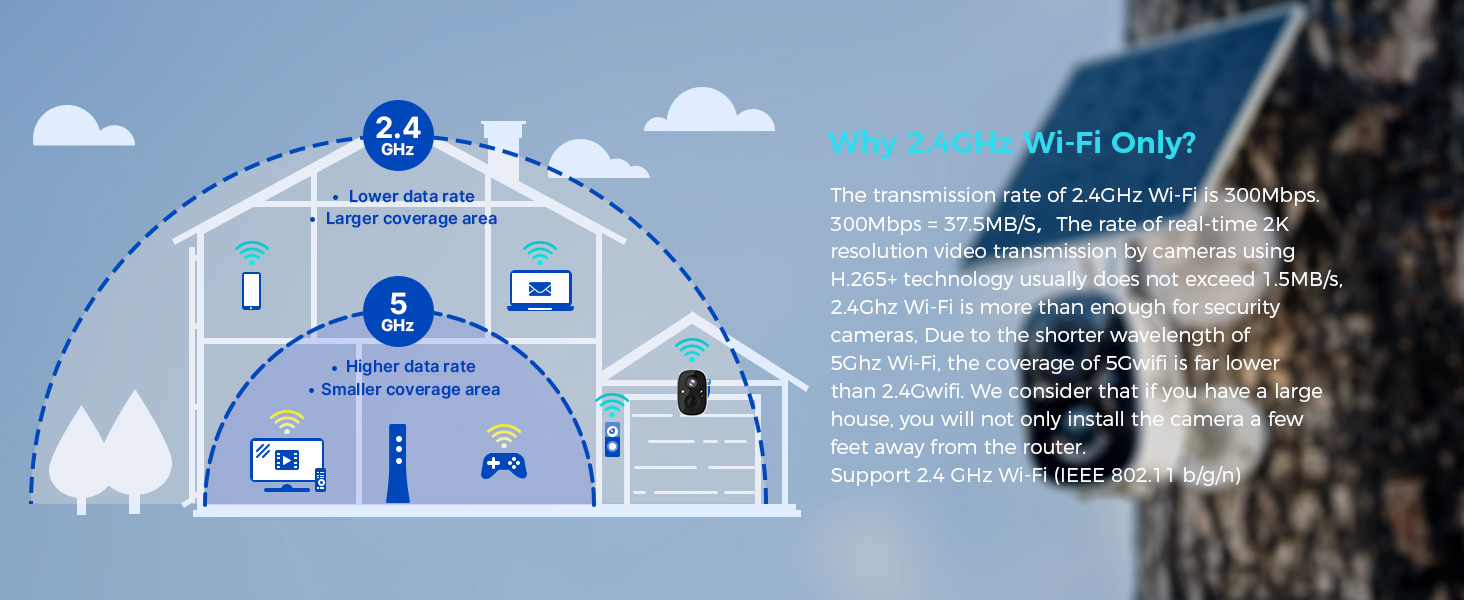
Figure 6: Visual guide for optimal solar panel placement to maximize sunlight exposure.
4. Petunjuk Pengoperasian
4.1 Langsung View dan Rekaman
Access the Vicohome app to view hidup footage from your camera. You can manually record video or capture screenshots directly from the live view antarmuka.
4.2 Deteksi Gerakan dan Peringatan
The camera utilizes a Passive Infrared (PIR) sensor for motion detection. When a warm body is detected, the camera activates and begins recording. You will receive push notifications on your smartphone or connected smartwatch.
- Sensor PIR: Always active, triggers camera recording within milliseconds of detecting a warm body.
- Sensitivitas yang Dapat Disesuaikan: Motion detection sensitivity can be adjusted in the app settings.
- Fitur Alarm: Enable the Flashlight Alarm and Audible Siren in the app to deter intruders upon motion detection.

Gambar 7: Contohample of a motion detection alert displayed on a smartwatch.

Figure 8: The camera's flashlight and audible siren activating upon detecting an intruder.
4.3 Audio Dua Arah
Use the two-way audio feature in the Vicohome app to speak through the camera and hear audio from its vicinity.
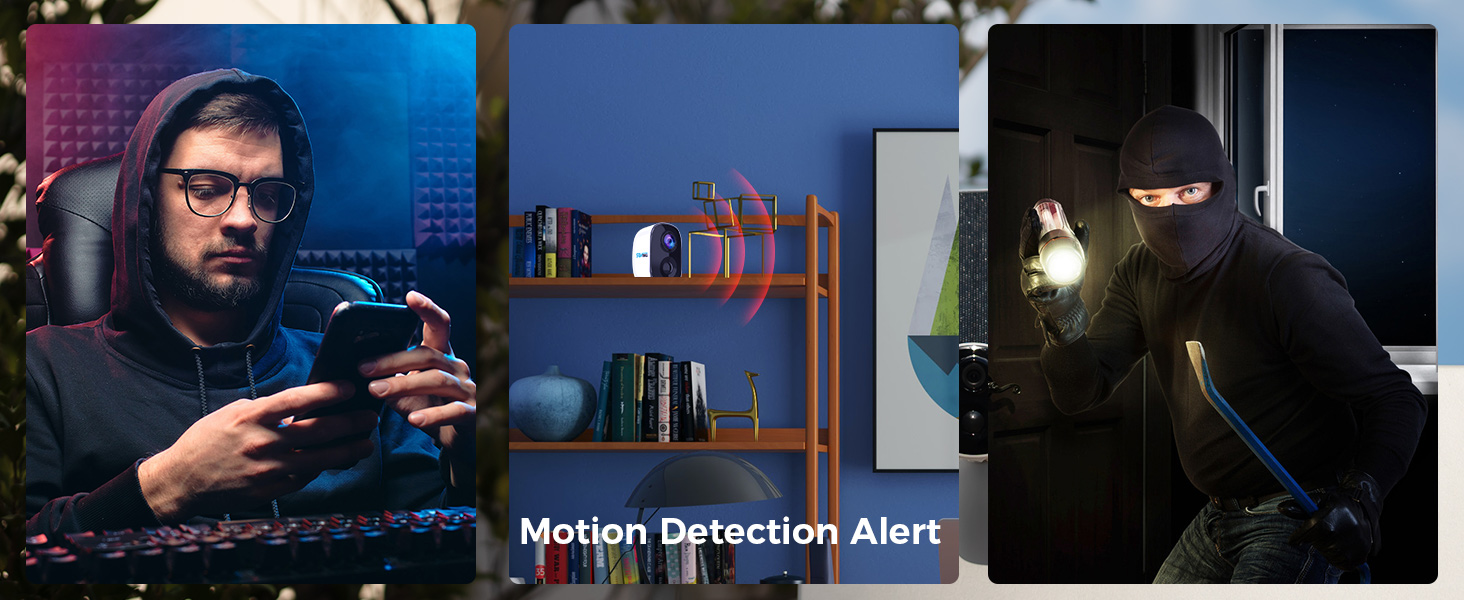
Figure 9: Demonstrating two-way audio communication through the camera.
4.4 Penglihatan Malam
The camera features color night vision, providing clearer and more detailed images in low-light conditions compared to traditional black and white night vision.
4.5 Multi-Device and Multi-User Support
The Vicohome app supports connecting up to 50 cameras simultaneously. You can also share camera access with up to 10 different users, with support for three accounts viewing concurrently.

Figure 10: The Vicohome app supports multiple cameras for comprehensive coverage.

Figure 11: Sharing camera access with family members through the app.
5. Pemeliharaan
5.1 Perawatan Panel Surya
To ensure optimal performance and charging efficiency, regularly wipe the solar panels clean. Dust, dirt, and debris can reduce energy conversion. If your local temperature is below 0°C, the solar panel may not provide power effectively.
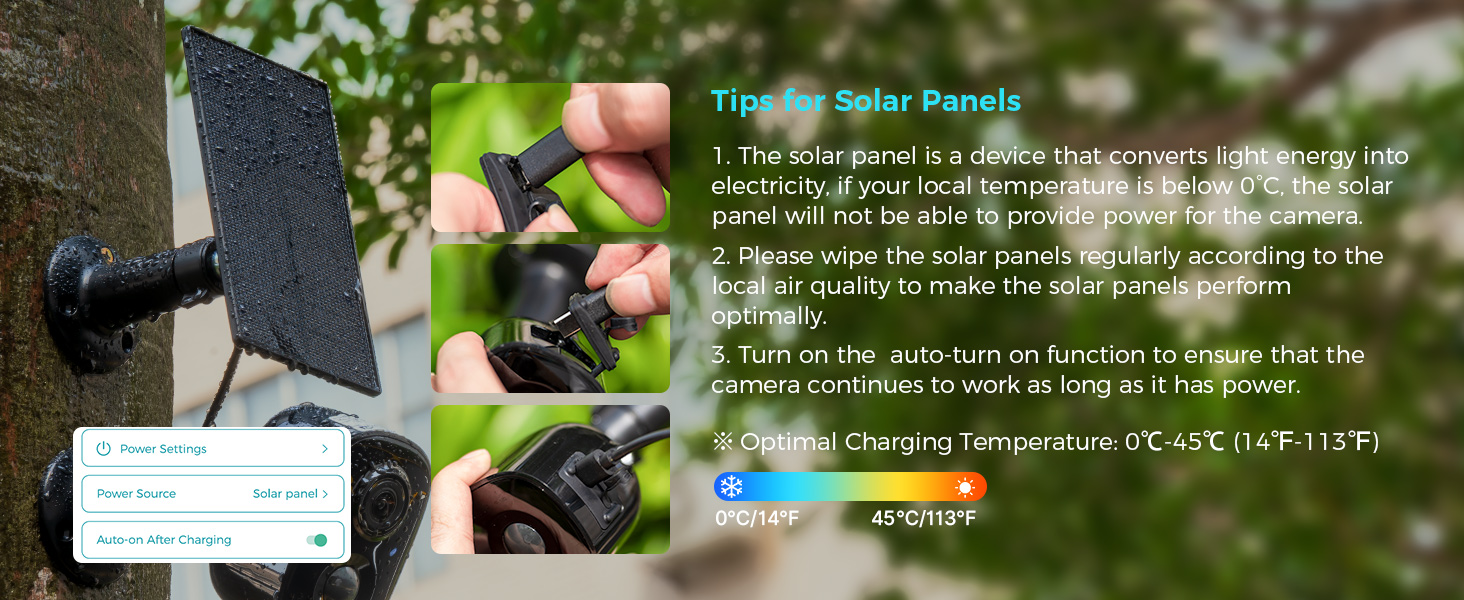
Figure 12: Important tips for maintaining your solar panel's efficiency.
5.2 Tahan Cuaca
The SOVMIKU 3CG6 camera is rated IP65 for splash, water, and dust resistance. While designed for outdoor use, resistance may decrease over time due to normal wear. Ensure the charging interface's silicone protective plug is always sealed when not charging to maintain water resistance.
6. Penyelesaian masalah
- Kamera tidak terhubung ke Wi-Fi:
- Pastikan jaringan Wi-Fi Anda menggunakan frekuensi 2.4GHz. Kamera ini tidak mendukung Wi-Fi 5GHz.
- Pastikan kamera berada dalam jangkauan router Wi-Fi Anda.
- Verifikasi apakah kata sandi Wi-Fi yang dimasukkan dalam aplikasi sudah benar.
- Restart your router and the camera, then attempt pairing again.
- Kualitas video buruk:
- Check your Wi-Fi signal strength at the camera's location. A weak signal can affect streaming quality.
- Pastikan lensa kamera bersih dan bebas dari halangan.
- In the app settings, verify the recording resolution is set to 2K if available.
- Battery not charging via solar panel:
- Ensure the solar panel is positioned to receive direct sunlight for several hours daily.
- Clean the surface of the solar panel to remove any dirt or debris.
- Check the connection cable between the solar panel and the camera for damage or loose connections.
- Note that solar charging efficiency decreases significantly in temperatures below 0°C (32°F).
- Deteksi gerakan tidak berfungsi atau terlalu sensitif:
- Adjust the motion detection sensitivity in the Vicohome app settings.
- Ensure there are no objects (e.g., tree branches, flags) that might cause false alarms due to movement in the detection zone.
- Verify the PIR sensor is not obstructed.
7. Spesifikasi
| Fitur | Detil |
|---|---|
| Nama Model | 3CG6 |
| Resolusi Pengambilan Video | 2K (3 Megapiksel) |
| Teknologi Konektivitas | Nirkabel (Wi-Fi 2.4 GHz) |
| Sumber Daya | Solar Powered, Battery (5200 mAh) |
| Penggunaan Dalam/Luar Ruangan | Luar ruangan |
| Fitur Khusus | 2-Way Audio, PIR Motion Detection, Audible Flashlight Siren, Color Night Vision |
| Penilaian Perlindungan Internasional | Tingkat IP65 |
| Penyimpanan | MicroSD Card (up to 128GB), Cloud Storage (optional) |
| Kecepatan Bingkai | 25 bingkai per detik |
| Dimensi (P x L x T) | 3.14x2.3x2 inci |
| Berat Barang | 4 pon (1.82 Kilogram) |
| Suhu Operasional | -20°C hingga 50°C (-4°F hingga 122°F) |
8. Garansi dan Dukungan
SOVMIKU is committed to providing excellent customer service. If you encounter any issues or have questions regarding your 3CG6 security camera, please contact us.
- Dukungan Pelanggan: You can reach us by telephone or email. We aim to respond to all email inquiries within 12 hours.
- Kebijakan Pertukaran: We offer a 180-day exchange policy. If you are not satisfied with your product, you may submit a request for an exchange within 180 days of purchase.
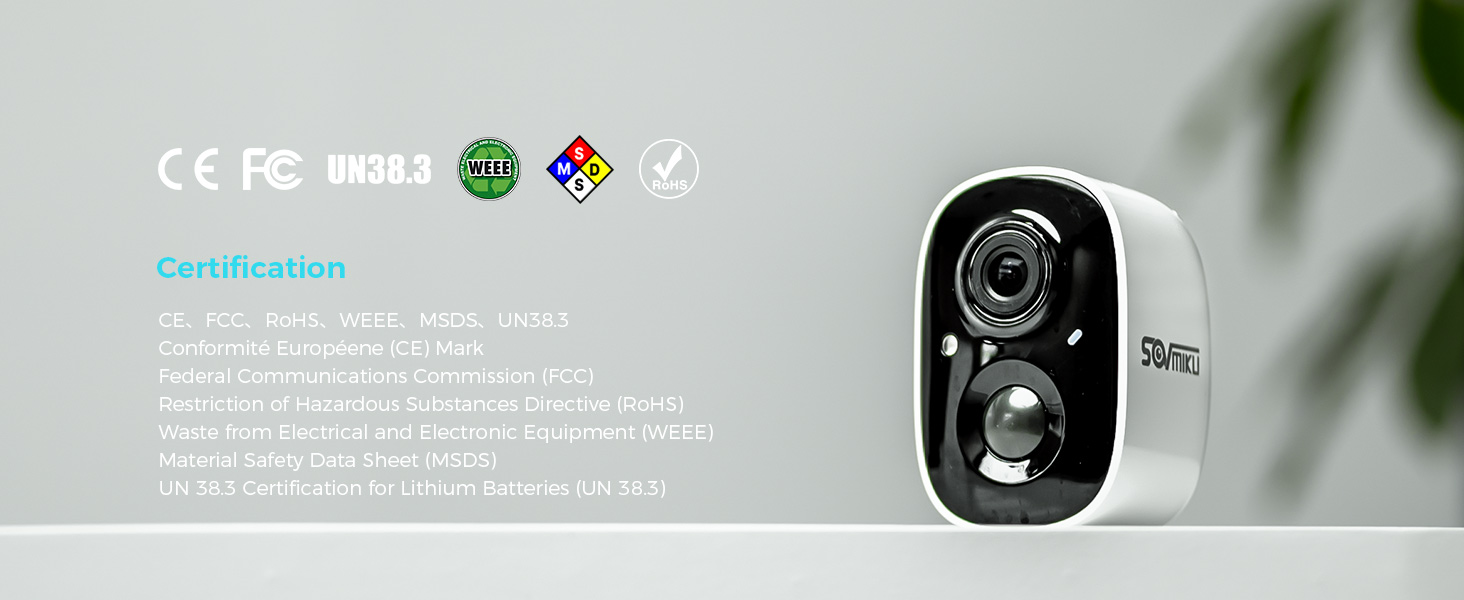
Figure 13: Information regarding the 180-day exchange policy.


