1. Pendahuluan
This manual provides comprehensive instructions for the installation, operation, and maintenance of your Kolink Unity Peak ARGB Midi Tower Showcase. Please read this manual thoroughly before beginning assembly to ensure correct setup and to prevent damage to the product or other components. Keep this manual for future reference.
The Kolink Unity Peak is designed to accommodate high-performance PC components, featuring extensive mesh paneling for optimal airflow and tempered glass panels to showcase your build. It supports ATX motherboards and offers versatile cooling options.
2. Informasi Keselamatan
Observe the following safety guidelines to prevent injury and damage to your system:
- Tangani dengan hati-hati: The tempered glass panels are fragile. Avoid impacts and place the case on a stable, flat surface during assembly.
- Tepi Tajam: Be aware of potential sharp edges inside the case. Wear protective gloves if necessary.
- Keamanan Listrik: Ensure all power is disconnected from components before installation or removal.
- Listrik statis: Hilangkan muatan listrik statis dengan menyentuh benda logam yang terhubung ke tanah sebelum menangani komponen internal.
- Ventilasi: Do not obstruct the ventilation openings of the case to ensure proper airflow and prevent overheating.
3. Isi Paket
Harap verifikasi bahwa semua item ada dalam paket:
- Kolink Unity Peak ARGB Midi Tower Showcase
- Kotak Aksesori (berisi sekrup, penahan, pengikat kabel, dll.)
- User Manual (dokumen ini)
- ARGB Controller (may be pre-installed or included in accessory box)
4. Spesifikasi
| Fitur | Detil |
|---|---|
| Nama Model | Unity Peak |
| Jenis Kasus | Menara Midi |
| Dimensi (P x L x T) | 20.67 x 10.63 x 20.67 inci (52.5 x 27 x 52.5 cm) |
| Berat | 2.2 pon (sekitar 1 kg) |
| Bahan | Kaca Tempered, Baja, Plastik |
| Kompatibilitas Papan Induk | ATX, Mikro-ATX, Mini-ITX |
| Slot Ekspansi | 7 |
| Port I / O Depan | 2x USB 3.0, 2x USB 2.0, HD Audio (Mic/Headphone), Power Button, Reset Button, ARGB Control Button |
| Dukungan Penggemar (Depan) | 3x120mm / 3x140mm |
| Dukungan Penggemar (Atas) | 3x120mm / 2x140mm |
| Penopang Kipas (Belakang) | Ukuran 1x120mm |
| Dukungan Radiator (Depan) | Hingga 360mm |
| Dukungan Radiator (Atas) | Hingga 360mm |
| Dukungan Radiator (Belakang) | ukuran 120mm |
| Ruang Penggerak | 2x 3.5" HDD, 2x 2.5" SSD (or 4x 2.5" SSD) |
| Panjang GPU Maks | ukuran 380mm |
| Tinggi Pendingin CPU Maksimum | ukuran 165mm |
| Jenis PSU | ATX (Pemasangan Bawah) |
5. Pengaturan dan Instalasi
5.1. Mempersiapkan Kasus
- Membuka Kotaknya: Carefully remove the Kolink Unity Peak from its packaging. Inspect for any shipping damage.
- Lepaskan Panel Samping: The case features tempered glass side panels. Locate the thumbscrews on the rear of the case securing these panels. Unscrew them and carefully slide the glass panels off. Place them on a soft, flat surface to prevent scratches or breakage.

Gambar 5.1: Depan-kiri view of the Kolink Unity Peak ARGB Midi Tower Showcase, illustrating the tempered glass side and front panels.
5.2. Instalasi Motherboard
- Pasang Standoff: Ensure the correct standoffs are installed for your motherboard form factor (ATX, Micro-ATX, Mini-ITX). The Unity Peak typically has ATX standoffs pre-installed.
- Instal I/O Shield: If your motherboard came with a separate I/O shield, install it into the rear opening of the case before mounting the motherboard.
- Pasang Motherboard: Carefully align your motherboard with the standoffs and the I/O shield. Gently lower it into place. Secure the motherboard using the provided screws. Do not overtighten.
5.3. Instalasi Catu Daya
- Posisi PSU: The power supply unit (PSU) is installed at the bottom rear of the case, within the PSU shroud.
- PSU aman: Slide the PSU into its designated bay from the rear of the case. Align the screw holes and secure it with the provided screws.
5.4. Instalasi Drive Penyimpanan
The Kolink Unity Peak supports both 3.5" HDDs and 2.5" SSDs.
- HDD 3.5 inci: Locate the drive cage beneath the PSU shroud. Slide the 3.5" drives into the trays and secure them with screws.
- SSD 2.5 inci: SSDs can be mounted on dedicated brackets behind the motherboard tray or on the 3.5" drive trays. Secure them with screws.
5.5. Kartu Grafis dan Kartu Ekspansi
- Lepaskan Penutup Slot: Remove the necessary PCIe slot covers from the rear of the case corresponding to your expansion card(s).
- Kartu Instalasi: Align the card with the PCIe slot on the motherboard and press down firmly until it clicks into place. Secure the card to the case with screws.
5.6. Pemasangan Kipas dan Radiator
The Unity Peak offers extensive cooling options:
- Depan: Supports up to three 120mm or 140mm fans, or a radiator up to 360mm.
- Atas: Supports up to three 120mm or two 140mm fans, or a radiator up to 360mm.
- Belakang: Supports one 120mm fan or a 120mm radiator.
Install fans or radiators by aligning them with the mounting holes and securing them with the appropriate screws. Ensure proper airflow direction for optimal cooling.

Gambar 5.2: Atas-bawah view highlighting the extensive mesh paneling and mounting options for fans and radiators on the top and front of the case.
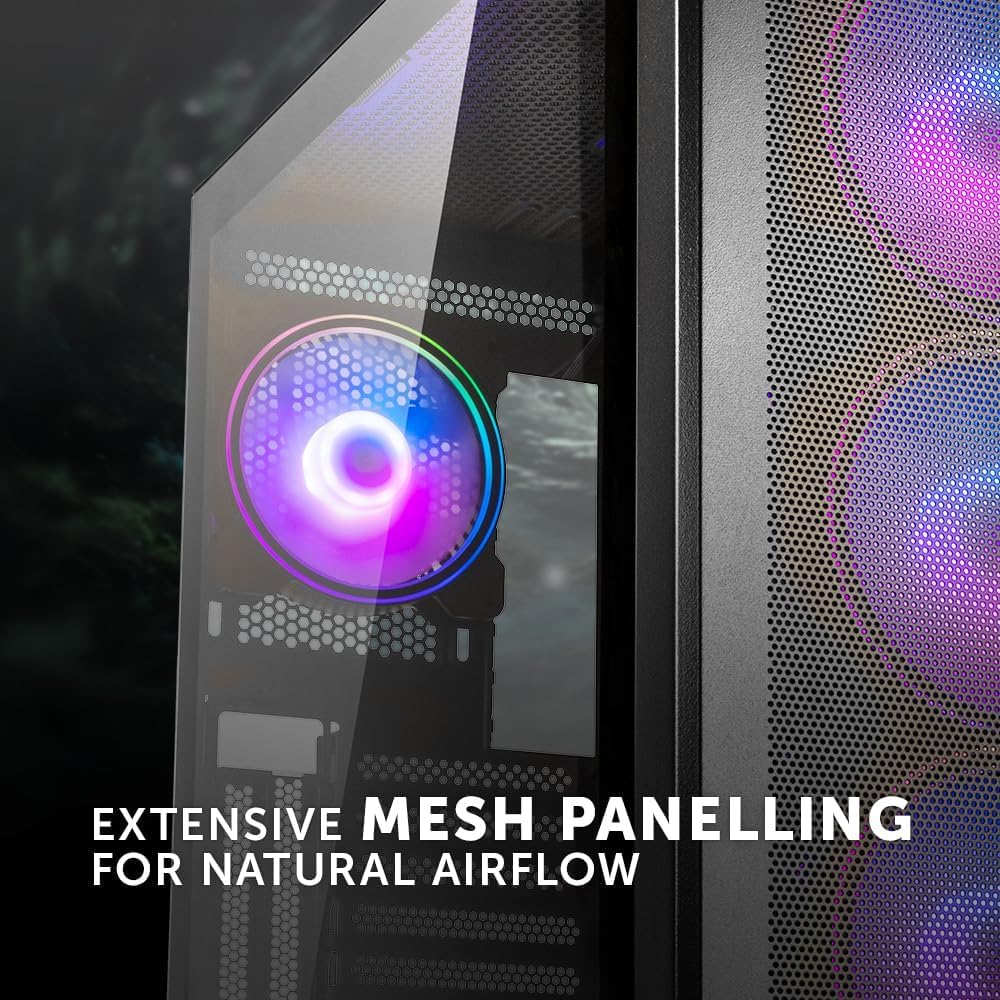
Image 5.3: Detail of the extensive mesh paneling designed for natural airflow, visible on the front and top of the case.
5.7. Manajemen Kabel
The case provides a dedicated 24mm space behind the motherboard tray for cable routing. Utilize the cutouts and cable tie points to organize and secure cables. This improves airflow and aesthetics.

Gambar 5.4: Interior view of the case, illustrating the dedicated space behind the motherboard tray for efficient cable routing.
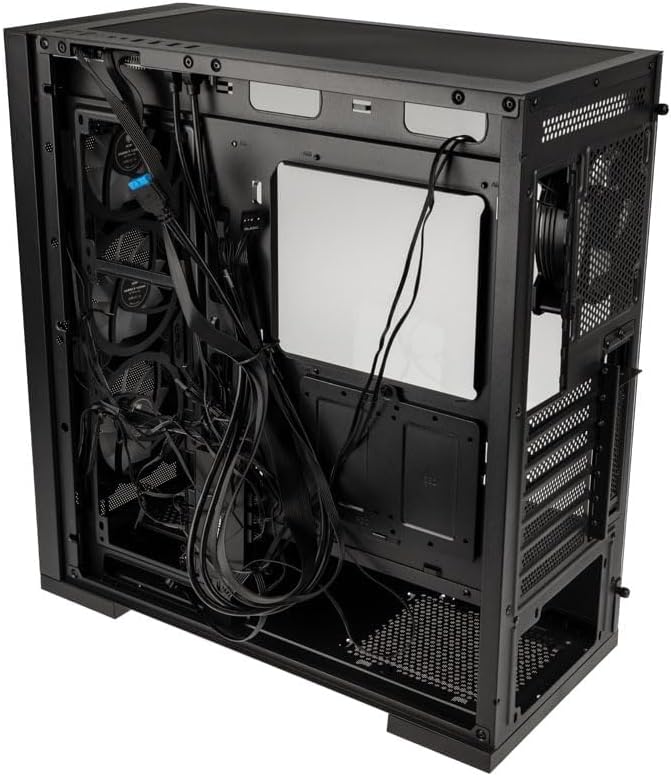
Image 5.5: Rear perspective of the case, displaying the area behind the motherboard tray where cables can be neatly organized and secured.
5.8. Connecting Front I/O Panel
Connect the cables from the front I/O panel to the corresponding headers on your motherboard. These include:
- USB 3.0 (2x)
- USB 2.0 (2x)
- HD Audio (for microphone and headphone jacks)
- Saklar Daya, Saklar Reset, LED Daya, LED HDD
- ARGB Control (if applicable, connect to motherboard ARGB header or included controller)

Gambar 5.6: Detail view of the fully-featured front I/O panel, including USB 3.0, USB 2.0, audio jacks, and control buttons.
6. Petunjuk Pengoperasian
6.1. Menyalakan Sistem Anda
- Ensure all components are correctly installed and all cables are securely connected.
- Connect the power cable to your power supply and a wall outlet.
- Putar sakelar daya pada PSU ke posisi 'ON'.
- Press the power button on the front I/O panel of your Kolink Unity Peak case to start your system.
6.2. Kontrol Pencahayaan ARGB
The Kolink Unity Peak ARGB fans can be controlled via the integrated ARGB controller or by connecting them to a compatible motherboard's ARGB header (3-pin, 5V). If using the integrated controller, use the dedicated ARGB button on the front I/O panel or the included remote control (if applicable) to cycle through lighting modes and colors.
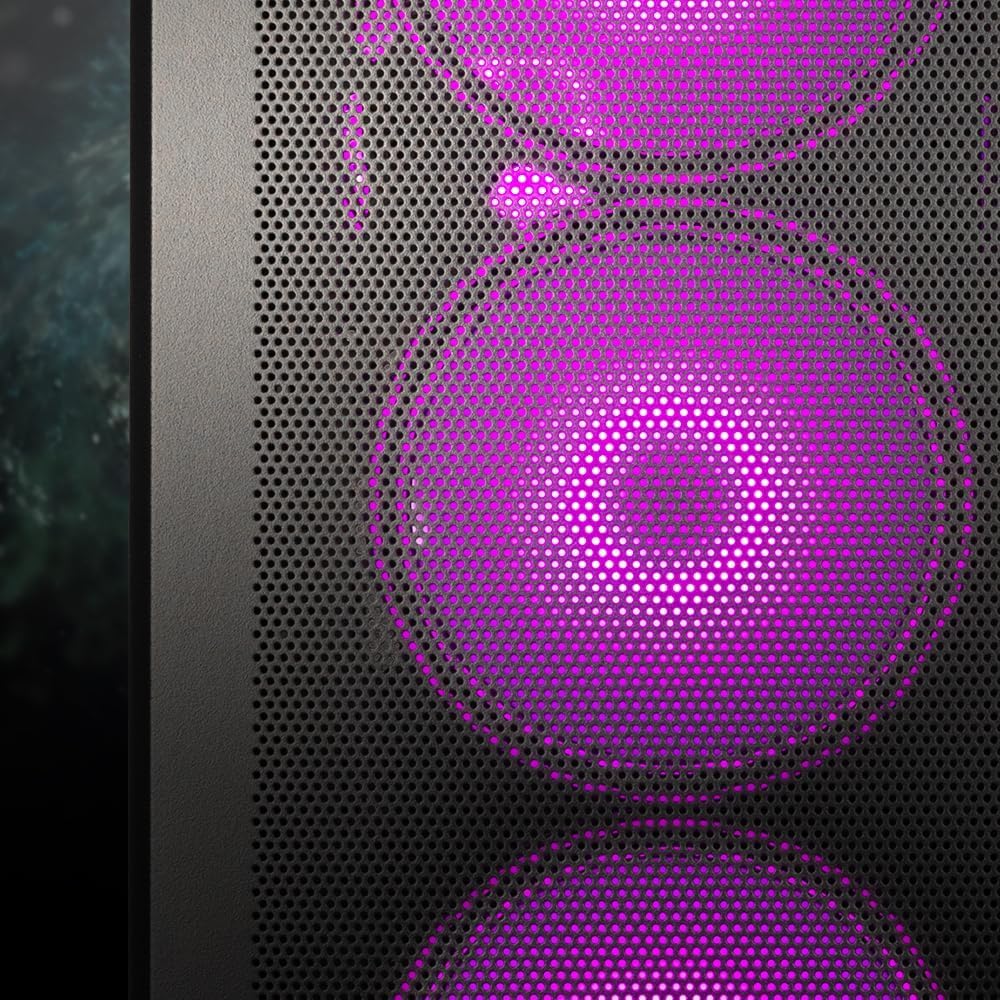
Image 6.1: Detail of the front panel showcasing the vibrant ARGB lighting of the pre-installed fans.
7. Pemeliharaan
Perawatan rutin membantu memastikan kinerja optimal dan umur panjang komponen PC Anda.
- Filter Debu: The Kolink Unity Peak includes removable dust filters (e.g., on the top and bottom). Periodically remove and clean these filters with compressed air or water (ensure they are completely dry before reinstallation).
- Pembersihan Eksterior: Wipe down the exterior surfaces, including tempered glass panels, with a soft, lint-free cloth. For glass, a mild glass cleaner can be used sparingly. Avoid abrasive cleaners.
- Pembersihan Interior: Use compressed air to remove dust buildup from internal components, fans, and radiators. Ensure the system is powered off and unplugged before cleaning.
- Optimalisasi Aliran Udara: Periodically check that cables are not obstructing airflow paths and that fans are spinning freely.
8. Penyelesaian masalah
Bagian ini membahas masalah umum yang mungkin Anda temui.
- Sistem Tidak Menyala:
- Check if the PSU is switched 'ON' at the back.
- Ensure the power cable is securely connected to the PSU and the wall outlet.
- Pastikan kabel sakelar daya panel depan terhubung dengan benar ke header motherboard.
- Confirm all internal power cables (24-pin ATX, CPU, GPU, etc.) are properly seated.
- Fans Not Spinning / ARGB Not Lighting Up:
- Periksa sambungan daya kipas ke motherboard atau pengontrol kipas.
- Verify ARGB cables are correctly connected to the ARGB controller or motherboard ARGB header.
- If using an ARGB controller, ensure it is receiving power (usually SATA power).
- Front USB Ports Not Functioning:
- Ensure the USB 3.0 and USB 2.0 headers from the front panel are correctly connected to the corresponding headers on your motherboard.
- Aliran Udara Buruk / Suhu Tinggi:
- Check fan orientation; ensure intake fans pull air in and exhaust fans push air out.
- Bersihkan filter debu dan komponen internal.
- Verify no cables are obstructing airflow.
9. Garansi dan Dukungan
Kolink products are manufactured to high-quality standards. For information regarding warranty terms and conditions, please refer to the warranty card included with your product or visit the official Kolink website. For technical support or further assistance, please contact your retailer or Kolink customer service.
Catatan: Detail garansi spesifik dapat berbeda-beda tergantung wilayah dan pengecer. Harap simpan bukti pembelian Anda.


