1. Produk Lebihview
The Docooler 14 Inch 2-in-1 Touchscreen Laptop is a versatile computing device designed for both productivity and entertainment. Featuring a 4K UHD IPS display and a 360-degree convertible design, it adapts to various usage scenarios, from traditional laptop mode to tablet mode. Powered by an Intel N95 processor, it offers efficient performance for daily tasks.

Image: The Docooler 14 Inch 2-in-1 Touchscreen Laptop in its tent configuration, showcasing its flexible design and vibrant display.
2. Isi Paket
Harap verifikasi bahwa semua item ada dalam paket:
- Docooler 14 Inch 2-in-1 Touchscreen Laptop
- Kabel pengisian daya
- Panduan pengguna
3. Memulai
3.1 Pengaturan Awal
- Isi daya laptop: Before first use, connect the charging cable to the laptop's USB-C port and plug it into a power outlet. Allow the battery to charge fully.
- Nyalakan: Tekan dan tahan tombol daya yang terletak di sisi laptop hingga layar menyala.
- Pengaturan Windows: Follow the on-screen prompts to complete the Windows 11 initial setup, including language selection, network connection, and user account creation.
4. Understanding Your Laptop
4.1 Fitur Utama
- Menampilkan: 14-inch 4K UHD (3840x2160) IPS touchscreen with 500 Nits brightness for a clear visual experience.
- Prosesor: Equipped with the 12th Gen Intel N95 CPU (4-core, 4-thread, up to 3.4GHz) for efficient performance.
- Memori & Penyimpanan: 12GB LPDDR5 4800MHz high-frequency memory and 512GB/1TB NVMe SSD for fast operation and amppenyimpanan.
- Desain Konversi: 360-degree flip-and-fold design allows for multiple modes of use.
- Layar sentuh: 10-level multi-touch screen with gravity sensing for intuitive interaction.
- Keamanan: Fingerprint unlock for quick and secure access.
- Papan ketik: Keyboard dengan lampu latar untuk mengetik nyaman dalam berbagai kondisi pencahayaan.
- Konektivitas: Dual-band Wi-Fi (2.4G/5.0G Hz 802.11ac) and Bluetooth for stable wireless connections.

Image: Visual representation of the laptop's 4K UHD display capabilities, highlighting its high resolution and brightness.

Image: Illustration of the Intel N95 12th Generation processor, emphasizing its role in the laptop's performance.
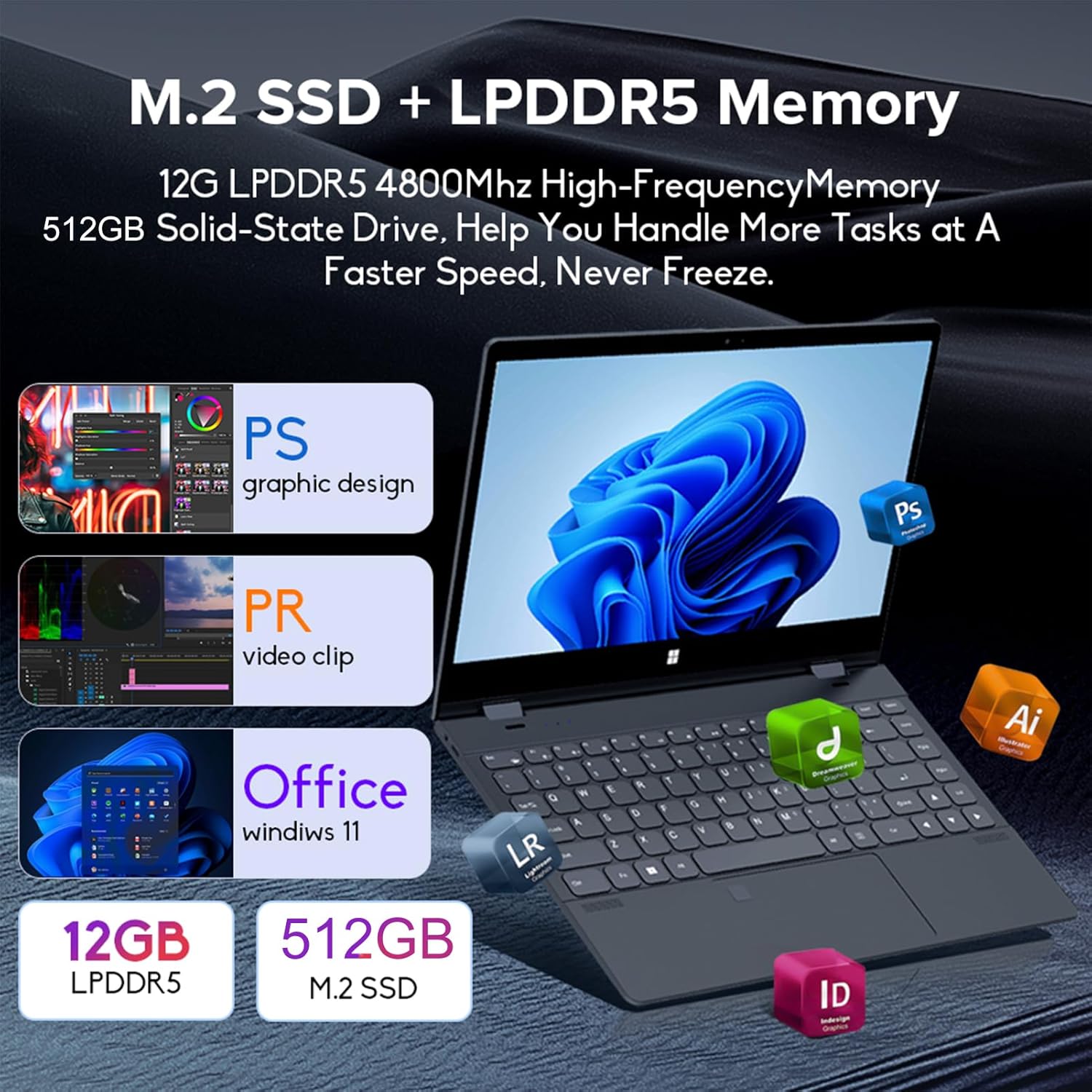
Image: Depiction of the laptop's memory and storage, showing 12GB LPDDR5 RAM and 512GB/1TB M.2 SSD, suitable for various applications.
4.2 Port dan Konektor
Familiarize yourself with the available ports on your laptop:
- USB-C (Full-featured): Supports audio, video, data transmission, and PD2.0 fast charging.
- USB 3.0: Untuk menghubungkan perangkat USB.
- Audio Dalam: Untuk headphone atau speaker eksternal.
- DC Dalam: Power input (if applicable, though USB-C is primary charging).
- Pembaca Kartu TF: Untuk kartu memori.

Gambar: Detail view of the laptop's side ports, including USB-C, USB 3.0, audio jack, and TF card slot.
4.3 Mode Konvertibel
The 360-degree hinge allows the laptop to transform into four distinct modes:
- Notebook Mode: Traditional laptop experience for typing and productivity.
- Modus Tablet: Fold the screen back completely for a tablet experience, ideal for touch-based applications and gaming.
- Viewing Mode (Tent Mode): Stand the laptop in a tent shape for watching videos or presentations.
- Conference Mode (Stand Mode): Flip the keyboard under the screen to share content easily in a group setting.

Image: Visual guide demonstrating the four convertible modes of the laptop: Notebook, Tablet, Viewing, and Conference.
5. Operasi
5.1 Menggunakan Layar Sentuh
The 10-point multi-touch screen allows for intuitive navigation. Use gestures similar to a smartphone or tablet. The gravity sensing feature enhances the experience, especially in tablet mode.

Image: Demonstrates the ease of touchscreen operation and the benefit of gravity sensing for gaming.
5.2 Using the Backlit Keyboard and Fingerprint Unlock
- Keyboard dengan lampu latar: Press the Function (Fn) key combined with the appropriate F-key (usually F3 or F4, check keyboard icons) to toggle the keyboard backlight on/off or adjust its brightness.
- Buka Kunci Sidik Jari: Set up your fingerprint in Windows Settings > Accounts > Sign-in options. Once configured, you can unlock your laptop quickly by placing your registered finger on the fingerprint sensor.
5.3 Menghubungkan ke Wi-Fi dan Bluetooth
The laptop supports dual-band Wi-Fi (2.4G/5.0G Hz 802.11ac) and Bluetooth for wireless connectivity.
- Wifinya: Click the Wi-Fi icon in the taskbar, select your desired network, enter the password if prompted, and click Connect.
- Bluetooth dapat digunakan untuk berbagai keperluan, seperti: Go to Windows Settings > Bluetooth & devices. Ensure Bluetooth is turned on, then click 'Add device' to pair with Bluetooth peripherals like headphones or mice.

Image: Visual representation of the laptop's dual-band Wi-Fi and Bluetooth connectivity features.
6. Pemeliharaan dan Perawatan
- Pembersihan: Gunakan kain lembut dan bebas serat untuk sedikit membersihkannya.ampBersihkan layar dengan air atau cairan pembersih layar. Untuk keyboard dan sasis, gunakan kain kering dan lembut. Hindari penggunaan bahan kimia keras.
- Perawatan Baterai: Untuk memperpanjang masa pakai baterai, hindari sering-sering menguras baterai sepenuhnya. Simpan laptop di tempat yang sejuk dan kering saat tidak digunakan dalam waktu lama.
- Ventilasi: Pastikan lubang ventilasi laptop tidak terhalang untuk mencegah panas berlebih. Gunakan laptop di permukaan yang keras dan rata.
- Pembaruan Perangkat Lunak: Perbarui sistem operasi dan driver Anda secara berkala untuk memastikan kinerja dan keamanan yang optimal.
7. Penyelesaian masalah
| Masalah | Solusi yang mungkin |
|---|---|
| Laptop tidak menyala. | Ensure the charging cable is securely connected and the power outlet is functional. Allow the laptop to charge for at least 30 minutes before attempting to power on again. |
| Masalah koneksi Wi-Fi. | Restart your router and modem. On the laptop, disable and re-enable Wi-Fi. Ensure you are within range of the Wi-Fi signal. |
| Layar sentuh tidak responsif. | Restart the laptop. Check for any physical obstructions on the screen. Ensure Windows updates are current. |
| Lampu latar keyboard tidak berfungsi. | Press Fn + F-key (check keyboard icon) to toggle or adjust backlight brightness. Ensure drivers are up to date. |
| Laptopnya berjalan lambat. | Tutup aplikasi yang tidak perlu. Periksa proses latar belakang. Pastikan ruang penyimpanan kosong mencukupi. Jalankan pemindaian sistem untuk mendeteksi malware. |
8. Spesifikasi Teknis
| Fitur | Spesifikasi |
|---|---|
| Ukuran Layar | 14 inci |
| Resolusi | 3840 x 2160 piksel (4K UHD) |
| Prosesor | Intel N95 (hingga 3.4 GHz) |
| Ukuran Memori RAM Terpasang | 12 GB LPDDR5 |
| Deskripsi Hard Disk | 512GB/1TB NVMe SSD |
| Sistem Operasi | Windows 11 Rumah |
| Koprosesor Grafis | Intel UHD Graphics (Terintegrasi) |
| Konektivitas Nirkabel | 2.4G/5.0G Hz 802.11ac Wi-Fi, Bluetooth |
| Jumlah Port USB | 2 (including 1 full-featured USB-C) |
| Warna | Abu-abu perak |
| Berat Barang | 3.46 pon (1570 Gram) |
| Dimensi Paket | 15.35x9.84x3.35 inci |
| Negara Asal | Cina |
9. Garansi dan Dukungan
For warranty information and technical support, please refer to the documentation provided with your purchase or visit the official Docooler websitus. Simpan bukti pembelian Anda untuk klaim garansi.
Docooler is committed to providing quality products and customer satisfaction. For further assistance, please contact Docooler customer service.
Note: Protection plans may be available for extended coverage. Please check with your retailer for details.


