1. Produk Lebihview
The ROCAM 11.5-inch Large Display Digital Calendar Clock (Model ROCAM-CR1005) is designed for clear readability, displaying time, period of the day, full day of the week, month, date, and indoor temperature. It features multiple alarm settings, a 5-level adjustable dimmer, and dual USB charging ports for convenience.
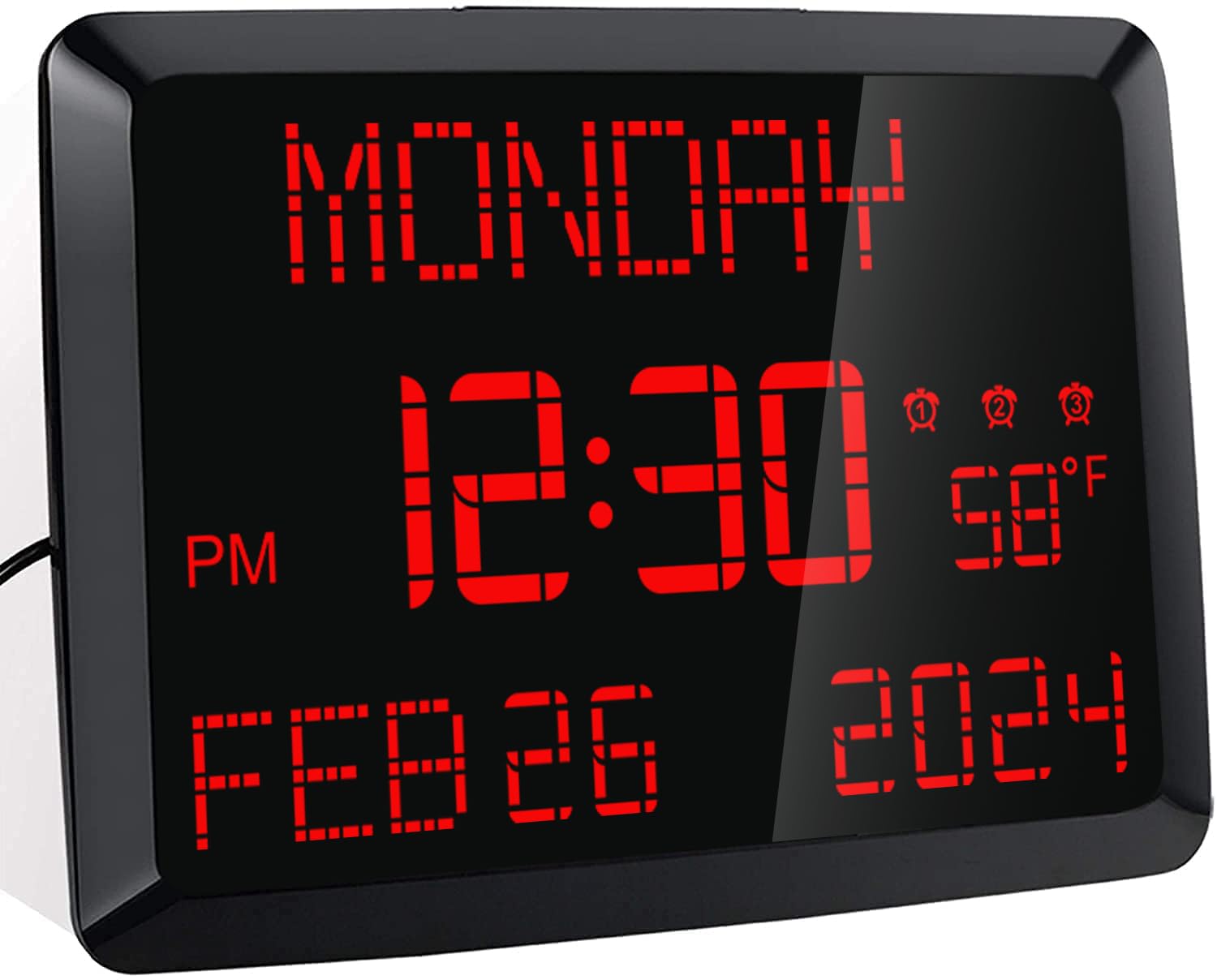
Gambar: Depan view of the ROCAM 11.5-inch Digital Calendar Clock displaying time, date, day of the week, and temperature.
2. Isi Paket
Verifikasi bahwa semua item ada dalam paket:
- ROCAM 11.5" Digital Calendar Clock
- Adaptor Daya
- Kabel Daya USB
- CR2032 Backup Battery (pre-installed or included separately)
- Panduan Pengguna
- Desk Stand Bracket
- Wall Mounting Hardware (if applicable)
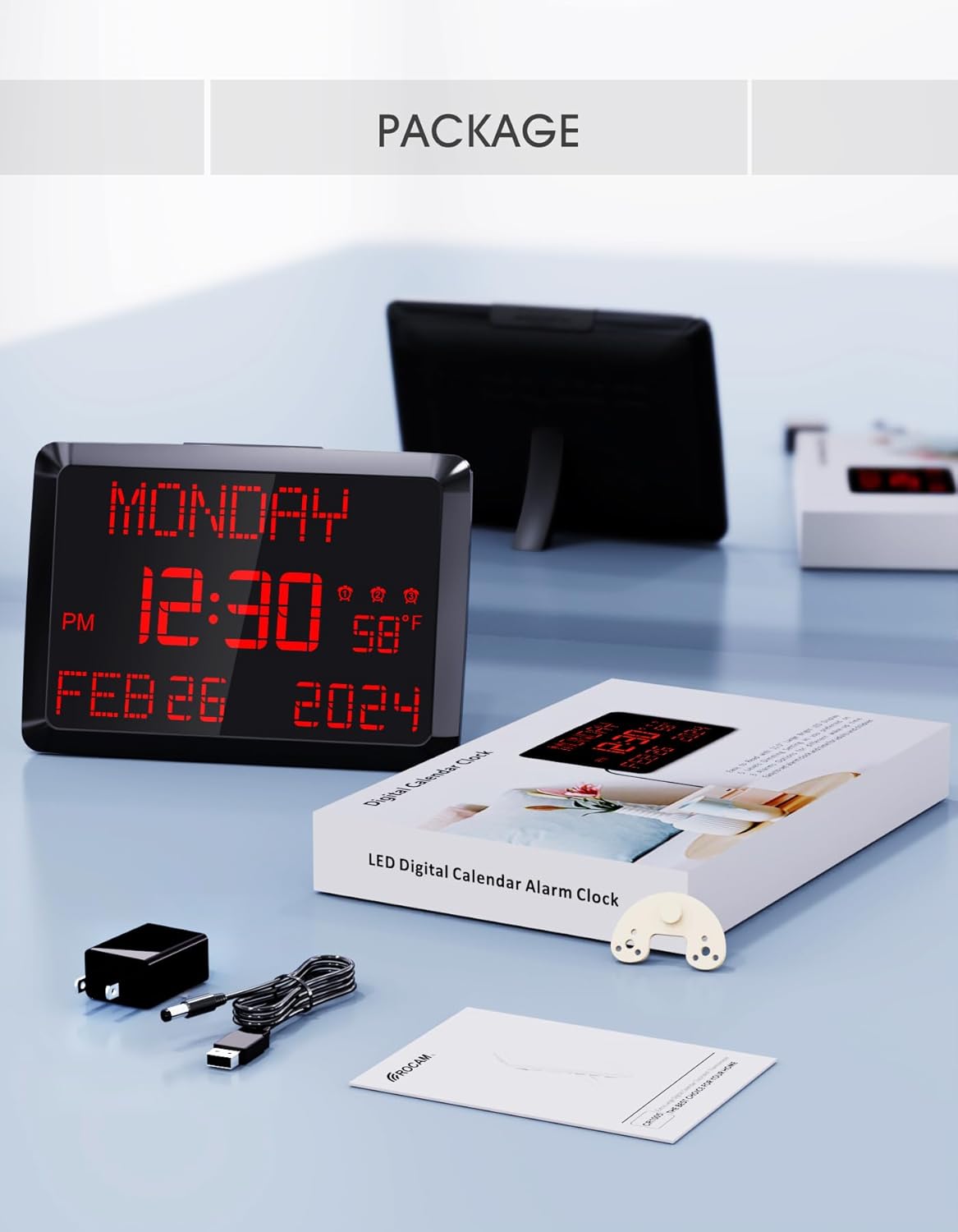
Image: The ROCAM Digital Calendar Clock and its accessories, including the power adapter, USB cable, and user manual.
3. Petunjuk Penyiapan
3.1 Sambungan Daya
- Connect the USB power cable to the clock's DC 5V input port.
- Colokkan adaptor daya ke stopkontak standar.
- Layar jam akan menyala.
Video: Demonstrates plugging in the power cord and connecting it to the clock, showing the clock's display activating. This video also shows the dual USB charging ports in use.
3.2 Backup Battery Installation (if not pre-installed)
The clock includes a CR2032 backup battery to retain time and settings during power outages. If not already installed, locate the battery compartment on the back of the clock and insert the CR2032 battery with the positive (+) side facing up.

Image: Detail of the CR2032 backup battery slot on the rear of the clock, indicating its location for power failure memory.
3.3 Pilihan Penempatan
The clock can be placed on a desk or mounted on a wall.
- Penempatan Meja: Attach the provided stand bracket to the back of the clock.
- Pemasangan di dinding: Use the keyhole slot on the back of the clock to hang it on a screw or nail. Ensure the clock is securely mounted and level.

Gambar: Belakang view of the clock illustrating both the desk stand and the wall hanging hole. Dual USB charging ports are also visible.
4. Petunjuk Pengoperasian
4.1 Pengaturan Waktu dan Tanggal
Use the buttons on the back of the clock to adjust the time and date. Specific buttons are provided for HARI, BULAN, TAHUN, JAM, Dan MENIT adjustments. Refer to the labels on the back panel for precise control.
- Mode 12/24 Jam: Use the dedicated switch button on the back to toggle between 12-hour and 24-hour time formats.
- Waktu Musim Panas (DST): Tekan tombol 'Waktu Standar Waktu Standar (DST)' button to activate or deactivate Daylight Saving Time.

Image: The clock showing both 12-hour and 24-hour display options, highlighting the switch for changing modes.
4.2 Mengatur Alarm
The clock supports up to three independent alarms. Use the alarm setting buttons on the back to configure each alarm.
- Tekan tombol alarm yang sesuai (1, 2, atau 3) to enter alarm setting mode.
- Gunakan '+' Dan '-' buttons to adjust the alarm time.
- Press 'OK' to confirm the time.
- Select the alarm frequency: Everyday, Weekdays Only (Mon-Fri), or Weekend Only (Sat-Sun).
- To turn off an alarm for 24 hours or permanently, use the 'Alarm MATI' tombol.
- Fungsi Tunda: Press the large 'TUNDA/PEREDAM' button on top of the clock to activate a 9-minute snooze.
- Volume alarm: The alarm volume is adjustable with 15 levels (60dB-108dB). Adjust using the volume controls during alarm setup.

Image: Visual guide to setting the three alarms, including options for daily, weekday, or weekend activation, and volume adjustment.
Video: Demonstrates setting the alarm time, adjusting volume, and selecting alarm frequency (Mon-Fri, Mon-Sun, Sat-Sun).
4.3 Kecerahan Layar (Peredup)
The clock features a 5-level adjustable dimmer. Press the 'TUNDA/PEREDAM' button on the top of the clock to cycle through the brightness levels to suit your preference.

Image: The clock display at five different brightness settings, illustrating the dimmer function controlled by the top button.
4.4 Port Pengisian USB
The clock includes two USB charging ports (5V 1A) on the side, allowing you to charge compatible devices such as smartphones or tablets.

Image: The clock with two devices charging simultaneously via its dual USB ports.
5. Pemeliharaan
To ensure optimal performance and longevity of your ROCAM Digital Calendar Clock, follow these simple maintenance guidelines:
- Pembersihan: Gently wipe the clock's surface with a soft, dry cloth. Avoid using abrasive cleaners, solvents, or chemical sprays, as these can damage the display or casing.
- Kabel Daya: Periodically check the power cord for any signs of damage. If the cord is damaged, discontinue use and contact customer support.
- Penempatan: Place the clock in a stable location, away from direct sunlight, excessive heat, or moisture.
6. Penyelesaian masalah
If you encounter issues with your ROCAM Digital Calendar Clock, refer to the following common solutions:
| Masalah | Solusi yang mungkin |
|---|---|
| Tampilan jam mati. |
|
| Waktu/pengaturan akan hilang setelah listrik padam.tage. |
|
| Alarm tidak berbunyi atau terlalu pelan. |
|
| Tampilan terlalu terang atau terlalu redup. |
|
| Port pengisian daya USB tidak berfungsi. |
|
7. Spesifikasi Produk
| Fitur | Detil |
|---|---|
| Nomor Model | ROCAM-CR1005 |
| Jenis Tampilan | Lampu LED digital |
| Ukuran Layar | 11.5 inci (diagonal) |
| Dimensi Produk | 9.96" L x 7" T |
| Sumber Daya | Corded Electric, Outlet Powered (DC 5V) |
| Baterai Cadangan | 1 x CR2032 (included, for memory retention only) |
| Alarm | 3 independent alarms with 7-5-2 setting modes (Everyday, Weekdays, Weekends) |
| Fungsi Tunda | 9 menit |
| Dimmer Levels | 5 levels (manual adjustment) |
| Port Pengisian Daya USB | 2 ports, 5V 1A output each |
| Tampilan Suhu | °F / °C switchable |
| Format Waktu | 12H / 24H switchable |
| Jenis Pemasangan | Dudukan Dinding & Meja |
| Bahan | Plastik |
| Berat Barang | 16 ons (1 pon) |
8. Garansi dan Dukungan
ROCAM provides an 18-month warranty for this product. For any questions, technical assistance, or warranty claims, please contact ROCAM customer support. Lifetime free user support is available.
Contact information can typically be found on the product packaging or the official ROCAM weblokasi.


