1. Pendahuluan
This manual provides essential instructions for the safe and effective use of your Sony Cyber-Shot RX100 VII Digital Camera (DSC-RX100M7). Please read this manual thoroughly before operating the camera and retain it for future reference. This camera combines a 20.1MP 1-inch stacked CMOS sensor with a versatile ZEISS 24–200 mm zoom lens, offering high-quality imaging in a compact form factor.
2. Pengaturan
2.1. Unboxing and Checking Contents
Sebelum melanjutkan, pastikan semua item ada dalam paket:
- Sony Cyber-Shot DSC-RX100 VII Digital Camera (DSC-RX100M7)
- Paket Baterai Isi Ulang NP-BX1
- Adaptor AC
- Kabel Mikro USB
- Tali Pergelangan Tangan
- Instruksi Manual (dokumen ini)
Note: Additional accessories like memory cards, cases, and extra batteries may be included depending on your specific bundle.
2.2. Mengisi Baterai
The supplied NP-BX1 battery pack is not fully charged. Charge it before first use.
- Masukkan baterai ke dalam kamera.
- Connect the camera to the AC Adaptor using the Micro USB cable.
- Plug the AC Adaptor into a wall outlet. The CHARGE lamp akan menyala.
- When charging is complete, the CHARGE lamp akan mati.
Pengisian daya penuh biasanya memakan waktu sekitar 150 menit.
2.3. Memasukkan Baterai dan Kartu Memori
Buka penutup baterai/kartu memori di bagian bawah kamera.
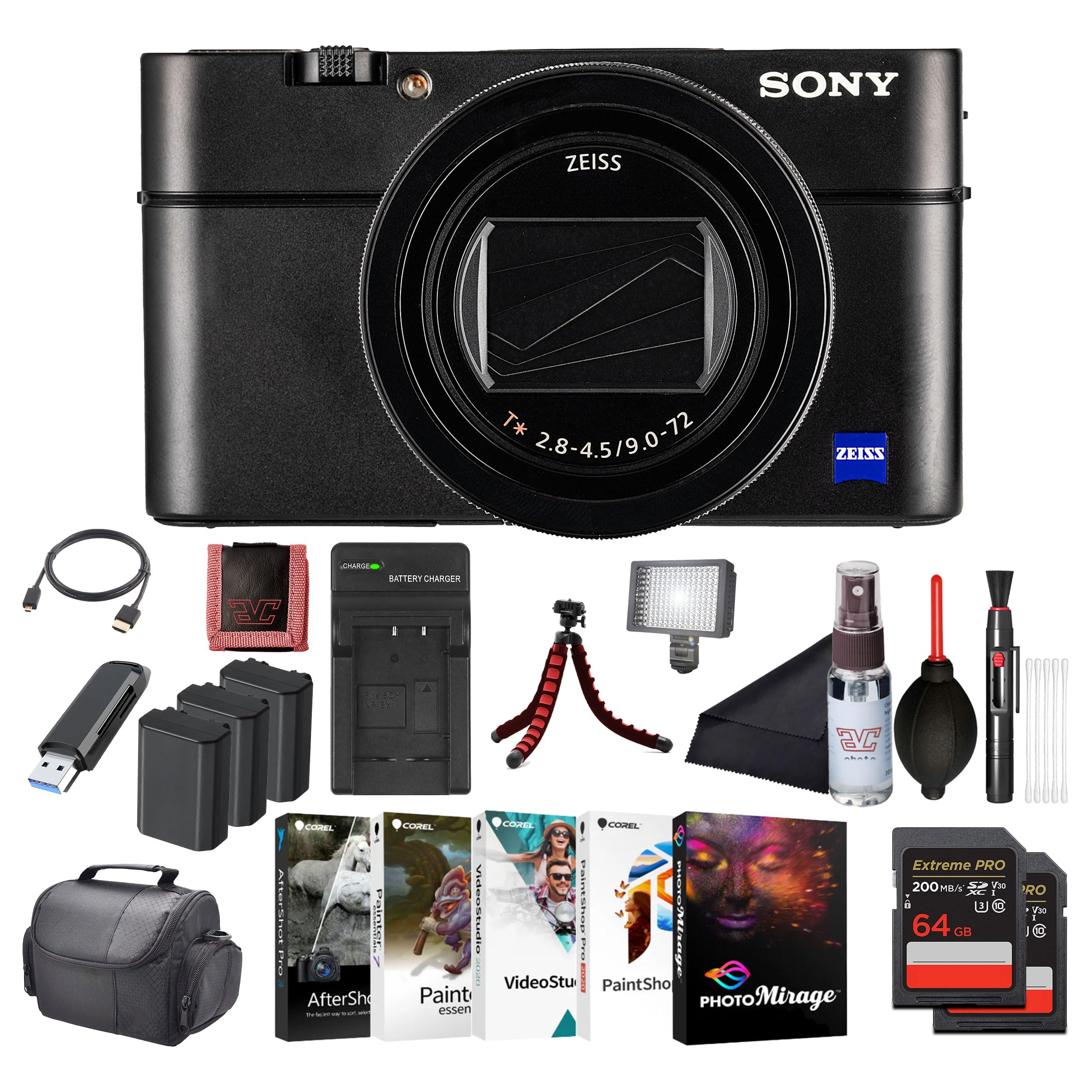
Gambar: Depan view of the Sony Cyber-Shot RX100 VII camera, showcasing the ZEISS lens and compact body.
- Insert the battery pack with the arrow pointing into the camera until it clicks into place.
- Insert a compatible memory card (SDXC recommended) with the notched corner facing as shown in the diagram (refer to camera body for specific orientation) until it clicks.
- Tutup penutup dengan aman.
2.4. Pengaturan Awal
When you turn on the camera for the first time, the initial setup screen will appear.
- Tanggal & Waktu: Tetapkan tanggal dan waktu saat ini.
- Area Setting: Select your geographical area.
- Bahasa: Pilih bahasa tampilan yang Anda inginkan.
Follow the on-screen prompts to complete these settings.
3. Mengoperasikan Kamera
3.1. Bagian dan Kontrol Kamera
Familiarize yourself with the main components and controls of your camera.

Gambar: Belakang view of the Sony Cyber-Shot RX100 VII, showing the LCD screen, control wheel, and various buttons like MENU, Fn, DISP, and MOVIE.
- Tombol Daya: Located on the top panel, used to turn the camera on/off.
- Tombol Rana: Half-press to focus, full-press to take a picture.
- Tombol Mode: Select shooting modes (P, A, S, M, Auto, Movie, HFR, etc.).
- Roda Kontrol: Menavigasi menu dan menyesuaikan pengaturan.
- Layar LCD: Display images, videos, and menu options. Can be tilted for various shooting angles.
- Viewpenemu: Pop-up electronic viewfinder for eye-level shooting.

Gambar: Atas view of the Sony Cyber-Shot RX100 VII with its ZEISS Vario-Sonnar T* lens fully extended, showing the mode dial, power button, and shutter button.
3.2. Dasar-dasar Menembak
- Nyalakan kameranya: Tekan tombol AKTIF/NONAKTIF tombol.
- Select a shooting mode: Putar Pemutar Mode to your desired mode (e.g., Otomatis Cerdas for simple point-and-shoot).
- Frame your shot: Use the LCD monitor or pop-up viewpenemu.
- Fokus: Tekan setengah tombol Tombol Rana to focus. The focus frame will turn green when focus is achieved.
- Menangkap: Tekan sepenuhnya Tombol Rana untuk mengambil gambar.

Gambar: Depan view of the Sony Cyber-Shot RX100 VII with its LCD screen tilted upwards, demonstrating its flexible viewing angles for various shooting positions.
3.3. Mode Pemotretan Lanjutan
- Program Otomatis (P): Kamera mengatur bukaan dan kecepatan rana, Anda mengontrol pengaturan lainnya.
- Prioritas Bukaan (A): Anda mengatur bukaan lensa, kamera mengatur kecepatan rana. Ideal untuk mengontrol kedalaman bidang fokus.
- Prioritas Rana (S): Anda mengatur kecepatan rana, kamera mengatur bukaan. Ideal untuk mengontrol efek buram akibat gerakan.
- Eksposur Manual (M): Anda mengendalikan bukaan dan kecepatan rana.
- Mode Film: Dedicated mode for video recording. Press the FILM tombol untuk memulai/menghentikan perekaman.
- High Frame Rate (HFR): For capturing super slow-motion video.
3.4. Focusing and Autofocus Features
The RX100 VII features advanced autofocus capabilities:
- Real-Time Eye AF: Automatically detects and tracks human and animal eyes for precise focus.
- Pelacakan Waktu Nyata: Uses AI-based subject recognition to track moving subjects accurately.
- Area Fokus: Selectable focus areas (Wide, Zone, Center, Flexible Spot, Expanded Flexible Spot, Tracking).
Access these settings via the MENU tombol.
3.5. Rekaman Video
The camera supports high-quality video recording:
- Video 4K HDR: Record oversampled 4K video with full pixel readout.
- S-Log3/HLG: For advanced color grading and high dynamic range footage.
- Input Mikrofon Eksternal: Use an external microphone for improved audio quality (via multi-interface shoe).

Gambar: Samping view of the Sony Cyber-Shot RX100 VII, showing the pop-up electronic viewfinder in its extended position, and the NFC logo.
4. Pemeliharaan
4.1. Membersihkan Kamera
- Tubuh Kamera: Usap perlahan dengan kain kering yang lembut. Untuk kotoran membandel, gunakan kain yang sedikit dilap.ampbilas dengan air lalu lap hingga kering.
- Lensa: Use a lens brush to remove dust, then a lens cleaning cloth with a small amount of lens cleaning fluid. Avoid touching the lens surface directly.
- Layar LCD: Use a soft cloth specifically designed for LCD screens.
Caution: Do not use organic solvents such as alcohol, benzene, or thinner, as these may damage the camera's finish or lens coatings.
4.2. Perawatan Baterai
- Simpan baterai di tempat sejuk dan kering bila tidak digunakan.
- Jangan biarkan baterai terkena panas berlebihan atau sinar matahari langsung.
- If the battery will not be used for an extended period, charge it once every six months to maintain its performance.
4.3. Perawatan Kartu Memori
- Selalu format kartu memori baru di kamera sebelum digunakan pertama kali.
- Do not remove the memory card while the camera is writing data (e.g., during shooting or playback).
- Back up important data regularly to prevent loss.
5. Penyelesaian masalah
Jika Anda mengalami masalah dengan kamera Anda, lihat masalah umum dan solusi berikut:
| Masalah | Kemungkinan Penyebab / Solusi |
|---|---|
| Kamera tidak menyala. | Battery is depleted. Charge the battery. Battery is inserted incorrectly. Reinsert the battery correctly. |
| Tidak dapat mengambil gambar. | Kartu memori penuh. Hapus gambar yang tidak perlu atau masukkan kartu baru. Kartu memori belum terpasang. Pasang kartu memori. Lens cap is on. Remove the lens cap. |
| Gambar buram. | Camera shake. Use a faster shutter speed or image stabilization. Subject is out of focus. Ensure the camera has focused correctly. Lensa kotor. Bersihkan lensa. |
| Baterai cepat terkuras. | Frequent use of LCD/viewfinder. Reduce screen brightness or use power-saving modes. Battery life naturally degrades over time. Consider replacing the battery. |
For more detailed troubleshooting, please refer to the comprehensive help guide available on the Sony support weblokasi.
6. Spesifikasi
Key technical specifications for the Sony Cyber-Shot RX100 VII (DSC-RX100M7):
- Nama Model: DSC-RX100M7
- Merek: Sony
- Maksimum Webresolusi gambar kamera: 20.1 MP
- Teknologi Sensor Foto: CMOS (1-inch stacked)
- Lensa: ZEISS Vario-Sonnar T* 24–200 mm F2.8-4.5
- Panjang Fokus Maksimum: 200 Milimeter
- Bukaan Maksimum: 2.8 Milimeter
- Stabilisasi Gambar: Digital, Hybrid (Optical SteadyShot)
- Didukung File Format: JPEG, MENTAH
- Rasio Aspek: 4:3

Gambar: Sisi profile of the Sony Cyber-Shot RX100 VII with its ZEISS lens fully extended, highlighting the compact design even with the zoom engaged.
7. Garansi dan Dukungan
This Sony product is covered by a limited warranty. For specific warranty terms and conditions, please refer to the warranty card included in your product packaging or visit the official Sony support weblokasi.
For technical support, product registration, or service inquiries, please visit the Sony support website or contact your local Sony customer service center. Keep your proof of purchase for warranty claims.
Dukungan online: www.sony.com/electronics/support


