1. Pendahuluan
Terima kasih sudah membeliasing the VTech XS1050 Cordless Phone. This manual provides essential information for setting up, operating, and maintaining your new phone. Please read it thoroughly to ensure proper use and to take full advantage fitur-fiturnya.

Figure 1: VTech XS1050 Cordless Phone and Base Unit
This image shows the VTech XS1050 cordless phone handset resting in its white base unit. The handset features a digital display and a numeric keypad. The base unit also has controls for the answering machine.
2. Pengaturan
2.1 Isi Paket
Sebelum memulai, pastikan semua perlengkapan sudah tersedia:
- VTech XS1050 Handset
- VTech XS1050 Base Unit
- Adaptor Daya untuk Unit Dasar
- Kabel Saluran Telepon
- 2 x Product-Specific Batteries (included)
- User Manual (dokumen ini)
2.2 Pemasangan Baterai
- Buka penutup kompartemen baterai di bagian belakang handset.
- Insert the two supplied batteries, observing the correct polarity (+ and -).
- Tutup penutup ruang baterai dengan rapat.
2.3 Menghubungkan Unit Dasar
- Hubungkan adaptor daya ke unit dasar dan colokkan ke stopkontak dinding.
- Hubungkan salah satu ujung kabel saluran telepon ke unit dasar dan ujung lainnya ke soket dinding telepon Anda.
2.4 Biaya Awal
Place the handset on the base unit. The battery indicator on the handset display will show charging. Allow the handset to charge for at least 16 hours before initial use to ensure optimal battery performance.
3. Petunjuk Pengoperasian
3.1 Melakukan dan Menerima Panggilan
- Melakukan Panggilan: Pick up the handset, dial the number, and press the Panggilan tombol.
- Menerima Panggilan: Ketika telepon berdering, tekan tombol Panggilan tombol.
- Mengakhiri Panggilan: Tekan tombol Akhiri Panggilan atau letakkan gagang telepon kembali pada unit dasar.
3.2 Using the Answering Machine
The VTech XS1050 features a digital answering machine with up to 30 minutes of recording time.
- Memutar Pesan: Tekan tombol Bermain tombol pada unit dasar.
- Merekam Salam: Refer to the detailed instructions in the full manual for custom greeting setup.
3.3 Speakerphone Bebas Genggam
Untuk mengaktifkan speakerphone hands-free selama panggilan, tekan tombol Telepon pengeras suara button on the handset. Press it again to switch back to handset mode.

Figure 2: Hands-Free Speakerphone Function
This image shows a person in a kitchen setting, using the VTech XS1050 handset on speakerphone mode while performing other tasks, indicating the convenience of the hands-free function.
3.4 Penyesuaian Volume
Selama panggilan, gunakan Volume Naik Dan Volume Turun buttons on the side of the handset to adjust the earpiece volume. The base unit also has volume controls for the speakerphone and answering machine playback.
3.5 Phonebook and Speed Dial
- Buku telepon: Store up to 100 names and numbers. Access and manage entries via the handset menu.
- Panggilan cepat: Assign frequently called numbers to 8 dedicated speed dial keys for quick access.
3.6 Caller ID and Call History
The phone displays caller information (if available from your service provider) and stores a history of the last 20 incoming calls.

Figure 3: Caller ID and Call History Display
This image illustrates the handset's display showing multiple entries in the call history, including caller names and numbers, demonstrating the caller ID and call waiting features.
3.7 Conference Function
The intercom/hands-free function allows multiple users to participate in a conversation simultaneously, facilitating three-way conference calls.

Figure 4: Three-Way Conference Call
This image depicts three individuals engaged in separate phone conversations, symbolizing the three-way conference call capability of the VTech XS1050.
3.8 Alarm and Mute Function
The handset includes an alarm function for reminders and a mute function to temporarily silence your microphone during a call.

Figure 5: Alarm and Mute Function Icons
This image shows the VTech XS1050 handset on a table, with graphic overlays of an alarm clock and a muted speaker icon, illustrating the alarm and mute functionalities.
4. Fitur Utama
4.1 Volume Amppengangkat
The VTech XS1050 features an integrated volume amplifier that boosts incoming sound and voice for enhanced clarity and volume. This feature is particularly beneficial for users with hearing impairments or those who prefer a louder audio experience.

Figure 6: Volume Amplifier in Action
This image visually represents the volume amplification feature, showing sound waves emanating from the handset and an ear icon with a plus sign, indicating increased audio output for clearer conversations.
4.2 Digital Answering Machine
Record and store incoming calls when you are unavailable. The digital answering machine offers a maximum storage duration of 30 minutes, ensuring you don't miss important messages.
4.3 Backlit Screen and Keypad
The handset features a backlit screen and keypad, providing improved visibility in low-light conditions and enhancing ease of use.

Figure 7: Backlit Screen and Keypad
This image highlights the illuminated display and keys of the VTech XS1050 handset, demonstrating its backlit feature for better visibility in dim environments.
4.4 Daya Tahan Baterai yang Lama
Enjoy extended conversations with up to 18 hours of talk time on a single charge, ensuring your phone is ready when you need it.

Figure 8: Up to 18 Hours Battery Life
This image features a woman talking on the VTech XS1050 handset, with a graphic overlay indicating '18 hours' talk time, emphasizing the product's long battery endurance.
4.5 Adjustable Ringtone Volume and Melodies
Customize your phone experience by adjusting the ringtone volume and choosing from various melodies to suit your preference.

Figure 9: Adjustable Ringtone Settings
This image shows the VTech XS1050 handset with graphic icons representing a bell (ringtone) and musical notes, indicating the ability to adjust ringtone volume and select melodies.
4.6 Multilingual Help Messages
The phone supports multilingual help messages, providing assistance in various languages for user convenience.
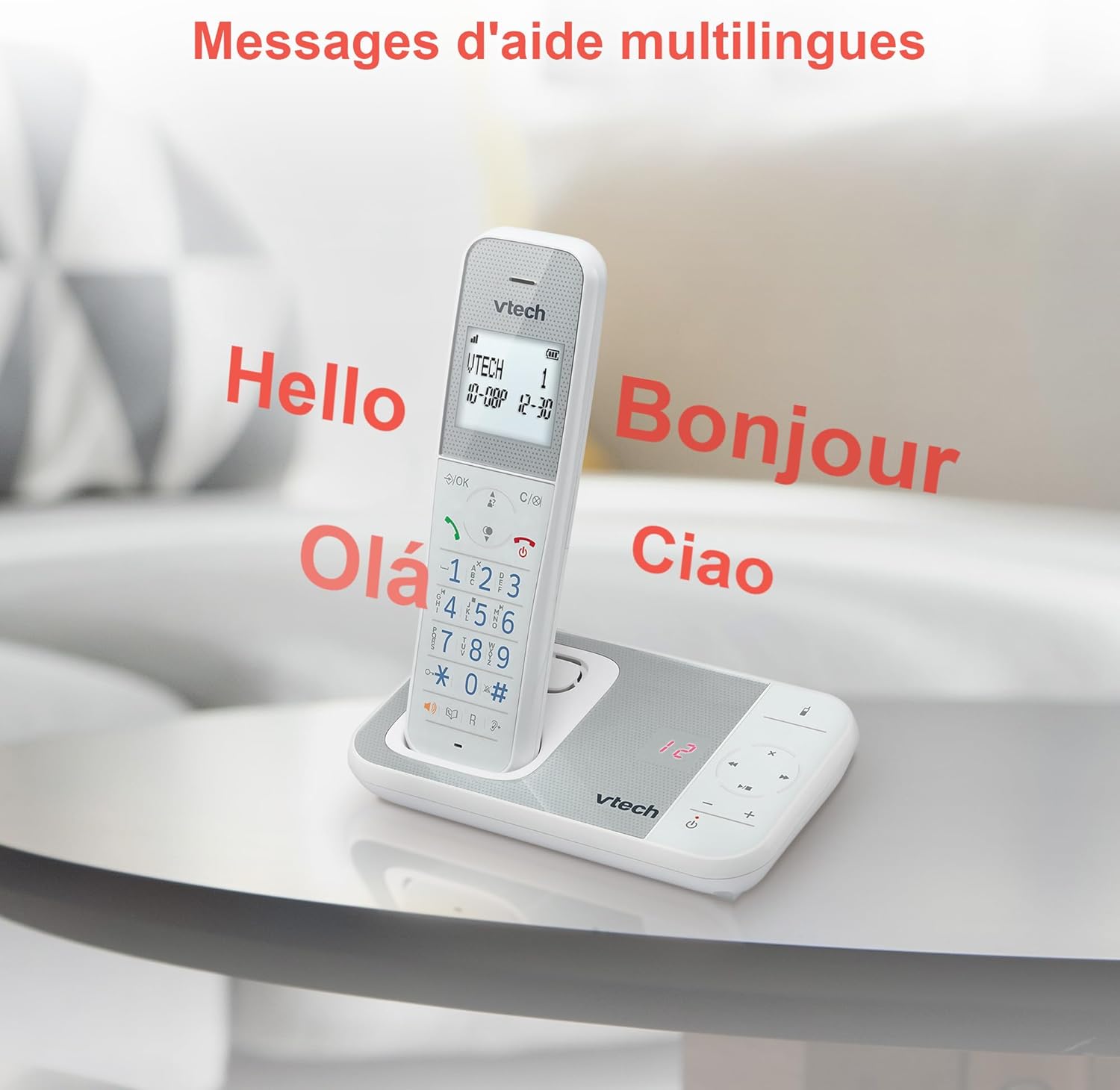
Figure 10: Multilingual Help Messages
This image displays the VTech XS1050 handset with various greetings like 'Hello', 'Bonjour', 'Olá', and 'Ciao' floating around it, illustrating the multilingual support feature.
5. Pemeliharaan
5.1 Pembersihan
Bersihkan ponsel dan unit dasar dengan kain lembut dan kering.amp Gunakan kain. Jangan gunakan pembersih abrasif atau pelarut. Pastikan tidak ada cairan yang masuk ke lubang-lubang telepon.
5.2 Perawatan Baterai
- Always use the supplied batteries.
- Jika telepon tidak akan digunakan dalam jangka waktu lama, lepaskan baterai untuk mencegah kebocoran.
- Buang baterai lama secara bertanggung jawab sesuai dengan peraturan setempat.
6. Penyelesaian masalah
If you experience issues with your VTech XS1050, please refer to the following common problems and solutions:
| Masalah | Kemungkinan Penyebab | Larutan |
|---|---|---|
| Tidak ada nada sambung | Kabel saluran telepon tidak terhubung dengan benar. | Pastikan kabel telepon terpasang dengan aman ke unit dasar dan soket dinding. |
| Telepon tidak menyala | Batteries are not charged or incorrectly installed. | Check battery polarity and ensure the handset is properly seated on the base unit for charging. Verify power adapter connection. |
| Kualitas suara buruk | Gangguan dari perangkat elektronik lainnya. | Move the base unit or handset away from other electronic devices such as TVs, computers, or microwaves. |
| Mesin penjawab tidak merekam | Memory full or answering machine is off. | Delete old messages to free up space. Ensure the answering machine function is activated. |
7. Spesifikasi
| Fitur | Detil |
|---|---|
| Merek | VTech |
| Model | Bahasa Inggris: XS1050 |
| Warna | Putih |
| Tipe Telepon | Nirkabel (DECT) |
| Jumlah Baterai | 2 (Spesifik Produk - Termasuk) |
| Bahan | Plastik |
| Sumber Daya | Bertenaga Baterai |
| Jenis Pemanggil | Papan tombol tunggal |
| Dimensi Barang (P x L x T) | 18.5x15.1x6.6 sentimeter |
| Tipe Sistem Penjawab | Digital |
| Berat Barang | 400 gram |
| Answering Machine Capacity | Hingga 30 menit |
| Kapasitas Buku Telepon | 100 nama dan nomor |
| Riwayat Panggilan | 20 entri |
| Waktu Bicara | Hingga 18 jam |
8. Garansi & Dukungan
8.1 Informasi Garansi
For detailed warranty information, please refer to the warranty card included with your product or visit the official VTech websitus. Simpan struk pembelian Anda sebagai bukti pembelian.
8.2 Dukungan Pelanggan
If you require further assistance or have questions not covered in this manual, please contact VTech customer support. Contact details can typically be found on the VTech websitus atau dalam kemasan produk.


