1. Pendahuluan dan Selesaiview
This manual provides comprehensive instructions for the setup, operation, and maintenance of your Maxview Alphatronics SL Line+ Smart TV. Designed for mobile use, this versatile television operates on both 12v and 240v power, making it ideal for motorhomes, caravans, trucks, and boats. It features a Full HD LED display, integrated DVD player, Wi-Fi, Bluetooth, and access to popular streaming services via WebSistem Operasi.

Gambar: Depan view of the Maxview Alphatronics SL Line+ Smart TV, highlighting its smart features and integrated DVD player.
Fitur utama meliputi:
- Full HD LED Smart TV with Freeview.
- WebOS for access to Netflix, Amazon Prime, Disney+, iPlayer, ITVX, Sky Store, YouTube, and more.
- Dual power compatibility (12v or 240v).
- Built-in DVD Player, Bluetooth, Wi-Fi, and Ethernet.
- Multiple connectivity options: 2 HDMI ports, USB Port, and AV connections.
2. Apa yang ada di dalam kotak
Silakan periksa isi paket Anda dengan daftar di bawah ini:
- Alphatronics TV (TVSL/22)
- Kontrol Jarak Jauh
- 240v Mains Lead
- Adaptor Daya 12v
- User Manual (dokumen ini)

Image: The included remote control for the Maxview Alphatronics Smart TV.
3. Pengaturan
3.1. Penempatan dan Pemasangan
Choose a stable and flat surface for your TV. Ensure adequate ventilation around the unit. If mounting, refer to your specific wall mount instructions and ensure the mount is compatible with VESA standards for your TV size.

Gambar: Example of the TV installed within a caravan interior.
3.2. Koneksi Daya
The TV can be powered by either 12v DC or 240v AC.
- For 240v AC: Connect the supplied 240v Mains Lead to the TV's AC input and then to a standard wall socket.
- For 12v DC: Connect the supplied 12v Power Adapter to the TV's DC input and then to a 12v power source (e.g., vehicle's 12v socket).
Ensure the correct power source is used to prevent damage.
3.3. Menghubungkan Perangkat Eksternal
Televisi ini memiliki berbagai port untuk menghubungkan perangkat eksternal:
- Port HDMI (x2): For high-definition audio and video devices like satellite receivers, game consoles, or laptops.
- Port USB: Untuk menghubungkan perangkat penyimpanan USB untuk memutar media files.
- AV Connections: Untuk perangkat lama yang menggunakan video komposit dan audio stereo.
- Input Antena/Satelit: Connect your terrestrial antenna or satellite dish cable for Freeview or satellite TV reception.

Image: Rear panel of the TV displaying available connection ports.
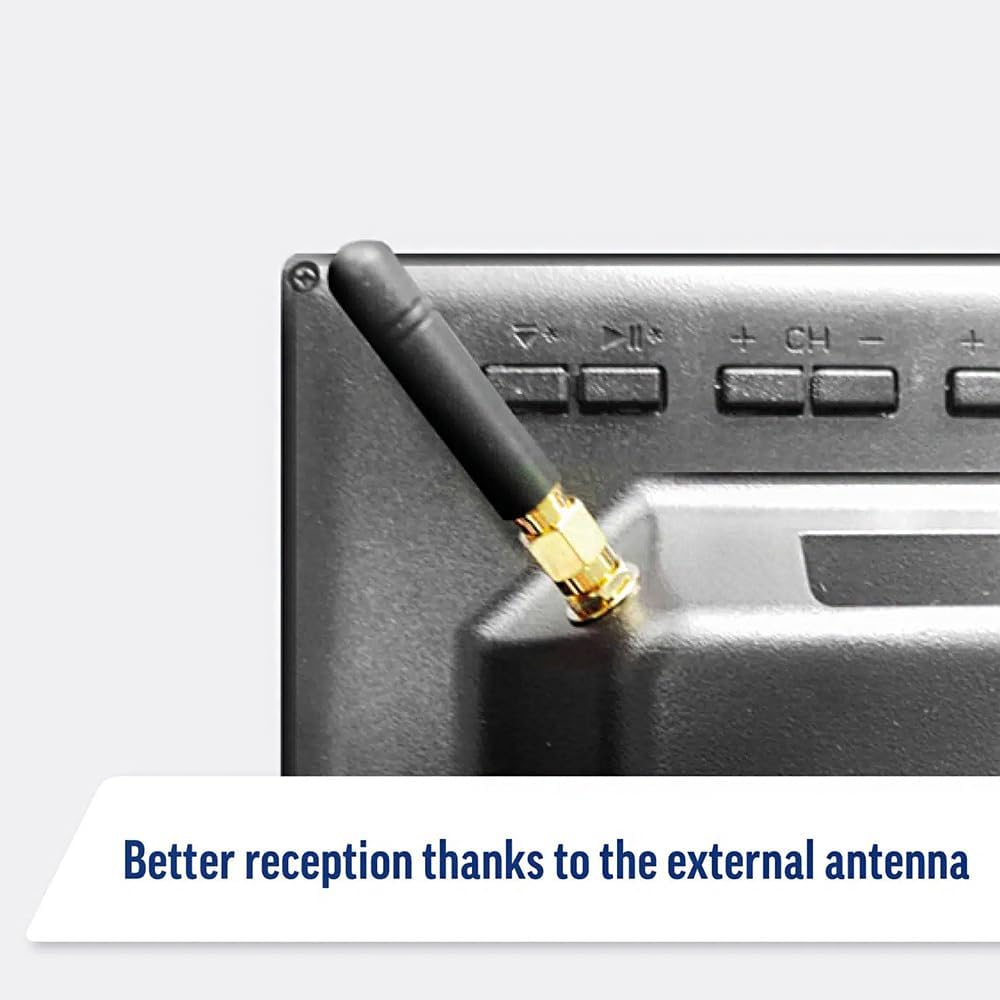
Image: Detail of the external antenna connection for improved signal reception.
3.4. Wisaya Pengaturan Awal
Saat pertama kali dinyalakan, TV akan memandu Anda melalui wizard pengaturan awal. Ini termasuk:
- Pemilihan Bahasa: Pilih bahasa pilihan Anda.
- Koneksi jaringan: Connect to your Wi-Fi network or via Ethernet for internet access. This is crucial for Smart TV features.
- Pemindaian Saluran: Scan for available Freeview or satellite channels.
- Pengaturan Waktu dan Tanggal: Atur zona waktu dan tanggal yang benar.
4. Mengoperasikan TV
4.1. Kontrol Dasar
Use the supplied remote control to navigate the TV. Common functions include:
- Tombol Daya: Menghidupkan/mematikan TV atau ke mode siaga.
- Volume Naik/Turun: Mengatur level audio.
- Saluran Atas/Bawah: Mengganti saluran TV.
- Sumber/Masukan: Selects the input source (HDMI, AV, TV, DVD).
- Tombol Navigasi (Tombol Panah, OK): Navigasi menu dan pilih opsi.
- Tombol Home: Mengakses WebLayar utama OS Smart TV.
- Tombol Akses Cepat: Dedicated buttons for Netflix and Amazon Prime Video for direct access.
4.2. Fitur TV Pintar (WebSistem Operasi (OS)
Your Maxview Alphatronics TV runs on WebOS, providing a user-friendly interface for accessing a wide range of applications and content.
- Dasbor Beranda: Tekan tombol Rumah button to access the main dashboard, where you can find installed apps, input sources, and settings.
- Toko Aplikasi: Unduh dan instal aplikasi tambahan dari toko aplikasi terintegrasi.
- Layanan Streaming: Easily access popular services like Netflix, Amazon Prime Video, Disney+, BBC iPlayer, ITVX, and YouTube.
- Berbagi Layar: Share content from your smartphone or tablet to the TV screen.
Image: Using a smartphone as a remote control for the TV.
4.3. Pengoperasian Pemutar DVD
The integrated DVD player allows you to enjoy your movie collection on the go.
- Insert a DVD disc into the slot on the side of the TV.
- The TV should automatically switch to the DVD input. If not, press the Sumber/Masukan button on your remote and select "DVD".
- Use the remote control's playback buttons (Play, Pause, Stop, Fast Forward, Rewind) to control the DVD.
- To eject the disc, press the Eject button on the remote or the TV.
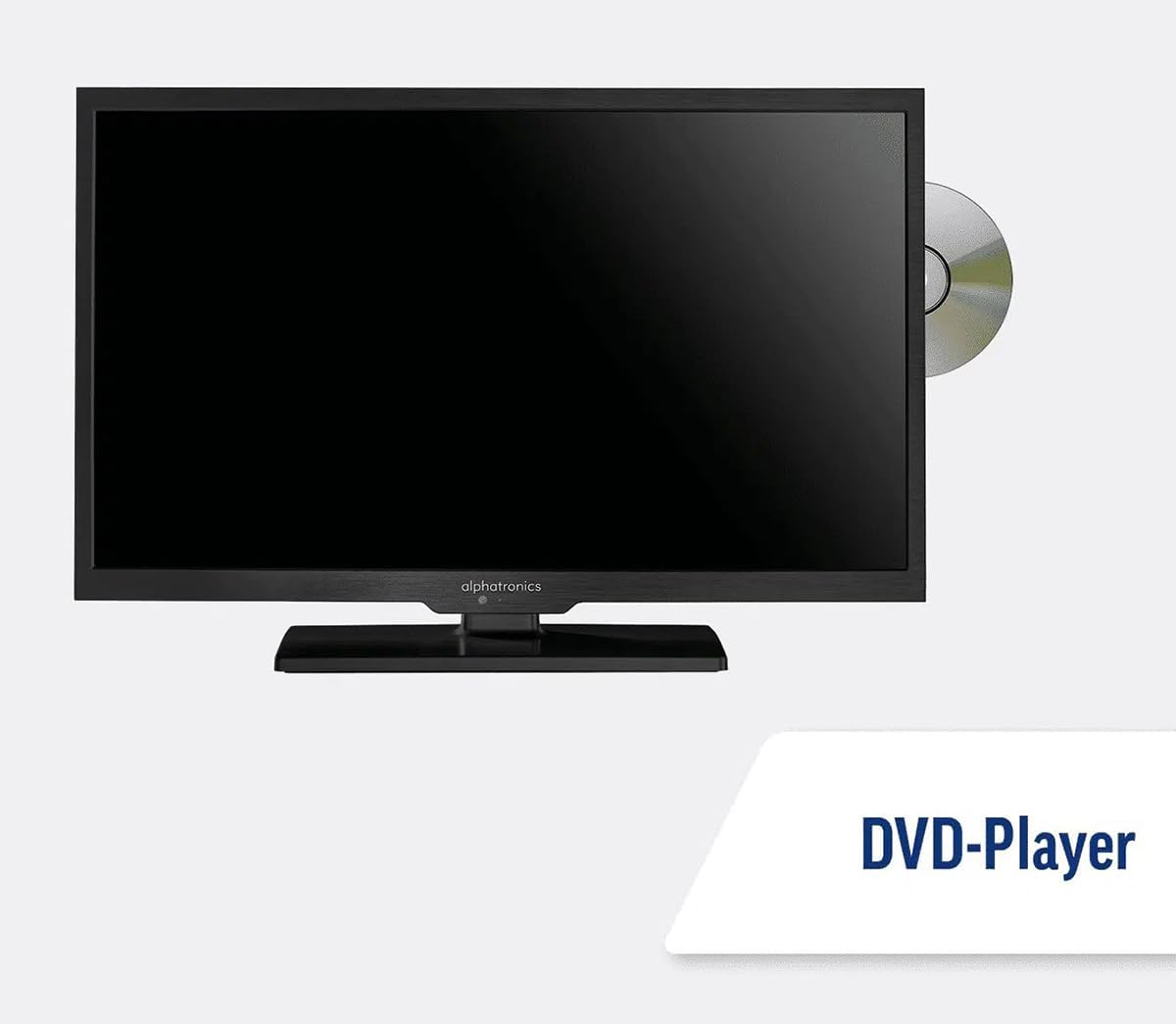
Image: The TV with a DVD disc being inserted into its built-in player.
5. Pemeliharaan
5.1. Pembersihan
To clean the TV screen, gently wipe it with a soft, lint-free cloth. For stubborn marks, dampen the cloth slightly with water or a screen-cleaning solution. Do not spray liquid directly onto the screen. Clean the TV casing with a dry, soft cloth.
Peringatan: Selalu cabut kabel TV dari sumber listrik sebelum membersihkan.
5.2. Pembaruan Perangkat Lunak
Your Maxview Alphatronics Smart TV supports automatic software updates via the internet. Ensure your TV is connected to a stable Wi-Fi or Ethernet network to receive the latest firmware and feature enhancements.
- To check for updates manually, navigate to the Pengaturan menu on your TV, then look for Pembaruan Perangkat Lunak or Informasi Sistem.
- Follow the on-screen prompts to download and install any available updates. Do not power off the TV during an update process.

Image: The TV screen indicating a software update in progress.
6. Penyelesaian masalah
Jika Anda mengalami masalah dengan TV Anda, silakan lihat masalah dan solusi umum berikut sebelum menghubungi dukungan.
| Masalah | Kemungkinan Penyebab | Larutan |
|---|---|---|
| Tidak Ada Daya | Power cable disconnected; no power from outlet/source. | Check power connections. Ensure outlet/source is active. Try a different outlet. |
| Tidak Ada Sinyal | Incorrect input selected; antenna/cable disconnected or faulty. | Tekan Sumber/Masukan to select correct input. Check antenna/cable connections. Perform a channel scan. |
| Tidak Ada Koneksi Internet | Wi-Fi password incorrect; router issue; TV too far from router. | Re-enter Wi-Fi password. Restart your router. Move TV closer to router or use Ethernet. |
| DVD tidak dapat diputar. | Disc dirty or scratched; incorrect input selected; region code mismatch. | Clean the disc. Ensure "DVD" input is selected. Check disc region compatibility. |
| Kontrol Jarak Jauh Tidak Berfungsi | Batteries low/dead; obstruction between remote and TV; remote not paired (if Bluetooth). | Replace batteries. Remove obstructions. Re-pair remote if necessary (refer to TV settings). |
If the problem persists after trying these solutions, please contact Maxview dukungan pelanggan.
7. Spesifikasi
| Fitur | Detil |
|---|---|
| Nomor Model | TVSL/22 |
| Ukuran Layar | 22 Inci (56 cm diagonal terlihat) |
| Teknologi Tampilan | DIPIMPIN |
| Resolusi | 1080p (HD Penuh) |
| Dimensi Produk (P x L x T) | 12D x 58L x 38T sentimeter |
| Masukan Daya | 12v DC / 240v AC |
| Konektivitas | Wi-Fi, Bluetooth, Ethernet |
| Pelabuhan | 2x HDMI, 1x USB, AV connections, Antenna/Satellite input |
| Fitur Khusus | Smart TV (WebOS), Built-in DVD Player |
| Rasio Aspek | 16:9 |
| Pabrikan | Alfatronik |
8. Garansi dan Dukungan
Your Maxview Alphatronics SL Line+ Smart TV comes with a Garansi 3 Tahun, providing peace of mind regarding your purchase. This warranty covers manufacturing defects and ensures reliable operation.
For warranty claims, technical support, or further assistance, please contact Maxview customer service. You can typically find contact information on the official Maxview weblokasi atau pada bahan pengemasan.
Please have your model number (TVSL/22) and proof of purchase ready when contacting support.
Catatan: Tidak ditemukan video produk resmi dari penjual dalam data yang diberikan untuk disematkan dalam panduan ini.


