Perkenalan
Thank you for choosing the Hunter ExtremeAir Tower Bladeless Air Purifier. This 2-in-1 device combines advanced air purification with a powerful cooling fan, designed to improve air quality and comfort in your home. This manual provides essential information for the safe and efficient operation, maintenance, and troubleshooting of your appliance. Please read it thoroughly before use and retain it for future reference.

Image: The Hunter ExtremeAir Tower Bladeless Air Purifier, showcasing its sleek taupe design and bladeless fan ring.
Petunjuk Keselamatan Penting
Untuk mengurangi risiko kebakaran, sengatan listrik, atau cedera, selalu ikuti tindakan pencegahan keselamatan dasar saat mengoperasikan alat ini.
- Baca semua petunjuk sebelum menggunakan alat ini.
- Pastikan catu daya sesuai dengan voltage ditentukan pada alat.
- Jangan mengoperasikan kipas angin dengan kabel atau steker yang rusak. Buang kipas angin atau kembalikan ke pusat servis resmi untuk diperiksa dan/atau diperbaiki.
- Jangan letakkan kabel di bawah karpet. Jangan tutupi kabel dengan karpet, penutup lantai, atau penutup serupa. Jauhkan kabel dari area lalu lintas dan tempat yang tidak akan membuat orang tersandung.
- Selalu cabut steker peralatan sebelum membersihkan atau melakukan perawatan apa pun.
- Jangan gunakan di luar ruangan.
- Peralatan ini tidak ditujukan untuk digunakan oleh orang (termasuk anak-anak) dengan keterbatasan fisik, sensorik, atau mental, atau kurang pengalaman dan pengetahuan, kecuali mereka telah diberi pengawasan atau petunjuk mengenai penggunaan peralatan oleh orang yang bertanggung jawab atas keselamatan mereka.
- Anak-anak harus diawasi untuk memastikan mereka tidak bermain-main dengan peralatan tersebut.
Fitur Produk
- Desain 2-dalam-1: Combines air purification with a bladeless cooling fan.
- 9 Kecepatan Kipas: Adjustable airflow for personalized comfort.
- Osilasi: Osilasi sudut lebar untuk distribusi udara yang lebih luas.
- Operasi Tenang: Operates as quietly as 36 decibels in sleep mode.
- Pengatur Waktu yang Dapat Diprogram: For automatic shut-off.
- Kontrol Sentuh & Kendali Jarak Jauh: Pengoperasian yang mudah.
- Indikator Penggantian Filter: Ensures optimal performance.
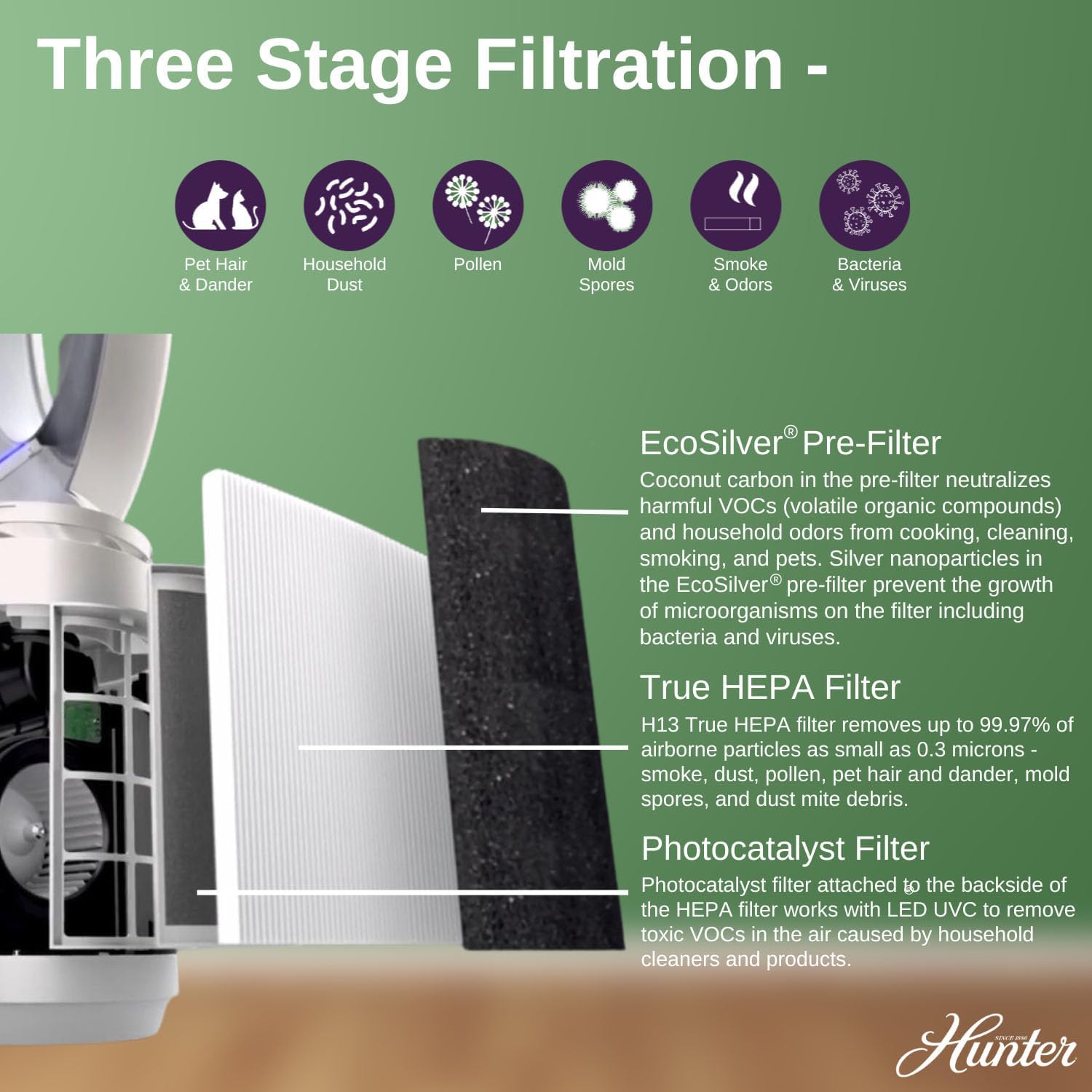
- Tiga-Stage Sistem Filtrasi:
- Pra-Filter EcoSilver®: Coconut carbon pre-filter neutralizes VOCs and odors. Silver nanoparticles prevent growth of microorganisms.
- Filter HEPA Sejati: H13 True HEPA filter captures up to 99.97% of airborne particles as small as 0.3 microns (e.g., smoke, dust, pollen, pet dander, mold spores, dust mite debris).
- Filter fotokatalis: Works with LED UVC to remove toxic VOCs.
- UVC Light Technology: Inhibits the growth of bacteria and viruses.
Gambar: Detail view of the control panel on the Hunter ExtremeAir Tower Bladeless Air Purifier, highlighting buttons for On/Off Power, 9 Fan Speeds, Timer, Oscillation Mode, Sleep Mode, UV Mode, and Filter Light Indicators.

Gambar: Sebuah ledakan view diagram illustrating the three-stage filtration system of the air purifier, including the EcoSilver Pre-Filter, True HEPA Filter, and Photocatalyst Filter, with descriptions of what each filter targets (e.g., pet hair, dust, pollen, mold spores, smoke, bacteria & viruses).
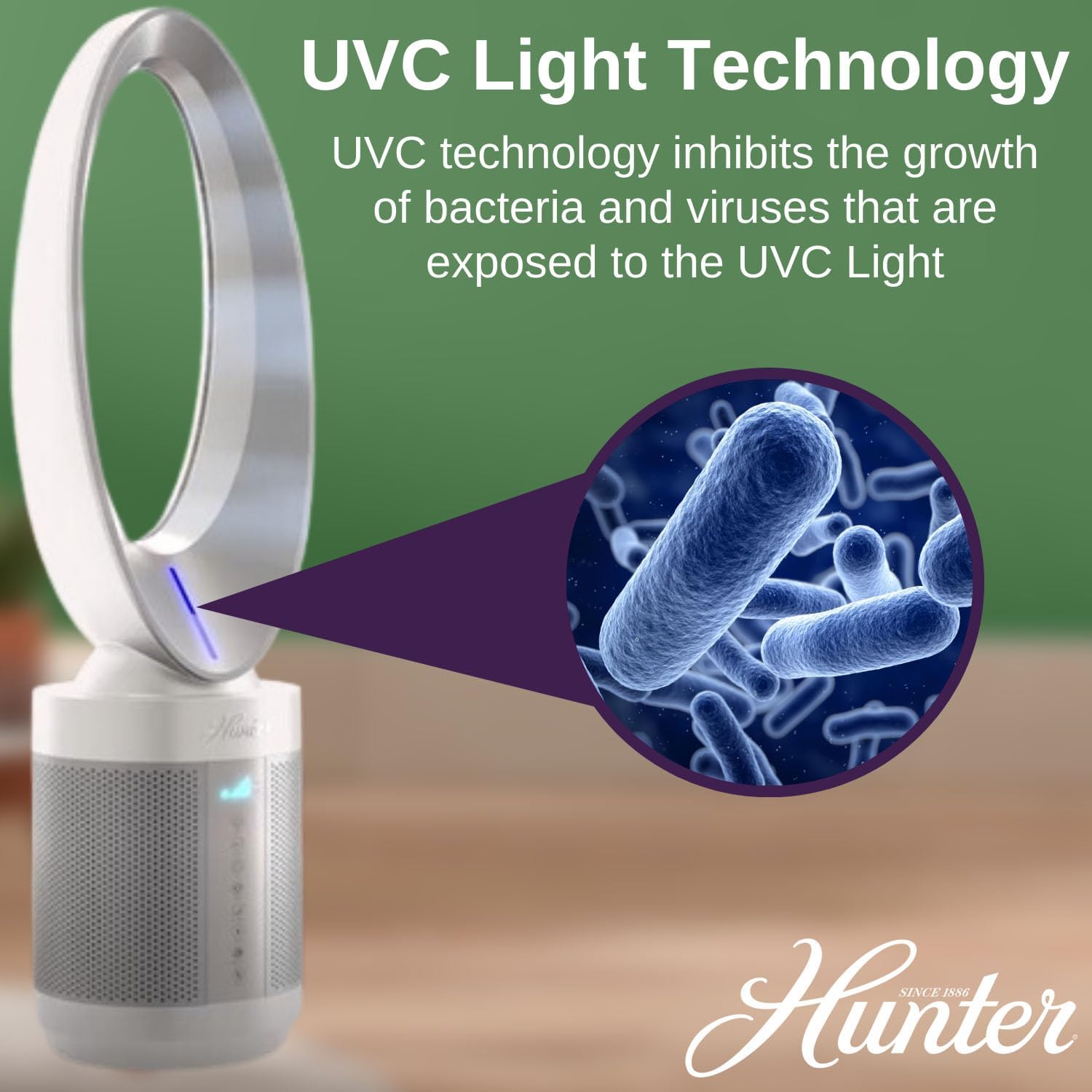
Image: A graphic demonstrating the UVC Light Technology feature, showing how UVC light inhibits the growth of bacteria and viruses within the air purifier.
Pengaturan dan Instalasi
- Membongkar: Keluarkan alat penjernih udara dari kemasannya dengan hati-hati. Simpan kemasan untuk penyimpanan atau pengangkutan di masa mendatang.
- Penempatan: Place the air purifier on a firm, level surface. Ensure there is at least 6 inches (15 cm) of clear space around all sides for optimal airflow. Do not block air inlets or outlets.
- Sambungan Daya: Colokkan kabel daya ke stopkontak standar 120V AC.
- Pemeriksaan Filter Awal: Before first use, ensure all filters are correctly installed and any protective packaging has been removed from the filters. Refer to the "Filter Replacement" section for details.
Petunjuk Pengoperasian
Panel Kontrol dan Kontrol Jarak Jauh
The air purifier can be operated using the touch controls on the unit or the included remote control.
- Daya Hidup/Mati: Tekan tombol ⏻ tombol untuk menghidupkan atau mematikan unit.
- Kecepatan Kipas: Tekan tombol ⇌ button repeatedly to cycle through 9 fan speeds. The current speed will be indicated on the display.
- Pengatur waktu: Tekan tombol ⏱ button to set the operating timer (e.g., 1, 2, 4, 8 hours). The unit will automatically shut off after the set time.
- Osilasi: Tekan tombol ↻ button to activate or deactivate the oscillation function, allowing the unit to rotate and distribute air across a wider area.
- Mode tidur: Tekan tombol ☽ button to enter sleep mode. In this mode, the fan operates at a lower speed and the display lights dim for quiet operation.
- Modus UV: Tekan tombol ☀ button to turn the UVC light technology on or off.
Pemeliharaan
Regular maintenance ensures optimal performance and extends the lifespan of your air purifier. Always unplug the unit before cleaning or performing any maintenance.
Membersihkan Bagian Luar
Wipe the exterior surfaces of the air purifier with a soft, dry cloth. Do not use abrasive cleaners, waxes, or solvents as these may damage the finish. Do not allow water to drip into the air purifier.
Penggantian Filter
The filter replacement indicator light will illuminate when it's time to replace the filters. Filter lifespan varies depending on usage and air quality. It is recommended to replace filters every 6-12 months.
- Cabut steker unit: Ensure the air purifier is unplugged from the power outlet.
- Remove the top: Push the button located on the left side of the base and turn the top counterclockwise to unlock and remove it.
- Remove old filters: Lift the old filters out of the unit using the attached tabs. Dispose of used filters responsibly.
- Insert new filters: Place the new pre-filter onto the front of the HEPA filter and secure it by pressing down on the outer edges.
- Berkumpul kembali: Place the new filters back into the unit. Line up the top with the notches on the base and turn clockwise to lock it securely.
- Atur Ulang Indikator Filter: After replacing filters, plug in the unit and press and hold the "Filter" button (often indicated by a filter icon) for 3-5 seconds until the indicator light resets.

Image: A four-panel visual guide demonstrating the filter replacement process for the Hunter HPF520. It shows unplugging the unit, removing the top by pressing a button and turning, lifting out old filters, inserting new pre-filters onto HEPA filters, and finally placing new filters back and securing the top.
Penyelesaian Masalah
| Masalah | Kemungkinan Penyebab | Larutan |
|---|---|---|
| Unit tidak menyala. |
|
|
| Aliran udara berkurang atau pemurnian udara buruk. |
|
|
| Unit mengeluarkan suara yang tidak biasa. |
|
|
| Kontrol jarak jauh tidak berfungsi. |
|
|
Spesifikasi
| Nomor Model | HPF520 |
| Merek | Pemburu |
| Dimensi Produk | 9"P x 9"L x 35.5"T (22.86 cm P x 22.86 cm L x 90.17 cm T) |
| Berat | 9.75 pon (4.42 kg) |
| Cakupan Area Lantai | 117 Square Feet (10.87 sq meters) |
| Tipe Pengendali | Kendali Jarak Jauh, Kontrol Sentuh |
| Kecepatan Kipas | 9 |
| Tingkat Kebisingan (Mode Tidur) | As quiet as 36 decibels |
| Jenis Filtrasi | EcoSilver Pre-Filter, True HEPA Filter (H13), Photocatalyst Filter, UVC Light |

Image: A diagram illustrating the dimensions of the Hunter ExtremeAir Tower Bladeless Air Purifier, showing a height of 35.2 inches and a width of 9.3 inches.

Image: A room size chart demonstrating the air exchange rates per hour for the Hunter HPF520 in various room sizes, including bedroom (10'x15'x8'), kitchen (20'x15'x8'), bathroom (10'x10'x8'), living room (20'x20'x8'), and another bedroom (10'x20'x8').
Garansi dan Dukungan
For warranty information, product registration, or technical support, please visit the official Hunter websitus atau hubungi layanan pelanggan mereka.
- Pabrikan: Perusahaan Penggemar Hunter
- Weblokasi: www.hunterfan.com
- Kontak: Lihat kemasan produk atau situs web produsen. webKunjungi situs ini untuk detail kontak layanan pelanggan tertentu.
Penafian Hukum: Pernyataan mengenai suplemen makanan belum dievaluasi oleh FDA dan tidak dimaksudkan untuk mendiagnosis, mengobati, menyembuhkan, atau mencegah penyakit atau kondisi kesehatan apa pun. (Note: This disclaimer was provided in the source product information, though it appears to be a generic disclaimer not directly related to an air purifier.)


