1. Petunjuk Keselamatan Penting
Always observe the following safety precautions when operating the SCHEPPACH BC-CD60-X Cordless Brushless Impact Drill Driver to prevent electric shock, fire, and serious injury.
- Keselamatan Area Kerja: Jaga agar area kerja tetap bersih dan terang. Area yang berantakan atau gelap dapat meningkatkan risiko kecelakaan. Jangan mengoperasikan peralatan listrik di lingkungan yang mudah meledak, seperti di dekat cairan, gas, atau debu yang mudah terbakar.
- Keamanan Listrik: Hindari kontak tubuh dengan permukaan yang dibumikan atau ditanahkan seperti pipa, radiator, kompor, dan lemari es. Risiko sengatan listrik meningkat jika tubuh Anda dibumikan atau ditanahkan.
- Keamanan Pribadi: Always wear eye protection. Use hearing protection when operating impact drills. Wear a dust mask if operations create dust. Dress properly; avoid loose clothing or jewelry. Keep hair, clothing, and gloves away from moving parts.
- Penggunaan dan Perawatan Alat Listrik: Jangan memaksakan penggunaan alat listrik. Gunakan alat listrik yang tepat untuk aplikasi Anda. Jangan gunakan alat listrik jika sakelarnya tidak dapat menghidupkan dan mematikannya. Lepaskan baterai dari alat listrik sebelum melakukan penyesuaian apa pun, mengganti aksesori, atau menyimpan alat listrik.
- Penggunaan dan Perawatan Alat Baterai: Recharge only with the charger specified by the manufacturer. Use power tools only with specifically designated battery packs. When the battery pack is not in use, keep it away from other metal objects.
- Melayani: Servis perkakas listrik Anda oleh teknisi ahli dengan hanya menggunakan suku cadang pengganti yang sama. Ini akan memastikan keamanan perkakas listrik tetap terjaga.
2. Produk Lebihview dan Komponen
Familiarize yourself with the main components of your SCHEPPACH BC-CD60-X drill driver.
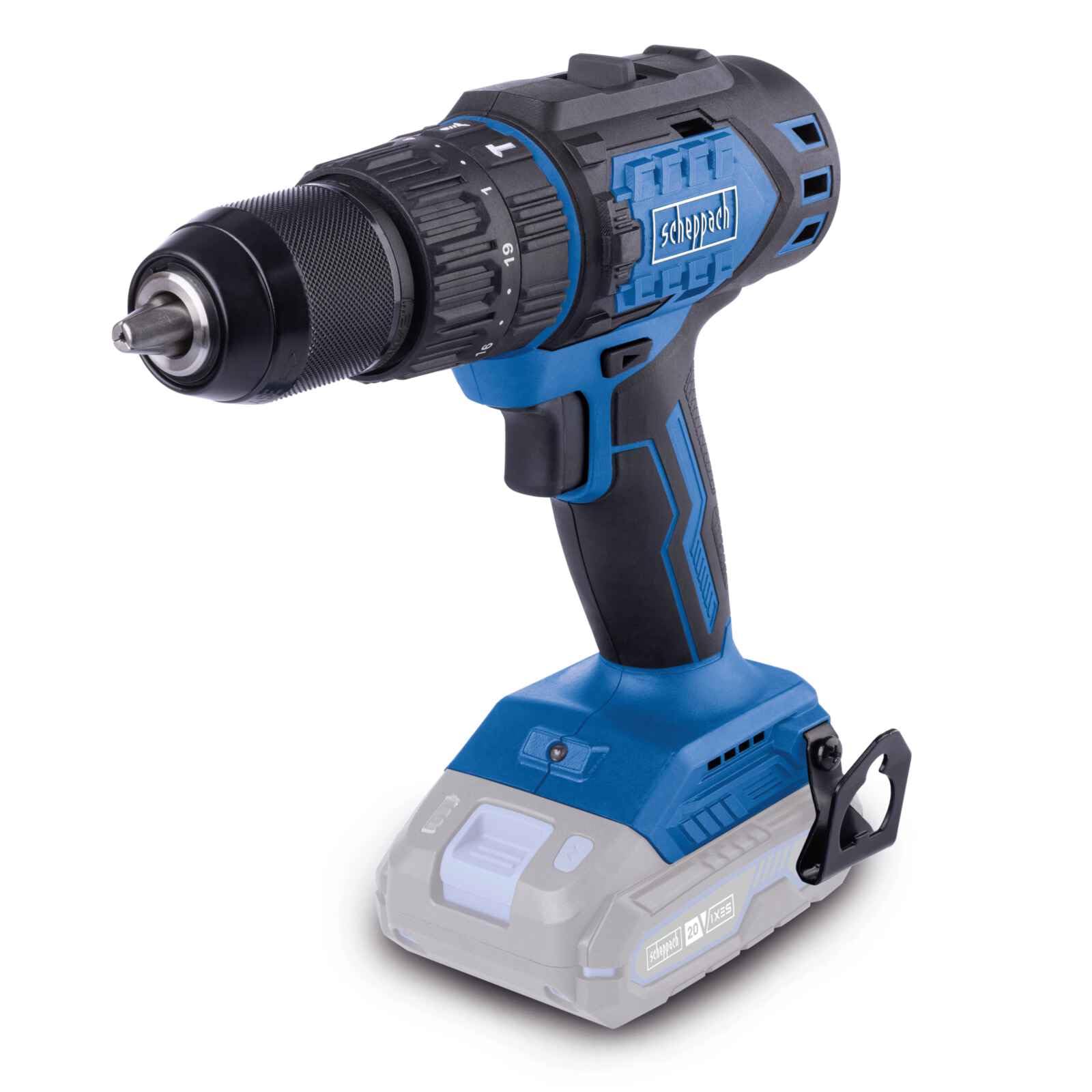
Image: The SCHEPPACH BC-CD60-X Cordless Brushless Impact Drill Driver, showcasinberkat desainnya yang ringkas dan fitur-fitur utamanya.
The drill driver is designed for versatility, offering modes for screwing, drilling, and impact drilling.

Image: Demonstrates the drill driver's three primary functions: screwing into wood, drilling into metal, and impact drilling into a wall.
3. Pengaturan dan Perakitan
3.1 Pemasangan Baterai (Baterai dan Pengisi Daya Tidak Termasuk)
This tool is part of the SCHEPPACH 20V IXES battery platform. Ensure you use a compatible 20V IXES battery and charger.
- Align the battery pack with the receptacle at the base of the tool.
- Geser baterai ke tempatnya hingga terkunci dengan aman.
- Untuk melepas, tekan tombol pelepas baterai dan geser baterai keluar.

Image: Illustrates the performance difference between 2.0 Ah and 4.0 Ah batteries for screwing into softwood and drilling into brick. Performance may vary based on external conditions.
3.2 Chuck and Bit Installation
The drill driver features a 13mm keyless chuck for quick and easy bit changes.
- To open the chuck, rotate the chuck sleeve counter-clockwise until the jaws are wide enough for your bit.
- Masukkan mata bor atau mata obeng sepenuhnya ke dalam chuck.
- Rotate the chuck sleeve clockwise to tighten the jaws firmly around the bit. Ensure the bit is centered and secure.

Image: Shows the top selector switch for quick, tool-free switching between drilling, screwing, and impact drilling functions.
4. Petunjuk Pengoperasian
4.1 Menghidupkan/Mematikan Daya dan Kontrol Kecepatan
The tool's speed is continuously adjustable via the trigger switch.
- Untuk menghidupkan alat, tekan sakelar pemicu.
- To increase speed, press the trigger further. To decrease speed, release the trigger slightly.
- To stop the tool, fully release the trigger switch.

Image: A user holding the drill, demonstrating the continuously adjustable speed control through the trigger switch.
4.2 Pemilihan Gigi
The drill driver has two mechanical speed gears:
- Gigi 1 (Kecepatan Rendah, Torsi Tinggi): Ideal for screwdriving and drilling large diameter holes. (0-450 min⁻¹)
- Gear 2 (High Speed, Low Torque): Suitable for drilling small diameter holes and faster operations. (0-1600 min⁻¹)
To change gears, slide the gear selector switch located on top of the tool. Ensure the tool is stopped before changing gears to prevent damage.
4.3 Torsi dan Pemilihan Mode
The torque collar allows you to select the appropriate torque setting for screwdriving or switch to drilling/impact drilling modes.
- Pengaturan Torsi (1-19): Rotate the torque collar to select one of 19 torque stages. Lower numbers are for smaller screws or softer materials; higher numbers are for larger screws or harder materials. This prevents over-tightening and stripping screws.
- Mode Pengeboran (Simbol Mata Bor): For general drilling tasks without torque limitation.
- Impact Drilling Mode (Hammer Symbol): For drilling into masonry or concrete, utilizing the impact function.
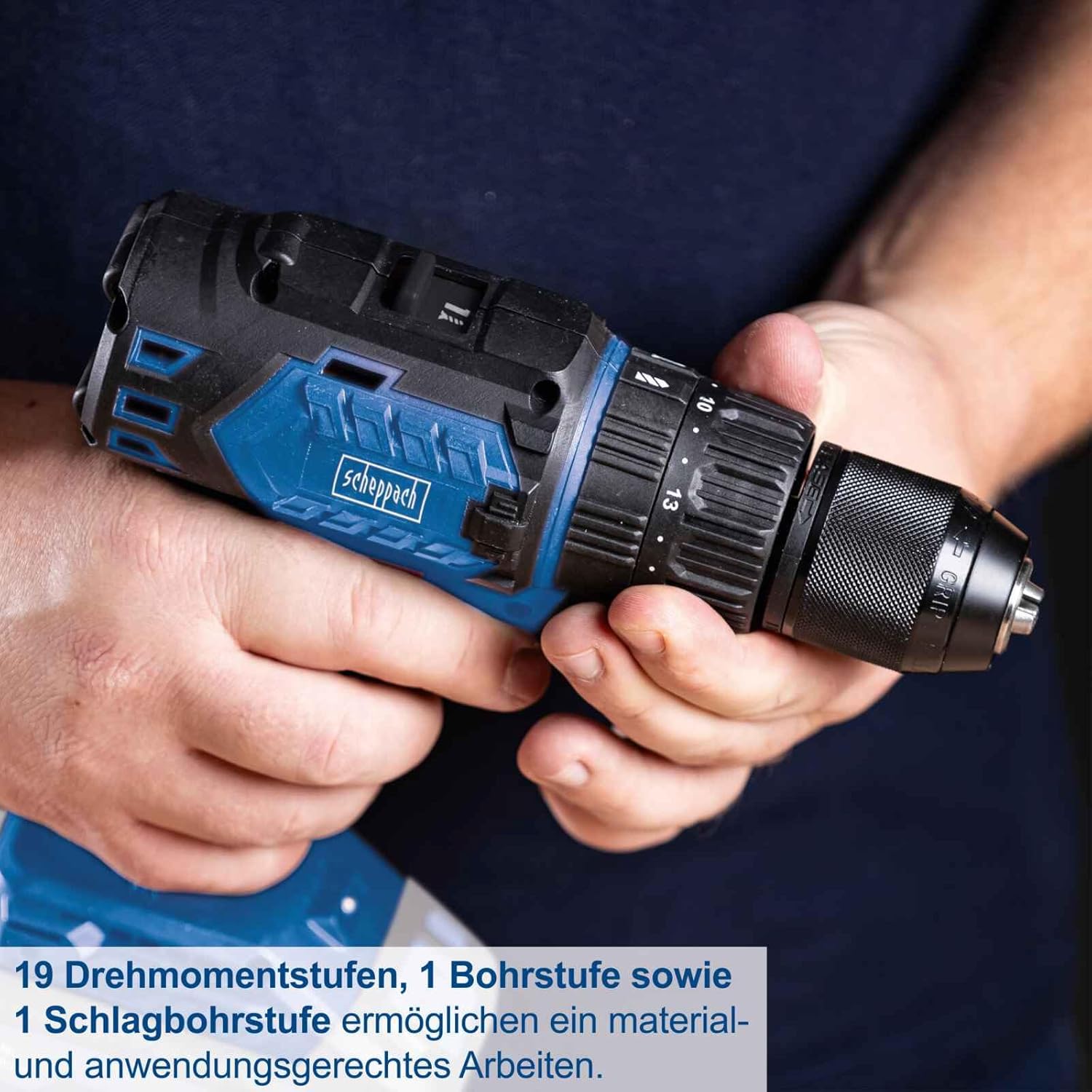
Image: Close-up of the drill driver's chuck and torque collar, highlighting the 19 torque stages, 1 drill stage, and 1 impact drill stage for precise work.
4.4 Rotasi Maju/Mundur
The forward/reverse switch is located above the trigger. Push it to the left for forward rotation (screwing in, drilling) and to the right for reverse rotation (removing screws, backing out bits).
4.5 Klip Sabuk
The integrated belt clip allows for convenient carrying of the tool, especially useful when working at heights or on a ladder.

Image: A user demonstrating the practical belt clip, showing how the drill driver can be securely attached to a belt for easy access.
5. Pemeliharaan
Perawatan rutin memastikan umur panjang dan kinerja optimal alat Anda.
- Pembersihan: Jaga kebersihan lubang ventilasi alat untuk mencegah panas berlebih. Gunakan kain lembut dan kering.amp Gunakan kain untuk membersihkan alat. Jangan gunakan bahan kimia keras atau pembersih abrasif.
- Perawatan Chuck: Bersihkan rahang chuck secara berkala untuk memastikan cengkeraman yang tepat pada mata bor.
- Penyimpanan: Simpan alat dan baterai di tempat yang kering dan sejuk, jauhkan dari sinar matahari langsung dan kelembapan. Pastikan baterai terisi sebagian sebelum disimpan dalam jangka panjang.
- Inspeksi: Regularly inspect the tool for any signs of damage, loose screws, or worn parts. Do not use a damaged tool.
6. Penyelesaian masalah
Jika Anda mengalami masalah dengan bor listrik Anda, lihat masalah dan solusi umum berikut ini:
| Masalah | Kemungkinan Penyebab | Larutan |
|---|---|---|
| Alat tidak dimulai | Baterai tidak terisi atau tidak dipasang dengan benar | Charge the battery. Ensure the battery is fully inserted and clicked into place. |
| Kehilangan daya selama operasi | Daya baterai rendah | Isi ulang baterainya. |
| Bit tergelincir di chuck | Chuck not tightened sufficiently or jaws are dirty | Tighten the chuck firmly. Clean chuck jaws if necessary. |
| Terlalu panas | Lubang ventilasi tersumbat atau penggunaan berat terus menerus. | Clean ventilation slots. Allow the tool to cool down. Reduce load. |
7. Spesifikasi
Key technical data for the SCHEPPACH BC-CD60-X Cordless Brushless Impact Drill Driver.

Image: Visual representation of key specifications including 60 Nm torque, 1.5-13mm chuck, two speed ranges, and 20V battery system.
- Model: SM-CD60-X
- Nomor Model Pabrikan: 5909237900
- Merek: Scheppach
- Sumber Daya: Ditenagai Baterai (sistem IXES 20V)
- Jil.tage: 20V
- Torsi Maksimum: 60 Newton-meter (Nm)
- Ukuran Chuck: 1.5 - 13 mm
- No-Load Speed (Gear 1): 0 - 450 min⁻¹
- No-Load Speed (Gear 2): 0 - 1600 min⁻¹
- Jumlah Pengaturan Kecepatan: 2
- Pengaturan Torsi: 19 + 1 (Drill) + 1 (Impact Drill)
- Berat: 1.74 Kilogram
- Dimensi (P x L x T): Ukuran 23x22x10 cm
- Warna: Biru
- Negara Asal: Cina
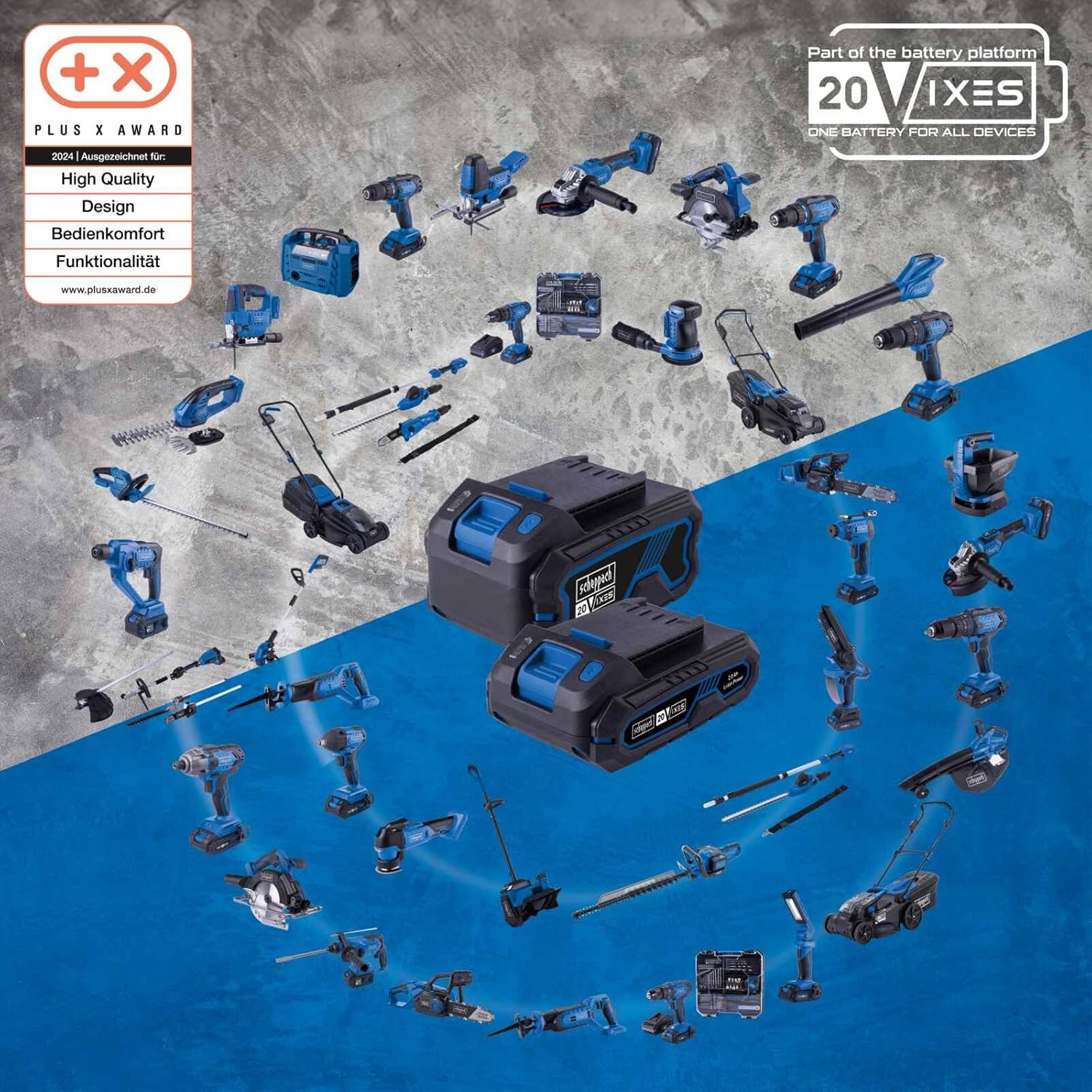
Gambar: Lebih dariview of the SCHEPPACH 20V IXES battery platform, showing various compatible tools that share the same battery system.
8. Garansi dan Dukungan
8.1 Informasi Garansi
Specific warranty terms and conditions for the SCHEPPACH BC-CD60-X may vary by region and retailer. Please refer to the warranty documentation provided with your purchase or contact your point of sale for detailed information regarding warranty coverage and duration.
8.2 Dukungan Pelanggan
For technical assistance, spare parts, or service inquiries, please contact SCHEPPACH customer support or your authorized dealer. When contacting support, please have your model number (BC-CD60-X) and serial number (if applicable) ready.
Information regarding spare parts availability is not provided in the product specifications. Please inquire directly with SCHEPPACH or your retailer for spare parts.


