Perkenalan
Thank you for choosing the HyperGear Halo Waterproof LED Wireless Speaker. This manual provides essential information for setting up, operating, and maintaining your speaker to ensure optimal performance and longevity. The Halo speaker combines powerful HD sound with a vibrant 360° multicolor LED light show, designed for both indoor and outdoor use. Its IPX6 waterproof rating makes it suitable for various environments, from poolside parties to everyday listening.
Apa yang ada di dalam kotak
- HyperGear Halo Waterproof LED Wireless Speaker
- Kabel Pengisian Daya USB-C
- 3.5mm Aux Cord
Panduan Pengaturan
1. Mengisi Speaker
Before first use, fully charge your Halo speaker. Connect the included USB-C charging cable to the speaker's charging port and the other end to a USB power adapter (not included). The LED indicator will show charging status and turn off when fully charged.
2. Menghidupkan/Mematikan
Press and hold the Power button on the speaker's top panel to turn it on or off. A sound prompt will indicate the power status.
3. Pemasangan Bluetooth
- Pastikan speaker dihidupkan dan dalam mode pemasangan Bluetooth (ditunjukkan dengan LED yang berkedip).
- Pada perangkat Anda (ponsel pintar, tablet, komputer), aktifkan Bluetooth dan cari perangkat yang tersedia.
- Select "HyperGear Halo" from the list.
- Setelah berhasil dipasangkan, speaker akan mengeluarkan suara konfirmasi, dan LED akan berhenti berkedip.
Speaker akan secara otomatis terhubung kembali ke perangkat yang terakhir dipasangkan saat dihidupkan, jika berada dalam jangkauan.

The top panel of the HyperGear Halo speaker, showing controls and its connection to a smartphone via Bluetooth.
Petunjuk Pengoperasian
Kontrol Dasar
| Tombol/Fungsi | Tindakan |
|---|---|
| Tombol Daya | Tekan dan tahan untuk Menghidupkan/Mematikan daya |
| Putar/Jeda | Press once to Play/Pause music |
| Volume Naik (+) | Tekan sekali untuk memperbesar volume |
| Volume Turun (-) | Tekan sekali untuk mengecilkan volume |
| Lagu Berikutnya | Press and hold Volume Up (+) |
| Trek Sebelumnya | Press and hold Volume Down (-) |
| Menjawab/Mengakhiri Panggilan | Tekan tombol Putar/Jeda sekali |
| Tolak Panggilan | Press and hold Play/Pause button |
| Tombol Mode Cahaya | Tekan untuk menelusuri 6 mode lampu LED |
Party Mode (Stereo Pairing)
To achieve immersive stereo sound, you can pair two HyperGear Halo speakers together:
- Ensure both Halo speakers are powered on and not connected to any other Bluetooth device.
- On one speaker (this will be the primary speaker), double-press the Power button. It will enter pairing mode for Party Mode.
- Kedua speaker akan terhubung secara otomatis satu sama lain. Suara konfirmasi akan menandakan pemasangan berhasil.
- Now, connect your device to the primary speaker via Bluetooth as described in the 'Bluetooth Pairing' section. Both speakers will play synchronized audio and light shows.

Two HyperGear Halo speakers paired together for Party Mode, offering synchronized audio and light effects.
Alternative Playback Modes

The side panel of the HyperGear Halo speaker, revealing the AUX, microSD, and USB-C ports for versatile connectivity.
- Tambahan: Connect your device using the included 3.5mm Aux cord to the speaker's AUX port for a wired audio connection.
- Kartu microSD: Insert a microSD card loaded with audio files into the designated slot. The speaker will automatically play music from the card.
Fitur Lebihview
- Peringkat Tahan Air IPX6: Designed to withstand splashes, rain, and spills, making it ideal for outdoor adventures and poolside use.
- Powerful 5W Front-Firing Sound: Equipped with a 52mm full-range driver for rich, dynamic audio with pulse-pounding bass. The front-firing design ensures clearer sound projection.
- 360° Multicolor LED Lights: Features a vibrant light ring that synchronizes with your music, offering 6 different lighting modes to enhance your listening experience.
- Mikrofon internal: Allows for convenient hands-free calling.
- Teknologi Bluetooth 5.3: Provides a stable, stutter-free wireless connection with a range of up to 33 feet.
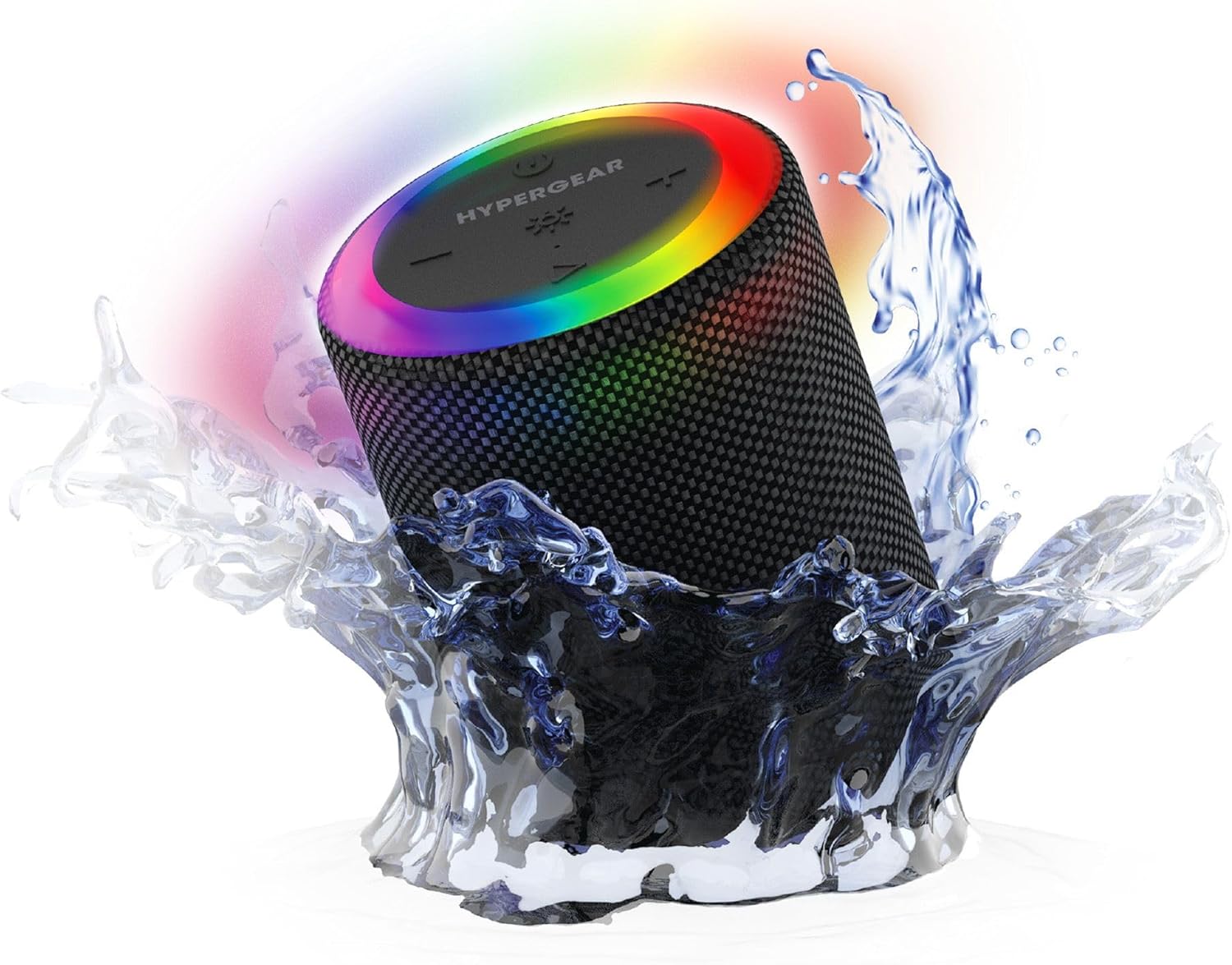
The HyperGear Halo speaker immersed in water, highlighting its robust waterproof design.

Visual representation of the HyperGear Halo speaker's powerful audio features, including its 5W output and 52mm driver.

The HyperGear Halo speaker showcasing its beat-synced 360° multicolor LED light ring with various lighting modes.
Spesifikasi
| Fitur | Detil |
|---|---|
| Nama Model | Halo Waterproof LED Wireless Speaker |
| Jenis Pembicara | Bahasa Indonesia: Multibahasa |
| Teknologi Konektivitas | Bluetooth 5.3 |
| Mode Keluaran Audio | Mono (Stereo with Party Mode) |
| Daya Keluaran Maksimum Speaker | 5 Watt |
| Ukuran Driver Audio | 52 Milimeter |
| Tingkat Tahan Air | Tahan Air IPX6 |
| Dimensi Produk | 3.27"Panjang x 3.27"Lebar x 4.13"T |
| Berat Barang | 1.05 pon |
| Sumber Daya | Bertenaga Baterai |
| Komponen yang Termasuk | USB-C Charging Cable, 3.5mm Aux Cord |
| Metode Kontrol | Tombol |
| UPC | 633755158858 |
Pemeliharaan
- Pembersihan: Usap speaker dengan lembut, damp kain. Jangan gunakan bahan kimia keras atau pembersih abrasif.
- Penyimpanan: Simpan speaker di tempat yang sejuk dan kering, jauhkan dari sinar matahari langsung dan suhu ekstrem.
- Perawatan Baterai: To preserve battery life, avoid fully discharging the speaker frequently. Charge it regularly, even if not in use for extended periods.
- Segel Tahan Air: Ensure the silicone cover for the charging and AUX ports is securely closed when near water to maintain its IPX6 rating.
Penyelesaian Masalah
| Masalah | Solusi yang mungkin |
|---|---|
| Speaker tidak menyala. | Pastikan speaker terisi daya. Sambungkan ke sumber daya dan coba lagi. |
| Tidak dapat memasangkan dengan perangkat Bluetooth. | Make sure the speaker is in pairing mode (flashing LED). Turn off and on Bluetooth on your device. Ensure no other devices are connected to the speaker. Move speaker closer to your device. |
| Tidak ada suara dari speaker. | Check volume levels on both the speaker and your device. Ensure the correct input mode (Bluetooth, Aux, MicroSD) is selected. If using Aux, ensure the cable is fully inserted. |
| Party Mode not working. | Ensure both speakers are fully charged and not connected to any other Bluetooth devices. Try resetting both speakers by powering them off and on, then re-attempt Party Mode pairing. |
| Lampu LED tidak menyala. | Press the Light Mode button to cycle through modes. Ensure the speaker is powered on. |
Garansi dan Dukungan
The HyperGear Halo Waterproof LED Wireless Speaker comes with a Garansi Terbatas. For specific details regarding warranty coverage, duration, and claims, please refer to the warranty card included with your product or visit the official HyperGear website. For technical support or further assistance, please contact HyperGear customer service through their official channels.


