1. Pendahuluan
Terima kasih sudah membeliasing the MEGUO K38 Portable Bluetooth Karaoke Machine. This device is designed to provide an enjoyable audio experience with its powerful speaker, wireless microphones, and dynamic lighting. Please read this manual thoroughly before use to ensure proper operation and to maximize your enjoyment of the product.
2. Isi Paket
Pastikan semua item ada dalam paket:
- 1 x Speaker Nirkabel
- 2 x Mikrofon Nirkabel
- 1 x Kabel Pengisian Daya USB
- 1 x Panduan Pengguna
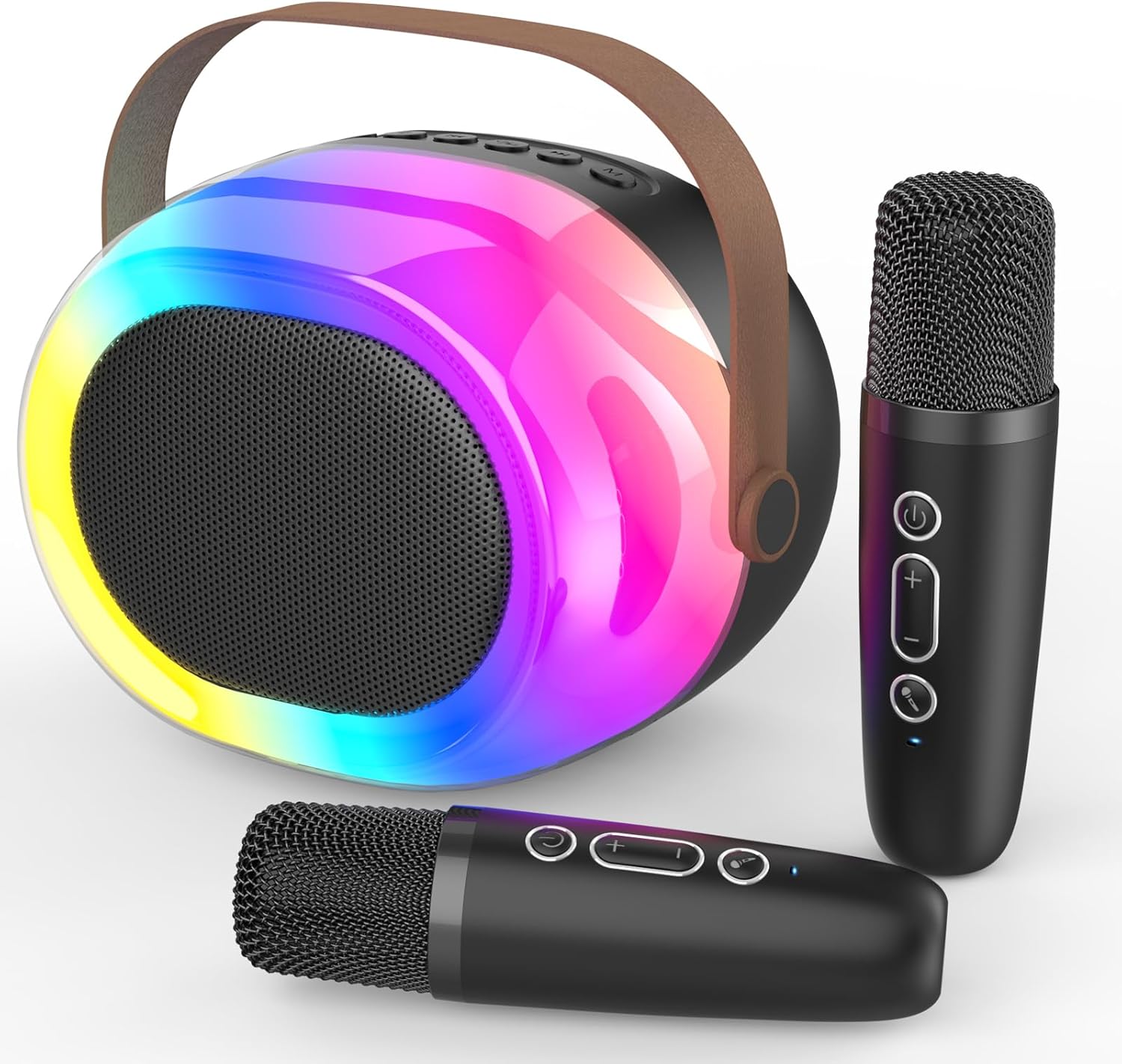
Image: The MEGUO K38 Portable Bluetooth Karaoke Machine, including the main speaker unit and two wireless microphones.
3. Produk Lebihview
Unit 3.1 Speaker
The main speaker unit features a 12W powerful driver and bass radiator for clear and balanced sound. It includes a convenient handle for portability.
- Tombol Kontrol: Power, Volume Up/Down, Play/Pause, Mode Selection.
- Pelabuhan: USB-C charging port, TF card slot, USB-A port, AUX input.
- Dynamic Lights: Integrated colorful dynamic atmosphere lights with multiple modes.

Gambar: Sebuah ledakan view of the speaker unit highlighting its 12W speaker and 4-inch bass radiator for enhanced sound.
3.2 Mikrofon Nirkabel
The two wireless microphones are lightweight and designed for ease of use. Each microphone is rechargeable.
- Tombol Kontrol: Power, Volume Up/Down, Voice Changer.
- Efek Suara: Baby, Female, Male, and Monster voice changing effects.

Image: A family enjoying the karaoke machine, illustrating the various voice changing effects available on the microphones.
4. Pengaturan
4.1 Pengisian Awal
Before first use, fully charge both the speaker unit and the wireless microphones. Use the provided USB charging cable. A full charge typically takes 2-3 hours.
- Connect the USB-C end of the cable to the charging port on the speaker/microphone.
- Hubungkan ujung USB-A ke adaptor daya USB yang kompatibel (tidak disertakan).
- Lampu indikator akan menunjukkan status pengisian daya dan mati saat daya terisi penuh.
4.2 Daya Hidup/Mati
- Pembicara: Press and hold the Power button on the speaker unit until you hear a power-on prompt.
- Mikrofon: Press and hold the Power button on each microphone until you hear a power-on prompt.
- Untuk mematikan daya, ulangi proses tersebut.
4.3 Pemasangan Bluetooth
The speaker and microphones will automatically attempt to pair with each other upon powering on. For external device connection:
- Ensure the speaker is in Bluetooth mode (indicated by a voice prompt).
- On your smartphone or other Bluetooth-enabled device, search for "K38" in the Bluetooth settings.
- Select "K38" to connect. A voice prompt will confirm successful pairing.

Image: The speaker and microphones, illustrating the various playback modes including Bluetooth, TF card, USB, and AUX input.
5. Petunjuk Pengoperasian
5.1 Mode Pemutaran
Speaker ini mendukung beberapa opsi pemutaran:
- Mode Bluetooth: Connect wirelessly to your device to stream music.
- Mode Kartu TF: Insert a TF (MicroSD) card with MP3 fileke dalam slot yang ditentukan.
- Mode USB: Masukkan flashdisk USB dengan MP3 fileke port USB-A.
- Masukan AUX: Hubungkan perangkat audio eksternal menggunakan kabel AUX 3.5 mm (tidak termasuk).
Press the 'M' (Mode) button on the speaker to switch between modes.
5.2 Kontrol Volume
- Volume Speaker: Use the Volume Up (+) and Volume Down (-) buttons on the speaker unit.
- Volume Mikrofon: Use the Volume Up (+) and Volume Down (-) buttons on each microphone.
5.3 Voice Changing Effects
Each microphone features four magic voice changing effects:
- Suara Asli
- Suara Bayi
- Suara Wanita
- Suara Pria
- Suara Monster
Press the dedicated Voice Changer button on the microphone to cycle through the effects.
5.4 Dynamic Lights
The speaker unit includes colorful dynamic atmosphere lights. These lights can be changed to different modes to enhance the ambiance. Refer to the speaker's control buttons for light mode selection (usually integrated with the 'M' button or a dedicated light button if available).
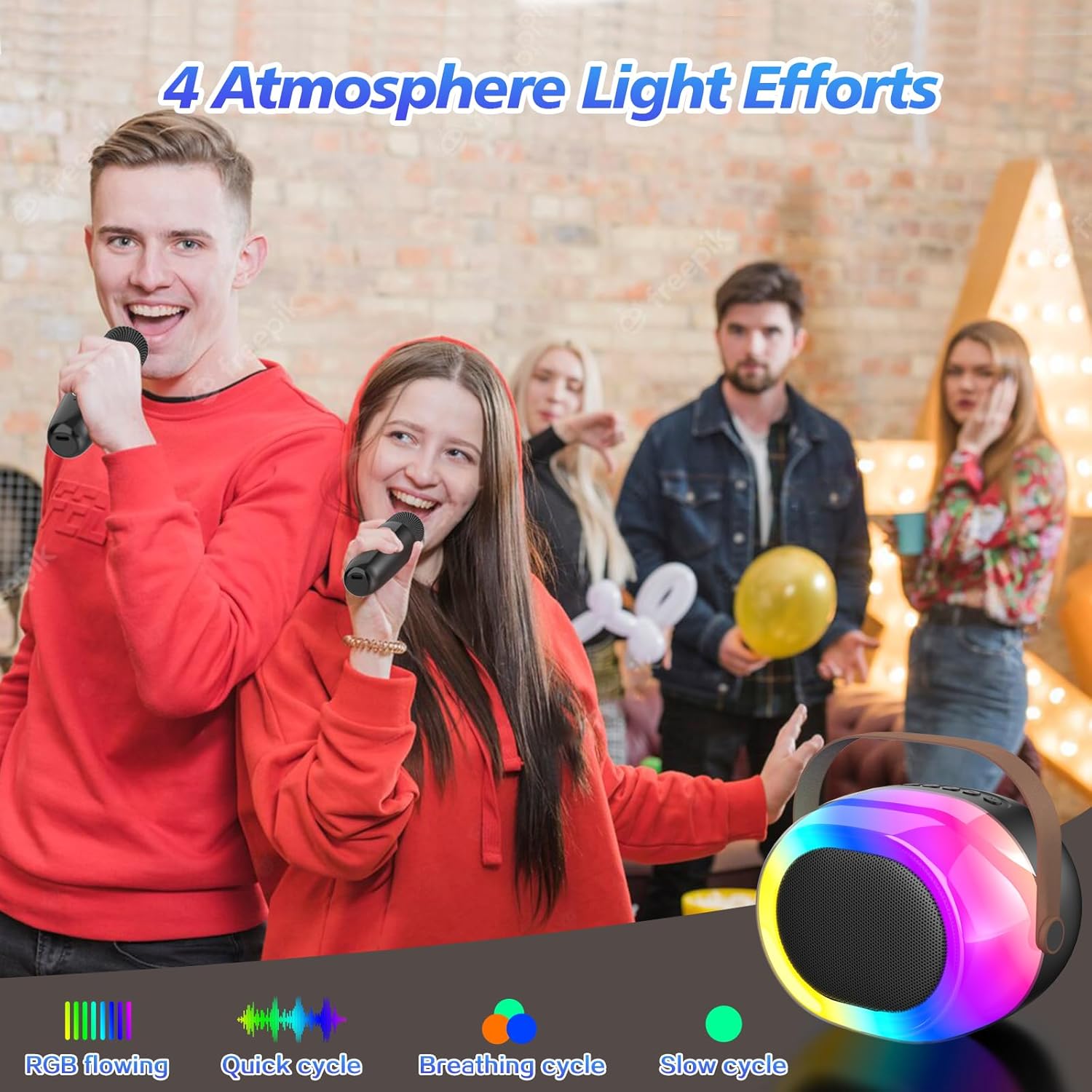
Image: The dynamic atmosphere lights of the karaoke machine creating a lively environment.
6. Pengisian daya
Both the speaker and microphones are equipped with built-in rechargeable Lithium-Ion batteries. Use the provided USB-C cable for charging.
- Waktu Pengisian: Sekitar 2-3 jam untuk pengisian penuh.
- Waktu bermain: Up to 5-10 hours on a full charge, depending on usage and volume levels.
- A red indicator light typically signifies charging, turning off or changing color when fully charged.

Image: The portable karaoke machine being used outdoors, emphasizing its built-in battery and extended playtime.
7. Pemeliharaan
- Jauhkan perangkat dari air, kelembapan, dan suhu ekstrem.
- Clean the surfaces with a soft, dry cloth. Do not use abrasive cleaners or solvents.
- Simpan di tempat sejuk dan kering saat tidak digunakan.
- Hindari menjatuhkan atau membenturkan perangkat dengan keras.
8. Penyelesaian masalah
| Masalah | Kemungkinan Penyebab | Larutan |
|---|---|---|
| Tidak ada daya | Baterai lemah atau habis. | Charge the speaker/microphones fully. |
| Tidak ada suara dari mikrofon | Microphone is off or not paired. Volume is too low. | Ensure microphone is powered on and paired. Increase microphone volume. |
| Bluetooth tidak terhubung | Speaker tidak dalam mode Bluetooth. Perangkat terlalu jauh. Gangguan. | Switch speaker to Bluetooth mode. Move device closer. Avoid obstacles. |
| Kualitas suara buruk | Low battery. Interference. Source audio quality. | Charge devices. Move away from other electronic devices. Use high-quality audio files. |
9. Spesifikasi
- Merek: MEGUO
- Model: Bahasa Inggris: K38
- Dimensi Produk: 3.9x6.2x4.8 inci
- Berat Barang: 2.29 pon
- Sumber Daya: Bertenaga Baterai (termasuk 1 baterai Lithium Ion)
- Fitur Khusus: Pengubah Suara
- Komponen yang Termasuk: 1 Wireless Speaker, 2 Microphones
10. Informasi Keselamatan
- Jangan membongkar atau memodifikasi perangkat.
- Jauhkan dari jangkauan anak kecil untuk mencegah bahaya tersedak akibat bagian-bagian kecil.
- Gunakan hanya kabel pengisi daya dan adaptor daya yang ditentukan.
- Avoid prolonged exposure to loud volumes to prevent hearing damage.
11. Garansi dan Dukungan
For warranty information or technical support, please refer to the product packaging or contact MEGUO customer service directly. Contact details are typically provided on the product box or on the official MEGUO weblokasi.