1. Pendahuluan
The AutoSky Wireless CarPlay and Android Auto AI Box Lite Plus 2.0 is designed to enhance your in-car infotainment experience. This device allows you to seamlessly switch between wireless Apple CarPlay or Android Auto and popular streaming services like Netflix and YouTube directly on your vehicle's factory-wired CarPlay screen. It offers a plug-and-play solution without requiring modifications to your car's stereo system.
2. Fitur Utama
- Dual WiFi Module: Seamlessly switch between Wireless CarPlay/Android Auto and streaming services (Netflix, YouTube) without reconnecting.
- Android Otomatis Nirkabel: Enjoy all wired Android Auto functionalities wirelessly, eliminating cable clutter.
- CarPlay Nirkabel: Access all wired CarPlay features wirelessly for a convenient and cable-free experience.
- Kemampuan Streaming: Stream Netflix and YouTube using a mobile hotspot. Supports local video and music playback via SD card slot.
- Instalasi Plug & Play: Designed for vehicles with built-in factory wired CarPlay. Simply plug into the USB port; no original car stereo dismantling required.
3. Panduan Pengaturan
- Kompatibilitas Kendaraan: Ensure your vehicle has a factory-installed wired CarPlay system. The AutoSky AI Box Lite Plus 2.0 is designed to work with existing wired CarPlay ports.
- Hubungkan Perangkat: Plug the AutoSky AI Box Lite Plus 2.0 into your car's wired CarPlay USB port. Use the provided USB-C to USB-A cable or USB-C to USB-C cable depending on your car's port type. The device will power on automatically.
- Booting Awal: The device will boot up and display its interface on your car's screen. You may see a caution message regarding video playback while driving; agree to proceed.
- Bluetooth Pairing (for Wireless CarPlay/Android Auto):
- On your car's screen, select either 'Apple CarPlay' or 'Android Auto'.
- On your smartphone, go to Bluetooth settings and search for the AutoSky device (e.g., 'AutoSky-XXXX').
- Pair your phone with the AutoSky device. Confirm any pairing codes if prompted.
- Once paired, your phone will automatically connect wirelessly to CarPlay or Android Auto every time you start your car.
- Wi-Fi Connection (for Streaming Services):
- To use streaming apps like Netflix or YouTube, the AutoSky device requires an internet connection.
- Go to the 'Settings' menu on the AutoSky device interface.
- Pilih 'Jaringan & Internet' atau 'Wi-Fi'.
- Turn on Wi-Fi and connect to your mobile phone's personal hotspot or another available Wi-Fi source.
- Ensure your mobile hotspot is active on your phone.
4. Petunjuk Pengoperasian
4.1. Using Wireless CarPlay / Android Auto
- After successful Bluetooth pairing, your smartphone's CarPlay or Android Auto interface will appear on your car's screen.
- Navigate through apps, make calls, send messages, and use navigation (e.g., Apple Maps, Google Maps, Waze) directly from your car's touchscreen or steering wheel controls.
- The device supports voice commands (Siri for CarPlay, Google Assistant for Android Auto) for hands-free operation.
4.2. Accessing Streaming Services (Netflix, YouTube)
- Ensure the AutoSky device is connected to a Wi-Fi source (e.g., mobile hotspot).
- From the main interface, tap on the Netflix or YouTube app icon.
- Log in with your existing account credentials.
- You can now browse and stream content. Remember that video playback while driving may be restricted by local laws and is not recommended for safety.
4.3. Playing Local Media
- Insert an SD card containing video or music files into the designated slot on the AutoSky device.
- Arahkan ke 'Files' or 'Video' app on the device's interface to access and play your local media.
5. Integrasi Media

Image: The AutoSky AI Box Lite Plus 2.0 connected to a car's USB port, ready for use.

Image: Car infotainment screen demonstrating the dual Wi-Fi module's capability to switch between Apple CarPlay/Android Auto and streaming apps like Netflix or YouTube.

Image: Car screen showing seamless access to various applications, including Netflix, Spotify, YouTube, and other communication apps.

Image: Car infotainment screen showing Netflix streaming, highlighting the device's entertainment capabilities.

Image: Car infotainment screen showing YouTube streaming, demonstrating the device's video playback features.
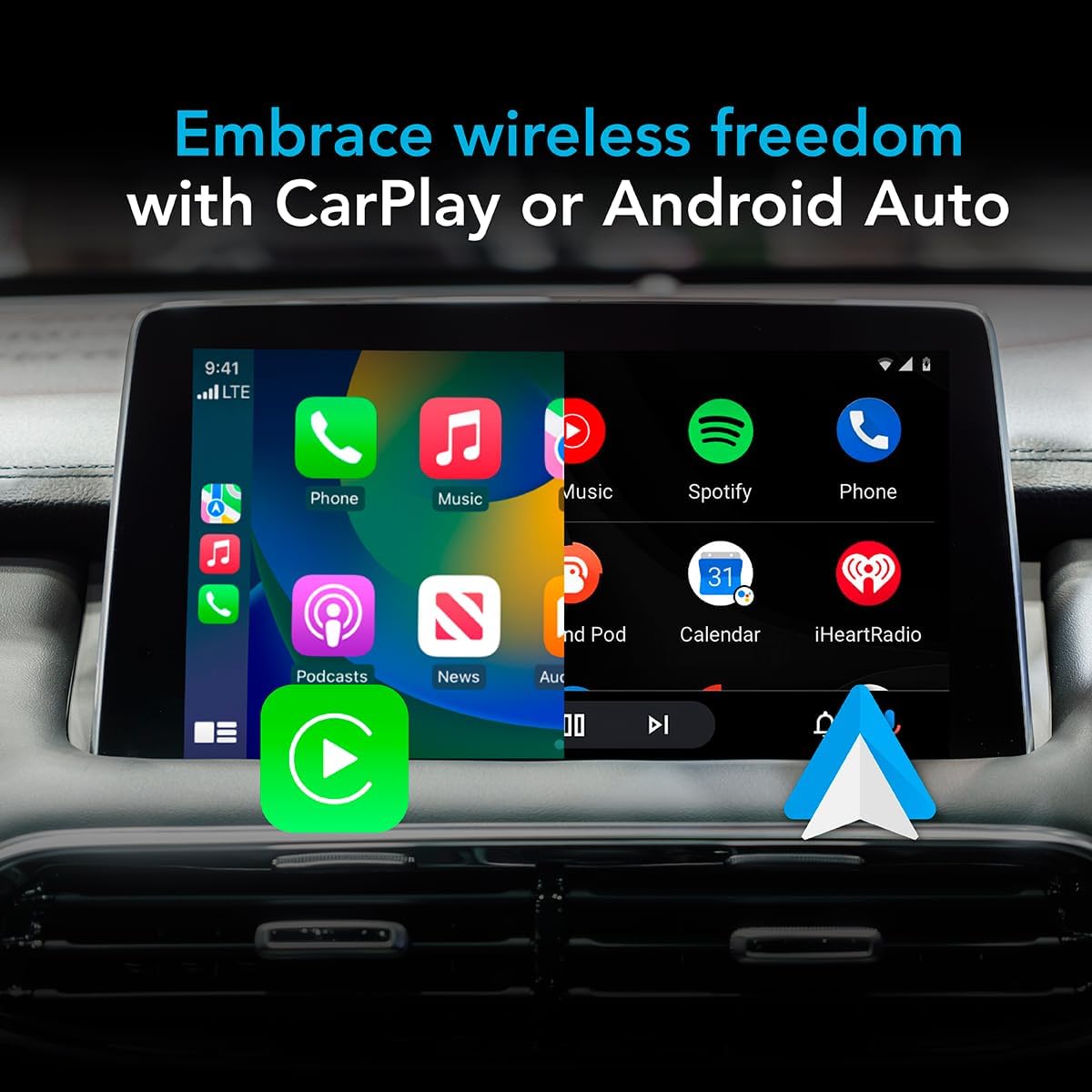
Image: Car infotainment screen displaying the Apple CarPlay interface, showcasing the wireless connectivity for navigation, music, and communication.
Video Produk Resmi
Video: This video demonstrates the installation process of a TV adapter in a vehicle, providing a step-by-step guide for users.
Video: This video showcases the AutoSky adapter playing YouTube and Netflix on the car's screen, highlighting its entertainment features.
Video: This video provides instructions on how to set up screen mirroring with the device.
6. Pemeliharaan
- Pembersihan: Gunakan kain lembut dan kering untuk membersihkan perangkat. Hindari cairan pembersih atau bahan abrasif.
- Pembaruan Perangkat Lunak: Periodically check the device's settings for available software updates to ensure optimal performance and compatibility. Follow on-screen instructions for any updates.
- Penyimpanan: Bila tidak digunakan dalam jangka waktu lama, simpan perangkat di tempat sejuk dan kering, jauhkan dari sinar matahari langsung dan suhu ekstrem.
7. Penyelesaian masalah
- Perangkat Tidak Menyala: Ensure the device is securely plugged into a functional USB port that supports wired CarPlay. Check your car's ignition status.
- Tidak ada koneksi CarPlay/Android Auto:
- Verify your phone's Bluetooth is on and paired with the AutoSky device.
- Ensure your car's factory wired CarPlay is active and recognized by the vehicle.
- Restart both your phone and the AutoSky device (by unplugging and replugging).
- Streaming Apps Not Working (Netflix/YouTube):
- Confirm the AutoSky device is connected to a stable Wi-Fi network (e.g., your mobile hotspot).
- Check your mobile hotspot's data plan and signal strength.
- Ensure you are logged into your streaming service accounts.
- Screen Freezing or Lag:
- Restart the AutoSky device.
- Check for any available software updates for the device.
- Pastikan sistem operasi ponsel Anda sudah diperbarui.
8. Spesifikasi
| Berat Barang | 1.34 ons (38 gram) |
| Dimensi Produk | 0.4x2x3.3 inci |
| Nomor Model Barang | WCPAA-DUAL |
| Ukuran Layar | 20 Inches (projected) |
| Perintah Suara | Layar sentuh |
| Merek | LangitOtomatis |
| Nama Model | Lite Plus 2.0 |
| Jenis Layanan Kendaraan | Mobil |
| Teknologi Konektivitas | Bluetooth, WiFi |
| Sistem Operasi | Bahasa Indonesia: Android |
| Kapasitas Penyimpanan Memori | 16 GB |
9. Garansi dan Dukungan
For warranty information and technical support, please refer to the documentation included with your product or visit the official AutoSky weblokasi. Simpan kwitansi pembelian Anda untuk klaim garansi.


