Perkenalan
This manual provides comprehensive instructions for the installation, operation, maintenance, and troubleshooting of your suevery 24-inch Curved Gaming Monitor (Model: SV240QC). Please read this manual thoroughly before using the product to ensure proper functionality and to maximize your viewpengalaman. Simpan manual ini untuk referensi di masa mendatang.
Fitur Produk
- Layar Lengkung Imersif: The 24-inch 3000R curved screen is designed to match the natural curvature of the human eye, providing an immersive visual experience. This is complemented by a Full HD (1920x1080) resolution, drawing users into the content.
- Ultra-Smooth Motion: An ultra-high 180Hz refresh rate combined with an ultra-fast 1ms (GTG) gray-to-gray response time, enhanced by FreeSync technology, effectively eliminates screen tearing, stuttering, and ghosting. This ensures seamless transitions in fast-paced games.
- Accurate Color Reproduction: With 100% sRGB color space coverage and precise reproduction of 16.7 million colors, the VA panel delivers excellent contrast and color layering. This results in vivid and realistic visuals for both gaming and multimedia.
- Flexible Connectivity and Installation: Equipped with DisplayPort (DP) and High-Definition Multimedia Interface (HDMI) ports, the monitor can easily connect to PCs, gaming consoles, laptops, and other devices. It supports VESA wall mounting, allowing for flexible placement in various environments.

Image: The suevery 24-inch Curved Gaming Monitor, showcasinberkat desainnya yang ramping dan layarnya yang melengkung.
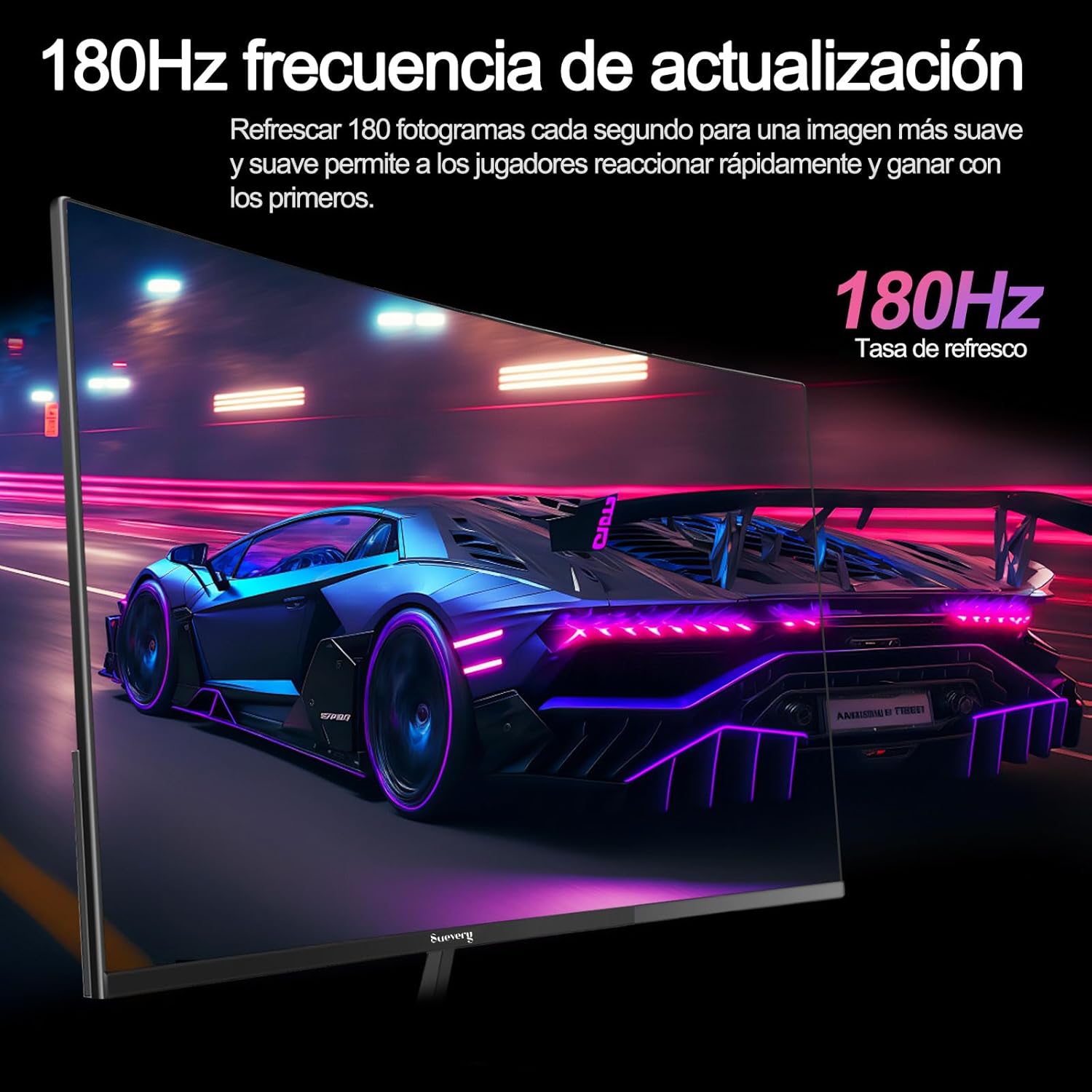
Image: A visual representation highlighting the 180Hz refresh rate, illustrating smooth motion in a racing game scene.

Image: An illustration demonstrating the monitor's wide color gamut (100% sRGB), 3000:1 contrast ratio, and 16.7 million colors for vibrant visuals.

Image: A split-screen comparison showing the visual difference with FreeSync OFF (screen tearing) and FreeSync ON (smooth image) during gameplay.
Petunjuk Pengaturan
1. Membongkar dan Merakit
- Keluarkan semua komponen dari kemasannya dengan hati-hati.
- Letakkan panel monitor menghadap ke bawah pada permukaan yang lembut dan bersih untuk mencegah goresan.
- Pasang alas penyangga ke leher penyangga, kencangkan dengan sekrup yang disediakan.
- Attach the assembled stand to the back of the monitor panel. Ensure it clicks securely into place or is fastened with screws as per the design.
- Alternatively, for VESA mounting, remove the stand and attach a VESA-compatible mount (75x75mm) to the monitor's rear panel.
2. Kabel Penghubung
Refer to the diagram below for port locations.

Image: A diagram illustrating the monitor's rear panel, showing the HDMI, DisplayPort (DP), USB (if applicable), and power input ports, along with VESA mount dimensions (75x75mm).
- Sambungan Daya: Connect the power adapter to the monitor's power input port, then plug the power cable into a wall outlet.
- Koneksi Video: Connect one end of an HDMI or DisplayPort cable to the corresponding port on your monitor and the other end to your computer's graphics card or other video source. For optimal performance, especially at 180Hz, a DisplayPort connection is recommended.
- Audio (jika ada): If your monitor has a 3.5mm audio output, you can connect external speakers or headphones.
3. Daya Awal Menyala
- Tekan tombol daya pada monitor. Lampu indikator daya akan menyala.
- Turn on your connected computer or video source.
- Monitor seharusnya secara otomatis mendeteksi sinyal input. Jika tidak, Anda mungkin perlu memilih sumber input secara manual menggunakan menu On-Screen Display (OSD).
Petunjuk Pengoperasian
1. Daya Hidup/Mati
Tekan tombol daya, yang biasanya terletak di bagian belakang atau bawah monitor, untuk menghidupkan atau mematikan monitor.
2. Menu Tampilan di Layar (OSD)
The OSD menu allows you to adjust various monitor settings. Access the OSD menu using the joystick or buttons typically found on the back or bottom of the monitor.
- Navigasi: Use the joystick or directional buttons to navigate through the menu options.
- Pilihan: Press the joystick or a dedicated button to select an option or confirm a setting.
- KELUAR: Use the designated 'Exit' button or move the joystick in a specific direction to close the OSD menu.
3. Menyesuaikan Pengaturan
Pengaturan utama yang dapat Anda sesuaikan meliputi:
- Kecerahan/Kontras: Sesuaikan ini agar sesuai dengan kebutuhan Anda. viewlingkungan ing.
- Pengaturan Warna: Ubah suhu warna, gamma, dan nilai RGB individual.
- Sumber Masukan: Pilih secara manual antara input HDMI dan DisplayPort.
- Kecepatan Penyegaran: Ensure your operating system and graphics card settings are configured to utilize the monitor's 180Hz refresh rate.
- Sinkronisasi Gratis: Enable FreeSync in the OSD menu and in your graphics card control panel for tear-free gaming.
- Mode Gambar: Select from preset modes (e.g., Standard, Game, Movie) or customize your own.
Pemeliharaan
1. Membersihkan Layar
- Matikan monitor dan cabut kabel daya.
- Seka layar secara perlahan menggunakan kain lembut dan tidak berbulu.
- Untuk noda membandel, oleskan sedikitampbilas kain dengan air atau pembersih layar khusus (jangan semprotkan langsung ke layar).
- Hindari penggunaan bahan kimia keras, pembersih abrasif, atau larutan berbasis alkohol.
2. Perawatan Umum
- Jauhkan monitor dari sinar matahari langsung, panas berlebihan, dan kelembapan.
- Pastikan ventilasi yang memadai di sekitar monitor.
- Hindari meletakkan benda berat di atas monitor atau kabelnya.
Penyelesaian Masalah
Jika Anda mengalami masalah dengan monitor Anda, silakan lihat masalah dan solusi umum berikut ini:
| Masalah | Solusi yang mungkin |
|---|---|
| Tidak ada gambar di layar | Ensure the power cable is securely connected and the monitor is turned on. Verify the video cable (HDMI/DP) is properly connected to both the monitor and the computer. Check if the correct input source is selected in the OSD menu. |
| Gambar berkedip atau tidak stabil | Check the video cable connection. Ensure your graphics card drivers are up to date. Verify the refresh rate setting in your operating system is set correctly (e.g., 180Hz). Enable FreeSync if supported by your graphics card. |
| Warnanya tampak salah | Sesuaikan pengaturan warna (kecerahan, kontras, suhu warna) di menu OSD. Atur ulang monitor ke pengaturan default pabrik. |
| Monitor tidak menyala | Check the power cable and adapter connections. Try plugging the monitor into a different power outlet. |
Jika masalah berlanjut setelah mencoba solusi ini, hubungi dukungan pelanggan.
Spesifikasi
| Fitur | Spesifikasi |
|---|---|
| Merek | setiap |
| Nomor Model | SV240QC |
| Ukuran Layar | 24 inci |
| Resolusi Tampilan | 1920x1080 (HD Penuh) |
| Tingkat Penyegaran | frekuensi 180Hz |
| Waktu Respon | 1 md (GTG) |
| Lengkungan | 3000R |
| Gamut Warna | Warna RGB 100% |
| Jenis Panel | VA |
| Rasio Aspek | 16:9 |
| Konektivitas | 1x HDMI, 1x DisplayPort (DP) |
| Kompatibilitas Pemasangan VESA | Ukuran 75x75mm |
| Dimensi Produk | 59 x 39 x 11 cm (dengan dudukan) |
| Berat | 3.5 kg |
Garansi dan Dukungan
Informasi Garansi
suevery provides a Garansi 12 bulan for this monitor, covering manufacturing defects and malfunctions under normal use. Please retain your proof of purchase for warranty claims.
Dukungan Pelanggan
If you encounter any damage, failure, or missing parts, or require technical assistance, please do not hesitate to contact suevery customer service. Our support team is available to assist you with any product-related inquiries.
For support, please refer to the contact information provided on the suevery official websitus atau platform pembelian Anda.