1. Pendahuluan
This manual provides detailed instructions for the safe and effective use of your xTool Mini Heat Press Machine. Please read this manual thoroughly before operating the device and retain it for future reference. The xTool Mini Heat Press is designed for heat transfer applications on various materials, including fabrics, wood, and ceramics.
2. Informasi Keselamatan
Untuk memastikan pengoperasian yang aman, perhatikan tindakan pencegahan berikut:
- Always place the heat press on a heat-resistant surface.
- Do not touch the hot plate during or immediately after use. Use the insulated safety base provided.
- Jauhkan dari jangkauan anak-anak dan hewan peliharaan.
- Cabut perangkat saat tidak digunakan atau sebelum membersihkan.
- Jangan merendam perangkat dalam air atau cairan lainnya.
- Ensure the power cord is not damaged and avoid placing heavy objects on it.
- The device features an automatic shut-off function after 11 minutes of inactivity for enhanced safety.
- Gunakan di area yang berventilasi baik.

Gambar: The xTool Mini Heat Press highlights its safety features, including an 11-minute auto-off, V0 flame-retardant materials, an insulated safety base, and overheat protection, ensuring safe operation for users.
3. Isi Paket
Verifikasi bahwa semua item ada dalam paket:
- xTool Mini Heat Press Machine
- Basis Keamanan Terisolasi
- Kabel Listrik
- User Manual (dokumen ini)
4. Produk Lebihview
Familiarize yourself with the components of your xTool Mini Heat Press:
- Pelat Panas: The heating surface for transfers.
- Menangani: Ergonomically designed for comfortable grip and pressure application.
- Tombol Daya: Controls power on/off and temperature settings.
- Lampu Indikator: Display current temperature level and heating status.
- Insulated Safety Base: Provides a safe resting place for the hot press.
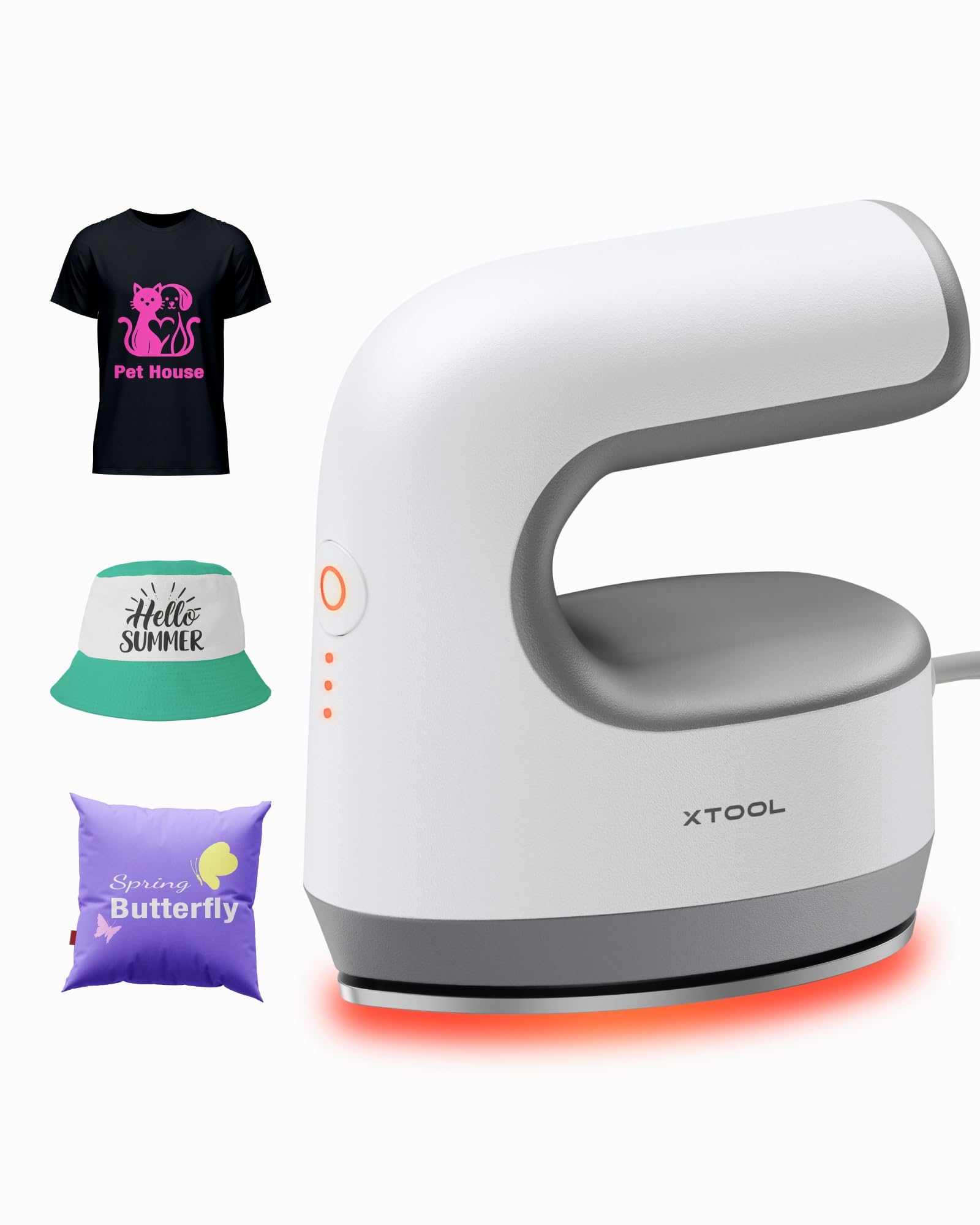
Gambar: The xTool Mini Heat Press Machine shown resting on its insulated safety base, highlighting its compact design.

Gambar: A visual comparison illustrating the ergonomic open handle of the xTool Mini Heat Press, designed for easier and more comfortable holding compared to a closed-handle design.

Gambar: A visual comparison showing the xTool Mini Heat Press with a larger heat plate (platen) compared to another mini press, indicating its suitability for a wider range of project sizes.
5. Pengaturan
Follow these steps to set up your xTool Mini Heat Press:
- Unpack the xTool Mini Heat Press and its accessories.
- Place the insulated safety base on a stable, heat-resistant surface.
- Plug the power cord into the heat press and then into a standard electrical outlet. The device will beep once, and the power indicator light will illuminate.
- If using the optional Control Pod (not included), insert the transceiver from the Control Pod into the designated port on the Mini Heat Press. The Control Pod allows for precise temperature and time control.
Rekaman video: This video demonstrates the compatibility of the xTool Mini Heat Press with an optional Control Pod (not included), showing how to connect the transceiver for advanced temperature and time control.
6. Petunjuk Pengoperasian
6.1. Power On and Temperature Selection
- Press the Power Button once to turn on the device. The orange indicator light will show, indicating low-level preheating.
- Press the Power Button repeatedly to cycle through the three temperature settings:
- Level rendah: 295°F (145°C)
- Middle Level: 355°F (180°C)
- Level tinggi: 400°F (205°C)
- The indicator lights will change to green when the selected temperature is reached.

Gambar: A visual representation of the xTool Mini Heat Press's three heat settings, indicating the corresponding temperatures for Low, Medium, and High levels.
Rekaman video: This video demonstrates the rapid heating capability of the xTool Mini Heat Press, showing it reaches operating temperature in approximately 2 minutes.
6.2. Heat Transfer Application
The xTool Mini Heat Press is suitable for various heat transfer materials, including HTV, DTF, and sublimation projects. Always refer to the specific instructions for your transfer material for optimal temperature and time settings.
- Prepare your material (e.g., T-shirt, shoe, hat) by ensuring it is clean and wrinkle-free.
- Place your transfer design onto the material in the desired position.
- Cover the design with a protective sheet (e.g., parchment paper, Teflon sheet).
- Once the Mini Heat Press reaches the desired temperature, place it firmly over the design. Apply even pressure.
- Hold the press in place for the recommended time (typically 10-60 seconds, depending on the material and transfer type). For larger designs, move the press in sections, overlapping slightly to ensure full coverage.
- Carefully lift the heat press and place it back on its safety base.
- Allow the material to cool according to your transfer material's instructions (cold peel or warm peel).
- Gently peel off the protective sheet and transfer film.

Gambar: A visual guide illustrating the simple three-step process for heat transfer using the xTool Mini Heat Press: Set the design, Press with the device, and achieve a successful transfer on a plush toy.

Gambar: Sebuah kolase yang dipamerkanasing the wide range of applications for the xTool Mini Heat Press, including customizing shoes, acrylic keychains, canvas bags, socks, stuffed toys, t-shirts, and earrings.
Rekaman video: Video ini memberikan penjelasan ulang.view of the xTool Mini Heat Press, demonstrating its ease of use and effectiveness for various heat transfer projects.
Rekaman video: This video illustrates the process of using the xTool Mini Heat Press to create custom fall-themed shirts, showcasing its application on fabric.
7. Pemeliharaan
Proper maintenance ensures the longevity and performance of your heat press:
- Pembersihan: After the device has cooled completely, wipe the heat plate with a soft, damp kain. Jangan gunakan pembersih atau pelarut yang bersifat abrasif.
- Penyimpanan: Store the Mini Heat Press on its insulated safety base in a dry, cool place, away from direct sunlight and moisture.
- Perawatan Tali Pusat: Avoid wrapping the power cord tightly around the device. Store it loosely to prevent damage.
8. Penyelesaian masalah
Jika Anda mengalami masalah, lihat masalah umum dan solusi berikut:
| Masalah | Kemungkinan Penyebab | Larutan |
|---|---|---|
| Perangkat tidak menyala. | Kabel daya tidak tersambung dengan benar; tidak ada daya dari stopkontak. | Periksa sambungan kabel daya; uji stopkontak dengan perangkat lain. |
| Pelat pemanas tidak memanas. | Incorrect temperature setting; device malfunction. | Ensure correct temperature level is selected; contact customer support if issue persists. |
| Transfer tidak menempel dengan baik. | Insufficient heat or pressure; incorrect time; material incompatibility. | Increase temperature/time/pressure as per transfer material instructions; ensure material is suitable for heat transfer. |
| Perangkat mati secara otomatis. | Fitur keamanan tidak aktif selama 11 menit diaktifkan. | This is normal operation. Press the power button to restart. |
9. Spesifikasi
| Fitur | Detil |
|---|---|
| Nomor Model | xTool Mini Heat Press |
| Merek | xAlat |
| Suhu Maksimum | 400°F (205°C) |
| Pengaturan Panas | 3 (Low: 295°F, Mid: 355°F, High: 400°F) |
| Waktu Pemanasan | Approx. 2 minutes to 400°F |
| Berat Barang | 0.77 lbs (1.94 lbs with packaging) |
| Dimensi Produk | 7.48x5.12x8.66 inci |
| Fitur Keamanan | 11-min Auto-off, V0 Flame-retardant materials, Overheat Protection, Insulated Safety Base |
| Penggunaan yang Direkomendasikan | T-shirts, bags, ceramic coasters, wood, acrylic, hats, shoes, keychains, socks, stuffed toys |
10. Garansi & Dukungan
Untuk informasi garansi dan dukungan teknis, silakan merujuk ke situs web resmi xTool. websitus atau hubungi layanan pelanggan mereka secara langsung. Simpan tanda terima pembelian Anda sebagai bukti pembelian untuk klaim garansi.
- Dukungan online: Visit the xTool official website for FAQs, tutorials, and contact information.
- Dukungan Email: Reach out via email for assistance with product issues.
- Dukungan Telepon: Contact the dedicated support line for immediate help.


