Perkenalan
This manual provides essential information for the setup, operation, and maintenance of your STRONG SRT32HG6733C 32-inch HD Android Smart TV. Please read these instructions carefully before using the product to ensure proper functionality and safety.
Apa yang ada di dalam kotak
Saat membongkar kemasan, pastikan semua barang yang tercantum di bawah ini ada dan dalam kondisi baik:
- STRONG SRT32HG6733C TV Unit
- Remote control with voice recognition
- 2 baterai AAA
- User Manual (dokumen ini)

Image: The STRONG SRT32HG6733C TV unit with its central stand, remote control, and included accessories.
Pengaturan
1. Memasang Stand
Carefully place the TV screen-down on a soft, clean surface to prevent scratches. Align the central stand with the mounting holes on the bottom of the TV. Secure the stand using the provided screws. Ensure the stand is firmly attached before proceeding.

Gambar: Belakang view of the TV showing the central stand attachment points and various input ports.
2. Menghubungkan Daya
Colokkan kabel daya ke input daya TV, lalu ke stopkontak dinding. TV akan masuk ke mode siaga.
3. Pengaturan Awal dan Koneksi Jaringan
Upon first power-on, the TV will guide you through the initial setup process. This includes language selection, country, and network connection. For optimal Smart TV functionality, connect to your Wi-Fi network. You can also connect via an Ethernet cable for a stable wired connection.

Image: The TV screen displaying connectivity options, highlighting Wi-Fi and Bluetooth symbols.
Petunjuk Pengoperasian
Fungsi Dasar
- Daya Hidup/Mati: Tekan tombol daya pada remote control atau TV.
- Pemilihan Saluran: Use the CH+/- buttons or the number pad on the remote.
- Kontrol Volume: Gunakan tombol VOL+/-.
- Sumber Masukan: Press the SOURCE button to select between HDMI, AV, DVB-T/T2, DVB-C, DVB-S/S2 inputs.
Fitur TV Pintar (Google TV)
Your TV runs on Google TV, providing access to a wide range of applications and services.
- Layar Beranda: Access your favorite apps, movies, and shows directly from the customizable home screen.
- Aplikasi Streaming: Pre-installed apps include Netflix, Prime Video, YouTube, and Disney+. Additional apps can be downloaded from the Google Play Store.
- Asisten Google: Use the voice recognition remote to control your TV, search for content, and get information by pressing the Google Assistant button and speaking your command.
- Google Cast: Stream content from your compatible smartphone or tablet directly to the TV.

Image: The TV screen showing the Google TV interface with icons for Netflix, YouTube, Prime Video, Disney+, and other streaming services.

Image: A user holding the voice-controlled remote, with a visual representation of Google Assistant responding to a voice command on the TV screen.
Konektivitas
Televisi ini menawarkan berbagai port untuk menghubungkan perangkat eksternal:
- Port HDMI (x2): Hubungkan pemutar Blu-ray, konsol game, atau perangkat lain yang mendukung HDMI.
- Port USB (x1): Putar media file(foto, video, musik) dari perangkat penyimpanan USB.
- Port Ethernet (RJ45): Untuk koneksi internet kabel.
- Antenna (ANT in) / Satellite (SAT in) Inputs: Hubungkan antena terestrial atau satelit Anda untuk siaran TV langsung.
- Slot CI: Untuk Modul Akses Bersyarat (CAM) untuk mendekripsi saluran terenkripsi.
- Keluaran SPDIF: Untuk output audio digital ke soundbar atau sistem home theater.
- AV Dalam: Untuk menghubungkan perangkat lama menggunakan video komposit dan audio stereo.
- Keluaran Headphone: Untuk menghubungkan headphone.

Gambar: Detail bagian belakang view of the TV highlighting all available input and output ports, including AV in, HDMI, USB, Ethernet, S/PDIF, ANT in, SAT in, CI slot, and Headphone output.
Video: Sebuah Pra-Persiapan Singkatview demonstrating the TV's use in a mobile setting, such as a camper van, showing its compact size and clear display for entertainment on the go.
Pemeliharaan
Membersihkan TV
Untuk membersihkan layar, usap layar secara perlahan menggunakan kain lembut dan bebas serat. Untuk noda membandel, usap layar dengan lembut menggunakan kain lembut dan bebas serat.ampen the cloth with water or a screen-cleaning solution. Avoid using harsh chemicals or abrasive materials. Clean the TV casing with a dry, soft cloth.
Pembaruan Perangkat Lunak
Your Android TV may receive software updates periodically. Ensure your TV is connected to the internet to receive these updates. Updates can improve performance, add new features, and enhance security. You can check for updates manually in the TV's settings menu.
Penyelesaian Masalah
| Masalah | Solusi yang mungkin |
|---|---|
| Tidak ada daya | Periksa apakah kabel daya terpasang dengan benar ke TV dan stopkontak. Pastikan stopkontak berfungsi. |
| Tidak ada gambar, tetapi ada suara | Pastikan sumber input yang benar telah dipilih. Periksa koneksi kabel ke perangkat eksternal. |
| Tidak ada suara, tetapi gambar ada | Check the volume level and mute status. Ensure audio cables are correctly connected if using external speakers. |
| Kontrol jarak jauh tidak berfungsi | Ganti baterainya. Pastikan tidak ada penghalang antara remote dan sensor IR TV. |
| Tidak dapat terhubung ke Wi-Fi | Pastikan router Anda menyala dan berfungsi. Masukkan kembali kata sandi Wi-Fi. Coba mulai ulang TV dan router. |
| Aplikasi Smart TV lambat atau tidak responsif | Check your internet connection speed. Close unused applications. Restart the TV. |
Spesifikasi
| Fitur | Detil |
|---|---|
| Nomor Model | SRT32HG6733C |
| Ukuran Layar | 32 inci (81 cm) |
| Teknologi Tampilan | DIPIMPIN |
| Resolusi | HD Ready (1366 x 768p) |
| Sistem Operasi | Google TV |
| Konektivitas | Wi-Fi, Bluetooth, 2x HDMI, 1x USB, Ethernet (RJ45), AV In, SPDIF, ANT in, SAT in, CI Slot |
| Penyetel | DVB-T/T2, DVB-C, DVB-S/S2 (HEVC 265 codec) |
| Fitur Khusus | Google Assistant, Google Cast, Dolby Audio |
| Dimensi (L x D x T) | 71.8 x 22.3 x 45.2 cm (dengan dudukan) |
| Komponen yang Termasuk | TV, Voice Remote, 2x AAA Batteries, Manual |
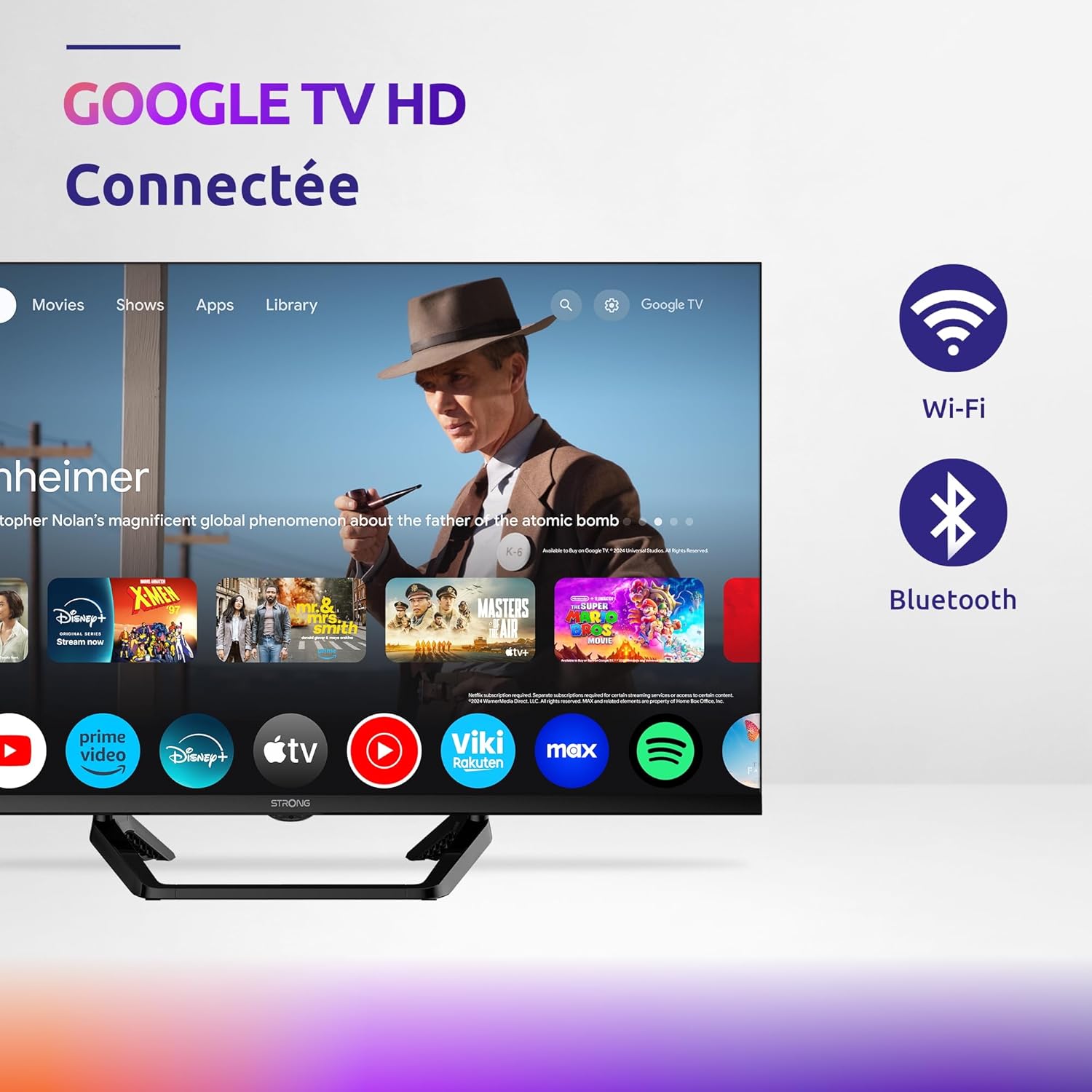
Image: Diagram showing the dimensions of the STRONG SRT32HG6733C TV, including width, height, and depth with the central stand.
Garansi dan Dukungan
This product comes with a manufacturer's warranty of 24 months. For warranty claims or technical support, please refer to the contact information provided on the official STRONG websitus atau dokumentasi pembelian Anda.
For frequently asked questions and additional resources, visit the STRONG Brand Store.


Images: Icons representing warranty information and frequently asked questions.


