1. Pendahuluan
The CANDY HOUSE SESAME 5 Smart Lock is designed to enhance the security and convenience of your home by converting your existing door lock into a smart lock. This device attaches to the inside of your door, allowing you to control your lock remotely via a smartphone application. It supports a wide range of key types and offers features like auto-locking for added peace of mind.
Fitur utama meliputi:
- Updated Compatibility: Compatible with the same application as the first generation Sesame devices.
- Tombol Bawaan: Features an integrated button for manual angle settings or direct unlocking.
- Broad Key Support: Designed to support approximately 99% of existing key types. Custom 3D-printed adapters can be requested for unique key designs.
- Instalasi Mudah: Installs easily using 3M adhesive tape, requiring no permanent modifications to your door.
- Penguncian Otomatis: Configurable auto-lock function with settings from 3 seconds to 1 hour.
2. Isi Paket
Harap verifikasi bahwa semua item yang tercantum di bawah ini disertakan dalam paket Anda:
- SESAME 5 Smart Lock Unit
- 3M tape for Sesame 5US (3 sets for multiple uses)
- High Performance High Capacity 3.0V 1800mAh CR123A Battery (2 Pack)
- Pressure Sensitive Adhesive (PSA) (3 sets for multiple uses)
3. Produk Lebihview
The SESAME 5 Smart Lock is a compact device designed to integrate seamlessly with your existing door lock mechanism. Its sleek black design allows it to blend discreetly with most home interiors.
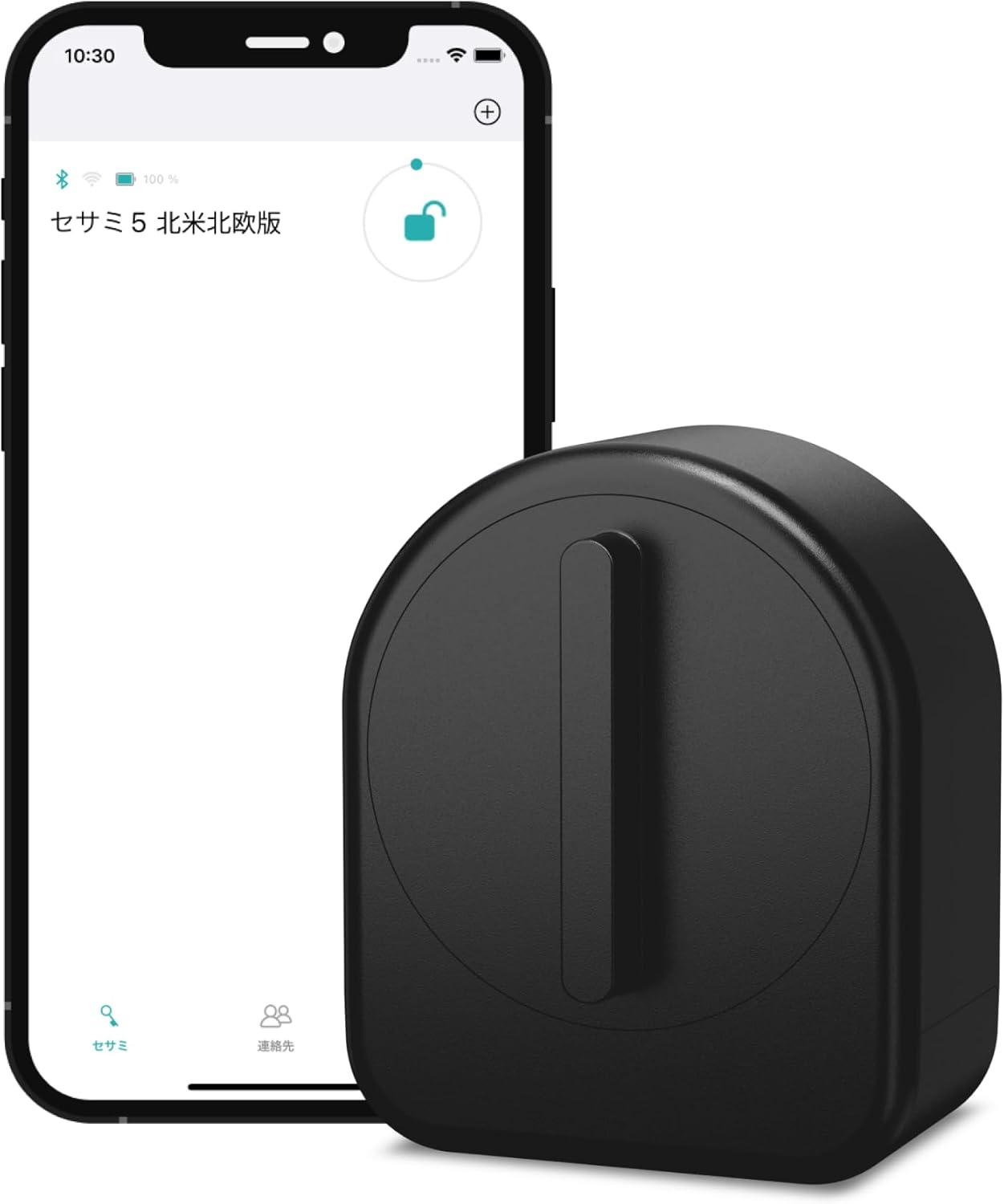
Figure 3.1: SESAME 5 Smart Lock and companion mobile application.
The device features a robust housing and an internal mechanism designed to rotate your existing key. The internal structure is adaptable to various key shapes, and the included 3M tape ensures a secure, non-damaging attachment to your door.
Gambar 3.2: Internal view of the SESAME 5, highlighting the key adapter mechanism.

Gambar 3.3: Belakang view of the SESAME 5, showing the adhesive mounting surface.
4. Panduan Pengaturan
Follow these steps to set up your SESAME 5 Smart Lock:
- Persiapkan Pintu Anda: Ensure the area around your existing door lock's thumb-turn or keyhole on the inside of the door is clean and dry.
- Masukkan Baterai: Open the battery compartment of the SESAME 5 and insert the two included CR123A Lithium Metal batteries, observing polarity.
- Install Key: Place your existing key into the key adapter inside the SESAME 5 unit. Ensure it fits securely. For unusual key shapes, contact CANDY HOUSE for potential 3D-printed adapter solutions.
- Oleskan Perekat: Peel the protective backing from one of the 3M adhesive tapes and apply it to the back of the SESAME 5 unit.
- Pasang Perangkat: Carefully align the SESAME 5 over your existing lock's thumb-turn or keyhole, ensuring the key adapter engages properly with your key. Press firmly to secure the device to the door using the 3M tape.
- Unduh Aplikasi: Download the official CANDY HOUSE SESAME app from your smartphone's app store (compatible with iOS).

Figure 4.1: Operating the SESAME 5 via the mobile application.
- Pasangkan dengan Aplikasi: Open the app and follow the on-screen instructions to pair your SESAME 5 Smart Lock. This typically involves enabling Bluetooth on your phone and selecting the device from a list.
- Kalibrasi Kunci: The app will guide you through a calibration process to teach the SESAME 5 the full lock and unlock positions of your door. You can also use the built-in button on the device for angle settings.
5. Petunjuk Pengoperasian
The SESAME 5 Smart Lock offers multiple ways to control your door:
- Melalui Aplikasi Seluler:
Use the CANDY HOUSE SESAME app on your smartphone to lock or unlock your door from anywhere within Bluetooth range. The app provides a clear interface to manage your lock's status.
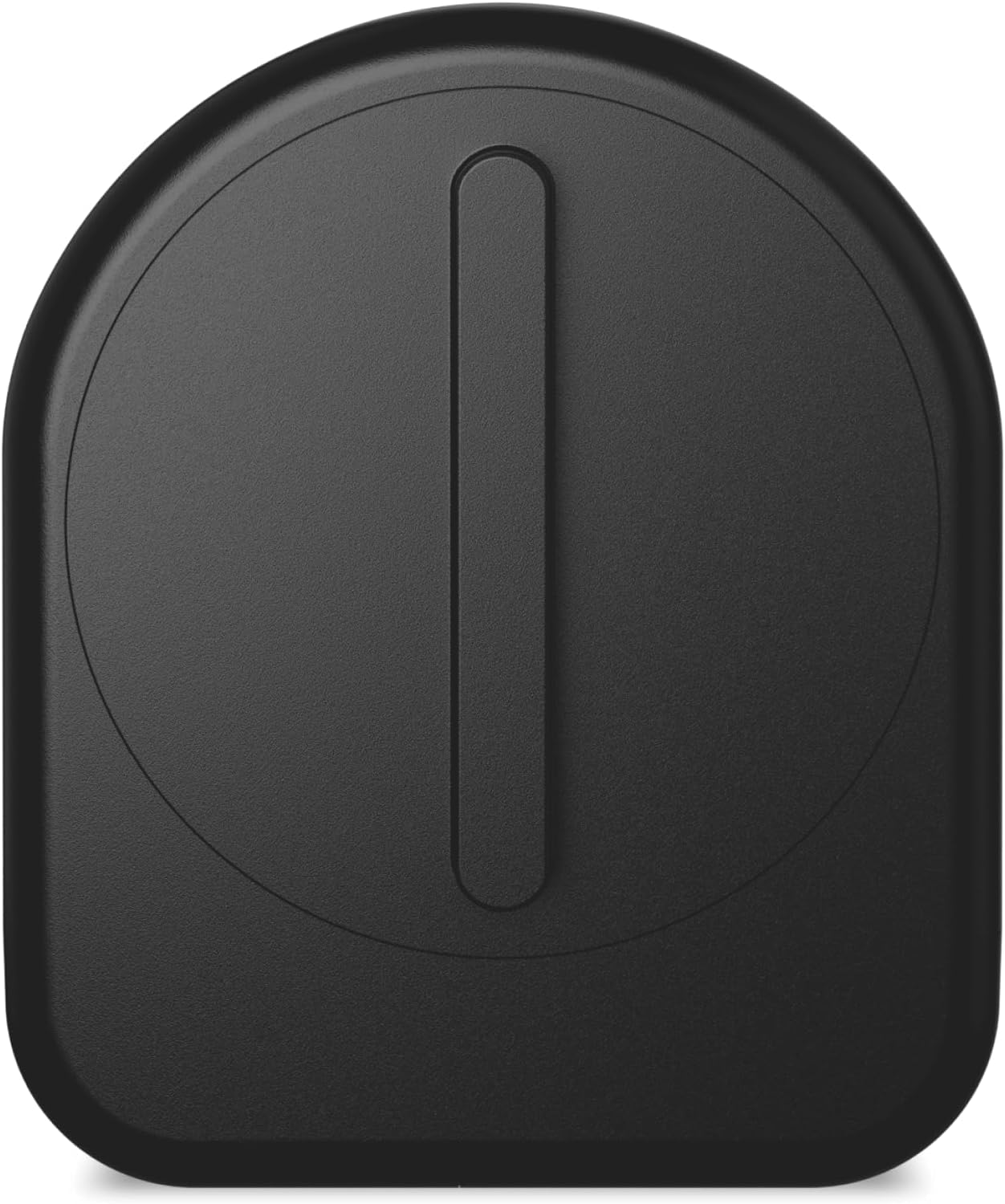
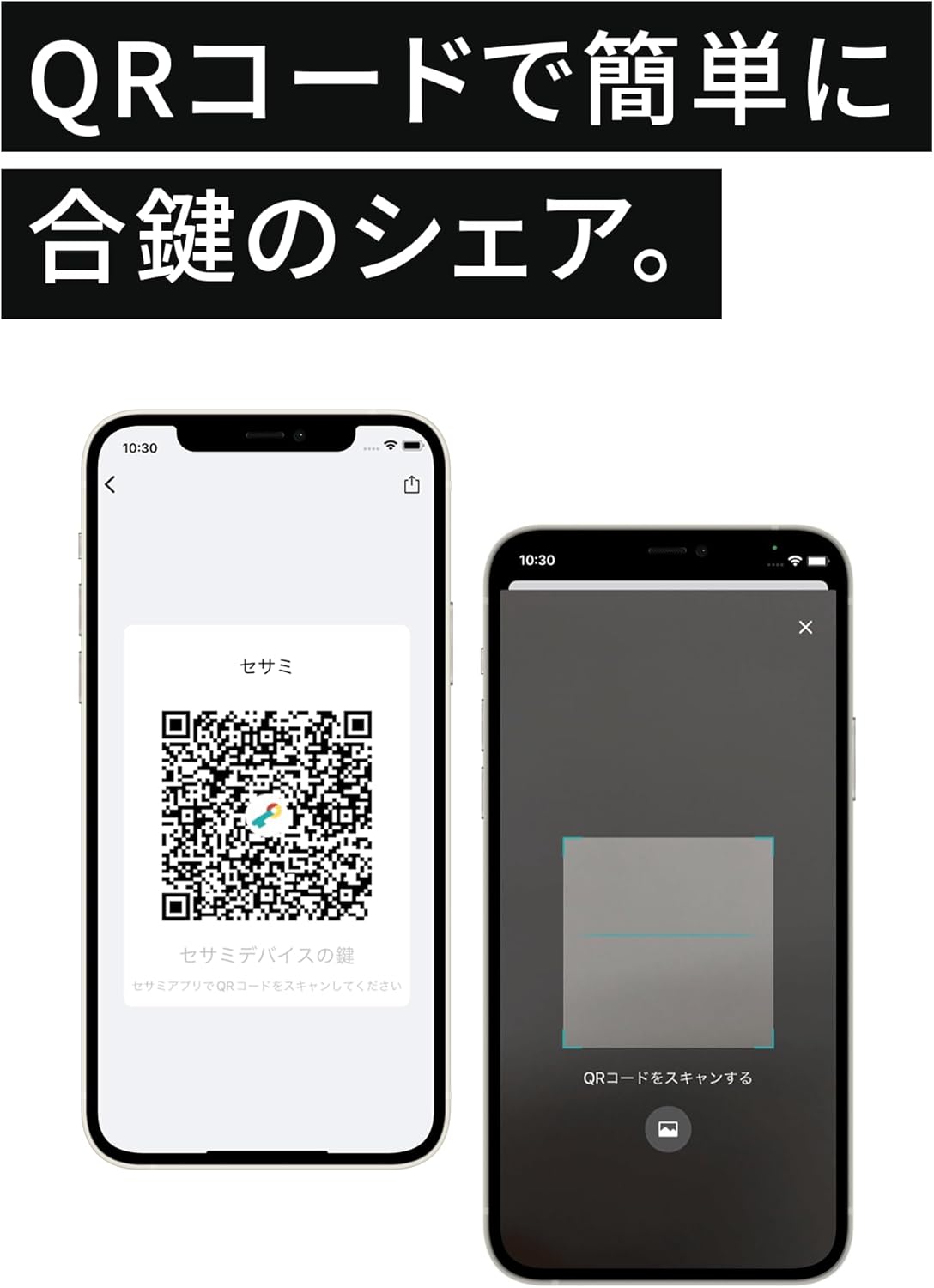
Figure 5.1: Sharing lock access via QR code within the app.
You can also share access to your lock with others using QR codes generated within the app. For more details on app features, visit the official Sesame app link: Sesame App Link
- Operasi Manual:
The built-in button on the SESAME 5 allows for direct manual control. Pressing the button can toggle the lock status or be used for angle adjustments during calibration.
- Fungsi Kunci Otomatis:
Enable the auto-lock feature through the app to automatically lock your door after a set period (configurable from 3 seconds to 1 hour) once it has been unlocked.
- Kompatibilitas Aksesori:
The SESAME 5 is compatible with various CANDY HOUSE accessories (sold separately) that enable additional unlocking methods such as keypads for PIN entry, fingerprint readers, or NFC card access. These accessories provide external access points while the SESAME 5 manages the internal lock mechanism.
Gambar 5.2: Contohample of compatible external access accessories (sold separately).
- Riwayat Kunci:
The app provides a detailed history of lock and unlock events, allowing you to monitor who accessed your door and when.
6. Pemeliharaan
- Penggantian Baterai:
The SESAME 5 uses two CR123A Lithium Metal batteries. When the battery level is low, the app will notify you. To replace, open the battery compartment, remove the old batteries, and insert new ones, ensuring correct polarity. Dispose of old batteries responsibly.
- Pembersihan:
Wipe the exterior of the device with a soft, dry cloth. Do not use abrasive cleaners or solvents, as they may damage the finish.
- Pita Perekat:
If the device becomes loose, replace the 3M adhesive tape with a fresh piece from the included spares or purchase new ones. Ensure the surface is clean before re-applying.
7. Penyelesaian masalah
- Perangkat Tidak Merespons:
Check battery levels in the app or replace batteries. Ensure your smartphone's Bluetooth is enabled and you are within range of the device. Try restarting the app.
- Lock Not Calibrating Correctly:
Ensure the SESAME 5 is securely mounted and the key is properly inserted into the adapter. Re-run the calibration process through the app, making sure to define the full lock and unlock positions accurately.
- Masalah Konektivitas Aplikasi:
Verify your phone's operating system is up to date. Ensure the app has necessary permissions (e.g., Bluetooth, location). If issues persist, try reinstalling the app.
- Key Not Turning Fully:
This could indicate an issue with the key adapter or the key itself. Ensure the key is not bent or damaged. If necessary, contact CANDY HOUSE support for assistance with key compatibility or adapter solutions.
8. Spesifikasi
| Atribut | Detil |
|---|---|
| Nomor Model | SM005CBUS |
| Warna | Hitam |
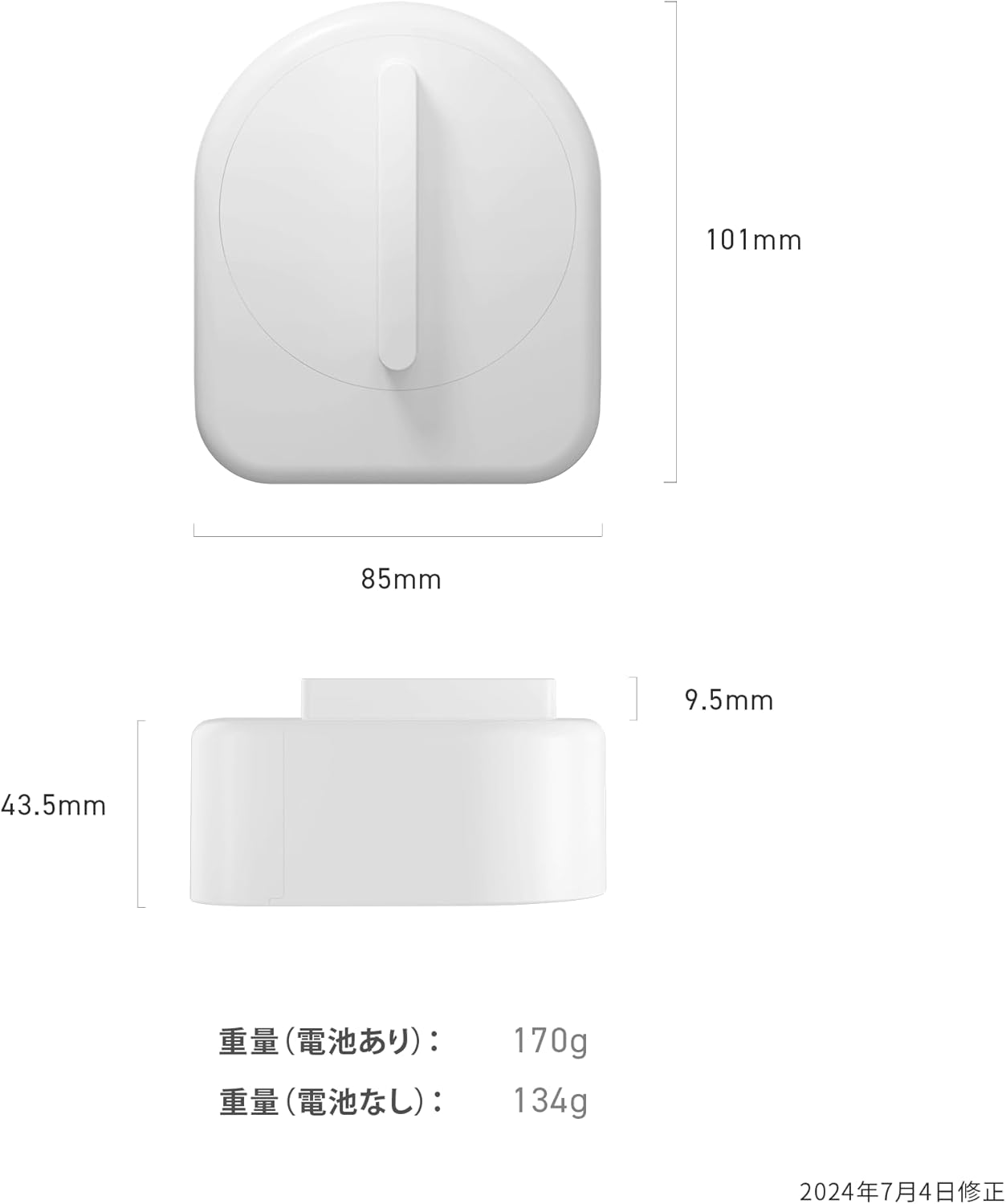
| Dimensi (P x L x T) | 10.1 x 8.5 x 5.2 cm (3.98 x 3.35 x 2.05 inci) |
| Berat | 240 g (dengan baterai) |
| Baterai | 2 x Baterai Lithium Metal CR123A (termasuk) |
| Fitur Khusus | Kunci Otomatis |
| Tipe Pengendali | iOS (via mobile application) |
| Metode Instalasi | Pita Perekat 3M |

Figure 8.1: SESAME 5 Smart Lock dimensions.
9. Garansi dan Dukungan
For warranty information, please refer to the documentation provided with your purchase or visit the official CANDY HOUSE webSitus. Ketentuan garansi spesifik dapat berbeda-beda tergantung wilayah dan pengecer.
If you encounter any issues or have questions regarding your SESAME 5 Smart Lock, please contact CANDY HOUSE customer support. You can typically find contact information on the official CANDY HOUSE websitus atau melalui platform pembelian Anda.


