Perkenalan
The THOKWOK TK-X2 is a versatile Bluetooth headset designed for motorcycle riders, ATV users, and skiers. It offers communication for up to 3 riders with a 1000m intercom distance, noise cancellation, FM radio, and stereo music playback. This manual provides detailed instructions for installation, operation, and maintenance to ensure optimal performance and user experience.
Apa yang ada di dalam kotak
Verifikasi bahwa semua komponen tersedia sebelum melanjutkan instalasi.
- 2 x TK-X2 Main Unit
- 2 x Headphone Cable
- 2 x Boom Microphone
- 2 x Button Microphone
- 2 x Kabel Pengisian Daya
- 2 x Klamp dengan Sekrup
- 2 x Velcro Clip
- 4 x Speaker Pad
- 2 x Kunci Pas Allen
- 2 x Panduan Pengguna

Image: Contents of the THOKWOK TK-X2 package, showing two main units, headphone cables, boom mics, button mics, charging cables, clamps with screws, Velcro clips, speaker pads, an Allen wrench, and user manuals.
Pengaturan dan Instalasi
Opsi Mikrofon
The TK-X2 helmet intercom includes two interchangeable microphones to suit different helmet types:
- Mikrofon Boom: Recommended for open-face or flip-face (convertible) helmets.
- Mikrofon Tombol: Direkomendasikan untuk helm full-face.
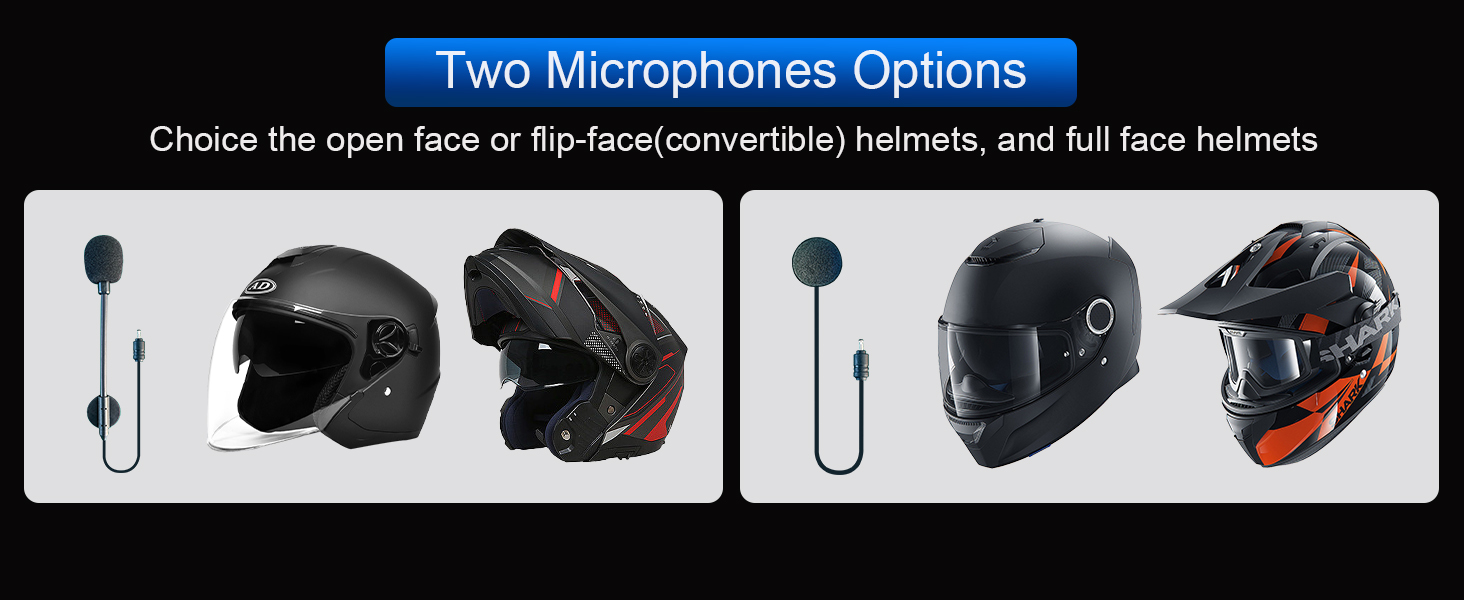
Image: Illustration of the two microphone options provided with the TK-X2 headset, demonstrating their suitability for different helmet styles.
Petunjuk Pengoperasian
Memasangkan dengan Telepon
To connect your TK-X2 headset to your smartphone:
- Ensure the TK-X2 headset is powered off.
- Long press the power button for 4 seconds until the red and blue lights flash alternately. This indicates pairing mode.
- On your phone, go to Bluetooth settings and turn on Bluetooth.
- Pencarian untuk "TK-X2" in the list of available devices and select it to connect.
- Once connected, the blue light on the headset will flash slowly, and you will hear "Bluetooth connected".
After successful pairing, you can play music, make calls, and use voice assistant features.
Video: This video demonstrates how to pair the THOKWOK TK-X2 headset with a mobile phone, including activating pairing mode, connecting via Bluetooth settings, and confirming successful connection. It also shows basic music playback controls and voice assistant activation.
Putar Musik
- Putar/Jeda: Click the phone button once.
- Lagu Berikutnya: Press and hold the forward button.
- Lagu Sebelumnya: Press and hold the backward button.
- Volume Naik: Press and hold the volume up button. A "Di" sound indicates maximum volume.
- Volume Turun: Tekan dan tahan tombol volume bawah.
Voice Assistant (Siri/S-Voice)
To activate your phone's voice assistant:
- Long press the phone button for 2 seconds. You will hear "Voice Dial" and your phone's voice assistant will activate.
Radio FM Indonesia
Untuk menggunakan fungsi radio FM:
- Double-click the phone button to start FM radio. You will hear "Turn on radio".
- Double-click the phone button again to end FM radio.
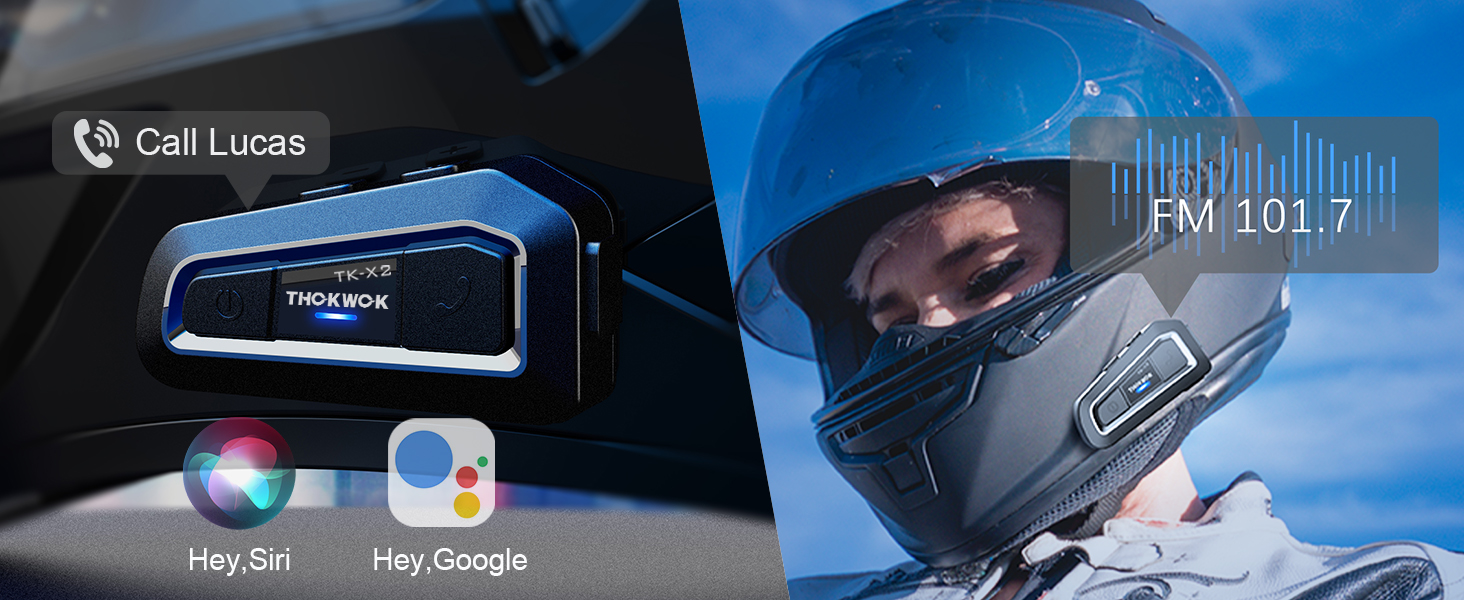
Image: Visual representation of activating voice assistant and FM radio functions on the TK-X2 headset.
Intercom Pairing (Two TK-X2 Units)
To pair two TK-X2 units for intercom communication:
- Clear Previous Pairings: If the headsets have been paired with other Bluetooth devices before, clear their pairing records first. Turn on both headsets. Then, long press the power button on both units simultaneously for 8 seconds until the pink lights flash twice. This indicates that previous pairing records have been cleared.
- Memulai Pemasangan: With both units powered on and in pairing mode (red and blue lights flashing alternately), click the power button on one of the units.
- Konfirmasi Koneksi: Pairing is successful when the blue lights on both units flash slowly, and you hear "Intercom connected".
- Hang Up Intercom: Click the power button once to hang up the intercom. You will hear "Intercom disconnected".
- Mulai Interkom: Click the power button again to start the intercom. You will hear "Intercom connected".
Connecting Two TK-X2 Units to Your Phone Simultaneously
To use two TK-X2 units with your phone (e.g., for rider and passenger, while maintaining intercom functionality):
- First, ensure the intercom between the two TK-X2 units is disconnected. Click the power button on one unit to hang up the intercom if it's active.
- Long press the power button and the phone button on one of the TK-X2 units simultaneously for 2 seconds until red and blue lights flash alternately.
- On your phone, go to Bluetooth settings and connect to the TK-X2 unit. The blue light will flash slowly, and you will hear "Bluetooth connected".
- You can now listen to music through this connected headset.
- To pause music, click the phone button. (Note: The intercom call must be hung up to pause music).
- To play music again, click the phone button.
- To start the intercom, click the power button. Music will automatically pause.
- To hang up the intercom and return to music mode, click the power button again.
Video: This video demonstrates the process of clearing Bluetooth pairing records, pairing two TK-X2 units for intercom, and then connecting one of the paired units to a phone for music playback while maintaining intercom functionality.
Fitur Lebihview
- Jarak Interkom: Up to 1000 meters (without obstacles) for 3 riders, with 2 riders able to communicate simultaneously.
- Pasangan Universal: Compatible with most Bluetooth intercoms on the market.
- Pengurangan Kebisingan: Features DSP and CVC advanced noise reduction technology for clear audio.
- Hi-Fi Stereo Speakers: Upgraded 40mm speakers provide high-quality sound with deep bass.
- Bluetooth 5.0: Profesional HFPfile for hands-free calls, music, FM radio, and GPS voice guidance.
- Daya Tahan Baterai yang Lama: Built-in 650mAh battery offers up to 24 hours of music/intercom time and 280 hours of standby time.
- Desain tahan air: Integral casting process reduces seams, providing good waterproof function (IP67 rated). Suitable for various weather conditions.
- Alarm Baterai Lemah: Announces "Battery full", "Battery medium", or "Battery low" upon power-on.
- Kontrol Mudah: Large buttons designed for easy operation even with gloves.

Image: The TK-X2 headset highlighting its 1000-meter intercom range for up to three riders.

Image: Visual explanation of DSP and CVC noise reduction technology in the TK-X2, ensuring clear audio during high-speed activities.

Image: Depiction of the TK-X2's extended battery life, showing up to 24 hours of operation and 280 hours of standby time, along with battery level indicators.

Image: The TK-X2 headset demonstrating its universal pairing capability with various Bluetooth headsets.

Image: Close-up of the TK-X2 headset's large buttons, designed for easy control while wearing gloves.

Image: The TK-X2 headset depicted in diverse environments (snowy, rainy, dusty, racing), emphasizing its robust and waterproof design suitable for all weather conditions.
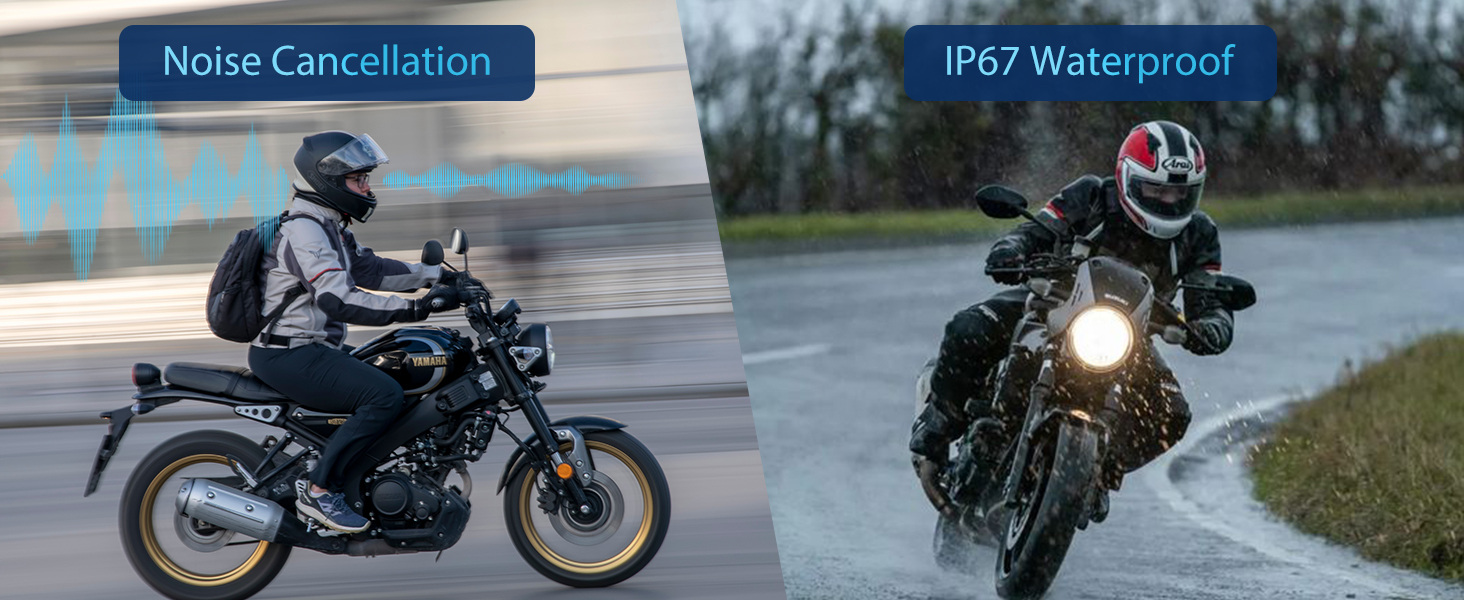
Image: Visual representation of the TK-X2's noise cancellation capabilities and its IP67 waterproof rating.

Image: Illustration detailing the Qualcomm Bluetooth 5.0 technology for lower power consumption and strong compatibility, alongside the 40mm speakers for crystal-clear sound quality.
Spesifikasi
| Nama Model | TK-X2 Double |
| Merek | BERPIKIR |
| Teknologi Konektivitas | Bahasa Indonesia: Bluetooth |
| Teknologi Komunikasi Nirkabel | Bahasa Indonesia: Bluetooth |
| Versi Bluetooth | 5.0 (HFP profile) |
| Kontrol Kebisingan | Peredam Kebisingan Aktif (DSP & CVC) |
| Jack Headphone | Tipe-C |
| Tingkat Tahan Air | Tahan air (IP67) |
| Daya Tahan Baterai | Up to 24 Hours (Music/Intercom) |
| Waktu Siaga | Hingga 280 Jam |
| Waktu Pengisian Daya | 2.5 Jam |
| Bahan | Akrilonitril Butadiena Stirena (ABS) |
| Berat Barang | 1.01 pon |
| Dimensi Produk | 3x1.6x0.83 inci |
Penyelesaian Masalah
- Tidak Ada Daya: Pastikan perangkat terisi penuh. Sambungkan ke sumber daya dan periksa indikator pengisian daya.
- Tidak Dapat Dipasangkan dengan Telepon: Ensure the headset is in pairing mode (red and blue lights flashing alternately). Clear previous Bluetooth pairings on both the headset and phone, then attempt to pair again.
- Interkom Tidak Terhubung: Ensure both TK-X2 units have cleared previous intercom pairings. Initiate intercom pairing as described in the 'Operating Instructions' section. Ensure units are within range.
- Volume Rendah: Adjust the volume using the headset's volume buttons. Check the volume settings on your connected phone. Ensure speakers are correctly positioned within the helmet.
- Sound Distortion/Noise: Ensure the microphone is correctly positioned and not obstructed. Check for interference from other electronic devices.
- Radio FM tidak berfungsi: Ensure you are in an area with good FM signal reception. Double-check that the FM function is activated correctly.
Informasi Keselamatan
- Selalu prioritaskan keselamatan saat berkendara. Jangan mengoperasikan perangkat dengan cara yang mengalihkan perhatian Anda dari jalan.
- Maintain appropriate volume levels to remain aware of your surroundings.
- Jangan mencoba membongkar atau memodifikasi perangkat, karena hal ini dapat membatalkan garansi dan menyebabkan kerusakan.
- Jauhkan perangkat dari suhu ekstrem, sinar matahari langsung, dan bahan korosif.
- Pastikan port pengisian daya kering sebelum menyambungkan kabel pengisian daya.
Garansi dan Dukungan
The THOKWOK TK-X2 headset comes with a standard manufacturer's warranty. For specific warranty details, please refer to the warranty card included in your package or contact THOKWOK customer support.
For technical assistance, troubleshooting, or any questions regarding your product, please contact THOKWOK customer service through the contact information provided on the official THOKWOK websitus atau platform pembelian Anda.


