1. Pendahuluan
This manual provides essential information for setting up, operating, and maintaining your NIMO Mini-PC MPL2R. Please read it thoroughly before use to ensure optimal performance and longevity of your device.

Gambar 1.1: Depan dan belakang view of the NIMO Mini-PC MPL2R, showcasinberkat desainnya yang ringkas dan berbagai port yang dimilikinya.
The NIMO Mini-PC MPL2R is a compact and powerful computing solution, equipped with a 12th Gen Intel N100 processor, 16GB DDR5 RAM, and 768GB storage (512GB M.2 SSD + 256GB Micro SD). It supports triple 4K display output, WiFi 6, and Bluetooth 5.2, making it suitable for a variety of applications from home entertainment to business and educational tasks.

Gambar 1.2: Selesaiview of key features including Intel 12th Gen N100 processor, 4K triple-screen display support, Bluetooth 5.2, LPDDR5 RAM, WiFi 6, and PCIe SSD.
2. Apa yang ada di dalam kotak
Saat membuka paket, verifikasi bahwa semua item berikut telah disertakan:
- NIMO Mini-PC MPL2R
- Adaptor Daya
- Dudukan VESA
- Panduan Pengguna

Image 2.1: Visual representation of the items included in the NIMO Mini-PC MPL2R packaging: the Mini PC unit, power adapter, VESA mount, and user guide.
3. Panduan Pengaturan
3.1 Menghubungkan ke Layar
- Connect one end of an HDMI cable to an HDMI port on the NIMO Mini-PC.
- Connect the other end of the HDMI cable to an HDMI input on your monitor or TV.
- For triple display setup, use the second HDMI port and the full-function Type-C port with appropriate adapters/cables.

Image 3.1: The NIMO Mini-PC MPL2R connected to three external monitors, demonstrating its triple 4K display capability.
3.2 Menghubungkan Periferal
- Perangkat USB: Hubungkan keyboard, mouse, dan perangkat USB lainnya ke port USB 3.0 yang tersedia.
- Suara: Connect speakers or headphones to the 3.5mm audio jack.
- Jaringan: For a wired connection, connect an Ethernet cable to the Gigabit Ethernet port.
3.3 Sambungan Daya
- Connect the power adapter to the DC input port on the Mini-PC.
- Hubungkan adaptor daya ke stopkontak di dinding.
3.4 Pemasangan Dudukan VESA (Opsional)
The included VESA mount allows you to attach the Mini-PC to the back of a compatible monitor, saving desk space.
- Pasang braket dudukan VESA ke bagian belakang monitor Anda menggunakan sekrup yang disediakan.
- Slide the NIMO Mini-PC onto the mounted bracket until it clicks securely into place.
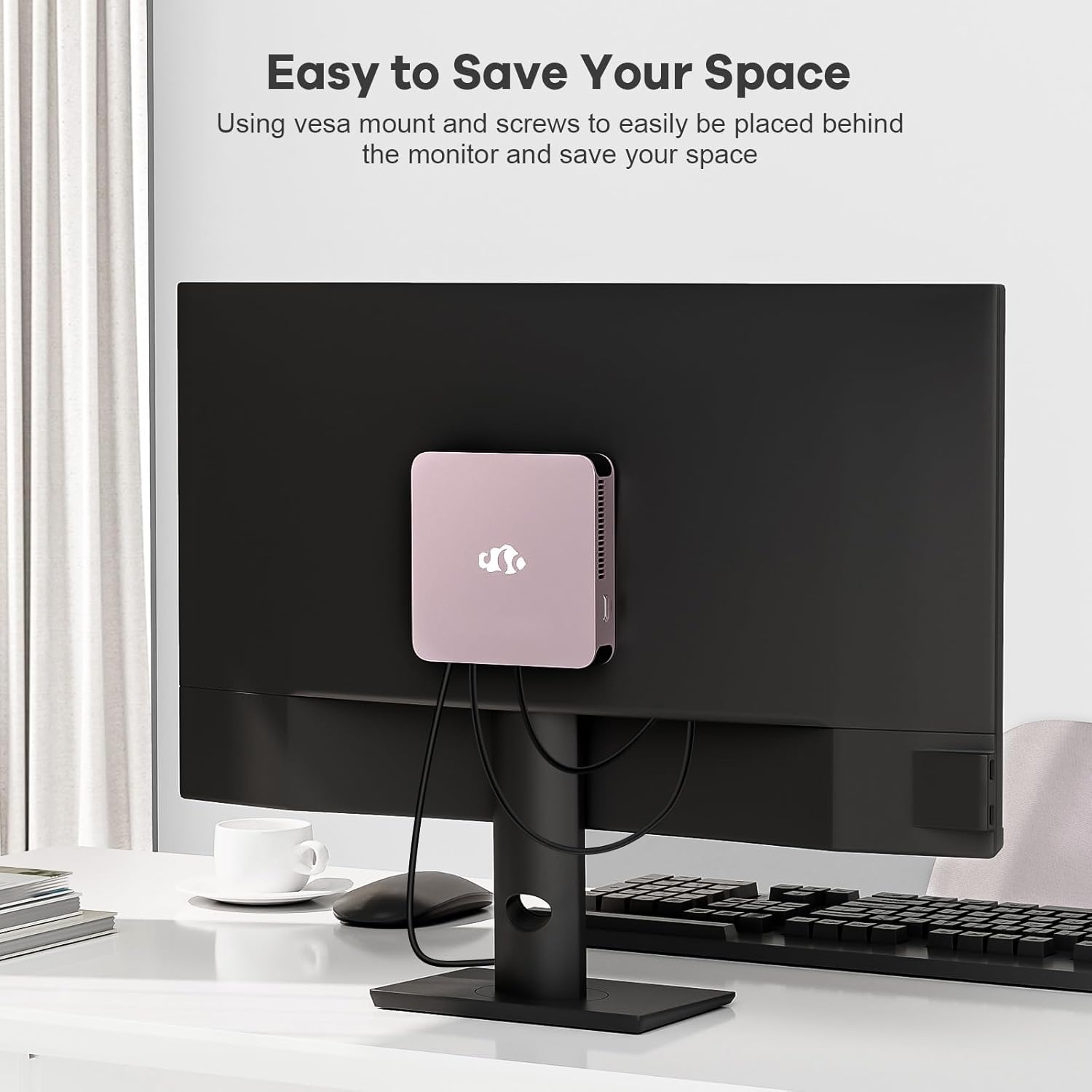
Image 3.2: The NIMO Mini-PC MPL2R shown mounted on the back of a monitor, illustrating its space-saving VESA mount capability.
4. Petunjuk Pengoperasian
4.1 Menghidupkan/Mematikan
- Nyalakan: Press the power button located on the front of the Mini-PC. The power indicator light will illuminate.
- Matikan: To shut down the system, use the operating system's shutdown function. For a forced shutdown, press and hold the power button for approximately 5 seconds.
4.2 Initial Boot and Operating System
The NIMO Mini-PC comes with a pre-installed operating system. Upon first boot, follow the on-screen instructions to complete the initial setup, including language selection, network configuration, and user account creation.
4.3 Konektivitas Nirkabel
- Wi-Fi 6: To connect to a wireless network, access the network settings in your operating system, select your desired WiFi network, and enter the password.
- Bluetooth 5.2: To pair Bluetooth devices (e.g., keyboard, mouse, headphones), enable Bluetooth in your operating system settings and follow the pairing instructions for your specific device.

Image 4.1: The NIMO Mini-PC MPL2R depicted in multiple usage scenarios, including business meetings, graphic design, home theater, and office work, highlighting its versatility.
5. Spesifikasi
Detailed technical specifications for the NIMO Mini-PC MPL2R:
| Fitur | Spesifikasi |
|---|---|
| Prosesor | Intel N100 (4 Cores, 4 Threads, up to 3.4GHz, 6MB Cache) |
| Grafik | Grafis Intel UHD (hingga 750MHz) |
| RAM | 16GB DDR5 (LPDDR5) |
| Penyimpanan | 512GB M.2 SSD (PCIe x2) + 256GB Micro SD |
| Tampilan Keluaran | 2x HDMI (4K@60Hz), 1x Full-function Type-C (4K@60Hz) - Triple Display Support |
| Konektivitas Nirkabel | Wi-Fi 6, Bluetooth 5.2 |
| Pelabuhan | 4x USB 3.0, 1x Full-function Type-C, 2x HDMI, 1x Gigabit Ethernet, 1x 3.5mm Audio Jack, 1x Micro SD Card Slot |
| Sistem Operasi | System (Pre-installed) |
| Dimensi (P x L x T) | 4.72x4.72x0.91 inci |
| Berat Barang | 1.65 pon |
| Sumber Daya | DC |

Image 5.1: Dimensions of the NIMO Mini-PC MPL2R, illustrating its compact size relative to common objects like a pen and a coin.

Image 5.2: Diagram illustrating the internal cooling structure of the NIMO Mini-PC MPL2R, featuring a fan with speeds up to 5300 RPM for efficient heat dissipation.
6. Pemeliharaan
- Pembersihan: Use a soft, dry cloth to clean the exterior of the Mini-PC. Avoid using liquid cleaners or abrasive materials. Ensure ventilation openings are free from dust and debris.
- Pembaruan Perangkat Lunak: Perbarui sistem operasi dan driver Anda secara berkala untuk memastikan kinerja dan keamanan yang optimal.
- Ventilasi: Ensure the Mini-PC is placed in a well-ventilated area to prevent overheating. Do not block the air vents.
- Penyimpanan: Avoid placing heavy objects on the Mini-PC. Store it in a cool, dry environment when not in use.
7. Penyelesaian masalah
This section addresses common issues you might encounter with your NIMO Mini-PC.
7.1 Tidak Ada Daya
- Ensure the power adapter is securely connected to both the Mini-PC and a working power outlet.
- Verifikasi apakah stopkontak berfungsi dengan mencolokkan perangkat lain.
7.2 Tidak Ada Output Tampilan
- Check that the HDMI or Type-C cable is firmly connected to both the Mini-PC and the monitor.
- Ensure the monitor is powered on and set to the correct input source (e.g., HDMI 1, HDMI 2).
- Cobalah menghubungkan ke layar yang berbeda atau menggunakan kabel yang berbeda untuk mengesampingkan kemungkinan komponen yang rusak.
7.3 Tidak Ada Koneksi Internet
- wired: Pastikan kabel Ethernet terhubung dengan benar dan router Anda berfungsi.
- Nirkabel: Verify that WiFi is enabled in the operating system, you are connected to the correct network, and the password is entered correctly. Restart your router if necessary.
7.4 Perangkat Periferal Tidak Merespons
- Cobalah menghubungkan perangkat USB ke port USB yang berbeda.
- For Bluetooth devices, ensure they are in pairing mode and Bluetooth is enabled on the Mini-PC.
- Check device drivers in the operating system's device manager.
8. Garansi dan Dukungan
NIMO is committed to providing reliable products and excellent customer service.
8.1 Informasi Garansi
Your NIMO Mini-PC MPL2R comes with a 2-year technical support warranty. This warranty covers manufacturing defects and technical issues under normal use conditions.
8.2 Kebijakan Pengembalian
A Kebijakan pengembalian 90 hari is offered, allowing for returns or exchanges within 90 days of purchase.
8.3 Dukungan Teknis
If you encounter any problems or have questions regarding your NIMO Mini-PC, please contact our professional after-sales team. Our computer experts are available to provide technical support and repair services.
- Email Kontak: layanan@nimopc.com
- Ketersediaan Layanan: Layanan 24 jam

Gambar 8.1: Selesaiview of NIMO's customer service, highlighting domestically partial assembly, 90-day returns, and 2-year support.


