Perkenalan
This manual provides detailed instructions for the AOCHUAN 3-Axis Gimbal Stabilizer, including the Smart S2, Smart XE, and Smart XPro Kits. It covers setup, operation, maintenance, and troubleshooting to help you achieve optimal performance and capture stable, professional-grade footage with your smartphone.
The AOCHUAN gimbal features advanced 3-axis stabilization, intelligent AI tracking, an integrated fill light, and wide compatibility with various smartphones, enhancing your mobile videography and photography experience.
1. Panduan Pengaturan
1.1 Unboxing dan Pemeriksaan Awal
Carefully remove all components from the packaging. Verify that all items listed in the product packaging are present and undamaged. If any items are missing or damaged, contact customer support.
1.2 Mengisi Daya Gimbal
Before first use, fully charge the gimbal. Connect the provided USB-C cable to the charging port on the gimbal and to a suitable USB power adapter (not included). The OLED display will indicate the charging status and battery level.

Gambar 1.2.1: The gimbal features a wireless charging clip to ensure uninterrupted shooting by charging your smartphone.
1.3 Memasang Smartphone Anda
Ulurkan teleponamp and securely place your smartphone in the center. Ensure the phone is firmly seated and balanced. The gimbal is compatible with smartphones under 7 inches in size, weighing up to 0.62 pounds, and within dimensions of 6.3 inches length, 3.5 inches width, and 0.4 inches thickness.
1.4 Menyeimbangkan Gimbal
Keseimbangan yang tepat sangat penting untuk kinerja optimal dan daya tahan baterai. Sesuaikan posisi ponsel di dalam clamp lalu geser lengan horizontal hingga ponsel tetap rata saat gimbal dimatikan. Ini meminimalkan beban pada motor.
1.5 Instalasi dan Koneksi Aplikasi
Download the official "AOCHUAN" app from your smartphone's app store (Apple App Store or Google Play Store). Power on the gimbal, enable Bluetooth on your smartphone, and open the AOCHUAN app to connect. The OLED display will show Bluetooth connectivity status.

Gambar 1.5.1: The AOCHUAN app provides various photography and videography modes to enhance your creative options.
2. Petunjuk Pengoperasian
2.1 Daya Hidup/Mati
Press and hold the power button for a few seconds to turn the gimbal on or off. The gimbal will perform a self-check upon startup.
2.2 Pemilihan Mode
The OLED display shows the current shooting mode. Use the mode button to cycle through available modes:
- PF (Pan Follow): The pan axis follows your movement, while the tilt and roll axes remain locked.
- L (Lock Mode): Ketiga sumbu terkunci, sehingga kamera tetap mengarah ke arah yang tetap.
- F (Full Follow): All three axes follow your movement smoothly.
- Sudut Pandang (Point of) View): Ketiga sumbu tersebut mengikuti pergerakan Anda, memberikan perspektif orang pertama.
2.3 Fitur Stabilisasi
The gimbal utilizes an enhanced 7.0 stabilization algorithm for exceptionally smooth footage, even during dynamic movements or at extreme angles.
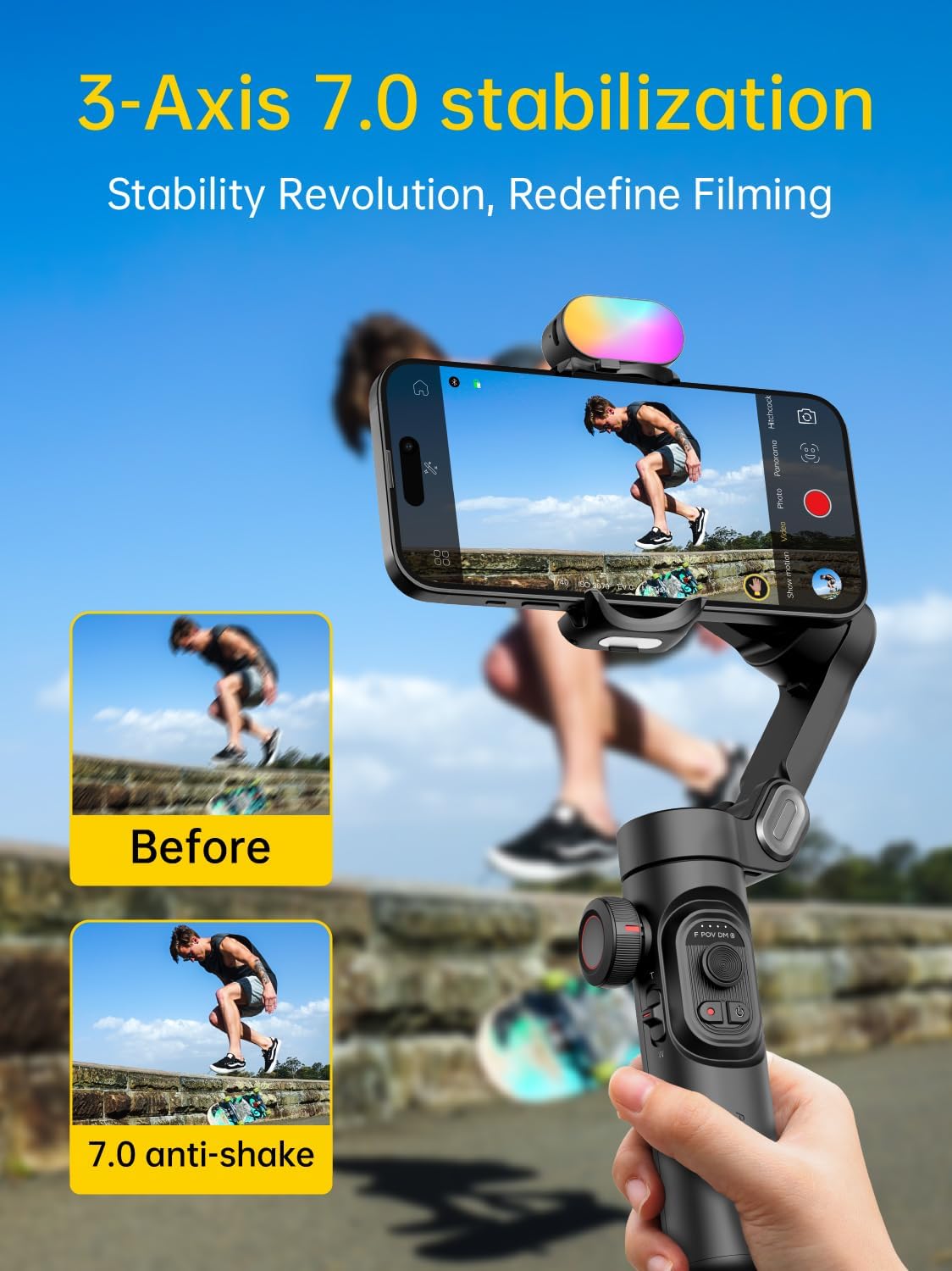
Gambar 2.3.1: The 7.0 anti-shake system significantly reduces camera shake for smooth video.

Gambar 2.3.2: Unparalleled three-axis stabilization performance ensures steady shots in various scenarios.
2.4 Pelacakan AI dan Kontrol Gerakan
The 6.0 Intelligent AI Tracking system, accessible via the AOCHUAN app, offers various tracking modes:
- Pelacakan Wajah: Automatically follows a detected face.
- Pelacakan Tubuh: Tracks a person's body movements.
- Pelacakan Objek: Allows selection of any object to track.
- Third-Party Live Tracking: Integrates with other live streaming applications.

Gambar 2.4.1: Smart AI Tracking 7.0 provides versatile tracking capabilities for dynamic content creation.
The gimbal also supports gesture control for hands-free operation:
- Fist Gesture: Toggle between video and photo modes.
- Palm Gestures: Initiate a 3-second countdown for recording.
- Isyarat OK: Start or stop face tracking.
- Thumbs Up (both hands): Switch between portrait and landscape orientation.
- L-shaped Gesture: Start or stop gesture recognition.

Gambar 2.4.2: Gesture controls simplify operation, allowing for dynamic footage without manual adjustments.
2.5 Integrated Fill Light
The gimbal features an integrated fill light with up to 6000lux brightness, 3 adjustable brightness levels, and a color temperature of up to 5500k CCT. This light helps illuminate your subjects in low-light conditions. Additional magnetic lights are available separately.
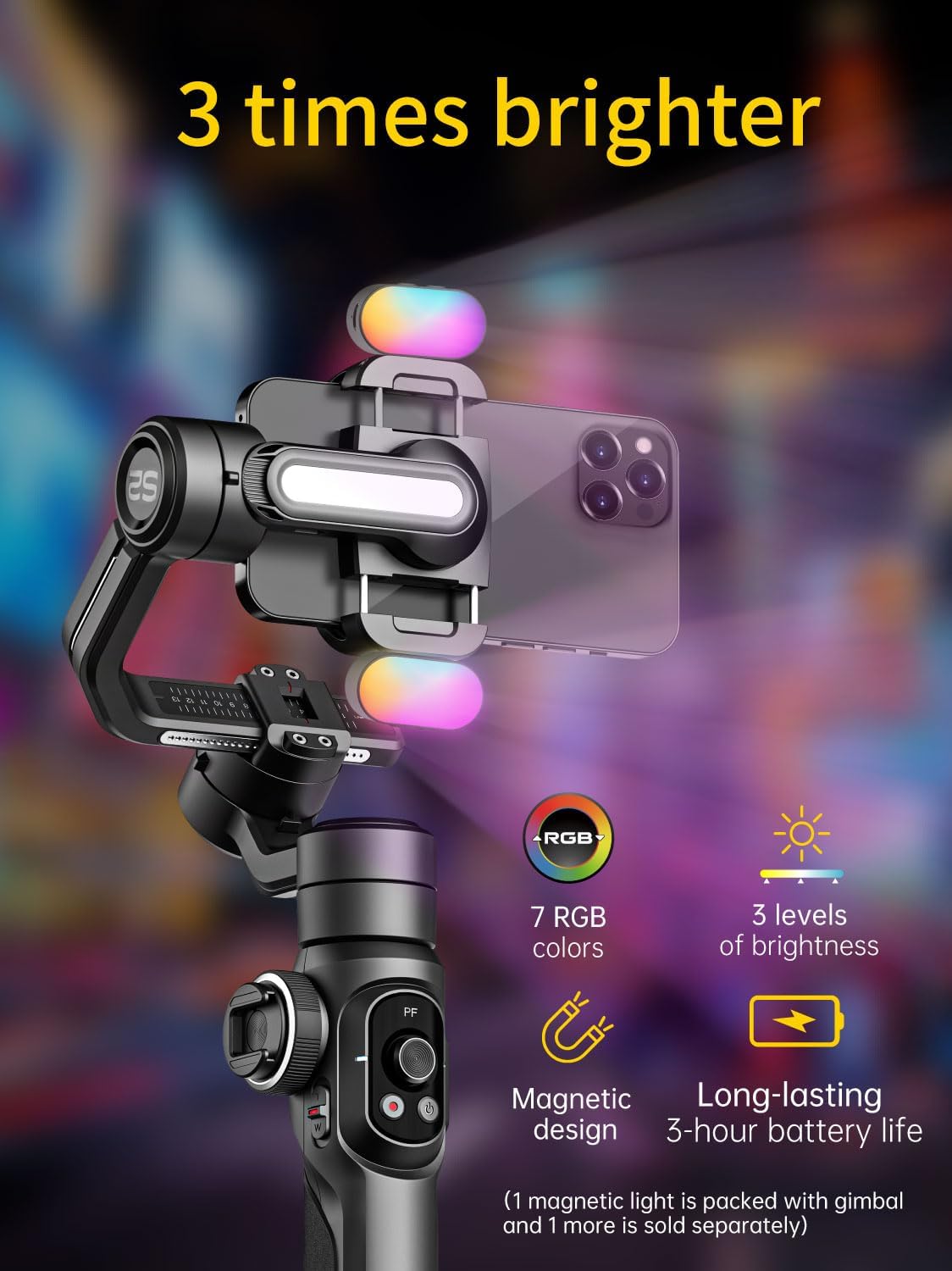
Gambar 2.5.1: The integrated fill light provides adjustable illumination for improved video quality.
2.6 Zoom Wheel and Focus Slider
Use the focus wheel and zoom slider on the gimbal handle to make real-time adjustments to framing, allowing for precise control over your shots.
2.7 360° Infinite Rotation and Extension Rod
The gimbal supports seamless 360° rotation for panoramic shots and creative camera movements. Additionally, the handle includes a built-in extension rod, offering up to 19cm of extended reach for unique angles and expansive shots.
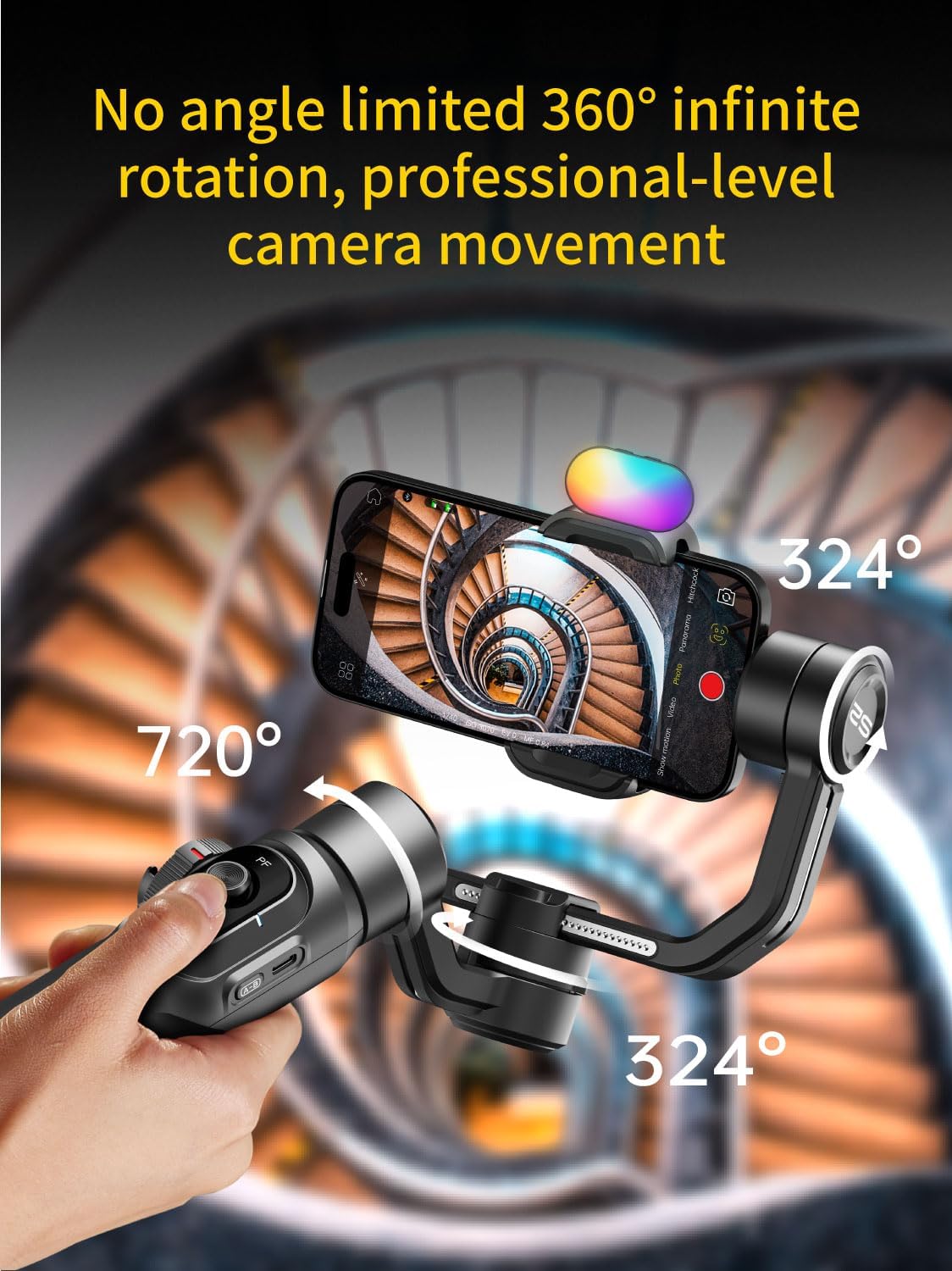
Gambar 2.7.1: The gimbal's 360° rotation capability allows for professional-level camera movement and panoramic captures.
3. Pemeliharaan
3.1 Pembersihan
Wipe the gimbal with a soft, dry cloth. Do not use liquid cleaners or solvents, as they may damage the device. Keep the charging ports and buttons free from dust and debris.
3.2 Penyimpanan
Store the gimbal in a cool, dry place away from direct sunlight and extreme temperatures. If storing for an extended period, ensure the battery is charged to approximately 50-60% to prolong its lifespan.
3.3 Perawatan Baterai
Avoid fully discharging the battery frequently. Recharge the gimbal regularly, even if not in use, to maintain battery health. Do not expose the battery to high temperatures or puncture it.
4. Penyelesaian masalah
4.1 Gimbal Not Powering On
- Ensure the battery is sufficiently charged. Connect the gimbal to a charger and wait for a few minutes before attempting to power on again.
- Press and hold the power button firmly for at least 3 seconds.
4.2 Unstable Footage / Gimbal Vibrating
- Verify that your smartphone is properly balanced on the gimbal before powering it on.
- Ensure the phone is securely mounted and not loose in the clamp.
- Check for any obstructions preventing the gimbal motors from moving freely.
- Calibrate the gimbal through the AOCHUAN app if the issue persists.
4.3 Masalah Koneksi Bluetooth
- Pastikan Bluetooth diaktifkan di ponsel cerdas Anda.
- Restart gimbal dan ponsel cerdas Anda.
- Forget the device in your phone's Bluetooth settings and attempt to reconnect through the AOCHUAN app.
- Ensure the AOCHUAN app has the necessary permissions (e.g., location, Bluetooth).
4.4 App Not Responding
- Close and reopen the AOCHUAN app.
- Periksa pembaruan aplikasi di toko aplikasi ponsel cerdas Anda.
- Pastikan sistem operasi telepon pintar Anda sudah yang terbaru.
5. Spesifikasi Produk
| Merek | AOCUAN |
| Model | Smart S2 Kit, Smart XE Kit, Smart XPro Kit |
| Berat Barang | 0.62 pon (sekitar 9.9 ons) |
| Perangkat yang Kompatibel | Smartphones under 7 inches, max 0.62 lbs, max 6.3" L x 3.5" W x 0.4" T |
| Warna | Hitam |
| ASIN | B0DD3WHJCJ |
| Tanggal Pertama Tersedia | 14 Agustus 2024 |
| Stabilisasi | 3-Axis, Enhanced 7.0 Stabilization Algorithm |
| Rotasi | Rotasi Tak Terbatas 360° |
| Menampilkan | High-Definition OLED Panel |
| Isi Cahaya | Integrated, up to 6000lux, 3 brightness levels, 5500k CCT |
| Pelacakan AI | 6.0 Intelligent AI Tracking (Face, Body, Object, Third-party live) |
| Batang Ekstensi | Built-in, up to 19cm extended reach |
| Pengisian daya | Wireless charging clip for smartphone |
6. Informasi Garansi
AOCHUAN products are covered by a limited warranty from the date of purchase. Please refer to the warranty card included in your product packaging or visit the official AOCHUAN website for detailed warranty terms and conditions. This warranty typically covers manufacturing defects but does not cover damage caused by misuse, accidents, unauthorized modifications, or normal wear and tear.
7. Dukungan Pelanggan
For technical assistance, troubleshooting, or warranty claims, please contact AOCHUAN customer support through the following channels:
- Resmi Weblokasi: Kunjungi AOCHUAN Store on Amazon untuk informasi produk dan sumber daya dukungan.
- Dukungan Email: Lihat kemasan produk Anda atau petunjuk resmi websitus untuk alamat email layanan pelanggan.
- Dukungan Dalam Aplikasi: The AOCHUAN app may offer direct support options.
When contacting support, please have your product model and purchase information ready.


