Perkenalan
This manual provides instructions for the Sudio K2 Pro Wireless Headphones. Please read this manual carefully before using the product to ensure proper operation and to maximize your listening experience.
The Sudio K2 Pro headphones feature Active Noise Cancelling (ANC) technology, Bluetooth 5.4 connectivity, and a lightweight over-ear design for comfort. They offer up to 65 hours of playtime and support USB-C charging and 3.5mm audio input.
Apa yang ada di dalam kotak
- Sudio K2 Pro Wireless Headphones
- Kabel Pengisian Daya USB-C
- Kabel Audio 3.5mm
- Kasus Pelindung
- User Manual (dokumen ini)
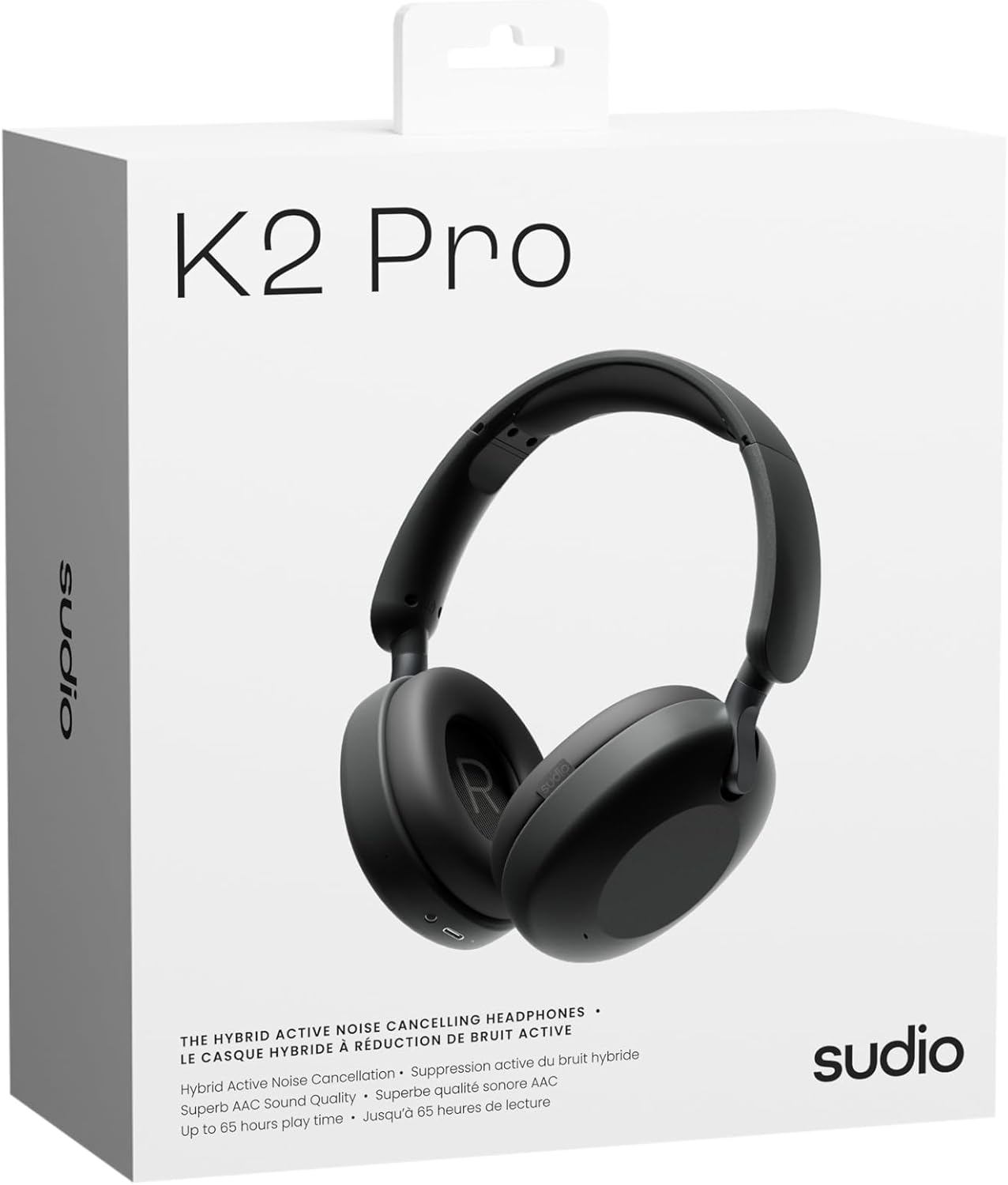
Image: Sudio K2 Pro packaging and included items.
Pengaturan
1. Pengisian Awal
Before first use, fully charge your Sudio K2 Pro headphones. Connect the provided USB-C charging cable to the headphone's charging port and to a compatible USB power source. The LED indicator will show charging status.

Image: USB-C charging port on the Sudio K2 Pro headphones.
2. Menghidupkan/Mematikan
- Nyalakan: Tekan dan tahan tombol Daya selama sekitar 3 detik hingga indikator LED menyala.
- Matikan: Tekan dan tahan tombol Daya selama sekitar 3 detik hingga indikator LED mati.
3. Pemasangan Bluetooth
- Pastikan headphone dimatikan.
- Press and hold the Power button for 5-7 seconds until the LED indicator flashes blue and red, indicating pairing mode.
- Pada perangkat Anda (ponsel pintar, tablet, komputer), aktifkan Bluetooth dan cari perangkat yang tersedia.
- Select "Sudio K2 Pro" from the list of devices.
- Setelah berhasil dipasangkan, indikator LED akan menyala biru terang atau berkedip biru perlahan.
4. Koneksi Kabel
For a wired connection, plug one end of the 3.5mm audio cable into the headphone's audio input jack and the other end into your audio source. The headphones will automatically switch to wired mode.
Petunjuk Pengoperasian
Kontrol Lebihview

Gambar: Detail view dari kontrol headphone.
- Tombol Daya: Power on/off, play/pause, answer/end calls.
- Volume Naik/Trek Berikutnya: Tekan sebentar untuk menambah volume, tekan lama untuk trek berikutnya.
- Volume Turun/Trek Sebelumnya: Tekan sebentar untuk mengecilkan volume, tekan lama untuk trek sebelumnya.
- Tombol ANC: Toggle Active Noise Cancelling (ANC) on/off.
Peredam Kebisingan Aktif (ANC)
Press the ANC button to activate or deactivate the Active Noise Cancelling feature. When ANC is active, the headphones will reduce ambient background noise, providing a more immersive audio experience.
Membuat dan Menerima Panggilan
- Menjawab/Mengakhiri Panggilan: Tekan tombol Daya sekali.
- Tolak Panggilan: Tekan dan tahan tombol Daya selama 2 detik.
Pemeliharaan
- Pembersihan: Gunakan kain lembut dan kering untuk membersihkan headphone. Jangan gunakan pembersih atau pelarut abrasif.
- Penyimpanan: When not in use, store the headphones in the provided protective case to prevent damage.
- Perawatan Baterai: Untuk memperpanjang masa pakai baterai, hindari sering-sering menguras daya baterai headphone sepenuhnya. Isi daya secara teratur.
- Suhu: Hindari memaparkan headphone pada suhu ekstrem (panas atau dingin) atau kelembapan tinggi.

Image: Sudio K2 Pro headphones stored in their protective case.
Penyelesaian Masalah
- Tidak Ada Daya: Pastikan headphone terisi penuh. Hubungkan ke sumber daya dan periksa indikator pengisian daya.
- Tidak Dapat Dipasangkan melalui Bluetooth:
- Pastikan headphone dalam mode berpasangan (LED berkedip biru/merah).
- Matikan dan nyalakan Bluetooth pada perangkat Anda.
- Dekatkan headphone ke perangkat Anda.
- Hapus koneksi Bluetooth sebelumnya pada perangkat Anda dan coba pasangkan lagi.
- Tidak ada suara:
- Periksa tingkat volume pada headphone dan perangkat Anda yang terhubung.
- Ensure the headphones are properly paired or the 3.5mm cable is securely connected.
- If using a wired connection, ensure the Bluetooth is off on the headphones.
- ANC Tidak Berfungsi: Tekan tombol ANC untuk memastikan fitur tersebut aktif.
Spesifikasi
| Fitur | Detil |
|---|---|
| Nama Model | Sudio K2 Pro |
| Nomor Model | SD-2601 |
| Kontrol Kebisingan | Pembatalan Kebisingan Aktif (ANC) |
| Teknologi Konektivitas | Bluetooth 5.4, Wired (3.5mm) |
| Waktu bermain | Hingga 65 jam |
| Waktu Pengisian Daya | 90 menit |
| Port Pengisian Daya | USB Tipe C |
| Berat Barang | 245 Gram (8.6 ons) |
| Impedansi | Tegangan 32 ohm |
| Fitur Khusus | Microphone Included, Noise Cancellation, Touch Control, Volume Control |
Garansi dan Dukungan
For warranty information and customer support, please refer to the official Sudio websitus web atau hubungi layanan pelanggan mereka secara langsung. Simpan bukti pembelian Anda untuk klaim garansi.
Pabrikan: Studio
Weblokasi: www.sudio.com
Video Produk
When you have Sudio K2 Pro in your everyday life
Video: This video showcases the Sudio K2 Pro headphones in various daily scenarios, highlighting their comfort and style.
Unboxing Sudio K2 Pro
Video: This video demonstrates the unboxing experience of the Sudio K2 Pro headphones, showing the contents of the package.
Introducing Sudio K2 Pro
Video: A brief introduction to the Sudio K2 Pro headphones, highlighting key features and design.