1. Pendahuluan
This manual provides detailed instructions for setting up, operating, and maintaining your YOOSEE KAP X330 Wireless WiFi Repeater Router. Please read this manual carefully before using the device to ensure optimal performance, extended network coverage, and safety. This device is designed to easily expand the range of your existing WLAN network or create a new access point.
2. Produk Lebihview
2.1 Fitur Utama
- Extends the range of your WLAN network easily.
- Provides Internet access for computers located at the edge or outside the range of your main access point.
- Supports both Wireless Repeater Mode and standard Access Point (AP) Mode.
- Utilizes WLAN 802.11N for high-speed wireless access.
- Compatible with 802.11G (54 Mbps) and 802.11B (11 Mbps) standards.
- Operates on the 2.4GHz WLAN frequency.
- Ensures maximum WLAN network security with WPA2, WPA, and WEP (64/128-bit) encryptions.
- Features integrated antennas for compact design.
- Bivolt (110V / 220V) power input for versatile use.
- Supports WPS (Wi-Fi Protected Setup) for easy connection.
2.2 Isi Paket
- 1x YOOSEE KAP X330 Wireless WiFi Repeater Router
- 1x Panduan Pengguna
2.3 Deskripsi Fisik
The KAP X330 is a compact, white device designed to plug directly into a wall outlet. It features indicator lights on the front panel and an Ethernet port on the side for wired connections.
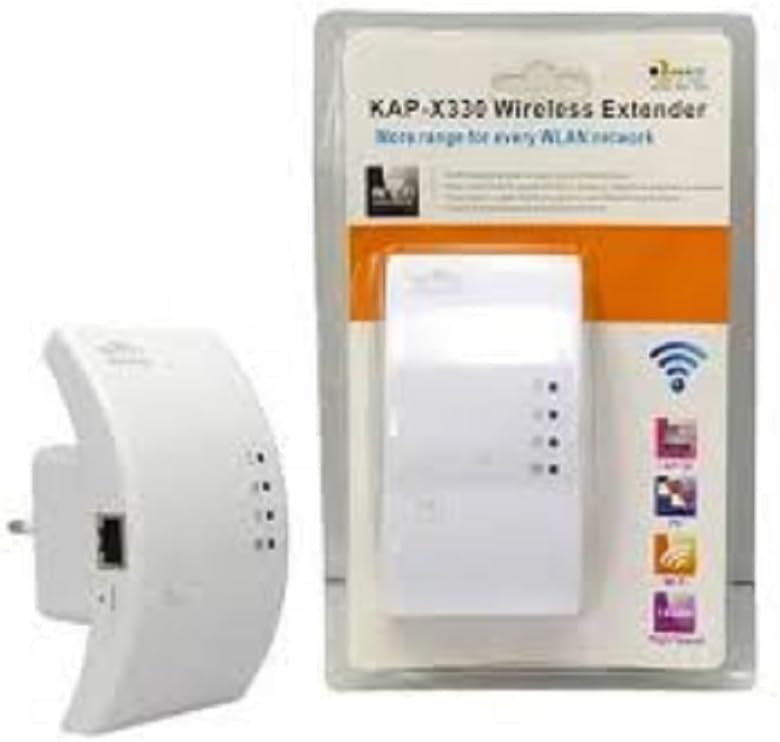
Figure 2.1: YOOSEE KAP X330 Wireless Repeater in its retail packaging and as a standalone unit. The packaging highlights its 'KAP-X330 Wireless Extender' name and 'More range for every WLAN network' slogan. The device itself is white with indicator lights and an Ethernet port visible.
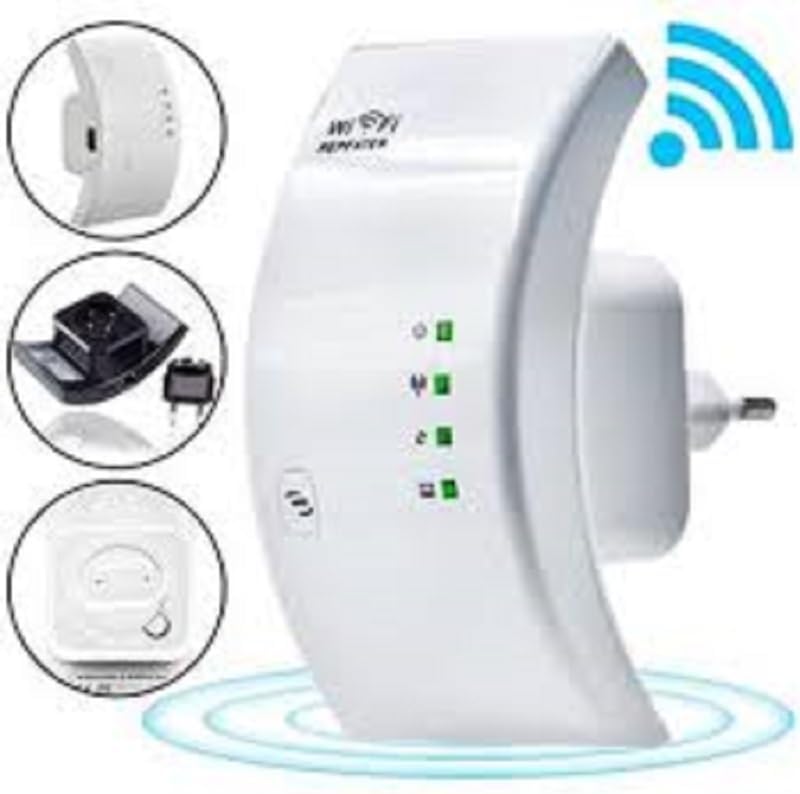
Figure 2.2: A closer look at the YOOSEE KAP X330 Wireless Repeater, emphasizing its design and features. It shows the device plugged into an outlet, with indicator lights illuminated. Insets highlight the side view with an Ethernet port, the power plug, and a reset button, along with a prominent WiFi signal icon.
3. Panduan Pengaturan
3.1 Menghidupkan
- Plug the KAP X330 into a standard electrical outlet within the range of your existing WiFi network (for Repeater Mode) or near your wired internet source (for AP Mode).
- Wait for the power indicator light to turn on, indicating the device is ready.
3.2 Mode Koneksi
The KAP X330 supports two main operational modes:
- Modus Pengulang: Memperluas jangkauan jaringan nirkabel yang sudah ada.
- Mode AP (Titik Akses): Membuat jaringan nirkabel baru dari koneksi Ethernet berkabel.
3.3 Configuration Steps (Repeater Mode)
- Connect to the Repeater: On your computer or smartphone, connect to the repeater's default WiFi network (SSID usually starts with 'Wireless-N' or similar, without a password).
- Mengakses Web Antarmuka: Buka sebuah web browser dan masukkan alamat IP default (misalnya,
192.168.1.1or192.168.10.1) or the default domain name (e.g.,repeater.net). Refer to the label on the device or the quick start guide for the exact address. - Masuk: Enter the default username and password (commonly 'admin' for both).
- Pilih Mode Repeater: On the setup page, select 'Repeater Mode'.
- Pindai Jaringan: The device will scan for available wireless networks. Select your home WiFi network from the list.
- Masukkan Kata Sandi: Masukkan kata sandi untuk jaringan WiFi rumah Anda.
- Configure Extended SSID (Optional): You can choose to keep the same SSID as your main network or create a new one (e.g., 'YourNetwork_EXT').
- Simpan Pengaturan: Click 'Apply' or 'Save'. The repeater will restart.
- Hubungkan kembali: After the restart, connect your devices to the extended WiFi network.
3.4 Configuration Steps (AP Mode)
- Hubungkan Kabel Ethernet: Connect an Ethernet cable from your router or modem to the LAN/WAN port on the KAP X330.
- Connect to the Repeater: On your computer or smartphone, connect to the repeater's default WiFi network (SSID usually starts with 'Wireless-N' or similar, without a password).
- Mengakses Web Antarmuka: Buka sebuah web browser dan masukkan alamat IP default (misalnya,
192.168.1.1or192.168.10.1) or the default domain name (e.g.,repeater.net). - Masuk: Enter the default username and password (commonly 'admin' for both).
- Pilih Mode AP: On the setup page, select 'AP Mode'.
- Configure New Network: Tetapkan SSID (nama jaringan) baru dan kata sandi yang kuat untuk jaringan nirkabel baru Anda.
- Simpan Pengaturan: Click 'Apply' or 'Save'. The device will restart.
- Hubungkan kembali: After the restart, connect your devices to the newly created WiFi network.
3.5 WPS Setup (Wi-Fi Protected Setup)
WPS allows for a quick and easy connection to your main router without needing to enter the password manually.
- Plug in the KAP X330 and wait for it to power on.
- Tekan tombol WPS pada router utama Anda.
- Within two minutes, press the WPS button on the KAP X330.
- The devices will automatically connect and configure the repeater. The signal indicator lights on the repeater should show a strong connection.
4. Operasi
4.1 Lampu Indikator
The KAP X330 features several indicator lights on its front panel to provide status information:
- Daya LED: Menunjukkan apakah perangkat sedang dihidupkan.
- WLAN/WiFi LED: Shows wireless activity and connection status.
- Lampu LED LAN/WAN: Menunjukkan aktivitas pada port Ethernet.
- LED Kekuatan Sinyal: (If present) Indicate the strength of the signal received from the main router in Repeater Mode. More lights usually mean a stronger signal.
4.2 Penempatan Optimal
For best performance in Repeater Mode, place the KAP X330 halfway between your main router and the area where you need extended WiFi coverage. Avoid placing it near large metal objects, concrete walls, or other devices that emit radio frequency interference (e.g., microwaves, cordless phones).
5. Pemeliharaan
5.1 Pembersihan
To clean the device, unplug it from the power outlet. Use a soft, dry cloth to wipe the exterior. Do not use liquid cleaners or aerosol sprays.
5.2 Pembaruan Firmware
Periodically check the YOOSEE official webSitus ini menyediakan pembaruan firmware. Pembaruan firmware dapat meningkatkan kinerja, menambahkan fitur baru, atau memperbaiki bug. Ikuti petunjuk yang disertakan dalam paket pembaruan firmware dengan cermat.
6. Penyelesaian masalah
6.1 Tidak Ada Akses Internet Setelah Pengaturan
- Ensure the repeater is receiving a strong signal from your main router (check signal strength LEDs).
- Verify that you entered the correct WiFi password for your main network during setup.
- Try restarting both your main router and the KAP X330.
- If in AP Mode, ensure the Ethernet cable is securely connected and your main router is providing internet.
6.2 Weak Signal or Slow Speed
- Relocate the KAP X330 closer to your main router, ensuring it's still within the desired coverage area.
- Avoid physical obstructions like thick walls or large metal objects.
- Periksa interferensi dari perangkat elektronik lainnya.
6.3 Tidak Dapat Mengakses Web Antarmuka
- Ensure your device is connected to the repeater's WiFi network (or via Ethernet if in AP mode).
- Pastikan alamat IP atau nama domain yang dimasukkan di browser sudah benar.
- Bersihkan cache peramban Anda atau coba peramban lain.
- Nonaktifkan sementara perangkat lunak VPN atau firewall apa pun di komputer Anda.
6.4 Reset Pabrik
Jika Anda mengalami masalah yang terus berlanjut atau lupa kredensial login Anda, Anda dapat melakukan pengaturan ulang pabrik:
- With the device powered on, use a paperclip or a thin object to press and hold the reset button (usually located in a small pinhole) for about 5-10 seconds.
- Release the button when the indicator lights flash or the device restarts.
- The device will revert to its factory default settings, and you will need to reconfigure it.
7. Spesifikasi
| Fitur | Spesifikasi |
|---|---|
| Pabrikan | YOOSEE |
| Model | KAP-X330 |
| Standar nirkabel | 802.11n (compatible with 802.11g/b) |
| Frekuensi | 2.4 GHz |
| Protokol Keamanan | WPA2, WPA, WEP (64/128-bit) |
| Fitur Khusus | WPS, Standard AP Mode |
| Masukan Daya | Bivolt 110V / 220V |
| Dimensi (P x L x T) | Ukuran 15x12x8 cm |
| Berat | 200 gram |
| Perangkat yang Kompatibel | Laptop, Smartphone, Tablet, Smart TV |
8. Garansi dan Dukungan
For warranty information and technical support, please refer to the contact details provided by your retailer or visit the official YOOSEE websitus. Simpan struk pembelian Anda sebagai bukti pembelian untuk klaim garansi.


