1. Pendahuluan
Welcome to your new Amazon Fire TV 55-inch 4-Series 4K UHD Smart TV. This manual provides essential information for setting up, operating, maintaining, and troubleshooting your television. Your Fire TV combines stunning 4K Ultra HD visuals with the intelligence of Alexa, offering a seamless entertainment experience.

Gambar: Depan view of the Amazon Fire TV 4-Series 55-inch TV, showcasinberkat bezelnya yang tipis dan penyangganya.

Image: A graphic highlighting key features of the Fire TV 4-Series: 4K Resolution, HDR10+ display, Ambient Experience, and Alexa integration.
2. Pengaturan
2.1 Pembongkaran dan Pemeriksaan
Carefully remove all components from the packaging. Inspect the TV and accessories for any signs of damage. Retain the packaging for future transport or service needs.
2.2 Perakitan Dudukan (Opsional)
If you are not wall-mounting your TV, attach the included TV stand legs:
- Letakkan layar TV menghadap ke bawah pada permukaan yang lembut dan bersih untuk mencegah goresan.
- Sejajarkan setiap kaki dudukan dengan slot yang sesuai di bagian bawah TV.
- Secure each leg using the provided screws (4 screws total).
The distance between the TV legs is approximately 43.3 inches.
2.3 Pemasangan di Dinding (Opsional)
For wall mounting, use a VESA-compatible mount that supports a 300 mm x 300 mm standard. Consult a professional for installation if you are unsure.
2.4 Menghubungkan Periferal
Hubungkan perangkat Anda ke TV menggunakan port yang tersedia:
- Port HDMI: 3 HDMI 2.0 ports and 1 HDMI 2.1 port with eARC for high-definition audio and video devices (e.g., gaming consoles, Blu-ray players, soundbars).
- Port USB: 1 USB 3.0 port for connecting external storage devices.
- Digital Optical Audio Port: 1 port untuk menghubungkan ke sistem audio eksternal.
- Port Ethernet: 1 port for a wired internet connection.
Pastikan semua kabel tersambung dengan aman.
2.5 Sambungan Daya
Sambungkan kabel daya ke input daya TV, lalu ke stopkontak di dinding.
2.6 Pengaturan Kontrol Jarak Jauh
Insert the two included AAA batteries into the Alexa Voice Remote Enhanced. The remote will automatically pair with your TV upon initial setup.
2.7 Pengaktifan Awal dan Pengaturan Jaringan
Press the power button on the remote. Follow the on-screen instructions to:
- Pilih bahasa Anda.
- Connect to your Wi-Fi network (supports Wi-Fi 6) or use the Ethernet connection.
- Masuk dengan akun Amazon Anda.
- Complete the guided setup for your Fire TV experience.
3. Operasi
3.1 Daya Hidup/Mati
Press the power button on the Alexa Voice Remote Enhanced to turn the TV on or off. The TV may enter a sleep mode rather than fully powering down, allowing for quick startup and Ambient Experience features.
3.2 Alexa Voice Remote Enhanced
Your TV comes with an Alexa Voice Remote Enhanced, designed for intuitive control:
- Kontrol Suara: Press and hold the Alexa button and speak naturally to find content, manage smart home devices, or ask questions.
- Tombol Preset: Use the dedicated app buttons for quick access to your favorite streaming services.
- Navigasi: Use the directional pad and select button to navigate the Fire OS interface.
Alternatively, you can use the free Fire TV app on your smartphone (available for Fire OS, Android, and iOS) for voice control and navigation.

Image: The Fire TV interface showing the Alexa search bar and icons for popular streaming applications, demonstrating voice control capabilities.
3.3 Fire OS Interface and Content Access
The Fire OS provides a personalized home screen where you can easily find and launch apps, movies, TV shows, and live TV. Navigate through categories and recommendations to discover new content. You can access over 1.8 million movies and TV episodes, including over 400,000 episodes of free content. Subscription fees may apply for certain services.
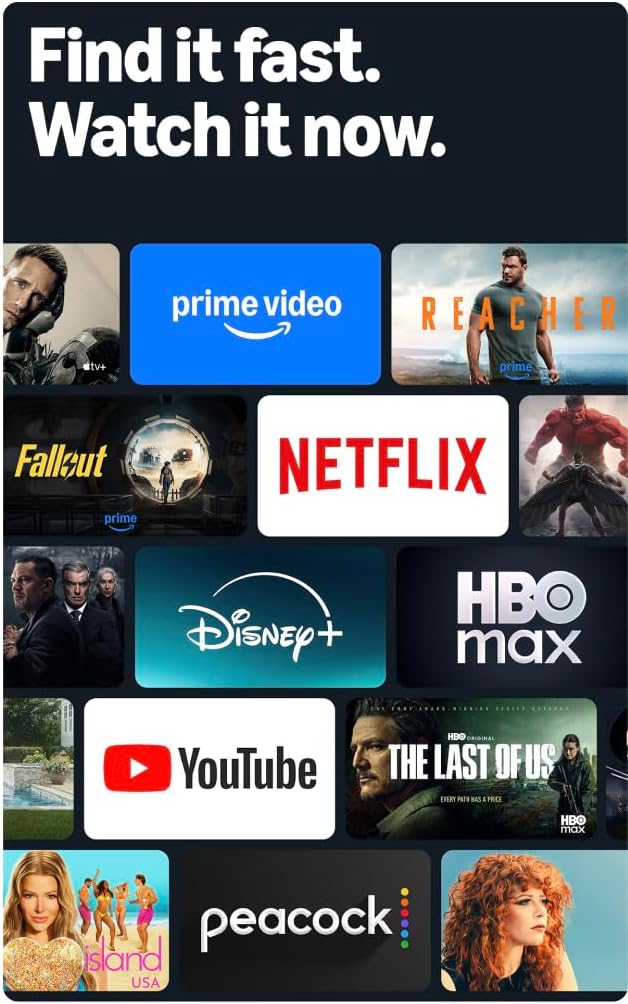
Image: A collage of streaming service logos and content thumbnails on the Fire TV screen, illustrating the wide range of available entertainment.
3.4 Kualitas Gambar
Experience vivid visuals with 4K Ultra HD resolution and HDR10+ support. This technology delivers bright, crisp images with enhanced contrast, ensuring details are visible even in dark scenes.

Image: A visual comparison demonstrating the superior detail and clarity of 4K resolution compared to HD, using a close-up of a chameleon.
Suara 3.5
The TV features Dolby Digital Plus audio support with passthrough of Dolby-encoded audio, providing clear and immersive sound. The integrated speakers offer 10W + 10W audio power.
3.6 Ambient Experience
Utilize the custom Omnisense technology. Built-in sensors wake the display when you enter the room, allowing it to show your favorite artwork or quickly resume watching content.

Image: The Fire TV screen displaying vibrant abstract art, illustrating the Ambient Experience feature that activates when motion is detected.
3.7 Permainan
Download free games from the Appstore or stream games from the cloud with Amazon Luna, offering a versatile gaming experience directly on your TV.
4. Pemeliharaan
4.1 Membersihkan TV Anda
- Layar: Usap layar secara perlahan dengan kain lembut, kering, dan bebas serat. Untuk noda membandel, usap layar secara perlahan.ampBasahi kain dengan air atau larutan pembersih layar yang dirancang khusus untuk elektronik. Jangan menyemprotkan cairan langsung ke layar.
- Casing: Gunakan kain lembut dan kering untuk membersihkan TV casing. Hindari pembersih atau pelarut yang bersifat abrasif.
Selalu cabut TV dari stopkontak sebelum membersihkan.
4.2 Pembaruan Perangkat Lunak
Your Fire TV receives automatic software security updates. Ensure your TV is connected to the internet to receive these updates, which improve performance and security. This device receives guaranteed software security updates until at least four years after the device is last available for purchase as a new unit on our websitus.
5. Penyelesaian masalah
If you encounter issues with your Amazon Fire TV, refer to the following common troubleshooting steps:
- Tidak Ada Daya: Pastikan kabel daya terpasang dengan benar ke TV dan stopkontak yang berfungsi. Coba stopkontak lain.
- Tidak Ada Gambar/Suara: Verify that all HDMI cables are correctly connected to both the TV and your external devices. Check the input source on your TV.
- Jarak Jauh Tidak Merespons: Replace the AAA batteries in the Alexa Voice Remote Enhanced. Ensure there are no obstructions between the remote and the TV.
- Masalah Koneksi Jaringan: Check your Wi-Fi router and ensure it is functioning correctly. Restart your router and the TV. If using a wired connection, ensure the Ethernet cable is securely connected.
- Kinerja Lambat: Restart your TV by unplugging it from the power outlet for 30 seconds and then plugging it back in. Clear cache for apps if necessary.
For more detailed troubleshooting or persistent issues, visit the Amazon Fire TV support websitus atau hubungi layanan pelanggan.
6. Spesifikasi
| Fitur | Detil |
|---|---|
| Ukuran Layar | 55 inci (54.6 inci) viewmampu) |
| Resolusi | UHD 4K (3840 x 2160) |
| Rentang Dinamis Tinggi (HDR) | HDR10+, HDR10, HLG |
| Jenis Lampu Latar | LED langsung |
| Tingkat Penyegaran | frekuensi 60Hz |
| Port HDMI | 3 HDMI 2.0 + 1 HDMI 2.1 dengan eARC |
| Port USB | 1 USB 3.0 |
| Output Audio Optik Digital | 1 Pelabuhan |
| Konektivitas | Wi-Fi 6 + 1 Ethernet port |
| Dukungan Suara | Alexa Voice Remote Enhanced (included) or Fire TV app |
| Dukungan Audio | Dolby Digital Plus |
| Kekuatan Audio | 10W + 10W |
| Sistem Operasi | Sistem Operasi Api |
| Ukuran Produk dengan Stand | Ukuran 48.3” x 31.3” x 11.3” |
| Berat dengan Stand | 22.0 pon |
| Product Size without Stand | Ukuran 48.3” x 28.2” x 3.2” |
| Berat tanpa Berdiri | 21.5 pon |
| Distance between TV legs | 43.3” |
| Nomor SKU | 4K43N402 |
| Standar Pemasangan Dinding VESA | Ukuran 300 x 300 mm |
| Baterai Kontrol Jarak Jauh | 2 AAA (termasuk) |
| Teknologi Kontrol Jarak Jauh | Bluetooth 5.0 |
7. Garansi dan Dukungan
7.1 Garansi Produk
Your Amazon Fire TV 4-Series includes a 1-year limited warranty and service. Optional 3-Year and 4-Year Extended Warranties are available for U.S. customers and are sold separately.
The Alexa Voice Remote Enhanced included with your TV has a 90-day limited warranty and service.
Use of Fire TV is subject to the terms found on the Amazon weblokasi.
7.2 Dukungan Pelanggan
For technical assistance, warranty claims, or additional support, please visit the official Amazon support websitus atau hubungi layanan pelanggan Amazon.
8. Fitur Aksesibilitas
The Amazon Fire TV 4-Series includes several accessibility features to enhance the user experience:
- SuaraView Pembaca layar: Provides spoken feedback for navigation and on-screen text, assisting users who are blind or visually impaired.
- Pembesar Layar: Allows users to zoom in and out, and pan around the screen for better visibility of content.
- Spanduk Teks: Menggabungkan teks di layar menjadi spanduk yang dapat disesuaikan.
- Teks Tertutup: Displays text captions for dialogue and sounds in supported videos and TV shows.
- Deskripsi Audio: Provides verbal descriptions of visual elements on the screen, such as actions, facial expressions, and scene changes, for supported content.
- Alat Bantu Dengar Bluetooth: Supports audio streaming for select compatible Bluetooth hearing aids and devices for a private listening experience. Compatible Bluetooth headphones can also be used.
Note: Captions and audio descriptions are not available for all content. "Hearing aids" refers to compatible Bluetooth hearing devices such as traditional hearing aids, cochlear implants, and bone conduction hearing devices.


