Perkenalan
Thank you for choosing the Vieta Pro Way 4 Headband Headphones. These headphones are designed to provide a superior audio experience with advanced features such as Bluetooth 5.4 connectivity, an integrated microphone, a dedicated gaming mode, and dual pairing capabilities. This manual will guide you through the setup, operation, and maintenance of your new headphones.
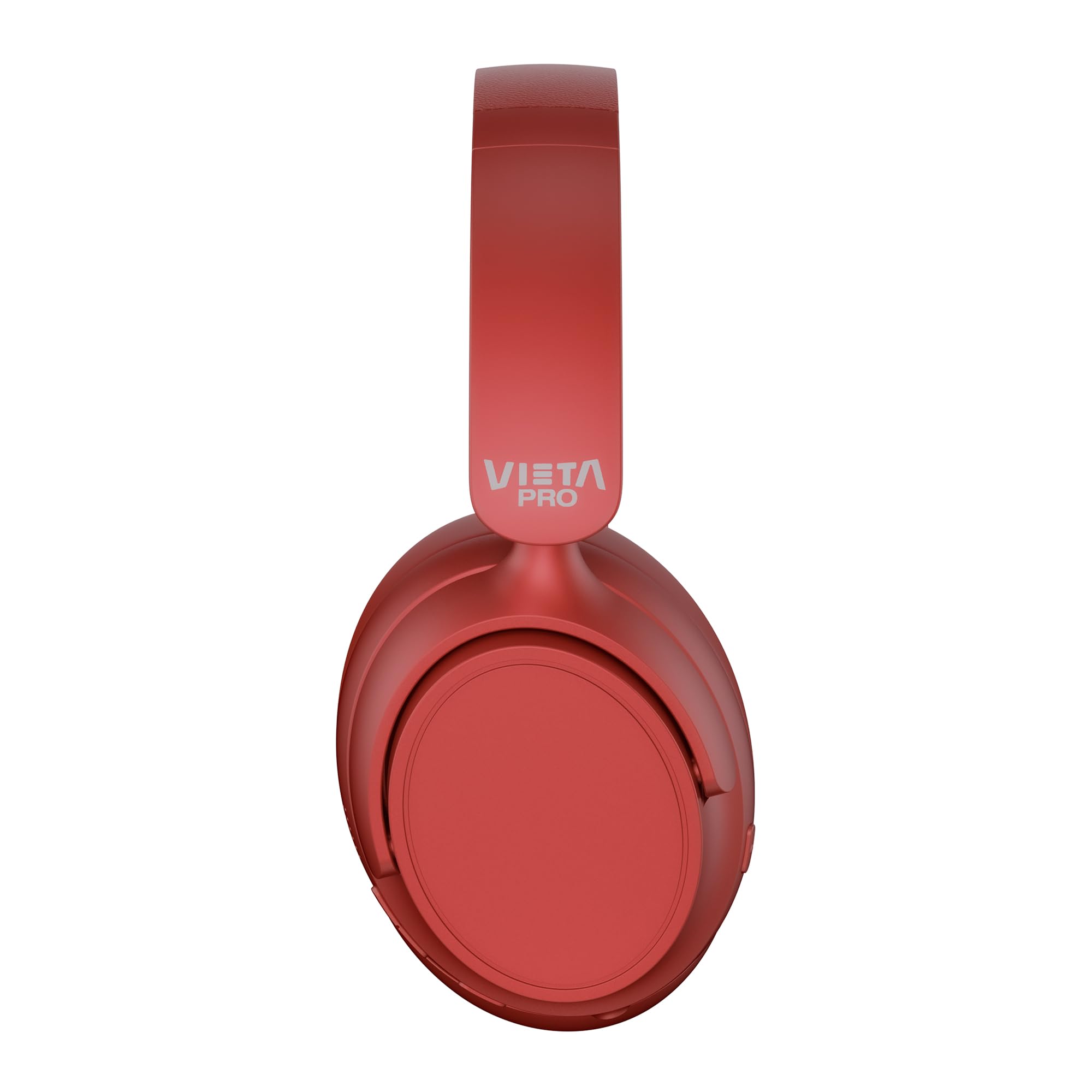
Gambar: Depan view of the Vieta Pro Way 4 Headband Headphones in red.
Isi Paket
Harap periksa apakah semua item ada dalam paket:
- Vieta Pro Way 4 Headband Headphones
- Kabel Pengisian Daya USB
- 3.5mm Audio Cable with integrated microphone
- User Manual (dokumen ini)
Produk Selesaiview
Familiarize yourself with the various parts and controls of your headphones.

Image: Right earcup with power button, volume controls, USB-C charging port, and 3.5mm audio jack.
- Tombol Daya: Digunakan untuk menghidupkan/mematikan dan memulai pemasangan Bluetooth.
- Tombol Volume Naik/Lagu Berikutnya: Press briefly to increase volume, press and hold for next track.
- Tombol Volume Turun/Lagu Sebelumnya: Press briefly to decrease volume, press and hold for previous track.
- Tombol Multi-fungsi: For play/pause, answer/end calls, activate voice assistant.
- Port Pengisian Daya USB-C: Untuk mengisi daya headphone.
- Jack Audio 3.5mm: Untuk koneksi kabel gunakan kabel audio yang disertakan.
- Mikrofon Terintegrasi: Untuk panggilan dan perintah asisten suara.

Image: Left earcup and adjustable headband of the Vieta Pro Way 4 headphones.
Pengaturan
1. Mengisi Daya Headphone
Sebelum digunakan pertama kali, isi daya headphone Anda hingga penuh.
- Hubungkan kabel pengisian daya USB ke port USB-C pada headphone.
- Hubungkan ujung kabel lainnya ke adaptor daya USB (tidak disertakan) atau port USB komputer.
- The LED indicator will show charging status (e.g., red for charging, blue/off for fully charged).
- Pengisian daya penuh dapat memutar hingga 50 jam.
2. Menghidupkan/Mematikan
- Untuk menghidupkan: Tekan dan tahan tombol daya selama kurang lebih 3 detik hingga indikator LED berkedip.
- Untuk mematikan: Tekan dan tahan tombol Daya selama sekitar 3 detik hingga indikator LED mati.
3. Pemasangan Bluetooth
Hubungkan headphone Anda dengan perangkat Anda untuk audio nirkabel.
- Pastikan headphone dimatikan.
- Tekan dan tahan tombol Daya selama kurang lebih 5-7 detik hingga indikator LED berkedip merah dan biru bergantian, yang menandakan mode pemasangan.
- Pada perangkat Anda (ponsel pintar, tablet, komputer), aktifkan Bluetooth dan cari perangkat yang tersedia.
- Select "Vieta Pro Way 4" from the list of found devices.
- Setelah terhubung, indikator LED akan berkedip biru perlahan atau menyala biru terus-menerus.
4. Pemasangan Ganda
The Vieta Pro Way 4 headphones support dual pairing, allowing simultaneous connection to two devices (e.g., phone and computer).
- Pair the headphones with the first device as described in "Bluetooth Pairing".
- Nonaktifkan Bluetooth pada perangkat pertama. Headphone akan kembali memasuki mode pemasangan.
- Pasangkan headphone dengan perangkat kedua.
- Aktifkan kembali Bluetooth pada perangkat pertama. Headphone akan terhubung secara otomatis ke kedua perangkat.
- Audio akan diputar dari perangkat yang sedang aktif mengirimkan data.
5. Wired Connection (Aux-in)
Use the included 3.5mm audio cable for a wired connection. This is useful when the battery is low or for devices without Bluetooth.
- Connect one end of the 3.5mm audio cable to the Aux-in port on the headphones.
- Hubungkan ujung lainnya ke jack audio 3.5 mm pada perangkat Anda.
- The headphones will automatically switch to wired mode. The integrated microphone on the cable can be used for calls in this mode.
Petunjuk Pengoperasian
Putar Musik
- Putar/Jeda: Tekan tombol Multifungsi sekali.
- Volume Naik: Tekan tombol Volume Naik satu kali.
- Volume Turun: Tekan tombol Volume Turun satu kali.
- Lagu Berikutnya: Tekan dan tahan tombol Volume Naik.
- Lagu Sebelumnya: Tekan dan tahan tombol Volume Turun.
Manajemen Panggilan
- Menjawab/Mengakhiri Panggilan: Tekan tombol Multifungsi sekali.
- Tolak Panggilan: Tekan dan tahan tombol Multifungsi selama 2 detik.
- Panggil Ulang Nomor Terakhir: Tekan dua kali tombol Multifungsi.
Asisten Suara
- Aktifkan Asisten Suara (Siri, Google Assistant, dll.): Tekan tiga kali tombol Multifungsi.
Mode Permainan
Activate Gaming Mode to reduce Bluetooth latency for an optimized gaming experience.
- Activate/Deactivate Gaming Mode: Press the Power button twice quickly. The headphones will provide an audio cue.
Pemeliharaan
- Pembersihan: Lap headphone dengan kain lembut dan kering. Jangan gunakan pembersih atau pelarut abrasif.
- Penyimpanan: Store the headphones in a cool, dry place. The foldable design allows for compact storage.
- Perawatan Baterai: Untuk memperpanjang masa pakai baterai, hindari sering-sering menguras daya baterai headphone sepenuhnya. Isi daya secara teratur.
- Tahan Air: Headphone ini tidak tahan air. Hindari paparan air atau kelembapan berlebih.

Image: The Vieta Pro Way 4 headphones in their foldable configuration, demonstrating portability.
Penyelesaian Masalah
| Masalah | Kemungkinan Penyebab | Larutan |
|---|---|---|
| Headphone tidak menyala. | Baterai lemah. | Isi daya headphone hingga penuh. |
| Tidak dapat dipasangkan melalui Bluetooth. | Headphone tidak dalam mode pemasangan; Bluetooth dinonaktifkan pada perangkat; terlalu jauh dari perangkat. | Ensure headphones are in pairing mode (flashing red/blue). Enable Bluetooth on your device. Move headphones closer to the device (within 10 meters). |
| Tidak ada suara atau volume rendah. | Volume terlalu rendah pada headphone atau perangkat; sumber audio yang dipilih salah; headphone tidak terhubung. | Increase volume on both headphones and device. Check Bluetooth connection or 3.5mm cable connection. Ensure the correct audio output is selected on your device. |
| Mikrofon tidak berfungsi. | Microphone muted on device; incorrect input device selected; issue with 3.5mm cable microphone. | Check device settings to ensure microphone is not muted and "Vieta Pro Way 4" is selected as input. If using wired connection, ensure the cable's microphone is enabled/functional. |
| Audio delay in games. | Gaming Mode is not activated. | Activate Gaming Mode by double-pressing the Power button. |
Spesifikasi
| Nama Model | Vieta Pro Cara 4 |
| Nomor Model | Diam 3 |
| Konektivitas | Bluetooth 5.4, 3.5mm Aux-in |
| Daya Tahan Baterai | Hingga 50 jam |
| Mikropon | Integrated (for Bluetooth), In-line (for 3.5mm cable) |
| Fitur Khusus | Gaming Mode, Dual Pairing, Foldable Design, Passive Noise Reduction |
| Impedansi | 32 Ohm |
| Penempatan Telinga | Over-ear (Circumaural) |
| Bahan | Plastik |
| Tahan Air | Tidak tahan air |
| Perangkat yang Kompatibel | Mobile devices, computers, game consoles |
Garansi dan Dukungan
For warranty information and technical support, please refer to the warranty card included in your product packaging or visit the official Vieta Pro weblokasi.
Harap simpan bukti pembelian Anda untuk klaim garansi apa pun.


