1. Pendahuluan
Thank you for choosing the Edifier X1 Lite True Wireless Earbuds. This manual provides detailed instructions for setting up, operating, and maintaining your new earbuds to ensure optimal performance and longevity. Please read this manual thoroughly before use.

Image: Edifier X1 Lite True Wireless Earbuds in their open charging case.
2. Apa yang ada di dalam kotak
The Edifier X1 Lite package includes the following components:
- Edifier X1 Lite True Wireless Earbuds (Left and Right)
- Kotak Pengisian Daya
- Kabel Pengisian Daya USB
- User Manual (dokumen ini)
3. Pengaturan
3.1 Pengisian Awal
Sebelum penggunaan pertama, isi daya earbud dan casing pengisi daya hingga penuh.
- Tempatkan kedua earbud ke dalam wadah pengisi daya.
- Hubungkan kabel pengisi daya USB ke port pengisian daya pada casing dan ke sumber daya (misalnya, adaptor dinding USB, port USB komputer).
- Lampu indikator pada wadah pengisi daya akan menunjukkan status pengisian daya. Lihat bagian indikator LED untuk detailnya.
- Pengisian daya penuh biasanya memakan waktu sekitar 1.5 jam untuk casing dan earbud.
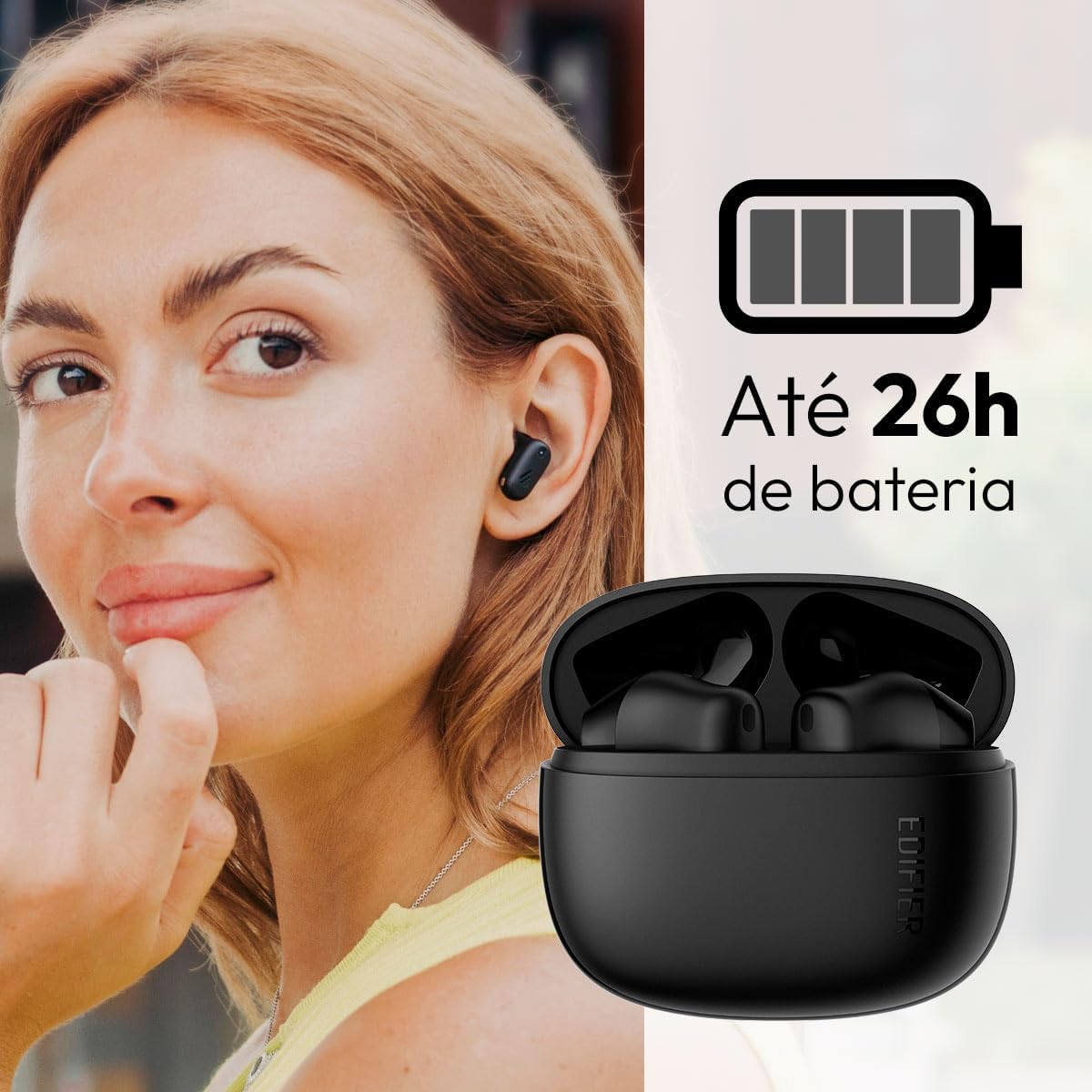
Image: Woman wearing an earbud, with the charging case and a battery icon indicating charging.
Fast Charging Feature:
A 15-minute quick charge can provide approximately 1.5 hours of playtime for the earbuds.

Image: Visual representation of battery life and fast charging capabilities.
3.2 Pemasangan Bluetooth
Follow these steps to pair your Edifier X1 Lite earbuds with your device:
- Pasangan pertama kali: Open the charging case. The earbuds will automatically power on and enter pairing mode. The indicator light on the earbuds will flash rapidly.
- Pada perangkat Anda (ponsel pintar, tablet, laptop), aktifkan Bluetooth.
- Pencarian untuk "EDIFIER X1 Lite" in the list of available Bluetooth devices.
- Select "EDIFIER X1 Lite" to connect. Once connected, the indicator lights on the earbuds will turn off, and you will hear a confirmation tone.
- Re-pairing/Connecting to a New Device: If the earbuds are already connected to another device, disconnect them first. Alternatively, with the earbuds in the case and the lid open, press and hold the button on the charging case for 3 seconds to enter pairing mode.

Image: Man using earbuds, highlighting Bluetooth 5.4 connectivity.
3.3 Edifier ConneX App Installation
For enhanced features and customization, download the EDIFIER ConneX app:
- Scan the QR code provided in the image below or visit the official Edifier app download page.
- Instal aplikasi di ponsel cerdas atau tablet Anda.
- Open the app and follow the on-screen instructions to connect your X1 Lite earbuds.
- The app allows for sound effect customization, game mode activation, and touch control settings.

Image: EDIFIER ConneX app interface with QR code. Download the Edifier ConneX App
4. Petunjuk Pengoperasian
4.1 Mengenakan Earbud
Proper fit ensures optimal sound quality and comfort:
- Identifikasi earbud kiri (L) dan kanan (R).
- Masukkan masing-masing earbud secara perlahan ke dalam liang telinga yang sesuai.
- Putar earbud sedikit hingga terasa aman dan nyaman.

Image: Man demonstrating proper earbud placement.
4.2 Daya Hidup/Mati
- Nyalakan: Earbud akan otomatis menyala saat dilepaskan dari wadah pengisi daya.
- Matikan: The earbuds automatically power off and begin charging when placed back into the charging case and the lid is closed.
4.3 Kontrol Sentuh
The Edifier X1 Lite earbuds feature touch-sensitive controls on each earbud. These controls can be customized via the EDIFIER ConneX app.
| Tindakan | Speaker Mini Kiri (Kiri) | Earbud Kanan (Kanan) |
|---|---|---|
| Menjawab/Mengakhiri Panggilan | Ketuk Dua Kali | Ketuk Dua Kali |
| Tolak Panggilan | Ketuk Tiga Kali | Ketuk Tiga Kali |
| Putar/Jeda Musik | Ketuk Dua Kali | Ketuk Dua Kali |
| Lagu Berikutnya | N/A (Customize via App) | Ketuk Tiga Kali |
| Trek Sebelumnya | Ketuk Tiga Kali | N/A (Customize via App) |
| Mode Permainan Hidup/Mati | Ketukan Empat Kali Lipat | Ketukan Empat Kali Lipat |
Note: These are default settings. Functions can be reconfigured using the EDIFIER ConneX app.

Image: Visual guide to earbud touch controls.
5. Pemeliharaan
5.1 Pembersihan
- Bersihkan earbud dan casing pengisi daya secara teratur dengan kain yang lembut, kering, dan tidak berbulu.
- Jangan gunakan pembersih abrasif, alkohol, atau pelarut kimia.
- Pastikan kontak pengisian daya pada kedua earbud dan wadahnya bersih dan bebas dari kotoran agar pengisian daya tetap berjalan dengan baik.
5.2 Tahan Air (IP54)
The Edifier X1 Lite earbuds are IP54 rated, meaning they are protected against dust ingress and splashing water from any direction. This makes them suitable for workouts and light rain.
- Jangan merendam earbud di dalam air.
- The charging case is not water-resistant. Keep it dry.
- If earbuds get wet, wipe them dry completely before placing them back in the charging case to prevent damage.

Image: Demonstrating IP54 sweat resistance during exercise.
5.3 Perawatan Baterai
- Hindari memaparkan earbud dan wadahnya pada suhu ekstrem (panas atau dingin).
- Simpan perangkat di tempat yang sejuk dan kering saat tidak digunakan.
- Isi daya perangkat secara teratur, meskipun tidak sering digunakan, untuk menjaga kesehatan baterai.
6. Penyelesaian masalah
If you encounter issues with your Edifier X1 Lite earbuds, refer to the following common problems and solutions:
6.1 Tidak Ada Suara atau Koneksi Terputus-putus
- Periksa Baterai: Pastikan kedua earbud dan wadah pengisi daya terisi daya dengan cukup.
- Memperbaiki: Disconnect the earbuds from your device's Bluetooth settings and then re-pair them.
- Jarak: Pastikan earbud berada dalam jangkauan Bluetooth (biasanya 10 meter) perangkat Anda.
- Gangguan: Move away from strong Wi-Fi signals or other Bluetooth devices that might cause interference.
- Atur ulang: Place both earbuds in the charging case, close the lid, wait a few seconds, then open the lid and try pairing again.
6.2 Earbud Tidak Mengisi Daya
- Periksa Kabel: Ensure the USB charging cable is securely connected to both the case and the power source.
- Sumber Daya: Coba port USB atau adaptor dinding yang berbeda.
- Bersihkan Kontak: Clean the charging contacts on the earbuds and inside the charging case with a dry cotton swab.
- Penempatan yang Tepat: Pastikan earbud terpasang dengan benar pada wadah pengisi daya.
6.3 Kualitas Panggilan Buruk
- Penghalang Mikrofon: Ensure the microphone on the earbuds is not covered.
- Lingkungan: Move to a quieter environment if possible. The AI algorithm helps, but extreme noise can still affect clarity.
- Stabilitas Koneksi: Pastikan koneksi Bluetooth stabil.

Image: Man using earbuds for a clear call, highlighting AI voice pick-up technology.
6.4 Masalah Koneksi Aplikasi
- Bluetooth Aktif: Ensure Bluetooth is enabled on your device and the earbuds are connected.
- Izin Aplikasi: Check if the EDIFIER ConneX app has necessary Bluetooth and location permissions.
- Mulai ulang aplikasi/perangkat: Tutup dan buka kembali aplikasi, atau mulai ulang ponsel cerdas Anda.
- Pembaruan Aplikasi: Pastikan aplikasi diperbarui ke versi terbaru.
7. Spesifikasi
| Fitur | Detil |
|---|---|
| Nama Model | X1 Ringan |
| Teknologi Konektivitas | Nirkabel (Bluetooth) |
| Versi Bluetooth | 5.4 |
| Jenis Penggerak Audio | Dynamic Driver (Φ13mm) |
| Rentang Frekuensi | Frekuensi 20Hz-20kHz |
| Daya Tahan Baterai | Hingga 7 jam (earbud), hingga 26 jam (dengan casing pengisi daya) |
| Pengisian Cepat | Pengisian daya 15 menit untuk waktu bermain 1.5 jam. |
| Latensi Rendah | 60 menit |
| Tahan Air | IP54 (Hanya untuk earbud) |
| Mikropon | Single Mic AI algorithm voice pick-up |
| Metode Kontrol | Touch Control, App (EDIFIER ConneX) |
| Bahan | Plastik |
| Berat Earbud | Berat sekitar 4g per earbud. |
| Warna | Hitam |
8. Garansi dan Dukungan
Edifier products are designed with quality and reliability in mind. For warranty information and customer support, please refer to the official Edifier websitus atau hubungi layanan pelanggan mereka secara langsung.
- Resmi Weblokasi: Mengunjungi www.edifier.com untuk pendaftaran produk, FAQ, dan sumber daya dukungan.
- Pelayanan pelanggan: Contact Edifier customer support for technical assistance or warranty claims. Contact details can typically be found on the official websitus atau dalam kemasan produk.
Harap simpan bukti pembelian Anda untuk tujuan garansi.